Security Concepts
[email protected]
This is an online book about computer, network, technical, physical, information and cryptographic security. It is a labor of love, incomplete until the day I am finished.
Table of Contents
1 Metadata
The books that help you most are those which make you think the most. The hardest way of learning is that of easy reading; but a great book that comes from a great thinker is a ship of thought, deep freighted with truth and beauty.
-- Theodore Parker
1.1 Copyright and Distribution Control
Kindly link a person to it instead of redistributing it, so that people may always receive the latest version. However, even an outdated copy is better than none. The PDF version is preferred and more likely to render properly (especially graphics and special mathematical characters), but the HTML version is simply too convenient to not have it available. The latest version is always here:
This is a copyrighted work, with some rights reserved. This work is licensed under the Creative Commons Attribution-Noncommercial-No Derivative Works 3.0 United States License. This means you may redistribute it for non-commercial purposes, and that you must attribute me properly (without suggesting I endorse your work). For attribution, please include a prominent link back to this original work and some text describing the changes. I am comfortable with certain derivative works, such as translation into other languages, but not sure about others, so have yet not explicitly granted permission for all derivative uses. If you have any questions, please email me and I’ll be happy to discuss it with you.
1.2 Goals
I wrote this paper to try and examine the typical problems in computer security and related areas, and attempt to extract from them principles for defending systems. To this end I attempt to synthesize various fields of knowledge, including computer security, network security, cryptology, and intelligence. I also attempt to extract the principles and implicit assumptions behind cryptography and the protection of classified information, as obtained through reverse-engineering (that is, informed speculation based on existing regulations and stuff I read in books), where they are relevant to technological security.
1.3 Audience
When I picture a perfect reader, I always picture a monster of courage and curiosity, also something supple, cunning, cautious, a born adventurer and discoverer.
-- Friedreich Nietzsche
This is not intended to be an introductory text, although a beginner could gain something from it. The reason behind this is that beginners think in terms of tactics, rather than strategy, and of details rather than generalities. There are many fine books on computer and network security tactics (and many more not-so-fine books), and tactics change quickly, and being unpaid for this work, I am a lazy author. The reason why even a beginner may gain from it is that I have attempted to extract abstract concepts and strategies which are not necessarily tied to computer security. And I have attempted to illustrate the points with interesting and entertaining examples and would love to have more, so if you can think of an example for one of my points, please send it to me!
I’m writing this for you, noble reader, so your comments are very welcome; you will be helping me make this better for every future reader. If you send a contribution or comment, you’ll save me a lot of work if you tell me whether you wish to be mentioned in the credits (see 39↓) or not; I want to respect the privacy of anonymous contributors. If you’re concerned that would be presumptuous, don’t be; I consider it considerate of you to save me an email exchange. Security bloggers will find plenty of fodder by looking for new URLs added to this page, and I encourage you to do it, since I simply don’t have time to comment on everything I link to. If you link to this paper from your blog entry, all the better.
1.4 About This Work
I have started this book with some terminology as a way to frame the discussion. Then I get into the details of the technology. Since this is adequately explained in other works, these sections are somewhat lean and may merely be a list of links. Then I get into my primary contribution, which is the fundamental principles of security which I have extracted from the technological details. Afterwards, I summarize some common arguments that one sees among security people, and I finish up with some of my personal observations and opinions.
1.5 On the HTML Version
Since this document is constantly being revised, I suggest that you start with the table of contents and click on the subject headings so that you can see which ones you have read already. If I add a section, it will show up as unread. By the time it has expired from your browser’s history, it is probably time to re-read it anyway, since the contents have probably been updated.
See the end of this page for the date it was generated (which is also the last update time). I currently update this about once every two weeks.
Some equations may fail to render in HTML. Thus, you may wish to view the PDF version instead.
1.6 About Writing This
Part of the challenge with writing about this topic is that we are always learning and it never seems to settle down, nor does one ever seem to get a sense of completion. I consider it more permanent and organized than a blog, more up-to-date than a book, and more comprehensive and self-contained than most web pages. I know it’s uneven; in some areas it’s just a heading with a paragraph, or a few links, in other places it can be as smoothly written as a book. I thought about breaking it up into multiple documents, so I could release each with much more fanfare, but that’s just not the way I write, and it makes it difficult to do as much cross-linking as I’d like.
This is to my knowledge the first attempt to publish a computer security book on the web before printing it, so I have no idea if it will even be possible to print it commercially. That’s okay; I’m not writing for money. I’d like for the Internet to be the public library of the 21 st century, and this is my first significant donation to the collection. I am reminded of the advice of a staffer in the computer science department, who said, “do what you love, and the money will take care of itself”.
That having been said, if you wanted towards the effort, you can help me defray the costs of maintaining a server and such by visiting our donation page. If you would like to donate but cannot, you may wait until such a time as you can afford to, and then give something away (i.e. pay it forward).
1.7 Tools Used To Create This Book
I use LyX, but I’m still a bit of a novice. I have a love/hate relationship with it and the underlying typesetting language LaTeX.
2 Security Properties
What do we mean by secure? When I say secure, I mean that an adversary can’t make the system do something that its owner (or designer, or administrator, or even user) did not intend. Often this involves a violation of a general security property. Some security properties include:
confidentiality refers to whether the information in question is disclosed or remains private.
integrity refers to whether the systems (or data) remain uncorrupted. The opposite of this is malleability, where it is possible to change data without detection, and believe it or not, sometimes this is a desirable security property.
availability is whether the system is available when you need it or not.
consistency is whether the system behaves the same each time you use it.
auditability is whether the system keeps good records of what has happened so it can be investigated later. Direct-record electronic voting machines (with no paper trail) are unauditable.
control is whether the system obeys only the authorized users or not.
authentication is whether the system can properly identify users. Sometimes, it is desirable that the system cannot do so, in which case it is anonymous or pseudonymous.
non-repudiation is a relatively obscure term meaning that if you take an action, you won’t be able to deny it later. Sometimes, you want the opposite, in which case you want repudiability (“plausible deniability”).
Please forgive the slight difference in the way they are named; while English is partly to blame, these properties are not entirely parallel. For example, confidentiality refers to information (or inferences drawn on such) just as program refers to an executable stored on the disk, whereas control implies an active system just as process refers to a running program (as they say, “a process is a program in motion”). Also, you can compromise my data confidentiality with a completely passive attack such as reading my backup tapes, whereas controlling my system is inherently detectable since it involves interacting with it in some way.
2.1 Information Security is a PAIN
You can remember the security properties of information as PAIN; Privacy, Authenticity, Integrity, Non-repudiation.
2.2 Parkerian Hexad
There is something similar known as the “Parkerian Hexad”, defined by Donn B. Parker, which is six fundamental, atomic, non-overlapping attributes of information that are protected by information security measures:
- confidentiality
- possession
- integrity
- authenticity
- availability
- utility
2.3 Pentagon of Trust
- Admissibility (is the remote node trustworthy?)
- Authentication (who are you?)
- Authorization (what are you allowed to do?)
- Availability (is the data accessible?)
- Authenticity (is the data intact?)
2.4 Security Equivalency
I consider two objects to be security equivalent if they are identical with respect to the security properties under discussion; for precision, I may refer to confidentiality-equivalent pieces of information if the sets of parties to which they may be disclosed (without violating security) are exactly the same (and conversely, so are the sets of parties to which they may not be disclosed). In this case, I’m discussing objects which, if treated improperly, could lead to a compromise of the security goal of confidentiality. Or I could say that two cryptosystems are confidentiality-equivalent, in which case the objects help achieve the security goal. To be perverse, these last two examples could be combined; if the information in the first example was actually the keys for the cryptosystem in the second example, then disclosure of the first could impact the confidentiality of the keys and thus the confidentiality of anything handled by the cryptosystems. Alternately, I could refer to access-control equivalence between two firewall implementations; in this case, I am discussing objects which implement a security mechanism which helps us achieve the security goal, such as confidentiality of something.
2.5 Other Questions
- Secure to whom? A web site may be secure (to its owners) against unauthorized control, but may employ no encryption when collecting information from customers.
- Secure from whom? A site may be secure against outsiders, but not insiders.
3 Security Models
I intend to expand this section when I have some time.
- Computer Security Models
- Bell-LaPadula Model
- Biba Integrity Model
- Brewer-Nash Model
- Graham-Denning Model
- Take-Grant Model
- Clark-Wilson Model
- Harrison-Ruzzo-Ullman Model
- Non-interference Model
Related information in Operating System Access Control (12.3↓).
4 Security Concepts
There is no security on this earth, there is only opportunity.
-- General Douglas MacArthur (1880-1964)
These are important concepts which appear to apply across multiple security domains.
4.1 The Classification Problem
Many times in security you wish to distinguish between classes of data. This occurs in firewalls, where you want to allow certain traffic but not all, and in intrusion detection where you want to allow benign traffic but not allow malicious traffic, and in operating system security, we wish to allow the user to run their programs but not malware (see 16.7↓). In doing so, we run into a number of limitations in various domains that deserve mention together.
4.1.1 Classification Errors
False Positives vs. False Negatives, also called Type I and Type II errors. Discuss equal error rate (EER) and its use in biometrics.
A more sophisticated measure is its Receiver Operating Characteristic curve, see:
4.1.2 The Base-Rate Fallacy
In The Base Rate Fallacy and its Implications for Intrusion Detection, the author essentially points out that there’s a lot of benign traffic for every attack, and so even a small chance of a false positive will quickly overwhelm any true positives. Put another way, if one out of every 10,001 connections is malicious, and the test has a 1% false positive error rate, then for every 1 real malicious connection there 10,000 benign connections, and hence 100 false positives.
4.1.3 Test Efficiency
In other cases, you are perfectly capable of performing an accurate test, but not on all the traffic. You may want to apply a cheap test with some errors on one side before applying a second, more expensive test on the side with errors to weed them out. In medicine, this is done with a “screening” test which has low false negatives, and then having concentrated the high risk population, you now diagnose with a more complex procedure with a low false positive rate because you’re now diagnosing a high-prevalence population. This is done in BSD Unix with packet capturing via tcpdump, which uploads a coarse filter into the kernel, and then applies a more expensive but finer-grained test in userland which only operates on the packets which pass the first test.
4.1.4 Incompletely-Defined Sets
As far as the laws of mathematics refer to reality, they are not certain; and as far as they are certain, they do not refer to reality.
-- Albert Einstein
Stop for a moment and think about the difficulty of trying to list all the undesirable things that your computer shouldn’t do. If you find yourself finished, then ask yourself; did you include that it shouldn’t attack other computers? Did you include that it shouldn’t transfer $1000 to a mafia-run web site when you really intended to transfer $100 to your mother? Did you include that it shouldn’t send spam to your address book? The list goes on and on.
Thus, if we had a complete list of everything that was bad, we’d block it and never have to worry about it again. However, often we either don’t know, or the set is infinite.
In some cases, it may be possible to define a list of good things (see 34.1↓); for example, the list of programs you might need to use in your job may be small, and so they could be enumerated. However, it is easy to imagine where whitelisting would be impossible; for example, it would be impractical to enumerate all the possible “good” network packets, because there’s just so many of them.
It is probably true that computer security is interesting because it is open-ended; we simply don’t know ahead of time whether something is good or bad.
4.1.5 The Guessing Hazard
So often we can’t enumerate all the things we would want to do, nor all the things that we would not want to do. Because of this, intrusion detection systems (see 16↓) often simply guess; they try to detect attacks unknown to them by looking for features that are likely to be present in exploits but not in normal traffic. At the current moment, you can find out if your traffic is passing through an IPS by trying to send a long string of 0x90 octets (x86 NOPs) in a session. This isn’t malicious by itself, but is a common letter with which people pad exploits (see 24.6↓). In this case, it’s a great example of a false positive, or collateral damage, generated through guilt-by-association; there’s nothing inherently bad about NOPs, it’s just that exploit writers use them a lot, and IPS vendors decided that made them suspicious. I’m not a big fan of these because I feel that it breaks functionality that doesn’t threaten the system, and that it could be used as evidence of malfeasance against someone by someone who doesn’t really understand the technology. I’m already irritated by the false-positives or excessive warnings about security tools from anti-virus software; it seems to alert to “potentially-unwanted programs” an absurd amount of the time; most novices don’t understand that the anti-virus software reads the disk even though I’m not running the programs, and that you have nothing to fear if you don’t run the programs. I fear that one day my Internet Service Provider will start filtering them out of my email or network streams, but fortunately they just don’t care that much.
4.2 Security Layers
I like to think of security as a hierarchy. At the base, you have physical security. On top of that is OS security, and on top of that is application security, and on top of that, network security. The width of each layer of the hierarchy can be thought of as the level of security assurance, so that it forms a pyramid.
You may have an unbeatable firewall, but if your OS doesn’t require a password and your adversary has physical access to the system, you lose. So each layer of the pyramid can not be more secure (in an absolute sense) as the layer below it. Ideally, each layer should be available to fewer adversaries than the layer above it, so that one has a sort of balance or risk equivalency.
- network security
- application/database security
- OS security
- hardware security
- physical security
In network security, we concern ourselves with nodes in networks (that is, individual computers), and do not distinguish between users of each system. In some sense, we are assigning rights to computers and not people. We are defining which computers may talk to which other computers, or perhaps even to which applications. This is often justified since it is usually easier to leverage one user’s access to gain another’s within the same system than to gain access to another system (but this is not a truism).
In application or database security, we are concerned about how software applications handle security. For example, most databases have notions of users, and one may allow certain users to access certain databases, tables, or rows and not others. It is assumed that the adversary is one of the users of the system, and the discussion centers around what that user can or cannot do within the application, assuming that the user cannot
In operating system security, we distinguish between users of the system, and perhaps the roles they are fulfilling, and only concern ourselves with activities within that computer. It is assumed that the adversary has some access, but less than full privileges on the system.
Hardware security receives little discussion in security circles, but as processors and chipsets get more complex, there are more vulnerabilities being found within them. In hardware security, we assume that the adversary has root-level access on the system, and discuss what that enables the adversary to do.
When we discuss physical security, we assume that the adversary may physically approach the campus, building, room, or computer. We tend to create concentric security zones around the system, and try to keep adversaries as far away from it as possible. This is because if an adversary gains physical, unmonitored access to the computer system, it is virtually impossible to maintain the security of the system. This kind of discussion is particularly interesting to designers of tamper-resistant systems, such as digital satellite TV receivers.
4.3 Privilege Levels
Here’s a taxonomy of some commonly-useful privilege levels.
- Anonymous, remote systems
- Authenticated remote systems
- Local unprivileged user (UID > 0)
- Administrator (UID 0)
- Kernel (privileged mode, ring 0)
- Hardware (TPM, ring -1, hypervisors, trojaned hardware)
Actual systems may vary, levels may not be strictly hierarchical, etc. Basically the higher the privilege level you get, the harder you can be to detect. The gateways between the levels are access control devices, analogous with firewalls.
4.4 What is a Vulnerability?
Now that you know what a security property is, what constitutes (or should constitute) a vulnerability? On the arguable end of the scale we have “loss of availability”, or susceptibility to denial of service (DoS). On the inarguable end of the scale, we have “loss of control”, which usually arbitrary code execution, which often means that the adversary can do whatever he wants with the system, and therefore can violate any other security property.
In an ideal world, every piece of software would state its assumptions about its environment, and then state the security properties it attempts to guarantee; this would be a security policy. Any violation of these explicitly-stated security properties would then be a vulnerability, and any other security properties would simply be “outside the design goals”. However, I only know of one piece of commonly-available software which does this, and that’s OpenSSL (http://oss-institute.org/FIPS_733/SecurityPolicy-1.1.1_733.pdf).
A vulnerability is a hole or a weakness in the application, which can be a design flaw or an implementation bug, that allows an attacker to cause harm to the stakeholders of an application. Stakeholders include the application owner, application users, and other entities that rely on the application. The term “vulnerability” is often used very loosely. However, here we need to distinguish threats, attacks, and countermeasures.
-- OWASP Vulnerabilities Category (http://www.owasp.org/index.php/Category:Vulnerability)
Vulnerabilities can be divided roughly into two categories, implementation bugs and design flaws. Gary McGraw (http://www.cigital.com/~gem/), the host of the Silver Bullet Security Podcast (http://www.cigital.com/silverbullet/), reports that the vulnerabilities he finds are split into these two categories roughly evenly.
4.5 Vulnerability Databases
4.5.1 National Vulnerability Database
NVD is the U.S. government repository of standards based vulnerability management data represented using the Security Content Automation Protocol (SCAP). This data enables automation of vulnerability management, security measurement, and compliance. NVD includes databases of security checklists, security related software flaws, misconfigurations, product names, and impact metrics.
-- NVD Home Page
- National Vulnerability Database (http://nvd.nist.gov/)
4.5.2 Common Vulnerabilities and Exposures
International in scope and free for public use, CVE is a dictionary of publicly known information security vulnerabilities and exposures.
CVE’s common identifiers enable data exchange between security products and provide a baseline index point for evaluating coverage of tools and services.
-- CVE Home Page
- Common Vulnerabilities and Exposures (http://cve.mitre.org/)
4.5.3 Common Weakness Enumeration
The Common Weakness Enumeration Specification (CWE) provides a common language of discourse for discussing, finding and dealing with the causes of software security vulnerabilities as they are found in code, design, or system architecture. Each individual CWE represents a single vulnerability type. CWE is currently maintained by the MITRE Corporation with support from the National Cyber Security Division (DHS). A detailed CWE list is currently available at the MITRE website; this list provides a detailed definition for each individual CWE.
-- CWE Home Page
- Common Weakness Enumeration (http://cwe.mitre.org/)
4.5.4 Open Source Vulnerability Database
OSVDB is an independent and open source database created by and for the community. Our goal is to provide accurate, detailed, current, and unbiased technical information.
-- OSVDB Home Page
- The Open Source Vulnerability Database (http://osvdb.org/)
4.6 Accuracy Limitations in Making Decisions That Impact Security
On two occasions I have been asked, “Pray, Mr. Babbage, if you put into the machine wrong figures, will the right answers come out?” In one case a member of the Upper, and in the other a member of the Lower, House put this question. I am not able rightly to apprehend the kind of confusion of ideas that could provoke such a question.
-- Charles Babbage
This is sometimes called the GIGO rule (Garbage In, Garbage Out). Stated this way, this seems self-evident. However, you should realize that this applies to systems as well as programs. For example, if your system depends on DNS to locate a host, then the correctness of your system’s operation depends on DNS. Whether or not this is exploitable (beyond a simple denial of service) depends a great deal on the details of the procedures. This is a parallel to the question of whether it is possible to exploit a program via an unsanitized input.
You can never be more accurate than the data you used for your input. Try to be neither precisely inaccurate, nor imprecisely accurate. Learn to use footnotes.
4.7 Rice’s Theorem
This appears to relate to the undecidability of certain problems related to arbitrary programs, of certain issues related to program correctness, and has important consequences like “no modern general-purpose computer can solve the general problem of determining whether or not a program is virus free”. A friend pointed out to me that the entire anti-virus industry depends on the public not realizing that this is proven to be an unsolvable (not just a difficult) problem. The anti-virus industry, when it attempts to generate signatures or “enumerate badness” (see 34.1↓), is playing a constant game of catch-up, usually a step or two behind their adversaries.
Unfortunately, really understanding and (even moreso) explaining decidability problems requires a lot of thinking, and I’m not quite up to the task at the moment, so I’ll punt.
- Wikipedia article on Rice’s Theorem (http://en.wikipedia.org/wiki/Rice%27s_theorem)
5 Economics of Security
5.1 How Expensive are Security Failures?
Here are some of the examples I could dig up.
5.1.1 TJ Maxx
TJ Maxx was using WEP at their stores and suffered a major loss of data, and large fines:
- WEP Security + Pringles-Can = $1B TJX Loss?
- TJX's failure to secure Wi-Fi could cost $1B
- Report of an Investigation into the Security, Collection and Retention of Personal Information
5.1.2 Greek Cell Tapping Incident
The Greek telephone tapping case of 2004-2005, also referred to as Greek Watergate, involved the illegal tapping of more than 100 mobile phones on the Vodafone Greece network belonging mostly to members of the Greek government and top-ranking civil servants.
On October 19, 2007, Vodafone Greece was again fined €19 million by EETT, the national telecommunications regulator, for alleged breach of privacy rules.
5.1.3 VAServ/LxLabs
The discovery of 24 security vulnerabilities may have contributed to the death of the chief of LxLabs. A flaw in the company’s HyperVM software allowed data on 100,000 sites, all hosted by VAserv, to be destroyed. The HyperVM solution is popular with cheap web hosting services and the attacks are easy to reproduce, which could lead to further incidents.
- Slashdot article (http://it.slashdot.org/story/09/06/09/1422200/Security-Flaw-Hits-VAserv-Head-of-LxLabs-Found-Hanged)
- LxLabs boss found hanged after vuln wipes websites (http://www.theregister.co.uk/2009/06/09/lxlabs_funder_death/)
- Webhost hack wipes out data for 100,000 sites (http://www.theregister.co.uk/2009/06/08/webhost_attack/)
5.1.4 CardSystems
- CardSystems Solutions Settles FTC Charges (http://www.ftc.gov/opa/2006/02/cardsystems_r.shtm)
5.1.5 Egghead Software
Egghead was hurt by a December 2000 revelation that hackers had accessed its systems and potentially compromised customer credit card data. The company filed for bankruptcy in August 2001. After a deal to sell the company to Fry’s Electronics for $10 million fell through, its assets were acquired by Amazon.com for $6.1 million.
…
In December 2000, the company’s IIS-based servers were compromised, potentially releasing credit card data of over 3.6 million people. In addition to poor timing near the Christmas season, the handling of the breach by publicly denying that there was a problem, then notifying Visa, who in turn notified banks, who notified consumers, caused the breach to escalate into a full blown scandal.
-- Wikipedia
- Wikipedia article on Egghead Software (http://en.wikipedia.org/wiki/Egghead_Software)
5.1.6 Heartland Payment Systems
- Heartland sued over data breach (http://news.cnet.com/8301-1009_3-10151961-83.html)
5.1.7 Verizon Data Breach Study
Note that Verizon conducted the study, and one should not construe this section to mean that they had any data breaches themselves.
- Verizon Business 2009 Data Breach Study Finds Significant Rise in Targeted Attacks, Organized Crime Involvement (http://newscenter.verizon.com/press-releases/verizon/2009/verizon-business-2009-data.html)
5.1.8 Web Hacking Incidents Database
- Old Site (http://www.webappsec.org/projects/whid/)
- New Site (http://www.xiom.com/whidf)
5.1.9 DATALOSSdb
- Web Site (http://datalossdb.org/)
5.1.10 Data Breach Investigations Report
5.2 Abuse Detection and Response: A Cost-Benefit Perspective
As I mentioned earlier, abuse detection is a kind of classification problem (see 4.1↑), which will forever be an imprecise science.
In general, you want to balance the costs of false positives and false negatives. If we assume “rate” means “per unit of time”, or “per number of interactions with the outside world”, then the equation would be:
fprate*fpcost = fnrate*fncost
Note that the definitions are very important to the equation! The ratio of abuse or intrusion attempts to legitimate traffic is usually rather low, and so naively substituting “the chance of failing to recognize a valid abuse attempt” as the fprate above will give an incorrect result. This is related to the base-rate fallacy described above (see 4.1.2↑). What you probably want then is to define the abuse ratio (abrat) as the number of abuse attempts per incoming requests, and you get:
fprate = abrat*fpchance
fnrate = (1 − abrat)*fnchance
Thus, if we wish to avoid the term “rate” as being misleading, then the equation should really be:
abrat*fpchance*fpcost = (1 − abrat)*fnchance*fncost
Abuse detection (see 16↓) is all about the failure chances (and thus, rates as defined above). Abuse response choices (see 17↓) determine the cost. For example, anomaly detection will give a higher false positive rate (and lower false negative rate) than misuse detection (see 16.2↓).
If your response to abuse causes an alert (see 17.1↓) to be generated, and a human must investigate it, then the false positive cost will be high, so you might want to (for example) do some further validation of the detection event to lower the false positive rate. For example, if your IDS detected a Win32 attack against a Linux system, you might want to avoid generating an alert.
On the other hand, if you can cheaply block an abuser, and suffer no ill effects from doing so even if it was a false positive, then you can take a liberal definition of what you consider abusive. To use the above example, one might wish to taint the source (see 17.2.2↓) and shun him, even if the Win32 attack he launched could not have worked against the Linux box.
Intrusion detection is merely a subset of abuse detection, since an intrusion is only one kind of abuse of a system.
6 Adversary Modeling
If you know the enemy and know yourself, you need not fear the result of a hundred battles.
If you know yourself but not the enemy, for every victory gained you will also suffer a defeat.
If you know neither the enemy nor yourself, you will succumb in every battle.
-- Sun Tzu, The Art of War (http://en.wikipedia.org/wiki/The_Art_of_War)
After deciding what you need to protect (your assets), you need to know about the threats you wish to protect it against, or the adversaries (sometimes called threat agents) which may threaten it. Generally intelligence units have threat shops, where they monitor and keep track of the people who may threaten their operations. This is natural, since it is easier to get an idea of who will try and do something than how some unspecified person may try to do it, and can help by hardening systems in enemy territory more than those in safer areas, leading to more efficient use of resources. I shall call this adversary modeling.
In adversary modeling, the implicit assumptions are that you have a limited budget and the number of threats is so large that you cannot defend against all of them. So you now need to decide where to allocate your resources. Part of this involves trying to figure out who your adversaries are and what their capabilities and intentions are, and thus how much to worry about particular domains of knowledge or technology. You don’t have to know their name, location and social security number; it can be as simple as “some high school student on the Internet somewhere who doesn’t like us”, “a disgruntled employee” (as opposed to a gruntled employee), or “some sexually frustrated script-kiddie on IRC who doesn’t like the fact that he is a jerk who enjoys abusing people and therefore his only friends are other dysfunctional jerks like him”. People in charge of doing attacker-centric threat modeling must understand their adversaries and be willing to take chances by allocating resources against an adversary which hasn’t actually attacked them yet, or else they will always be defending against yesterday’s adversary, and get caught flat-footed by a new one.
6.1 Common Psychological Errors
The excellent but poorly titled [A] [A] Stumbling on Happiness is actually a book of psychological illusions, ways that our mind tends to trick us, and not a self-help book. book Stumbling on Happiness tells us that we make two common kinds of errors when reasoning about other humans:
- Overly different; if you looked at grapes all day, you’d know a hundred different kinds, and naturally think them very different. But they all squish when you step on them, they are all fruits and frankly, not terribly different at all. So too we are conditioned to see people as different because the things that matter most to us, like finding an appropriate mate or trusting people, cannot be discerned with questions like “do you like breathing?”. An interesting experiment showed that a description of how they felt by people who had gone through a process is more accurate in predicting how a person will feel after the process than a description of the process itself. Put another way, people assume that the experience of others is too dependent on the minor differences between humans that we mentally exaggerate.
- Overly similar; people assume that others are motivated by the same things they are motivated by; we project onto them a reflection of our self. If a financier or accountant has ever climbed mount Everest, I am not aware of it. Surely it is a cost center, yes?
6.2 Cost-Benefit
Often, the lower layers of the security hierarchy cost more to build out than the higher levels. Physical security requires guards, locks, iron bars, shatterproof windows, shielding, and various other things which, being physical, cost real money. On the other hand, network security may only need a free software firewall. However, what an adversary could cost you during a physical attack (e.g. a burglar looting your home) may be greater than an adversary could cost you by defacing your web site.
6.3 Risk Tolerance
We may assume that the distribution of risk tolerance among adversaries is monotonically decreasing; that is, the number of adversaries who are willing to try a low-risk attack is greater than the number of adversaries who are willing to attempt a high-risk attack to get the same result. Beware of risk evaluation though; while a hacker may be taking a great risk to gain access to your home, local law enforcement with a valid warrant is not going to be risking as much.
So, if you are concerned about a whole spectrum of adversaries, known and unknown, you may wish to have greater network security than physical security, simply because there are going to be more remote attacks.
6.4 Capabilities
You only have to worry about things to the extent they may lie within the capabilities of your adversaries. It is rare that adversaries use outside help when it comes to critical intelligence; it could, for all they know, be disinformation, or the outsider could be an agent-provocateur.
6.5 Sophistication Distribution
If they were capable, honest, and hard-working, they wouldn’t need to steal.
Along similar lines, one can assume a monotonically decreasing number of adversaries with a certain level of sophistication. My rule of thumb is that for every person who knows how to perform a technique, there are x people who know about it, where x is a small number, perhaps 3 to 10. The same rule applies to people with the ability to write an exploit versus those able to download and use it (the so-called script kiddies). Once an exploit is coded into a worm, the chance of a compromised host having been compromised by the worm (instead of a human who targets it specifically) approaches 100%.
6.6 Goals
We’ve all met or know about people who would like nothing more than to break things, just for the heck of it; schoolyard bullies who feel hurt and want to hurt others, or their overgrown sadist kin. Vandals who merely want to write their name on your storefront. A street thug who will steal a cell phone just to throw it through a window. I’m sure the sort of person reading this isn’t like that, but unfortunately some people are. What exactly are your adversary’s goals? Are they to maximize ROI (Return On Investment) for themselves, or are they out to maximize pain (tax your resources) for you? Are they monetarily or ideologically motivated? What do they consider investment? What do they consider a reward? Put another way, you can’t just assign a dollar value on assets, you must consider their value to the adversary.
7 Threat Modeling
Men of sense often learn from their enemies. It is from their foes, not their friends, that cities learn the lesson of building high walls and ships of war.
-- Aristophanes
In technology, people tend to focus on how rather than who, which seems to work better when anyone can potentially attack any system (like with publicly-facing systems on the Internet) and when protection mechanisms have low or no incremental cost (like with free and open-source software). I shall call modeling these threat modeling (http://en.wikipedia.org/wiki/Threat_model).
7.1 Common Platform Enumeration
CPE is a structured naming scheme for information technology systems, software, and packages. Based upon the generic syntax for Uniform Resource Identifiers (URI), CPE includes a formal name format, a method for checking names against a system, and a description format for binding text and tests to a name.
-- CPE Home Page
The first part of threat modelling should be, what is it I want to protect? And once you start to compile a list of things you wish to protect, you might want a consistent naming system for your computer assets. The CPE may help you here.
- Common Platform Enumeration (http://cpe.mitre.org/)
7.2 A Taxonomy of Privacy Breaches
- A Taxonomy of Privacy (http://www.concurringopinions.com/archives/2006/03/a_taxonomy_of_p.html)
In the above article, Daniel Solove suggests that breaches of privacy are not of a single type, but can mean a variety of things:
- surveillance
- interrogation
- aggregation
- identification
- insecurity
- secondary use
- exclusion
- breach of confidentiality
- disclosure
- exposure
- increased accessibility
- blackmail
- appropriation
- distortion
- intrusion
- decisional interference
7.3 Threats to Security Properties
An important mnemonic for remembering the threats to security properties, originally introduced when threat modeling, is STRIDE:
- Spoofing
- Tampering
- Repudiation
- Information disclosure
- Denial of service
- Elevation of privilege
Related links:
- Wikipedia on STRIDE (http://en.wikipedia.org/wiki/STRIDE_(security))
- Uncover Security Design Flaws Using The STRIDE Approach (http://msdn.microsoft.com/en-us/magazine/cc163519.aspx)
7.4 Quantifying Risk
Microsoft has a rating system for calculating risks (http://msdn.microsoft.com/en-us/library/ff648644.aspx). Its mnemonic is DREAD:
- Damage potential
- Reproducibility
- Exploitability
- Affected users
- Discoverability
7.5 Attack Surface
Gnothi Seauton (“Know Thyself”)
-- ancient Greek aphorism (http://en.wikipedia.org/wiki/Know_thyself)
When discussing security, it’s often useful to analyze the part which may interact with a particular adversary (or set of adversaries). For example, let’s assume you are only worried about remote adversaries. If your system or network is only connected to outside world via the Internet, then the attack surface is the parts of your system that interact with things on the Internet, or the parts of your system which accept input from the Internet. A firewall, then, limits the attack surface to a smaller portion of your systems by filtering some of your network traffic. Often, the firewall blocks all incoming connections.
Sometimes the attack surface is pervasive. For example, if you have a network-enabled embedded device like a web cam on your network that has a vulnerability in its networking stack, then anything which can send it packets may be able to exploit it. Since you probably can’t fix the software in it, you must then use a firewall to attempt to limit what can trigger the bug. Similarly, there was a bug in Sendmail that could be exploited by sending a carefully-crafted email through a vulnerable server. The interesting bit here is that it might be an internal server that wasn’t exposed to the Internet; the exploit was data-directed and so could be passed through your infrastructure until it hit a vulnerable implementation. That’s why I consistently use one implementation (not Sendmail) throughout my network now.
If plugging a USB drive into your system causes it to automatically run things like a standard Microsoft Windows XP installation, then any plugged-in device is part of the attack surface. But even if it does not, then by plugging a USB device in you could potentially overflow the code which handles the USB or the driver for the particular device which is loaded; thus, the USB networking code and all drivers are part of the attack surface if you can control what is plugged into the system.
- Malware Distribution through Physical Media a Growing Concern (http://it.slashdot.org/article.pl?sid=08/01/13/1533243)
- usbroken, a USB fuzzer based on Arduino (http://code.google.com/p/usbroken/)
- Schneier Hacking Computers over USB (http://www.schneier.com/blog/archives/2006/06/hacking_compute.html)
- USB Devices can Crack Windows (http://www.eweek.com/c/a/Security/USB-Devices-Can-Crack-Windows/)
- psgroove, a jailbreak exploit for PS3 (http://github.com/psgroove/psgroove)
Moreover, a recent vulnerability (http://it.slashdot.org/it/08/01/14/1319256.shtml) illustrates that when you have something which inspects network traffic, such as uPNP devices or port knocking daemons, then their code forms part of the attack surface.
Sometimes you will hear people talk about the anonymous attack surface; this is the attack surface available to everyone (on the Internet). Since this number of people is so large, and you usually can’t identify them or punish them, you want to be really sure that the anonymous attack surface is limited and doesn’t have any so-called “pre-auth” vulnerabilities, because those can be exploited prior to identification and authentication.
7.6 Attack Trees
The next logical step is to move from defining the attack surface to modeling attacks and quantify risk levels.
- Wikipedia on Attack Tree (http://en.wikipedia.org/wiki/Attack_tree)
- Schneier on Attack Trees (http://www.schneier.com/paper-attacktrees-ddj-ft.html)
- https://buildsecurityin.us-cert.gov/daisy/bsi/articles/best-practices/requirements/236.html
- Microsoft on Attack Trees (http://msdn.microsoft.com/en-us/library/ff648644.aspx)
7.7 The Weakest Link
Amdahl’s law, also known as Amdahl’s argument, is named after computer architect Gene Amdahl, and is used to find the maximum expected improvement to an overall system when only part of the system is improved.
-- Wikipedia (http://en.wikipedia.org/wiki/Amdahl%27s_law)
You are the weakest link, goodbye!
-- The Weakest Link (TV series)
Let us think of our security posture for whatever we’re protecting as being composed of a number of systems (or groups of systems possibly offering defense-in-depth). The strength of these systems to attack may vary. You may wish to pour all your resources into one, but the security will likely be broken at the weakest point, either by chance or by an intelligent adversary.
This is an analogy to Amdahl’s law, stated above, in that we can only increase our overall security posture by maintaining a delicate balance between the different defenses to attack vectors. Most of the time, your resources are best spent on the weakest area, which for some institutions (financial, military) is usually personnel.
The reasons you might not balance all security systems may include:
Economics matter here; it may be much cheaper and reliable to buy a firewall than put your employees through security training. Software security measures sometimes have zero marginal cost, but hardware almost always has a marginal cost.
Exposure affects your risk calculations; an Internet attack is much more likely than a physical attack, so you may put more effort into Internet defense than physical defense.
Capability implies in that organizations have varying abilities. For example, the military may simply make carrying a thumb drive into the facility a punishable offense, but a commercial organization may find that too difficult or unpopular to enforce. An Internet company, by contrast, may have a strong technical capability, and so might choose to write software to prevent the use of thumb drives.
8 Physical Security
When people think of physical security, these often are the limit on the strength of access control devices; I recall a story of a cat burglar who used a chainsaw to cut through victim’s walls, bypassing any access control devices. I remember reading someone saying that a deep space probe is the ultimate in physical security.
- Wikipedia article on Physical Security (http://en.wikipedia.org/wiki/Physical_security)
8.1 No Physical Security Means No Security
While the locks are getting tougher, the door and frame are getting weaker. A well-placed kick usually does the trick.
-- a burglar
A couple of limitations come up without physical security for a system. For confidentiality, all of the sensitive data needs to be encrypted. But even if you encrypt the data, an adversary with physical access could trojan the OS and capture the data (this is a control attack now, not just confidentiality breach; go this far and you’ve protected against overt seizure, theft, improper disposal and such). So you’ll need to you protect the confidentiality and integrity of the OS, he trojans the kernel. If you protect the kernel, he trojans the boot loader. If you protect the boot loader (say by putting on a removable medium), he trojans the BIOS. If you protect the BIOS, he trojans the CPU. So you put a tamper-evident label on it, with your signature on it, and check it every time. But he can install a keyboard logger. So suppose you make a sealed box with everything in it, and connectors on the front. Now he gets measurements and photos of your machine, spends a fortune replicating it, replaces your system with an outwardly identical one of his design (the trojan box), which communicates (say, via encrypted spread-spectrum radio) to your real box. When you type plaintext, it goes through his system, gets logged, and relayed to your system as keystrokes. Since you talk plaintext, neither of you are the wiser.
The physical layer is a common place to facilitate a side-channel attack (see 31.2↓).
8.2 Data Remanence
I know what your computer did last summer.
Data remanence is the the residual physical representation of your information on media after you believe that you have removed it (definition thanks to Wikipedia, http://en.wikipedia.org/wiki/Data_remanence). This is a disputed region of technology, with a great deal of speculation, self-styled experts, but very little hard science.
- A Guide to Understanding Data Remanence in Automated Information Systems (Ver.2 09/91) (http://www.fas.org/irp/nsa/rainbow/tg025-2.htm)
- National Security Agency/CSS Degausser Products List 25 Sep 2001 (http://www.fas.org/irp/nsa/degausse.pdf)
Last time I looked most of the degaussers require 220V power and may not work on hard drives, due to their high coercivity.
As of 2006, the most definitive study seems to be the NIST Computer Security Division paper Guidelines for Media Sanitization (http://csrc.nist.gov/publications/nistpubs/800-88/NISTSP800-88_rev1.pdf). NIST is known to work with the NSA on some topics, and this may be one of them. It introduces some useful terminology:
disposing is the act of discarding media with no other considerations
clearing is a level of media sanitization that resists anything you could do at the keyboard or remotely, and usually involves overwriting the data at least once
purging is a process that protects against a laboratory attack (signal processing equipment and specially trained personnel)
destroying is the ultimate form of sanitization, and means that the medium can no longer be used as originally intended
8.2.1 Magnetic Storage Media (Disks)
The seminal paper on this is Peter Gutmann’s Secure Deletion of Data from Magnetic and Solid-State Memory (http://www.cs.auckland.ac.nz/~pgut001/pubs/secure_del.html). In early versions of his paper, he speculated that one could extract data due to hysteresis effects even after a single overwrite, but on subsequent revisions he stated that there was no evidence a single overwrite was insufficient. Simson Garfinkel wrote about it recently in his blog (https://www.techreview.com/blog/garfinkel/17567/).
The NIST paper has some interesting tidbits in it. Obviously, disposal cannot protect confidentiality of unencrypted media. Clearing is probably sufficient security for 99% of all data; I highly recommend Darik’s Boot and Nuke (http://dban.sourceforge.net/), which is a bootable floppy or CD based on Linux. However, it cannot work if the storage device stops working properly, and it does not overwrite sectors or tracks marked bad and transparently relocated by the drive firmware. With all ATA drives over 15GB, there is a “secure delete” ATA command which can be accessed from hdparm within Linux, and Gordon Hughes has some interesting documents and a Microsoft-based utility (http://cmrr.ucsd.edu/people/Hughes/SecureErase.shtml). There’s a useful blog entry about it (http://storagemojo.com/2007/05/02/secure-erase-data-security-you-already-own/). In the case of very damaged disks, you may have to resort to physical destruction. However, with disk densities being what they are, even 1/125” of a disk platter may hold a full sector, and someone with absurd amounts of money could theoretically extract small quantities of data. Fortunately, nobody cares this much about your data.
Now, you may wonder what you can do about very damaged disks, or what to do if the media isn’t online (for example, you buried it in an underground bunker), or if you have to get rid of the data fast. I would suggest that encrypted storage (see 28.7↓) would almost always be a good idea. If you use it, you merely have to protect the confidentiality of the key, and if you can properly sanitize the media, all the better. Recently Simson Garfinkel re-discovered a technique for getting the data off broken drives; freezing them. Another technique that I have used is to replace the logic board with one from a working drive.
- Hard drive’s data survives shuttle explosion (http://blocksandfiles.com/article/5056)
- German firm probes final World Trade Center deals (http://www.prisonplanet.com/german_firm_probes_final_world_trade_center_deals.htm)
- Wikipedia entry on Data Recovery (http://en.wikipedia.org/wiki/Data_recovery)
- 200 ways to recover your data (http://btjunkie.org/torrent/200-Ways-To-Recover-Revive-Your-Hard-Drive/4358cd27083f53a0d4dc3a7ec8354d22b61574534c96)
- Data Recovery blog (http://datarecovery-hddrecovery.blogspot.com/)
8.2.2 Semiconductor Storage (RAM)
Peter Gutmann’s Data Remanence in Semiconductor Devices (http://www.cypherpunks.to/~peter/usenix01.pdf) shows that if a particular value is held in RAM for extended periods of time, various processes such as electromigration make permanent changes to the semiconductor’s structure. In some cases, it is possible for the value to be “burned in” to the cell, such that it cannot hold another value.
Recently a Princeton team (http://citp.princeton.edu/memory/) found that the values held in DRAM decay in predictable ways after power is removed, such that one can merely reboot the system and recover keys for most encrypted storage systems (http://citp.princeton.edu/pub/coldboot.pdf). By cooling the chip first, this data remains longer. This generated much talk in the industry. This prompted an interesting overview of attacks against encrypted storage systems (http://www.news.com/8301-13578_3-9876060-38.html).
- BoingBoing video demonstration (http://www.boingboing.net/2008/05/12/bbtv-hacker-howto-co.html)
It turns out that certain peripheral devices, notably Firewire, have direct memory access.
This means that you can plug something into the computer and read data directly out of RAM.
That means you can read passwords directly out of memory:
- On A New Way to Read Data from Memory (http://www.cl.cam.ac.uk/~rja14/Papers/SISW02.pdf)
8.3 Smart Card Attacks
This section deserves great expansion.
Instead I’ll punt and point you at the latest USENIX conference on this:
9 Hardware Security
9.1 Introduction
Hardware security is a term I invented to describe the security models provided by a CPU (http://en.wikipedia.org/wiki/Central_processing_unit), associated chipset (http://en.wikipedia.org/wiki/Chipset) and peripheral hardware. The assumption here is that the adversary can create and execute program code of his own choosing, possibly as an administrator (root). As computer hardware and firmware (http://en.wikipedia.org/wiki/Firmware) becomes more complex, there will be more and more vulnerabilities found in it, so this section is likely to grow over time.
Each computer hardware architecture is going to have its own security models, so this discussion is going to be specific to the hardware platform under consideration.
9.2 Protection Rings
Most modern computer systems have at least two modes of operation; normal operation and privileged mode. The vast majority of software runs in normal mode, and the operating system, or more accurately the kernel, runs in privileged mode. Similarly, most of the functionality of the CPU is available in normal mode, whereas a small but significant portion, such as that related to memory management and communicating with hardware, is restricted to that operating in privileged mode.
Some CPU architectures, go farther and define a series of hierarchical protection domains that are often called protection rings (http://en.wikipedia.org/wiki/Ring_(computer_security)). This is a simple extrapolation of the two-level normal/privileged mode into multiple levels, or rings.
9.3 Operating Modes
The Intel architectures in particular has several operating modes. These are not privilege rings, but rather represent the state that the CPU is in, which affects how various instructions are interpreted
- Real-address mode (http://en.wikipedia.org/wiki/Real_mode)
- Protected Mode (http://en.wikipedia.org/wiki/Protected_mode)
- System Management Mode (http://en.wikipedia.org/wiki/System_Management_Mode)
- Virtual 8086 Mode (http://en.wikipedia.org/wiki/Virtual_8086_mode)
9.4 NX bit
The NX bit, which stands for No eXecute, is a technology used in CPUs to segregate areas of memory for use by either storage of processor instructions (or code) or for storage of data, a feature normally only found in Harvard architecture processors. However, the NX bit is being increasingly used in conventional von Neumann architecture processors, for security reasons.
An operating system with support for the NX bit may mark certain areas of memory as non-executable. The processor will then refuse to execute any code residing in these areas of memory. The general technique, known as executable space protection, is used to prevent certain types of malicious software from taking over computers by inserting their code into another program’s data storage area and running their own code from within this section; this is known as a buffer overflow attack.
-- Wikipedia
- Wikipedia entry on NX bit (http://en.wikipedia.org/wiki/NX_bit)
9.5 Supervisors and Hypervisors
- Supervisory Program (http://en.wikipedia.org/wiki/Supervisory_program)
- Hypervisor (http://en.wikipedia.org/wiki/Hypervisor)
9.6 Trusted Computing
- Trusted Platform Module (http://en.wikipedia.org/wiki/Trusted_Platform_Module)
- Trusted Computing: The Mother(board) of All Big Brothers (http://www.cypherpunks.to/TCPA_DEFCON_10.pdf)
- Trusted Computing Group (http://en.wikipedia.org/wiki/Trusted_Computing_Group)
- Intel TCPA Overview (http://yuan.ecom.cmu.edu/trust/cd/Presentations/Intel%20TCPA%20Overview.ppt)
- Trusted Computing Group homepage (http://www.trustedcomputinggroup.org/)
- EFF: Trusted Computing: Promise and Risk (http://www.eff.org/wp/trusted-computing-promise-and-risk)
- Ross Anderson’s TCPA FAQ (http://www.cl.cam.ac.uk/~rja14/tcpa-faq.html)
- FSF: Can You Trust Trusted Computing (http://www.gnu.org/philosophy/can-you-trust.html)
- OpenTC project (http://www.opentc.net/)
- IBM TCPA Group (http://www.research.ibm.com/gsal/tcpa/)
- Infineon TPM chip hacked (http://www.flylogic.net/blog/?tag=infineon)
9.7 Intel vPro
Not really a backdoor, but the wake-on-lan and remote management facilities could be used by an attacker.
- Intel vPro (http://en.wikipedia.org/wiki/Intel_vPro)
- Big Brother Potentially Exists Right Now (http://www.tgdaily.com/hardware-opinion/39455-big-brother-potentially-exists-right-now-in-our-pcs-compliments-of-intels-vpr) (note: he is wrong about what ECHELON is)
9.8 Hardware Vulnerabilities and Exploits
- f00f bug (http://en.wikipedia.org/wiki/F00f)
- Cyrix Coma Bug (http://en.wikipedia.org/wiki/Cyrix_coma_bug)
- Using CPU System Management Mode to Circumvent Operating System Security Functions (http://www.ssi.gouv.fr/fr/sciences/fichiers/lti/cansecwest2006-duflot-paper.pdf)
- Attacking SMM Memory via Intel CPU Cache Poisoning (http://theinvisiblethings.blogspot.com/2009/03/attacking-smm-memory-via-intel-cpu.html)
- Attacking Intel Trusted Execution Technology (http://www.blackhat.com/presentations/bh-dc-09/Wojtczuk_Rutkowska/BlackHat-DC-09-Rutkowska-Attacking-Intel-TXT-slides.pdf)
- Blue Pill (http://en.wikipedia.org/wiki/Blue_Pill_(malware))
- SMM Rootkits: A New Breed of OS Independent Malware (http://www.eecs.ucf.edu/%7Eczou/research/SMM-Rootkits-Securecom08.pdf)
- Subverting the Xen Hypervisor (http://invisiblethingslab.com/resources/bh08/)
- TPM Reset Attack (http://www.cs.dartmouth.edu/~pkilab/sparks/)
10 Distributed Systems
10.1 Network Security Overview
The things involved in network security are called nodes. One can talk about networks composed of humans (social networks), but that’s not the kind of network we’re talking about here; I always mean a computer unless I say otherwise. Often in network security the adversary is assumed to control the network in whole or part; this is a bit of a holdover from the days when the network was radio, or when the node was an embassy in a country controlled by the adversary. In modern practice, this doesn’t seem to usually be the case, but it’d be hard to know for sure. In the application of network security to the Internet, we almost always assume the adversary controls at least one of the nodes on the network.
In network security, we can lure an adversary to a system, tempt them with something inviting; such a system is called a honeypot, and a network of such systems is sometimes called a honeynet. A honeypot may or may not be instrumented for careful monitoring; sometimes systems so instrumented are called fishbowls, to emphasize the transparent nature of activity within them. Often one doesn’t want to allow a honeypot to be used as a launch point for attacks, so outbound network traffic is sanitized or scrubbed; if traffic to other hosts is blocked completely, some people call it a jail, but that is also the name of an operating system security technology used by FreeBSD, so I consider it confusing.
To reduce a distributed system problem to a physical security (see 8↑) problem, you can use an air gap, or sneakernet between one system and another. However, the data you transport between them may be capable of exploiting the offline system. One could keep a machine offline except during certain windows; this could be as simple as a cron job which turns on or off the network interface via ifconfig. However, an offline system may be difficult to administer, or keep up-to-date with security patches.
10.2 Network Access Control: Packet Filters, Firewalls, Security Zones
Most network applications use TCP, a connection-oriented protocol, and they use a client/server model. The client initiates a handshake with the server, and then they have a conversation. Sometimes people use the terms client and server to mean the application programs, and other times they mean the node itself. Other names for server applications include services and daemons. Obviously if you can’t speak with the server at all, or (less obviously) if you can’t properly complete a handshake, you will find it difficult to attack the server application. This is what a packet filter does; it allows or prevents communication between a pair of sockets. A packet filter does not generally do more than a simple all-or-nothing filtering. Now, every computer can potentially have a network access control device, or packet filter, on it. For security, this would be the ideal; each machine defends itself, opening up the minimum number of ports to external traffic. However, tuning a firewall for minimum exposure can be a difficult, time-consuming process and so does not scale well. It would be better for network daemons to not accept connections from across the network, and there definitely has been a move this direction. In some cases, a packet filter would merely be redundant to a system which does not have any extraneous open ports.
The firewall was originally defined as a device between different networks that had different security characteristics; it was named after the barrier between a automobile interior and the engine, which is designed to prevent a engine fire from spreading to the passenger cabin. Nowadays, they could be installed on every system, protecting it from all other systems.
As our understanding of network security improved, people started to define various parts of their network. The canonical types of networks are:
- Trusted networks were internal to your corporation.
- An untrusted network may be the Internet, or a wifi network, or any network with open, public access.
- Demilitarized zones (DMZs) were originally defined as an area for placing machines that must talk to nodes on both trusted and untrusted networks. At first they were placed outside the firewall but inside a border router, then as a separate leg of the firewall, and now in are defined and protected in a variety of ways.
What these definitions all have in common is that they end up defining security zones (this term thanks to the authors of Extreme Exploits). All the nodes inside a security zone have roughly equivalent access to or from other security zones. I believe this is the most important and fundamental way of thinking of network security. Do not confuse this with the idea that all the systems in the zone have the same relevance to the network’s security, or that the systems have the same impact if compromised; that is a complication and more of a matter of operating system security than network security. In other words, two systems (a desktop and your DNS server) may not be security equivalent, but they may be in the same security zone.
10.3 Network Reconnaissance: Ping Sweeps, Port Scanning
Typically an adversary needs to know what he can attack before he can attack it. This is called reconnaissance, and involves gathering information about the target and identifying ways in which he can attack the target. In network security, the adversary may want to know what systems are available for attack, and a technique such as a ping sweep of your network block may facilitate this. Then, he may choose to enumerate (get a list of) all the services available via a technique such as a port scan. A port scan may be a horizontal scan (one port, many IP addresses) or vertical scan (one IP address, multiple ports), or some combination thereof. You can sometimes determine what service (and possibly what implementation) it is by banner grabbing or fingerprinting the service.
In an ideal world, knowing that you can talk to a service does not matter. Thus, a port scan should only reveal what you already assumed your adversary already knew. However, it is considered very rude, even antisocial, like walking down the street and trying to open the front door of every house or business that you pass; people will assume you are trying to trespass, and possibly illicitly copy their data.
Typical tools used for network reconnaissance include:
- nmap (http://www.nmap.org/)
- GNU netcat (http://netcat.sourceforge.net/)
- firewalk (http://www.packetfactory.net/projects/firewalk/)
10.4 Network Intrusion Detection and Prevention
Most security-conscious organizations are capable of detecting most scans using [network] intrusion detection systems (IDS) or intrusion prevention systems (IPS); see 16↓.
- IDS (http://en.wikipedia.org/wiki/Intrusion-detection_system)
- Snort IDS (http://www.snort.org/)
10.5 Cryptography is the Sine Qua Non of Secure Distributed Systems
All cryptography lets you do is create trust relationships across untrustworthy media; the problem is still trust between endpoints and transitive trust.
-- Marcus Ranum
Put simply, you can’t have a secure distributed system (with the normal assumptions of untrusted nodes and network links potentially controlled by the adversary) without using cryptography somewhere (“sine qua non” is Latin for “without which it could not be”). If the adversary can read communications, then to protect the confidentiality of the network traffic, it must be encrypted. If the adversary can modify network communication, then it must have its integrity protected and be authenticated (that is, to have the source identified). Even physical layer communication security technologies, like the KLJN cipher, quantum cryptography, and spread-spectrum communication, use cryptography in one way or another.
I would go farther and say that performing network security decisions on anything other than cryptographic keys is never going to be as strong as if it depended on cryptography. Very few Internet adversaries currently have the capability to arbitrarily route data around. Most cannot jump between VLANs on a tagged port. Some don’t even have the capability to sniff on their LAN. But none of the mechanisms preventing this are stronger than strong cryptography, and often they are much weaker, possibly only security through obscurity. Let me put it to you this way; to support a general argument otherwise, think about how much assurance a firewall has that a packet claiming to be from a given IP address is actually from the system the firewall maintainer believes it to be. Often these things are complex, and way beyond his control. However, it would be totally reasonable to filter on IP address first, and only then allow a cryptographic check; this makes it resistant to resource consumption attacks from anyone who cannot spoof a legitimate IP address (see 4.1.1↑).
10.6 Hello, My Name is 192.168.1.1
Humans are incapable of securely storing high-quality cryptographic keys, and they have unacceptable speed and accuracy when performing cryptographic operations. (They are also large, expensive to maintain, difficult to manage, and they pollute the environment. It is astonishing that these devices continue to be manufactured and deployed. But they are sufficiently pervasive that we must design our protocols around their limitations).
-- Network Security / PRIVATE Communication in a PUBLIC World by Charlie Kaufman, Radia Perlman, & Mike Speciner (Prentice Hall 2002; p.237)
Because humans communicate in slowly, in plaintext, and don’t plug into a network, we consider the nodes within the network to be computing devices. The system a person interacts with has equivalency with them; break into the system administrator’s console, and you have access to anything he or she accesses. In some cases, you may have access to anything he or she can access. You may think that the your LDAP or Kerberos server is the most important, but isn’t the node of the guy who administers it just as critical? This is especially true if OS security is weak and any user can control the system, or if the administrator is not trusted, but it is also convenient because packets do not have user names, just source IPs. When some remote system connects to a server, unless both are under the control of the same entity, the server has no reason to trust the remote system’s claim about who is using it, nor does it have any reason to treat one user on the remote system different than any other.
10.7 Source Tapping; The First Hop and Last Mile
One can learn a lot more about a target by observing the first link from them than from some more remote place. That is, the best vantage point is one closest to the target. For this reason, the first hop is far more critical than any other. An exception may involve a target that is more network-mobile than the eavesdropper. The more common exception is tunneling/encryption (to include tor and VPN technologies); these relocate the first hop somewhere else which is not physically proximate to the target’s meat space coordinates, which may make it more difficult to locate.
Things to consider here involve the difficulty of interception, which is a secondary concern (it is never all that difficult). For example, it is probably less confidential from the ISP to use an ISP’s caching proxy than to access the service directly, since most proxy software makes it trivial to log the connection and content; however, one should not assume that one is safe by not using the proxy (especially now that many do transparent proxying). However, it is less anonymous from the remote site to access the remote site directly; using the ISP’s proxy affords some anonymity (unless the remote site colludes with the ISP).
10.8 Security Equivalent Things Go Together
One issue that always seems to come up is availability versus other goals. For example, suppose you install a new biometric voice recognition system. Then you have a cold and can’t get in. Did you prioritize correctly? Which is more important? Similar issues come up in almost every place with regard to security. For example, your system may authenticate users versus a global server, or it may have a local database for authentication. The former means that one can revoke a user’s credentials globally immediately, but also means that if the global server is down, nobody can authenticate. Attempts to get the best of both worlds (“authenticate locally if global server is unreachable”) often reduce to availability (adversary just DOSes link between system and global server to force local authentication).
My philosophy on this is simple; put like things together. That is, I think authentication information for a system should be on the system. That way, the system is essentially a self-contained unit. By spreading the data out, one multiplies potential attack targets, and reduces availability. If someone can hack the local system, then being able to alter a local authentication database is relatively insignificant.
10.9 Man In The Middle
How do we detect MITM or impersonation in web, PGP/GPG, SSH contexts?
The typical process for creating an Internet connection involves a DNS resolution at the application layer (unless you use IP addresses), then sending packets to the IP address (at the network layer), which have to be routed; at the link layer, ARP typically is used to find the next hop at each stage, and then bits are marshalled between devices at the physical layer. Each of these steps creates the opportunity for a man-in-the-middle attack.
10.9.1 DNS MITM Issues
- Wikipedia article on DNS cache poisoning (http://en.wikipedia.org/wiki/DNS_cache_poisoning)
- Spoofing replies - transaction ID predictability (http://www.net-security.org/dl/articles/Attacking_the_DNS_Protocol.pdf, http://www.securityfocus.com/bid/30131)
- Maybe you are querying a DNS server the adversary controls (i.e. your ISP)
10.9.2 IP Routing MITM Issues
The adversary could announce bogus BGP routes (http://tools.ietf.org/html/rfc4272).
The adversary could naturally sit between you and the remote system.
10.9.3 Link Layer MITM Issues
The adversary could use ARP spoofing or poisoning, such as with these tools:
- dsniff (http://www.monkey.org/~dugsong/dsniff/)
- ettercap (http://ettercap.sourceforge.net/)
10.9.4 Physical Layer MITM Issues
Tapping the wire (or listening to wireless)
There is something used by the military called an identification friend or foe (IFF) device. You can read about it on the Wikipedia page (http://en.wikipedia.org/wiki/Identification_friend_or_foe). What is interesting is that it can be defeated using a MITM attack; the challenger sends his challenge towards the adversary, and the adversary relays the challenge to a system friendly to the challenger, and relays the response back. What is interesting here is that, in this case, the IFF device can enforce a reasonable time limit, so that a MITM attack fails due to speed-of-light constraints. In this case, it could be considered a kind of “somewhere you are” authentication factor (see 11.8↓).
10.9.5 Cryptographic Methods
There are cryptographic mechanisms that may be used to detect MITM attacks; see 28.9↓.
10.10 Network Surveillance
- AT&T Invents Programming Language for Mass Surveillance (http://blog.wired.com/27bstroke6/2007/10/att-invents-pro.html)
10.11 Push vs. Pull Updates
When moving data between systems on a regular basis, I find myself wondering whether it is better to push data or to have the system pull it. In a push model, the pushing system connects to an open port on the destination, which implies that there is the possibility that the destination system could have data pushed to it from another machine. In a pull model, the machine asks for the data it wants, and the sender of the data must have an open port. This is a complex subject. Sometimes push models are inadequate because one of the recipient machines may be unreachable when you are doing the push. Sometimes pull models are inadequate because the pull may come too late for an important security update. Sometimes you need both, where you push to a class of systems and any which are down automagically request the data when they come back up. With SSH, rsync, and proper key management, this is not really a significant security issue, but with other systems implementing their own file distribution protocols, this could be a major security hole. Be careful that any file transfer you establish is a secure one.
10.12 DNS Issues
DNS is perhaps the most widely deployed distributed system, and it can be abused in many ways. The main investigator of DNS abuse is Dan Kaminsky; he can tunnel SSH sessions over DNS, store data in DNS like a very fast FTP server, use it to distribute real-time audio data, and snoop on caches to see if you’ve requested a certain DNS name.
- Dan Kaminski’s web site (http://www.doxpara.com/)
10.13 Network Topology
Organizational systems prone to intrusion, or with porous perimeters, should make liberal use of internal firewalls. This applies to organizational structures as well, so that organizations prone to personnel infiltration, should make use of the revolutionary cell structure for their communication topology.
It is possible to triangulate the location of a system using ping times from three locations. Note that it’s not the physical locations that you use to triangulate, but the network locations; it’s no good if all three share the same long pipe to the target. You need separate paths that converge as close to the target as possible.
11 Identification and Authentication
Identification is necessary before making any sort of access control decisions. Often it can reduce abuse, because an identified individual knows that if they do something there can be consequences or sanctions. For example, if an employee abuses the corporate network, they may find themselves on the receiving end of the sysadmin’s luser attitude readjustment tool (LART). I tend to think of authentication as a process you perform on objects (like paintings, antiques, and digitally signed documents), and identification as a process that subjects (people) perform, but in network security you’re really looking at data created by a person for the purpose of identifying them, so I use them interchangeably.
11.1 Identity
Sometimes I suspect I’m not who I think I am.
-- Ghost in the Shell
An identity, for our purposes, is an abstract concept; it does not map to a person, it maps to a persona. Some people call this a digital ID, but since this paper doesn’t talk about non-digital identities, I’m dropping the qualifier. Identities are different from authenticators, which are something you use to prove your identity. An identifier is shorthand, a handle; like a pointer to the full identity.
To make this concrete, let us take the Unix operating system as an example. Your identity corresponds to a row in the /etc/passwd file. Your identifier is your username, which is used to look up your identity, and your password is an authenticator.
11.2 Identity Management
In relational database design, it is considered a good practice for the primary key (http://en.wikipedia.org/wiki/Primary_key) of a table to be an integer, perhaps a row number, that is not used for anything else. That is because the primary key is used as an identifier for the row; it allows us to modify the object itself, so that the modification occurs in all use cases simultaneously (for a normalized database). Most competent DBAs realize that people change names, phone numbers, locations, and so on; they may even change social security numbers. They also realize that people may share any of these things (even social security numbers are not necessarily unique, especially if they lie about it). So to be able to identify a person across any of these changes, you need to use a row number. The exact same principle applies with security systems; you should always keep the identifiers separate from identities and authenticators.
This is good, because the authenticator (password) may be changed without losing the idea of the identity of the person. However, there are subtle gotchas. In Unix, the username is mapped to a user ID (UID), which is the real way that Unix keeps track of identity. It isn’t necessarily a one-to-one mapping. Also, a poor system administer may reassign an unused user ID without going through the file system and looking for files owned by the old user, in which case their ownership is silently reassigned.
PGP/GPG made the mistake of using a cryptographic key as an identifier. If one has to revoke that key, one basically loses anything (such as signatures) which applied to that key, and the trust that other people have indicated towards that key. And if you have multiple keys, friends of yours who have all of them cannot treat them all as equivalent, since GPG can’t be told that they are associated to the same identity, because the keys are the identity. Instead, they must manage statements about you (such as how much they trust you to act as an introducer) on each key independently.
Some web sites are using email addresses as identities, which makes life difficult when it changes; in some cases, you are effectively a different person if you change email addresses. In my opinion, identifiers like email addresses should only serve to look up an identity; it should not be the identity.
For an excellent paper on identity in an Internet context, see:
- Kim Cameron’s “The Laws of Identity” (http://www.identityblog.com/?p=354)
- Ben Laurie’s “Selective Disclosure” (http://www.links.org/files/selective-disclosure.pdf)
11.3 The Identity Continuum
Identification can range from fully anonymous to pseudonymous, to full identification. Ensuring identity can be expensive, and is never perfect. Think about what you are trying to accomplish. Applies to cookies from web sites, email addresses, “real names”, and so on.
11.4 Problems Remaining Anonymous
In cyberspace everyone will be anonymous for 15 minutes.
-- Graham Greenleaf
What can we learn from anonymizer, mixmaster, tor, and so on? Often one can de-anonymize. Some people have de-anonymized search queries this way, and census data, and many more data sets that are supposed to be anonymous.
11.5 Problems with Identifying People
- Randomly-Chosen Identity
- Fictitious Identity
- Stolen Identity
11.6 What Authority?
Does it follow that I reject all authority? Far from me such a thought. In the matter of boots, I refer to the authority of the bootmaker; concerning houses, canals, or railroads, I consult that of the architect or the engineer.
-- Mikhail Bakunin, What is Authority? 1882 (http://www.panarchy.org/bakunin/authority.1871.html)
When we are attempting to identify someone, we are relying upon some authority, usually the state government. When you register a domain name with a registrar, they record your personal information in the WHOIS database; this is the system of record (http://en.wikipedia.org/wiki/System_of_record). No matter how careful we are, we can never have a higher level of assurance than this authority has. If the government gave that person a false identity, or the person bribed a DMV clerk to do so, we can do absolutely nothing about it. This is an important implication of the limitations of accuracy (see 4.6↑).
11.7 Goals of Authentication
Authentication serves two related goals; it is designed to allow us in while keeping other people out. These goals are two sides of the same coin, but have different requirements. The goal to allow us in requires that authentication be convenient, while the goal of keeping others out requires that authentication be secure. These goals are often in direct conflict with each other and an example of a more general trade-off between convenience and security.
11.8 Authentication Factors
There are many ways you can prove your identity to a system. They may include one or more authentication factors such as:
something you are like biometric signatures such as the pattern of capillaries on your retina, your fingerprints, etc.
something you have like a token, physical key, or thumb drive
something you know like a passphrase or password
somewhere you are if you put a GPS device in a computer, or did direction-finding on transmissions, or simply require a person to be physically present somewhere to operate the system
somewhere you can be reached like a mailing address, network address, email address, or phone number
At the risk of self-promotion, I want to point out that, to my knowledge, the last factor has not been explicitly stated in computer security literature, although it is demonstrated every time a web site emails you your password, or every time a financial company mails something to your home.
11.9 Authenticators
My voice is my passport; verify me.
-- Sneakers, the motion picture
The oldest and still most common method for authenticating individuals consists of using passwords. However, there are many problems with using passwords, and I humbly suggest that people start to design systems with the goal of minimizing the use of passwords, passphrases, and other reusable authenticators.
- Strong Passwords Not As Good As You Think (http://it.slashdot.org/article.pl?sid=09/07/13/1336235)
- Strong Web Passwords (http://www.schneier.com/blog/archives/2009/07/strong_web_pass.html)
- Do Strong Web Passwords Accomplish Anything? (http://www.usenix.org/event/hotsec07/tech/full_papers/florencio/florencio.pdf)
11.9.1 People Pick Lousy Passwords
The first and most important issue is that people pick lousy passwords.
- Real World Passwords (http://www.schneier.com/blog/archives/2006/12/realworld_passw.html)
A current plague of security problems stems from rampant password guessing for remote services (specifically, ssh). There have been a number of suggestions for dealing with this, as we shall see.
11.9.2 Picking Secure Passwords
One thing that most people could do to improve their security is to pick better passwords:
- Choosing Secure Passwords (http://www.schneier.com/blog/archives/2007/01/choosing_secure.html)
11.9.3 Preventing Weak Passwords
One invaluable tool for dealing with password guessing involves weeding out weak passwords. No password lockouts will help you when your users pick passwords such as “password” and an adversary guesses that on the first try.
There are two ways of doing this; in the older post facto method, one tries to crack the password hashes. However, it is desirable to store passwords only after they have been passed through a one-way function, or hash. In this case, it’s often much more efficient to check them before hashing than to try to crack them post-facto; however, you must locate and guard all the places passwords can be set.
11.9.4 Remembering Passwords
The problem with preventing weak passwords is that if the passwords are hard to guess, they are hard to remember, and users may write them down on post-it notes or simply forget them more often. More sophisticated users may store them in their wallets, or in a password database program like Password Safe:
11.9.5 Password Guessing Lockouts
Most systems employ some sort of abuse detection (lockout) to prevent guessing passwords. In the naive model, this checks for multiple guesses on a single username. For example, the Unix console login has you enter a username, and then prompts for a password; if you get the password wrong three times, it freezes the terminal for a period of time. Guessing multiple passwords for one username is sometimes called the forward hack. Some network login programs like SSH do the same thing, with the sshd_config entry MaxAuthTries determining how many guesses are possible. As a result, some SSH brute-forcing programs try the same password on multiple accounts, the so-called reverse hack.
It also opens up the door for a denial-of-service attack; the adversary can try various passwords until the account gets locked, denying the legitimate owner in.
One other problem with this is that unless one can centralize all authentication in something like PAM (pluggable authentication modules), then an adversary may simply multiplex guesses over different services which all consult the same authentication information. One such example is THC’s Hyda:
11.9.6 Limited Password Lifetimes
Some systems require you to change your password frequently, minimizing the amount of time it is good for if it is guessed, ostensibly making it less valuable. The problem with this is that once a password is guessed, the adversary is likely to use it right away, and perhaps set up a back door for later entry into the system. It’s very difficult to detect a well-placed back door. This is also extremely inconvenient to users, and they often end up varying their passwords by some predictable mechanism.
There is another advantage to limited password lifetimes; if the passwords take a long time to guess or crack, then rotating them with a shorter time frame means that a cracked password is no longer valuable. This was more appropriate when any user could read the hashed passwords from the file /etc/passwd; modern systems keep them in another file and don’t make it readable to anyone but root, meaning that cracking password hashes would have to occur after cracking the root account, for later access to the same system or to other systems where the users might have the same passwords.
11.9.7 Password Reset Procedure
Enforcing difficult-to-guess passwords and limited password lifetimes increases the chance that users will forget their passwords. This means more users having to reset their passwords, resulting in increased administrative burden and inconvenience to users. In the most secure case, the procedure to reset passwords should be as secure as the mechanism to create accounts; I have worked in places where this required a physical visit and presentation of ID. In most cases, the password reset procedure is as simple as a phone call.
11.9.8 Security Questions
In many cases, this burden is too high or impractical, particularly for web sites. In these situations, the user is often asked to select certain security questions which will allow them to reset their password. The traditional method was to require their mother’s maiden name, but nowadays there are wide variety of questions, many of which are (unfortunately) easy to guess, especially for people who know the user in question personally.
11.9.9 Disabling Root Logins
Some security pundits have suggested that you disable logins for root to avoid someone getting in as the administrator; then one must guess the user name of a specific administrator as well, but this really isn’t all that hard, and makes it impossible to, say, rsync an entire file system over ssh (since one cannot log in directly as root, one cannot directly access files as root).
I find it simpler and safer to disallow password-based authentication altogether, wherever possible.
For remote administration, let’s compare the scenario they are suggesting (reusable passphrases but no direct root logins), with my scenario (cryptographic logins, direct root access). My scenario has the following obvious attack vectors:
- The adversary takes control of the system you’re sitting at, where your ssh key is stored, in which case he could impersonate you anyway (he may have to wait for you to log in to sniff the reusable passphrase, or to hijack an existing connection, but I think it’s not worth worrying about the details; if they have root on your console, you’re hosed).
- The adversary guesses your 4096-bit private RSA key, possibly without access to the public key. In this case, he could probably use the same technique against the encryption used to protect the SSH or IPsec sessions you’re using to communicate over anyway (host keys are often much smaller than 4096-bit), and in the alternate scenario (no direct root logins, but allowing reusable passphrases) he would get access to the reusable passphrases (and all other communication).
By contrast, their scenario has the same vulnerabilities, plus:
- Someone guesses the login and password. Login names are not secrets, and never have been treated as secrets (e.g. they’re often in your email address). They may not even be encrypted in the SSH login procedure. Passwords may be something guessable to your adversary but not you; for example, a word in a dictionary you don’t have, an “alternative spelling” that you didn’t think of, or perhaps the user uses the same passphrase to access a web site (perhaps even via unencrypted HTTP).
11.9.10 Eliminating Reusable Authenticators
Thus, it is undesirable to use re-usable authentication over the network. However, these other kinds of authentication present difficulties:
- Encrypted storage; this is like using encryption to communicate with your future self. Obviously, you must reuse the same key, or somehow re-encrypt the disk. One could, theoretically, disallow direct access to the key used to encrypt the storage, and re-encrypt it each time with a different passphrase, but to protect it from the administrator you’d need to use some sort of hardware decryption device, and to protect it against someone with physical access you’d need tamper-resistant hardware (e.g. TPM).
- Authenticating to the system you’re sitting at; even then, one could use S/Key or another system for one-time authenticators written down and stored in your wallet, combined with a memorized passphrase.
11.10 Biometrics
Entire books have been written about biometrics, and I am not an expert in the field. Thus, this section is just a stub, waiting for me to flesh it out.
- Authenticating People By Their Typing Patterns (http://www.schneier.com/blog/archives/2005/11/authenticating.html)
- PSYLock: a typing behavior based psychometrical authentication method (http://pc50461.uni-regensburg.de/ibi/de/leistungen/research/projekte/risk/psylock_english.htm)
11.11 Authentication Issues: When, What
In Unix, a console login or remote login (via e.g., SSH) requires authentication only once, and then all commands issued in the session are executed without additional authentication. This is the traditional authentication scheme used by most multi-user systems today.
There historically was a system whereby rsh (and later, SSH) could be configured to trust other systems; the current system trusted the other system to only make such a request on behalf of a duly authorized user, and presumably both systems were in the same administrative domain. However, this turned out to be problematic; the adversary or his software could easily exploit these transitive trust relationships to seize control of multiple, sometimes all, systems in the administrative domain. For this reason, this system authentication method is rarely used, however, it is implicitly the model used in network security. A somewhat weaker model is used by firewalls, which only use the IP address (somewhere you claim to be reachable) as the authenticator.
Changing a user’s password is a significant change; it can lock someone out of their account unless and until the person can convince an administrator to reset it. For this reason, the passwd command (and it alone) required entering the old password before you could change it; this prevented someone from sitting down at a logged-in terminal and locking the person out of their own account (and potentially allowing the adversary in from another, safer, location).
As another example, there is also a relatively standard way to perform actions as the root, or most privileged user called sudo. The sudo program allows administrators to operate as normal users most of the time, which reduces the risk of accidentally issuing a privileged command, which is a good thing. In this sense, it is similar to role-based access control (see 12.3↓). However, the relevant point here is that it started by requiring your account password with each command issued through it. In this way, it prevented accidental issuance of commands by oneself, but also prevented someone from using an administrator’s console to issue a command. This is authentication of an individual transaction or command. Later this was found to be too inconvenient, and so the authentication was cached for a short period of time so that one could issue multiple commands at once while only being prompted for a password once.
This suggests that Unix has evolved a rather hybrid authentication scheme over the years; it authenticates the session only for most things, but in certain cases it authenticates individual commands.
So when designing a system, it seems useful to ask ourselves when we want to authenticate; per session, or per transaction. It is also worth asking what is being authenticated; remote systems, transactions, or people.
11.12 Remote Attestation
A concept in network security involves knowing that the remote system is a particular program or piece of hardware is called remote attestation. When I connect securely over the network to a machine I believe I have full privileges on, how do I know I’m actually talking to the machine, and not a similar system controlled by the adversary? This is usually attempted by hiding an encryption key in some tamper-proof part of the system, but is vulnerable to all kinds of disclosure and side-channel attacks, especially if the owner of the remote system is the adversary.
The most successful example seems to be the satellite television industry, where they embed cryptographic and software secrets in an inexpensive smart card with restricted availability, and change them frequently enough that the resources required to reverse engineer each new card exceeds the cost of the data it is protecting. In the satellite TV industry, there’s something they call ECMs (electronic counter-measures), which are program updates of the form “look at memory location 0xFC, and if it’s not 0xFA, then HCF” (Halt and Catch Fire). The obvious crack is to simply remove that part of the code, but then you will trigger another check that looks at the code for the first check, and so on.
The sorts of non-cryptographic self-checks they request the card to do, such as computing a checksum (such as a CRC) over some memory locations, are similar to the sorts of protections against reverse engineering, where the program computes a checksum to detect modifications to itself.
11.13 Advanced Authentication Tools
- Simple Authentication and Security Layer (http://en.wikipedia.org/wiki/Simple_Authentication_and_Security_Layer) is a three-layer library (interface, mechanism, method) that supports multiple authentication methods for various systems; LDAP, SMTP AUTH, etc.
12 Authorization - Access Control
12.1 Privilege Escalation
Ideally, all services would be impossible to abuse. Since this is difficult or impossible, we often restrict access to them, to limit the potential pool of adversaries. Of course, if some users can do some things and others can’t, this creates the opportunity for the adversary to perform an unauthorized action, but that’s often unavoidable. For example, you probably want to be able to do things to your computer, like reformat it and install a new operating system, that you wouldn’t want others to do. You will want your employees to do things an anonymous Internet user cannot (see 4.3↑). Thus, many adversaries want to escalate their privileges to that of some more powerful user, possibly you. Generally, privilege escalation attacks refer to techniques that require some level of access above that of an anonymous remote system, but grant an even higher level of access, bypassing access controls.
They can come in horizontal (user becomes another user) or vertical (normal user becomes root or Administrator) escalations.
12.2 Physical Access Control
These include locks. I like Medeco, but none are perfect. It’s easy to find guides to lock picking:
- Guide to Lock Picking http://www.lysator.liu.se/mit-guide/mit-guide.html
- Free Lock Picking Guide http://www.free-lock-picking-guide.com/
12.3 Operating System Access Control
12.3.1 Discretionary Access Control
Discretionary Access Control, or DAC (http://en.wikipedia.org/wiki/Discretionary_access_control) is up to the end-user. They can choose to let other people write (or read, etc.) to their files, if they wish, and the defaults tend to be global. This is how file permissions on classic Unix and Windows work.
12.3.2 Mandatory Access Control
A potentially more secure system often involves Mandatory Access Control, or MAC (http://en.wikipedia.org/wiki/Mandatory_access_control), where the security administrator sets up the permissions globally. Some examples of MAC types are Type Enforcement and Domain Type Enforcement. Often they are combined, where the access request has to pass both tests, meaning that the effective permission set is the intersection of the MAC and DAC permissions. Another way of looking at this configuration is that MAC sets the maximum permissions that can be given away by a user with DAC.
- Security Modes of Operation in MAC systems (http://en.wikipedia.org/wiki/Security_Modes)
- Security Enhanced Linux (http://en.wikipedia.org/wiki/Security-Enhanced_Linux, http://www.nsa.gov/research/selinux/index.shtml)
- AppArmor (http://en.wikipedia.org/wiki/AppArmor)
- Tomoyo Linux (http://en.wikipedia.org/wiki/TOMOYO_Linux)
- Simplified Mandatory Access Control Kernel (http://en.wikipedia.org/wiki/Simplified_Mandatory_Access_Control_Kernel)
- Linux Intrusion Detection System (http://en.wikipedia.org/wiki/Linux_Intrusion_Detection_System)
- TrustedBSD (http://www.trustedbsd.org/)
- Solaris Trusted Extensions (http://en.wikipedia.org/wiki/Solaris_Trusted_Extensions)
- Dan Walsh’s blog (http://danwalsh.livejournal.com/)
12.3.3 Role-Based Access Control
Role-Based Access Control, or RBAC (http://en.wikipedia.org/wiki/Role-based_access_control) could be considered a form of MAC. In RBAC, there are roles to whom permissions are assigned, and one switches roles to change permission sets. For example, you might have a security administrator role, but you don’t need that to read email or surf the web, so you only switch to it when doing security administrator stuff. This prevents you from accidentally running malware (see 16.7↓) with full permissions. Unix emulates this with pseudo-users and sudo.
Note that it may not be possible to prevent a user from giving his own access away; as a trivial example, on most operating systems, it is possible for a user to grant shell access with his permissions by creating a listening socket that forwards commands to a shell (often via netcat). It is also very easy for a user to install a listening service that, unbeknownst to him, has a vulnerability that allows remote code execution, or fails to do proper authentication/authorization.
12.3.4 Other OS Access Control Techniques
- Systrace (http://en.wikipedia.org/wiki/Systrace)
- Grsecurity (http://en.wikipedia.org/wiki/Grsecurity)
- Rule Set Based Access Control (http://en.wikipedia.org/wiki/RSBAC)
- Multilevel Security (http://en.wikipedia.org/wiki/Multilevel_security)
12.4 Application Authorization Decisions
There are many applications which have tried to allow some users to perform some functions, but not others. Let’s forget what we’re trying to authorize, and focus on information about the requester.
For example, network-based authorization may depend on (in descending order of value):
- cryptographic key
- MAC address
- IP address
- port number
An operating system authorization usually depends on:
- Being root or Administrator (uid=0 in Unix)
- The identity of the user, this being the effective UID (or EUID in Unix)
- The group(s) in which that user participates
- Tags, labels, and other things related to advanced topics (see 12.3↑)
There are other factors involved in authorization decisions but these are just examples. Instead of tying things to one system, let’s keep it simple and pretend we’re allowing or denying natural numbers, rather than usernames or things of that nature. Let’s also define some access control matching primitives such as:
- odd
- even
- prime
- less than x
- greater than y
In a well-designed system these primitive functions would be rather complete and not the few we have here. Further, there should be some easy way to compose these tests to achieve the desired access control:
- AND
- OR
- NOT
Systems which do not do this kind of authorization are necessarily incomplete, and cannot express all desired combinations of sets.
12.4.1 Standard Whitelist and Blacklist
In this configuration, there’s a blacklist of bad guys, and a whitelist of guys we know (or must assume) to be good, and the whitelist always takes precedence. The rule is “you may communicate with us unless you’re on the blacklist, unless you’re also on the whitelist”. Anything whitelisted can always communicate with us, no matter what.
In the context of IPs and firewalls, this allows us to blacklist people trying to exploit us using UDP attacks, which area easily forged, but keep our default gateway and root DNS servers, which we really do want to be able to communicate with, even if forged attacks appear to come from them.
In the context of domains, for example in a web proxy filter, we may whitelist example.com, but be unable to blacklist badguy.example.com, because whitelists always take precedence over blacklists, and both match. Similar issues come up when we want to blacklist CIDR blocks instead of individual IP addresses. In these cases, it seems you want a more complex access control mechanism to capture the complexity of the sets you are describing.
And remember, blacklisting is always playing catch-up. It’s a good example of starting off by giving people too much privilege (see 34.1↓), but may be necessary in today’s web world, where everyone is a desired customer.
12.4.2 Apache Access Control
Apache has three access control directives
Allow specifies who can use the resource
Deny specifies who can not use the resource
Order specifies the ordering of evaluation of those directives as either ’deny, allow’, ’allow, deny’, or mutual-failure.
- deny, allow means that the deny directives are evaluated first, and is the default. This basically is an example of enumerating badness (34.1↓). This may make sense for a public webserver where anyone on the Internet should be able to browse, but blacklisting is not an effective way to run a secure operation.
- allow, deny is the more secure option, only allowing those who pass the allow operation to continue, but it still processes the deny section and anyone who was allowed in and then later denied is still rejected.
- mutual-failure means hosts that appear on the allow list but not appear on the deny list are granted access. This seems to be redundant with “allow, deny”.
This is unfortunately quite confusing, and it’s hard to know where to start. By having an allow list and a deny list, we have four sets of objects defined:
- Those that are neither allowed nor denied
- Those that are allowed
- Those that are denied
- Those that are both allowed and denied
The truth table for this is as follows (D means default, O means open, X means denied):
| 1 | 2 | 3 | 4 | |
| DA | D | O | X | O |
| AD | D | O | X | X |
| MF | D | O | X | X |
Do you see what I mean? AD and MF are essentially the same, unless I misread this section in the O’Reilly book.
Now, suppose we wish to allow in everyone except the naughty prime numbers. We would write:
- deny primes
- allow all
- order deny, allow
So far so good, right? Now let’s say that we want to deny the large primes but allow the number 2 in. Unless our combiners for access-control primitives were powerful enough to express “primes greater than two”, we might be stuck already. Apache has no way to combine primitives, so is unable to offer such access control. But given that it’s the web, we can’t rail on it too harshly.
What we really want is a list of directives that express the set we wish very easily. For example, imagine that we didn’t have an order directive, but we could simply specify what deny and allow rules we have in such a way that earlier takes precedence (the so-called “short circuit” evaluation)
- allow 2
- deny primes
- allow all
However, we’re unable to do that in Apache. Put simply, one can’t easily treat subsets of sets created by access control matching in a different manner than the set they reside in. We couldn’t allow in “2” while denying primes, unless the access control matching functions were more sophisticated.
12.4.3 Squid
Squid has one of the more powerful access control systems in use.
- HTTP response header matches
- HTTP username (a la HTTP basic authentication)
- external
- IP address and netmask (source or destination)
- range of IP addresses and netmask (source or destination)
- MAC address
- domain name (source or destination)
- regular expression on domain name (source or destination)
- time
- URL regex
- URL path regex
- ports (destination)
- protocol (FTP or HTTP)
- HTTP method (GET or POST)
- User-Agent header
- HTTP Referer header regex
- IDENT service match
- IDENT service regex
- AS numbers (source or destination)
- proxy username match or regex
- SNMP community string
- number of HTTP connections over threshhold
- number of source IPs for one user over threshhold
- MIME-type of request or response
- external
- urlgroup
- client certificate or CA
They may then be allowed or denied to certain resources.
12.5 IPTables, IPChains, Netfilter
Aside from the bad user interface of having numbers, netfilter has a number of problems when compared to pf that have always bothered me. I’m going to try and describe some things you just can’t do with netfilter’s rule set when I get the time.
12.6 PF
My main complaint with pf is that it rearranges the order of your rules such that certain types all get processed before others. It supports the “quick” modifier to any rule which means that if the rule matches, that is the final answer. By leaving off quick rules, one gets the default of “last matched rule applies”, but with the inefficiency of going through all the rules. I have not yet seen a case where the config file couldn’t be written using quick rules, and presumably at much higher efficiency. Still, it is my favorite language for explaining firewall rules.
12.7 Keynote
Keynote, or something like it, is definitely the best authorization (trust management) framework I have found. OpenBSD has incorporated it into their IPsec keying daemon, isakmpd. If your program makes complicated access decisions, or you want it to be able to do so, you should check it out.
13 Secure System Administration
13.1 Backups
I should expand this section some day, but I really can’t add anything valuable over this book:
- Backup & Recovery (http://oreilly.com/catalog/9780596102463)
- Backup Central (http://www.backupcentral.com/)
Apart from basic prevention steps (i.e. use a firewall), good backups are likely to be the most important thing you can do to improve your security.
13.1.1 Secure Backup Solutions
- Hard Drive Backup (http://www.subspacefield.org/security/hdb/)
- Tarsnap (http://www.tarsnap.com/)
- duplicity (http://www.nongnu.org/duplicity/)
13.2 Monitoring
You should monitor your systems to help plan your security strategy and become aware of problems, security-related and otherwise. A good system administrator recognizes when something is wrong with his system. I used to have a computer in my bedroom, and could tell what it was doing by the way the disk sounded.
- OpenNMS (http://www.opennms.org/)
- Nagios (http://www.nagios.org/)
- Smokeping (http://oss.oetiker.ch/smokeping/)
- Net-SNMP (http://net-snmp.sourceforge.net/)
- Wikipedia: Network Monitoring Systems (http://en.wikipedia.org/wiki/Network_monitoring_system)
- Wikipedia: Comparison of Network Monitoring Systems (http://en.wikipedia.org/wiki/Comparison_of_network_monitoring_systems)
13.3 Visualization
- Cacti (http://www.cacti.net/)
- RRDTool (http://oss.oetiker.ch/rrdtool/)
- ifgraph (http://ifgraph.sourceforge.net/)
13.4 Change Management
Change management is the combination of both pro-active declaring and approving of intended changes, and retroactively monitoring the system for changes, comparing them to the approved changes, and altering and escalating any unapproved changes. Change management is based on the theory that unapproved changes are potentially bad, and therefore related to anomaly detection (see 16.2↓). It is normally applied to files and databases.
13.5 Self-Healing Systems
There is a system administration tool called cfengine (http://www.cfengine.org/) which implements a concept called “self-healing systems”, whereby any changes made on a given machine are automatically reverted to the (ostensibly correct and secure) state periodically. Any change to these parameters made on a given system but not in the central configuration file are considered to be accidents or attacks, and so if you really want to make a change it has to be done on the centrally-managed and ostensibly monitored configuration file. You can also implement similar concepts by using a tool like rsync to manage the contents of part of the file system.
13.6 Heterogeneous vs. Homogeneous Defenses
Often homogeneous solutions are easier to administer. Having different systems requires more resources, in training yourself, learning to use them properly, keeping up with vulnerabilities, and increases the risk of misconfiguration (assuming you aren’t as good at N systems as you would be at one). But there are cases where heterogeneity is easier, or where homogeneity is impossible. Maybe a particular OS you’re installing comes with Sendmail as the default, and changing it leads to headaches (or the one you want just isn’t available on it, because it is a proprietary platform). Embedded devices often have a fixed TCP/IP stack that can’t be changed, so if you are to guard against things like such things, you must either run only one kind of software on all Internet-enabled systems, denying yourself the convenience of all the new network-enabled devices, or you must break Internet-level connectivity with a firewall and admit impotency to defend against internal threats (and anyone who can bypass the perimeter).
14 Logging
- Loganalysis.org (http://www.loganalysis.org/)
14.1 Synchronized Time
It is absolutely vital that your systems have consistent timestamps. Consistency is more important than accuracy, because you are primarily going to be comparing logs between your systems. There are a number of problems comparing timestamps with other systems, including time zones and the fact that their clocks may be skewed. However, ideally, you’d want both, so that you could compare if the other systems are accurate, and so you can make it easier for others to compare their logs with yours. Thus, the Network Time Protocol (NTP) is vital. My suggestion is to have one system at every physical location that act as NTP servers for the location, so that if the network connections go down, the site remains consistent. They should all feed into one server for your administrative domain, and that should connect with numerous time servers. This also minimizes network traffic and having a nearby server is almost always better for reducing jitter.
14.2 Syslog
See the SAGE booklet on “Building a Logging Infrastructure”.
14.3 Cryptographically Untamperable Logs
Bruce Schneier has a paper on cryptographically secure logs, whereby a system’s logs cannot be altered without being noticed (merely erased). The basic premise is that they form a hash chain, where each line includes a hash of the last line. These systems can be linked together, where one periodically sends its hash to another, which makes the receiving system within the detection envelope. They can even cross-link, where they form a lattice, mutually supporting one another.
- Cryptographic Support for Secure Logs on Untrusted Machines (http://www.schneier.com/paper-secure-logs.html)
15 Reporting
15.1 Change Reporting
I spend a lot of time reading the same things over and over in security reports. I’d like to be able to filter things that I decided were okay last time without tweaking every single security reporting script. What I want is something that will let me see the changes from day to day. Ideally, I’d be able to review the complete data, but normally I read the reports every day and only want to know what has changed from one day to the next.
15.2 Artificial Ignorance
To be able to specify things that I want to ignore in reports is what perhaps Marcus Ranum termed “artificial ignorance” back around 1994 (described here: http://www.ranum.com/security/computer_security/papers/ai/index.html). Instead of specifying what I want to see, which is akin to misuse detection, I want to see anything I haven’t already said was okay, which is anomaly detection. Put another way, what you don’t know can hurt you (see 32.7↓), which is why “default deny” is usually a safer access control strategy (see 34.1↓).
15.3 Dead Man’s Switch
In some movies, a character has a switch which goes off if they die, which is known as a dead man’s switch, which can be applied to software (http://en.wikipedia.org/wiki/Dead_man’s_switch#Software_uses) I want to see if some subsystem has not reported in. If an adversary overtly disables our system, we are aware that it has been disabled, and we can assume that something security-relevant occurred during that time. But if through some oversight on our side, we allow a system to stop monitoring something, we do not know if anything has occurred during that time. Therefore, we must be vigilant that our systems are always monitoring, to avoid that sort of ambiguity. Therefore, we want to know if they are not reporting because of a misconfiguration or failure. Therefore, we need a periodic heartbeat or system test, and a dead man’s switch.
16 Abuse Detection
Doveriai, no proveriai (“trust, but verify”)
-- Russian Proverb (http://en.wikipedia.org/wiki/Trust,_but_Verify)
It is becoming apparent that there’s more to computers than shell access nowadays. One wants to allow benign email, and stop unsolicited bulk email. For wikis and blogs, one wants to allow collaboration, but doesn’t want “comment spam”. Some still want to read topical USENET messages, and not read spam (I feel that’s a lost cause now). If you’re an ISP, you want to allow customers to do some things but don’t want them spamming or hacking. If you have a public wifi hot-spot, you’d like people to use it but not abuse it. So I generalized IDS, anti-virus, and anti-spam as abuse detection.
16.1 Physical Intrusion Detection
Trust not in fences, but neighbors.
-- old saying
- Burglar Alarms (http://en.wikipedia.org/wiki/Burglar_alarm)
16.2 Misuse Detection vs. Anomaly Detection
Most intrusion detection systems categorize behavior, making it an instance of the classification problem (see 4.1↑). Generally, there are two kinds of intrusion detection systems, commonly called misuse detection and anomaly detection. Misuse detection involves products with signature databases which indicate bad behavior. By analogy, this is like a cop who is told to look for guys in white-and-black striped jumpsuits with burlap sacks with dollar signs printed on them. This is how physical alarm sensors work; they detect the separation of two objects, or the breaking of a piece of glass, or some specific thing. The second is called anomaly detection, which is like a cop who is told to look for “anything out of the ordinary”. The first has more false negatives and fewer false positives than the second. The first (theoretically) only finds security-relevant events, whereas the second (theoretically) notes any major changes. This can play out in operating system security (as anti-virus and other anti-malware products) or in network security (as NIDS/IPS). The first is great for vendors; they get to sell you a subscription to the signature database. The second is virtually non-existent and probably rather limited in practice (you have to decide what to measure/quantify in the first place).
In misuse detection, you need to have a good idea of what the adversary is after, or how they may operate. If you get this guess wrong, your signature may be completely ineffective; it may minimize false positives at the risk of false negatives, particularly if the adversary is actually a script that isn’t smart enough to take the bait. In this sense, misuse detection is a kind of enumerating badness, which means anything not specifically listed is allowed, and therefore violates the principle of least privilege (see 34.1↓).
16.3 Computer Immune Systems
This is an interesting research direction which draws inspiration from biological systems which distinguish self from non-self and destroy non-self objects.
- University of New Mexico (http://www.cs.unm.edu/~immsec/)
- IBM (http://www.research.ibm.com/massive/)
- Oslo College (http://www.iu.hio.no/~mark/research/immune/immune.html)
- slashdot (http://www.slashdot.org/articles/00/01/06/2337240.shtml)
16.4 Behavior-Based Detection
Most anti-virus software looks for certain signatures present in virii. Instead, they could look at what the virii is attempting to do, by simulating running it. This would be called “behavior-based detection”, and it is slow to emulate running something. Perhaps virtual machines may help to run a quarantined virus at nearly real speed.
16.5 Honey Traps
Tart words make no friends; a spoonful of honey will catch more flies than a gallon of vinegar.
-- Benjamin Franklin
Noted security expert Marcus Ranum gave a talk on burglar alarms once at Usenix Security, and had a lesson that applies to computer security. He said that when a customer of theirs had an alarm sensor that was disguised as a jewelry container or a gun cabinet, it was almost always sure to trick the burglar, and trigger the alarm. Criminals, by and large, are opportunistic, and when something valuable is offered to them, they rarely look a gift horse in the mouth. I also recall a sting operation where a law enforcement agency had a list of criminals they wanted to locate but who never seemed to be home. They sent winning sweepstakes tickets to wanted criminals who dutifully showed up to claim their “prize”. So a honey trap may well be the cheapest and most effective misuse detection mechanism you can employ.
One of the ways to detect spam is to have an email address which should never receive any email; if any email is received, then it is from a spammer. These are called spamtraps. Unix systems may have user accounts which may have guessable passwords and no actual owners, so they should never have any legitimate logins. I’ve also heard of banks which have trap accounts; these tend to be large accounts which should never have a legitimate transaction; they exist on paper only. Any transaction on such an account is, by definition, fraudulent and a sign of a compromised system. One could even go farther and define a profile of transactions, possibly pseudo-random, any deviation from which is considered very important to investigate. The advantage of these types of traps are the extremely low false-positive rate, and as a deterrent to potential adversaries who fear being caught and punished. Similarly, databases may have honey tokens, or a row of some unique data that shouldn’t normally be pulled out of the database system.
- kojoney, a honey pot that emulates sshd (http://kojoney.sourceforge.net/)
- shark, a spy honey pot with advanced redirection kit (http://www.laas.fr/MonAM2007/Ion_Alberdi.pdf)
16.6 Tripwires and Booby Traps
Other misuse detection methods involve detecting some common activity after the intrusion, such as fetching additional tools (outbound TFTP connections to servers in Eastern Europe are not usually authorized) or connecting back to the adversary’s system to bypass ingress rules on the firewall (e.g. shoveling application output to a remote X server). Marcus Ranum once recompiled “ls” to shut down the system if it was run as root, and he learned to habitually use “echo *” instead. One may wish to check that it has a controlling tty as well, so that root-owned scripts do not set it off. In fact, having a root-owned shell with no controlling tty may be an event worth logging.
16.7 Malware and Anti-Malware
16.7.1 Terminology
malware is a general term for software that does something that the user did not wish to have done. See Wikipedia (http://en.wikipedia.org/wiki/Malware) for more details.
virus is a term for a program that replicates itself by infecting objects (e.g. executable files, or possibly computers). See Wikipedia (http://en.wikipedia.org/wiki/Computer_virus) for more details.
worm is a term for a program which propagates between computers on its own, locating and infecting victim computers (see http://en.wikipedia.org/wiki/Computer_worm for more details).
rootkit is a term for a program which is installed at the same level as the operating system, such that it can hide itself (or other malware) from detection. See the Wikipedia entry (http://en.wikipedia.org/wiki/Rootkit) for more details.
trojan is a term for a program which appears to do one thing that the user desires, but covertly performs some action that the user does not desire (e.g. infect their system with a virus). For more information, read the Wikipedia entry (http://en.wikipedia.org/wiki/Trojan_horse_(computing)).
spyware is a term for software that invades your privacy and collects what should be private information (for more details, read http://en.wikipedia.org/wiki/Spyware)
These terms are not mutually exclusive; a given piece of malware may be a trojan which installs a rootkit and then spies on the user.
If you find malware on your system, there are few good responses (see 20.2↓).
16.7.2 Anti-Virus
There are a wide variety of anti-virus products out there, and it’s hard for consumers to evaluate them. Unfortunately, it seems that virus authors test their viruses against the more popular scanners and tweak them until they don’t get caught any more. Therefore, it may be wise to avoid the big names. Here are some tools that I find particularly good.
- Kaspersky Anti-Virus (http://www.kaspersky.com/kaspersky_anti-virus) regularly gets better detection rates than any other.
- Vexira Anti-Virus (http://www.centralcommand.com/) is available for nearly every operating system (including many flavors of Unix!)
- Avira (http://www.avira.com/en/products/index.php) produces a number of anti-virus products, and appears to offer them for Linux as well as Microsoft Windows.
- AVG Free (http://free.avg.com/us-en/download-avg-anti-virus-free-edition) is a free anti-virus tool you can use on Windows computers. It’s not as effective as the for-pay products, but it is pretty good compared to nothing, and it costs nothing!
- Clam AV (http://www.clamav.net/) is an open source (GPL) anti-virus toolkit for UNIX, designed especially for e-mail scanning on mail gateways.
16.7.3 Anti-Spyware
- Spybot Search & Destroy (http://www.safer-networking.org/) is a free tool for detecting spyware and other privacy-invalidating tools.
- BHOCop (http://www.pcmag.com/article2/0,2817,270,00.asp) helps with those annoying browser hijacking via Browser Helper Objects (http://en.wikipedia.org/wiki/Browser_Helper_Object) that interact with Microsoft’s Internet Explorer.
16.7.4 Anti-Worm
- Singh, Estan, Varghese, Savage - Automated Worm Fingerprinting (http://cseweb.ucsd.edu/~savage/papers/OSDI04.pdf)
Reference 20 & 32 are the cool things.
16.8 Detecting Automated Peers
People who abuse things for money want to do a lot of it, so frequently you’ll want to try to detect them. You could be doing this for any of a number of reasons:
- To prevent people from harvesting email addresses for spamming
- To prevent bots from defacing your wiki with links to unrelated sites
- To prevent password-guessing
Related links:
- Detecting SSH password-guessing bots (http://www.semicomplete.com/blog/geekery/tracking-ssh-bots.html)
16.8.1 CAPTCHA
A CAPTCHA is a Completely Automated Turing test to tell Computers and Humans Apart (http://en.wikipedia.org/wiki/Captcha). Basically they are problems whose answers are known and which are difficult for computers to answer directly.
- http://www.captcha.net/
- http://www.codinghorror.com/blog/archives/001001.html
- Recaptcha allows you to use CAPTCHA to do OCR (http://recaptcha.net/)
- 3-D CAPTCHAs (http://ocr-research.org.ua/)
- PWNtcha (http://sam.zoy.org/pwntcha/)
- http://www.seas.upenn.edu/~cse400/CSE400_2004_2005/32poster.pdf
- http://www.puremango.co.uk/cm_breaking_captcha_115.php
- http://www.itoc.usma.edu/workshop/2006/Program/Presentations/IAW2006-16-1.pdf
- http://blackwidows.co.uk/blog/2007/10/06/breaking-captchas/
- http://www.cs.sfu.ca/~mori/research/gimpy/
- Amazon’s “Mechanical Turk” (http://www.mturk.com/mturk/welcome) involves letting a computer call upon a human to do a task
- A Chinese site that sells software designed to beat CAPTCHAs and advertises success rates (http://www.lafdc.com/captcha/)
16.8.2 Bot Traps
If you want to stop people from spidering your web site, you may use something called a “bot trap”. This is similar to a CAPTCHA in that it tries to lure bots into identifying themselves by exploiting a behavior difference from humans.
- Bot-trap software (http://danielwebb.us/software/bot-trap/)
- Stopping bots with hashes and honeypots (http://nedbatchelder.com/text/stopbots.html)
16.8.3 Velocity Checks
This is an application of anomaly detection to differentiate computers and humans, or to differentiate between use and abuse. You simply look at how many transactions they are doing. You can take a baseline of what you think a human can do, and trigger any time an entity exceeds this. Or, you can profile each entity and trigger if they exceed their normal statistical profile, possibly applying machine learning algorithms to adjust expectations over time.
16.8.4 Typing Mistakes
The kojoney honey pot (http://kojoney.sourceforge.net/) emulates an SSH server in order to gather intelligence against adversaries. Regarding how it separates bots from humans, it says:
We, the humans, are clumsy. The script seeks for SUPR and BACKSPACE characters in the executed commands.
The script also checks if the intruder tried to change the window size or tried to forward X11 requests.
16.9 Host-Based Intrusion Detection
That’s it man, game over man, game over!
-- Aliens, the motion picture
One important thing is that you really can’t defend against an intruder with full privileges. First discussed in Ken Thompson’s 1984 classic, Reflections on Trusting Trust (http://cm.bell-labs.com/who/ken/trust.html), these stealthy backdoors became known as rootkits, which were installed on a compromised system (requiring root privileges) and hid the existence of various things which would give away the adversary’s presence. These evolved from simple log cleaners to trojan system programs, and have now burrowed deeper into the system as LKMs (loadable kernel modules). I have heard rumors of some which reside in flash memory on graphics cards, and run on the GPU (which has DMA, direct memory access), completely bypassing the main CPU. Notice I say “full privileges” instead of “administrator rights” or “root access”, because various people are experimenting with limiting these levels of access in various ways (including BSD securelevel, MAC, and tamper-proof hardware like the TPM).
Some HIDS (host-based intrusion detection) systems that detect corruption, like tripwire, compare cryptographic hashes (checksums, or more generally “fingerprints”) against saved values to detect modification of system files. However, this strategy has a number of limitations:
- Some files (e.g. log files) change all the time.
- You may update your system frequently, and so must distinguish expected changes from unexpected.
- The place where the hashes are stored might be modifiable (if not, how do you update the baseline to ignore expected changes?) and if so, the intruder could update the stored hashes so that they match the corrupted (trojaned) files.
- The attacker could simply alter the HIDS system itself.
The first two problems are soluble in fairly obvious ways. The advice experts give on the third problem is to store the hashes on another system, or on removable media. However, if the intruder has full privileges and knows how you get the hashes onto the system (i.e. what programs are used), they could alter the programs (or kernel routines) used to alter the hashes on the way in, and you’d have no way of knowing. They could also alter them on the way back out, so that printing them on another system and comparing wouldn’t help. Similarly, if you detect the intrusion, you shouldn’t simply log it to a file, or send it to a local email address, since the intruder could simply erase it. This brings up a couple of interesting issues that led me to the following principles.
16.10 Intrusion Detection Principles
Intrusions present a slightly more difficult issue than other abuse detection, because the intruder is has got control of the system, and thus may attempt to interfere with alerting and response.
- You should keep your detection mechanism(s) a secret, just like a cryptographic key.
- The intrusion creates changes in data (unprocessed logs as well as intrusion alerts per se) that move away from the intruder, creating what I call a detection envelope. The intruder tries to acquire privileges to expand his reach. It is not enough to detect and report an intrusion; you must get that information to a place where the adversary cannot be alter it to hide his tracks, which I call out-of-reach (OOR) or the point of no revocation.
- You have a window of time I call the detection window where the adversary has not yet figured out how you are going to detect his presence and pass the alert beyond his reach. You can think of the detection envelope expanding, and the adversary attempting to catch up with it. Often he need not compromise every system along the way, merely the one at the edge of the envelope, to stop the propagation.
- Offline is usually out of reach, but may not be when the facility is not physically secure or if the adversaries include an insider.
16.11 Intrusion Information Collection
So when you detect an intrusion, you usually have a single datum; an IP address, or a UID, something like that. This might be a good time to collect more data about the intrusion for later analysis. For example, you might pull DNS records and WHOIS associated with that IP, because the databases might be under the control of the adversary, or they may change for other reasons before you collect the information. This may tip off a very clever opponent that you have detected them, but chances are that they are more worried about being detected than you need to worry about them detecting you detecting them, since conducting an intrusion is frowned upon, if not outright illegal.
17 Abuse Response
Suppose you’ve detected attempted abuse; now what? If you didn’t intend to do something about it, then why did you bother to detect it in the first place? Suppose further that you detect someone doing a network scan, or worse, trying to exploit your code. This is an obvious example of I&Ws (see 33.1↓), and if you detect this kind of behavior, but fail to do anything to prevent exploitation, you may not be lucky enough to detect a successful attempt, leading to a silent failure. Thus, because the set of successful attacks is incompletely-defined (see 4.1.4↑), you cannot guarantee detection, so it is often desirable to attempt to thwart the attack by identifying and shunning the adversary (as opposed to blocking the individual attempts themselves).
Related work:
- OpenSIMS (http://opensims.sourceforge.net/)
- Symbiot (http://www.symbiot.com/)
17.1 Abuse Alerting
All alerting systems are vulnerable to flooding, whereby the adversary causes many to be generated, and analyzing them consumes resources and takes time. In theory, this could buy the adversary some time (expanding the detection window), whereby he can get access to a system without generating an alert, and cover his tracks, so that when all the alerts are handled, he’s still left with covert control of a system.
It is often easier to flood once you have control of a system, which would suggest a preference for a system which never overwrites alerts (until read or passed on). However, it should be checked, read, and emptied on a regular basis.
Alerting systems tend to be less vulnerable to running out of space since they are less voluminous than logs, and also because the intruder gives up surprise.
You can see an obvious problem if your false positives (failed attacks) or informational alerts (attacks which are blocked at the border) are mixed in with alerts about successful attacks (actual penetrations into the network). While I can see the value in determining adversary intentions, when the bullets start to fly, the intent is obvious and you want to focus on real threats, not diversions.
All alert recording systems may run out of space. If you overwrite old data (a circular buffer), you know the last system(s) compromised, where the adversary may not have had time to cover his tracks. A system which does not overwrite will show the original entry point into your systems. A system which does overwrite will show the last few systems intruded upon.
17.1.1 Possible Abuse Alerting Solutions
Tsutomu Shimomura emailed his logs to another system, which means that in order to hide his tracks the adversary must compromise that other system. Thus the detection envelope expanded to include that remote system. Ideally, it should be as different a system as possible (i.e. different OS, so the combination requires more skills by the adversary to compromise), and should be as protected as possible (in this case, it should only allow email access, but if we were using syslog then only syslog access). Similarly, he had his sniffer send alerts to a pager, which is effectively irrevocable.
Others have suggested printing logs on a printer (logs until it runs out of paper), or over a serial port connection to a MS-DOS system running a terminal program with a scrollback buffer enabled (logs are preserved until they are overwritten, and it’s better than paper since “you can’t grep dead trees”).
One method I thought of would be to export the file system via read-only NFS, and check it from another system. Another method involves a removable hard drive which is analyzed periodically on another system.
Also see 14.3↑.
17.1.2 Confidentiality vs Availability Tradeoffs
Abuse alerting is an interesting case where the tradeoffs between privacy and reliability aren’t clear. What good is alerting if it doesn’t alert you when you need it?
I have heard of one company that uses IRC internally to do their security alerting. While not the most confidential of systems, it has been designed in a very hostile network environment subject to lots of availability attacks.
17.2 How to Respond to Abuse
17.2.1 On Observable Responses
A side-effect of taking an observable response to an adversary’s stimulus is that they know that you are monitoring it, and based on attempts and responses, can map out your detection signatures, allowing them to form a feedback loop. They can spew random data at your system and detect when you terminate the connection, and the signature is then known to be in the last few packets. They also know when that their successes have bypassed the reactive mechanism, since the connection is not terminated. Of course, the same is true of a “passive” firewall; they simply try connecting to every possible port, and any attempts that succeed obviously imply one has bypassed the access control.
One amusing anecdote I heard was of someone in Ireland who was organizing political rallies; he suspected his phone was tapped, so he called a co-conspirator and let him know about a big rally at a local pub; they went to the pub at the appropriate time and found a large number of police in the area, which confirmed his suspicion about the tapping. In this case, he was observing a reaction of people observing his communication, and was thus able to determine the line was tapped indirectly. This is an example of inference (see 18.8↓).
17.2.2 Tainted Sources
An adversary usually starts an attack by enumerating the attack surface (see 7.5↑). During this stage, some of his probes may be indistinguishable from allowed traffic, and some may be identifiable as abusive, simply by the fact that such probes or requests are not normally allowed (see 16↑). Once one has identified that a given source is tainted as abusive, one can decide to thwart his enumeration by engaging in a sticky defense; that is, every probe/query/request from that source address is considered abusive. This is very effective at making network scans expensive; they will have to figure out where the probe responses ceased being legitimate and started being abuse responses in order to get an accurate enumeration.
I happen to like automated responses, because I’m lazy. For example, my dynamic firewall daemon (http://www.subspacefield.org/~travis/dfd/) is an example of me trying to automate some parts of this problem.
17.2.3 Possible Responses to Network Abuse
There are a couple of strategies one can take with regard to responding to stimuli:
Most systems may respond to abuse attempts with an honest rejection message, which may optionally be offensive if a human reads it. The down side of this is that it gives the intruder a feedback loop, and they may become more interested in your site than if you remained silent. For example, if someone sends a SYN packet to a TCP port which isn’t open, the OS usually sends back a TCP RST (reset).
Silence is the obvious response. In network security, dropping all unauthorized packets without any response is known as the black hole strategy, and prevents the adversary from even knowing if you are listening to that IP address. Permanently ignoring the host is called shunning, though terms vary. The adversary must at this point go back to the last successful response and start over again from a different source address.
A false positive is when a person makes an error in classification. Faux positives involve intentionally giving the adversary what they were hoping to hear, instead of the correct answer. For example, a network scan could receive a SYN-ACK for every SYN it sends, making it look like every port is open. This technique means that the adversary must do a more extensive test to determine which ports are really open or not; effectively this negates the value of the original test by forcing it to return positive all the time.
Random responses may confuse the adversary; he may try something abusive (like connecting to a port he isn’t supposed to, or (in a more advanced system) attempting an exploit, and it only appears to succeed some of the time. What is nasty about this is that he doesn’t get “all yes” or “all no”, but rather a more complicated result.
When a game of chance pays out on a random schedule, this is known as “random reinforcement” and has been demonstrated to increase the number of times that a person plays the game. It may even make them do it compulsively, trying to figure out what the pattern is. It may also lead to “magical ideation”, whereby the person makes up a fanciful reason to explain the results (“I always roll seven after rolling five”). This is misinformation (see 32.11↓).
When one does this in a “sticky” manner - that is, once you detect an adversary, you always return a random response, even to non-abusive queries (like connecting to port 80 on a public web server), you can cause the opponent to enter a very strange and frustrating scenario, and even if they figure out what is going on, they do not know exactly when it started, so have to verify their scan results - but attempting the same scan will generally get them detected in the same place!
In these, one attempts to make the adversary spend as many resources as possible. Most frequently, this involves time, so this is a delaying tactic.
- Tarpit / Teergrube (http://en.wikipedia.org/wiki/Tarpit_%28networking%29)
Simulation is the most sophisticated and subtle technique; you allow the target to think that they have done something they have not. If you determine that someone has infiltrated your organization, you can assign them to tasks that give your adversary a misleading view of your organization. This is disinformation (see 32.11↓).
In an authentication system which re-uses guessable passwords (see 11.9↑), you could strengthen it by connecting them not to the real system, but to a honeypot system. Similarly, a web site could fake a successful login and give the adversary a GUI which appears to work but actually does nothing. One of the implications of the base-rate fallacy (see 4.1.2↑) is that if you give a false positive at a very low rate (say .1%), then someone who has a small chance of succeeding (say .01%) is going to have 10 false positives for every correct password. However, a user who gets their password correct 50% of the time (a very poor typist) has only one false positive for every 1000 correct password entries. Thus, adversaries are much more likely to be redirected to the simulation than real users. The purpose of this could be to confuse, delay, trace, or feed disinformation (see 32.11↓) to the adversary. For example, if the person is using your system to steal money, you may have some plausible-sounding reason why you cannot get it to them in the way they expected, and by catching them off-guard, get them to give you some identifying information which could allow you to have them arrested.
- http://www.hackosis.com/index.php/2007/12/15/concept-security-by-deception-with-emulation/
- http://ha.ckers.org/blog/20060703/the-matrix-as-a-security-model/
- http://ha.ckers.org/blog/20071216/matrix-re-loaded/
If you prevent an attack, you learn very little about the goals and intentions of the adversary. IDS systems alert you to an adversary, and so you can monitor and learn about them. By contrast, an IPS terminates the connection and possibly blocks the adversary, so you prevent the attack but learn very little about their intentions. Transparently redirecting them to a fishbowl seems to get the both of best worlds; they interact with a simulated system, and you monitor them to gain intelligence about their motives, and possibly about their identity. The earliest example of this kind of virtualized monitoring I know of is recounted in An Evening with Berferd (http://www.all.net/books/berferd/berferd.html). Usually people refer to these systems as honeypots (see 16.5↑), but I call them fishbowls here to make a distinction between drawing in the adversary and covertly monitoring them.
First, let me say don’t do this, since it is probably illegal. I include it only for completeness.
Reverse-Hack
If they try guessing accounts and passwords on you, simply try them against the remote peer.
Mirror Defense
Marcus Ranum suggested simply swapping the destination and source IPs, and send the packet back out. That way, they end up scanning or hacking themselves. This could be a bit tricky to get the return traffic back to them though.
Counterhack
Who knows what evil lurks in the hearts of men?
The Shadow knows!
-- The Shadow radio drama (http://en.wikipedia.org/wiki/The_Shadow)
Counterhacking is using hacking techniques against hackers. It is possible to exploit vulnerabilities in malware and exploit code (http://blog.wired.com/27bstroke6/2008/04/researcher-demo.html). In fact, many PoC exploits are written in C and have buffer overflows in them, and it would be relatively trivial to exploit the exploit. One can imagine systems that listen for network attacks generated by vulnerable exploit code and automatically respond in kind, which despite usually being illegal, has a certain symmetry and poetic justice to it. Do such systems exist? Only the shadow knows.
17.3 Identification Issues
So when someone is abusing your system, you may be limited in your ability to identify the principal involved. It may be malware on a user’s machine, someone using a sniffed or stolen password, someone at an Internet café, someone on a shared system, etc. Also, people who abuse your system tend to take measures to anonymize themselves. Therefore, your identification will run a spectrum like this:
- A network address
- A user on a remote host
- A particular account within your system (via key, passphrase, etc.)
- A person (via biometrics)
Thus, when you detect abuse, one or more of these identities may accumulates “negative karma”. For example, a particular IP may hammer your system. You could block that particular IP, but you may also wish to see which accounts have logged in from that IP recently and apply some sort of mild punishment there as well, like rate-limiting or something like that.
17.4 Resource Consumption Defenses
A resource consumption attack is often called Denial of Service or DoS. In this case, the adversary tries to deprive the rightful users of some system some critical resource.
The best way to defend against these is to set a limit or quota to some entity that you can identify (see 17.3↑). Often times you can’t identify people or groups, but merely some address, like an email address or an IP address. If any anonymous user can access your service, for example because it is a public web site, then the adversary may be able to respond to quotas by simply using more identities (e.g. coming from multiple IPs by using a botnet). Therefore, you want your site to be scalable.
Basically, DoS is a numbers game. What you want to do is identify malicious requests from legitimate ones via some signature, and do as little work as possible on the malicious ones before deciding to ignore them. So ideally, you do the cheap tests first; there are a number of little tricks that fall into this category:
- Before letting a packet in, your firewall decides if the IP address is allowed in, otherwise it blocks it
- Before letting a packet in, your firewall might be able to tell if the packet is from an IP address that you can respond to, otherwise (e.g. bogon list, http://www.cymru.com/Documents/bogon-list.html) you reject it.
- Digital signatures are expensive, so before computing one, see if the key used to sign it is one that you trust; otherwise, why check the digital signature? Of course, this means an API where you can tell it what keys are trusted before any operations take place.
- If you have a list of authorized users, do as little work as you can before identifying them. For example, the secure networking protocol Photuris (http://tools.ietf.org/html/rfc2522) sends an “anti-clogging token”, or cookie, to the remote peer and waits for the peer to send it back before doing any more work. Of course this can add a round-trip to some protocols, but if it prevents doing an expensive operation it may be worth it.
17.5 Proportional Response
Due to the risk of false positives in detection, the difficulty of identification, legal ramifications, and the possibility of collateral damage, you want to have a flexible response. Responding with “overwhelming force”, while tempting, may hurt more than it helps:
- You may lose the “moral high ground”, and the public may turn against you.
- You may lose the sympathy of a jury, or judge, or someone whose opinion you cherish.
- You may cause your adversaries to hate you, at which point they may decide that instead of wanting to maximize their gain, they want to maximizing your pain. They may even decide that they would give up everything in order to harm you, in which case they will almost certainly succeed. Even if they don’t, you will spend more resources defending yourself than if you had merely thwarted their plans in a way that didn’t arouse such enmity.
Here is a sample spectrum of responses, ranging from trivial to emphatic:
- Log the event for manual audit but take no other action
- Temporarily lock the account
- Shun their IP at the firewall for the web server only
- Shun their IP at the firewall for all ports
- Take your system completely offline
- Shut down your system
- Cut power to the data center
- Send a team of ventilation engineers to the adversary’s geographical location to aspirate them
- Launch an anti-radiation missile (http://en.wikipedia.org/wiki/Anti-radiation_missile) in the general direction of their signal as indicated by the direction-finding (http://en.wikipedia.org/wiki/Direction_finding) equipment [B] [B] This is the standard response to people who set up jammers in military engagements. Don’t try that at home.
Not all detection events are created equal! You may want to respond to some in one way, and others in another way.
Perhaps someone should apply a scoring mechanism (like those of spam signatures) to network events to decide when to shun or do other things.
18 Forensics
18.1 Forensic Limitations
Absence of evidence is not evidence of absence.
-- Scientific Adage (http://en.wikipedia.org/wiki/Argument_from_ignorance)
Forensics has limits. For example, it’s not uncommon when dealing with skilled intruders to find that they’ve symlinked a shell history file to /dev/null, or that the last line of a log file is something like rm /var/log/sudo or bash -i. It is even possible that a very skilled and disciplined adversary would leave the system in a state that the forensics indicate one thing, but is disinformation; I’ve never heard of anything that subtle in practice, but then again, what are the chances I would? When you’re compromised, you don’t know when it originally happened, and so backups are of little use; one can’t be sure if the backups contain back doors. Thus, it seems like the only way to be sure of extermination is to wipe the state of any machines that might be compromised or corrupted, and start from scratch. However, before doing so, you should do your best to make a full backup of the compromised system for forensic analysis. You’d like to identify any possible intrusion vectors and make sure the new system doesn’t have the same vulnerabilities, lest the situation repeat itself.
18.2 Remnant Data
“Deleted” but not overwritten.
- IzzySoft ext3undel (http://projects.izzysoft.de/trac/ext3undel)
18.3 Ephemeral Data
Such as the data in a page file. It’s valuable because people usually don’t realize it’s there, and so fail to wipe it.
18.4 Remnant Data
Such as the recently-deleted data in Word documents. Apparently it’s just a memory dump, eww. It’s interesting because it’s not normally visible.
18.5 Hidden Data
Such as UUIDs embedded in any MS Office document. It is even possible to identify computers remotely by their TCP clock skew (http://www.caida.org/publications/papers/2005/fingerprinting/).
18.6 Metadata
Such as access times. Shimomura used access times to figure out what Mitnick compiled.
- The Coroner’s Toolkit (http://www.porcupine.org/forensics/tct.html)
- The Sleuth Kit (http://www.sleuthkit.org/)
18.7 Locating Encryption Keys and Encrypted Data
- Playing Hide and Seek with Stored Keys (http://www.cs.jhu.edu/~astubble/600.412/s-c-papers/keys2.pdf)
18.8 Forensic Inference
Often, what qualifies as proof in a courtroom isn’t the same thing a mathematician considers proof. Further, in civil cases in the US you don’t need proof, just a preponderance of evidence. And intelligence (or now, terrorism) investigations usually have far less of a burden of proof. And even if you are going for solid proof, you hardly ever begin an investigation with it; that’s why it’s called investigation. Thus, hunches are quite valuable.
If you believe that a person murdered someone in his kitchen, and there’s a spot of bleach residue on the floor but in a blood spatter pattern, then you can reasonably assume that he did not spatter bleach on his kitchen floor, although that is possible in theory. Thus, if doing thing A implies B, and one is unlikely to do B alone, then if B is indicated, one may infer a likelihood of A.
19 Privacy
“You have zero privacy anyway. Get over it.”
-- Scott McNealy, CEO of Sun Microsystems, 21 Jan 1999
19.1 Mix-Based Systems
Mix-based systems essentially rely on a node having multiple inputs and outputs, and an outside observer cannot tell which maps to which because they are encrypted on one or (ideally) both sides, and there may be a random delay between input and output. Sometimes mixes operate with one output coincident with one input, so a certain amount of traffic is required to keep it “alive”. The job of the mix is to hide the correlation between input of a message and its output. Generally the communication exits the mix system unencrypted, which means the exit nodes have more privilege to see traffic than other nodes in the “cloud”.
19.1.1 Anonymous Remailers
Anonymous remailers attempted to mail things through a confusing network in an attempt to hide who originally sent an email.
19.1.2 Crowds
Crowds attempted to hide individual web browsing action in the hub-bub of a crowd of users.
19.1.3 Tor
The Onion Router (TOR) was originally a military project that routed web traffic around in a confusing way.
19.2 Distros
- Tin Foil Hat Linux (http://tinfoilhat.shmoo.com/)
- Anonym.OS (http://sourceforge.net/projects/anonym-os/)
20 Intrusion Response
I say we take off and nuke the entire site from orbit. It’s the only way to be sure.
-- Aliens, the motion picture
20.1 Response to Worms and Human Perpetrators
Due to the limitations of forensics and our ability to know what a particularly clever intruder did while in our network, and the possibility of the intruder leaving back doors or covert channels, my philosophy favors the extreme method of reinstalling every system which you believe may have been affected by the intruder. This is one reason why I favor prevention over detection.
Even that may be insufficient, in certain cases.
Nevertheless, that is far too extreme for many people, and the vast majority of intruders are “script kiddies”, whose modus operandi are obvious, especially if you can acquire their script. The trend now seems to be low-level intrusion with no privilege escalation, because acquiring root tends to draw the attention of the system administrators, whereas non-root users are sufficient for sending spam, performing DoS, and logging into IRC. Thus, in some ways, the evolution of intrusions mirrors that of infections diseases, in that things which elicit a lethal response from the host are evolutionary disadvantages.
20.2 Response to Malware
Back in the early days of virii, it was possible to find out what the virus did and cure the computer of the infection by undoing whatever it did.
However, now the trend seems to be that an initial malware installation is a “bot” that acquires a communication channel to the “botmaster”, who can then direct the malware to download other programs, possibly rootkits, so it becomes difficult to know what exactly has happened to the computer.
Furthermore, some malware will download and install some easily-found malware, which is there to give the system administrator something to find, while the real bot and malware remain hidden.
Another trend is the development of targeted malware to infect certain systems. This malware may not have been seen by the anti-virus vendor, and therefore is unlikely to be caught.
Thus, the recommended solution is to recover an uninfected system from backups. One can not simply rely on anti-malware tools to do the job.
There are also web pages out there that purport to tell you how to remove a virus, but in doing so, you install another virus. Caveat emptor!
21 Network Security
21.1 The Current State of Things
At this point, I have just read the intrusion detection section of Extreme Exploits and find myself unable to add anything to it. What follows is what I wrote prior to reading that, and rather than paraphrase their excellent work, I’m going to punt and just refer you to it. I hope readers understand that I want to focus on adding value, not just repeating what has already been said, and so my time is better spent on other topics until I have something novel to say. What follows is a rough outline I wrote earlier.
The current state of network security detection tools breaks down as follows; network intrusion detection systems (NIDS) sit at choke points and look at traffic and alert for what it thinks are intrusions. If they take steps to tear down the connection, it is called a reactive NIDS. If it sits in-line and stops passing data for connections deemed to be malicious, it is called an intrusion prevention device (IPS).
Network security access control devices break down as follows. Firewalls are the most familiar and come as packet filters or proxy-based firewalls. They are starting to get more and more complex, going from stateless (e.g. assumes a TCP ACK corresponds to a valid connection, has difficulty telling valid UDP responses from unsolicited UDP packets) to stateful (tracks valid connections, can firewall UDP effectively) and now the new buzzword is deep packet inspection. That just means it’s looking at layer 7 (application layer) data and making access control decisions on that, so it can block certain kinds of HTTP traffic but not others; this is a natural evolution for packet filters and provides them with most of the benefits of proxy-based firewalls. Virtual Private Network Concentrators (VPN endpoints) basically handle the encryption and decryption for remote systems with VPN connections.
I can’t think of a good reason why these all need to be separate hardware devices, and suspect that as general-purpose computer performance increases the low end of the market will be increasingly converting to software-based solutions running on commodity hardware. One argument is that dedicated hardware is more reliable, but it will inevitably be cheaper and more effective to ensure reliability and availability with redundancy than with premium hardware. The general belief is that Google’s secret to financial success is “smart software, cheap hardware”. Hardware costs don’t amortize the way software development costs do.
21.2 Traffic Identification: RPC, Dynamic Ports, User-Specified Ports and Encapsulation
21.2.1 RPC
Back in the day, a number of network services used remote procedure calls (RPC). When these services start up, they bind to a port (often in a certain range but not always the same port). They then register themselves with a program called the portmapper. To talk to an RPC service, you first ask the portmapper (on port 111) what port that RPC service is listening on, then you talk to the RPC service. Needless to say, this is extremely difficult to firewall, and even if you could do it right, an internal machine might reboot, and when it comes back up the RPC service might be on a different port. So the normal policy is to simply not allow access to these ports through the firewall, which is easy when the policy is default deny; you just ignore them.
21.2.2 Dynamic Port Numbers
Other protocols, like SIP and FTP, use dynamic port numbers. Some fancy packet filters do layer-7 inspection to respond to these, which has the following problem. A user connects to a web site, and the web site has a java applet which connects back to the web site, but on port 20 (FTP control channel). This is allowed because the java applet security model assumes it’s okay for an applet to phone home. The applet then emulates a real FTP connection, but sends an interesting port number as the data channel (say, port 22). The firewall then allows the web site to make another connection back to the internal node’s port 22, thinking that it is part of an FTP transfer. The solution is to use application-layer proxies.
Now some network administrators would like to give low priority (QoS, DSCP) values to certain traffic (especially bittorrent), or block it entirely. Normally this would be done by classifying the traffic on the canonical port numbers as bittorrent, and assigning it to the bulk queue. However, the end user may not desire that, and so may configure bittorrent to talk on a different port. This is a perfect example of an “insider threat”, though not a particularly malicious one.
21.2.3 Encapsulation
A similar issue exists with encapsulation within another protocol, especially HTTP/HTTPS. Although normal HTTP requests for HTML documents are considered essential to business and not a significant network security threat, there are other data transfers done through HTTP, such as WebDAV or streaming media or especially skype, which may have significantly different or unknown security implications. Or the system may be too new to know to the administrator’s satisfaction; security is a process of breaking systems and learning about the flaws we find. Thus “new” means we’re just starting to learn about it, but it does not mean that the security is worse, or that we know less about it than some older system. Take care that you don’t get so lazy that new becomes synonymous with risk, or that risk means undesirable; it may well be that the upside potential is greater than the downside, or that the goodwill it earns you with the users is worth the risk of more security incidents; it all depends on your resources, risk tolerance, consequences of a security breach, and other non-technical factors.
21.2.4 Possible Solutions
I suspect that the solution to this mess is twofold; first, we do our network data inspection prior to encryption, which means on the sending machine, where that is possible. It is logical (or at least common) to trust such systems more than systems without such a host-based agent, and to trust those more than systems belonging to other parties (e.g. an ISP’s customers or a business partner), and to trust those less than systems belonging to unidentified parties (wifi, Internet).
The second prong would be network security systems which look at network traffic and classify the protocol in use based on the data it contains (like fingerprinting a network service, or like using file(1) to identify what kind of data a file contains). It is not necessary to narrow it down to one protocol; if we say that a certain network flow has permission to pass through the firewall to host X Y or Z, then the stream can be treated as though it had the intersection of the permissions for all possible protocols. For example, if FTP should never pass to anything but port 21, and HTTP can pass only to hosts X and Z, then a stream which may be either may only pass to port 21 on hosts X and Z; this convention prevents violation of any network flow security policy. If our classification is only guesswork, then we need not be so strict, because we can’t end up with more certainty than we started, and it may be reasonable to allow the union of all permissions (so as to avoid stopping legitimate traffic), or some other combination.
21.3 Brute-Force Defenses
Brute-force attacks simply try common passwords and other identifiers. They are a major nuisance on the net right now. They are primarily focused at SSH and email services, where users may choose their own passwords. Brute-forcing is usually ineffective at systems which use cryptographic keys to protect a service (see 11.9↑).
- DenyHosts (http://denyhosts.sourceforge.net/)
- Fail2Ban (http://www.fail2ban.org/wiki/index.php/Main_Page)
- lsh (http://www.lysator.liu.se/~nisse/lsh/)
21.4 Federated Defense
If the same intruder tried something malicious against one machine, and you control two of them, wouldn’t it be prudent to block access to both machines instead of just the one? The same goes with sites, or corporations. DenyHosts (http://denyhosts.sourceforge.net/) can be used in this mode, but I don’t know of any other federated defense systems.
21.5 VLANs Are Not Security Technologies
21.6 Advanced Network Security Technologies
Very cool, but not for the novice. I will annotate these links later.
- Port Scan Auto Detector (http://www.cipherdyne.com/psad/) is a Linux tool that allows you to detect port scans and block them, even if the firewall blocked all of the packets in the scan.
- The fwsnort program (http://www.cipherdyne.com/fwsnort/) takes snort rules and generates iptables log file patterns which would detect the same things as snort would, but works whether or not iptables blocks the packets.
- The fwknop program (http://www.cipherdyne.com/fwknop/) allows you to do single-packet authentication (SPA), which is like port knocking, on Linux-based systems.
- The Dynamic Firewall Daemon (http://www.subspacefield.org/~travis/dfd/) allows you to programmatically access and change firewall rules.
- The grok project (http://www.semicomplete.com/projects/grok/) parses files and automagically blocks malicious hosts.
- http://tumbler.sourceforge.net/
- http://shimmer.sourceforge.net/
22 Email Security
22.1 Unsolicited Bulk Email: Email Spam
Spamming is the abuse of electronic messaging systems to indiscriminately send unsolicited bulk messages. While the most widely recognized form of spam is e-mail spam, the term is applied to similar abuses in other media: instant messaging spam, Usenet newsgroup spam, Web search engine spam, spam in blogs, wiki spam, mobile phone messaging spam, Internet forum spam and junk fax transmissions.
-- Wikipedia (http://en.wikipedia.org/wiki/Spam_)
Every program attempts to expand until it can read mail. Those programs which cannot so expand are replaced by ones which can.
-- Zawinski’s Law (http://www.catb.org/jargon/html/Z/Zawinskis-Law.html)
22.1.1 Content filtering
Filtering happens as or after the message has been accepted. There are many kinds of filtering.
- How to Beat an Adaptive Spam Filter (http://www.jgc.org/SpamConference011604.pps)
Looks for certain signatures of spam and filters them out.
This has to do with deciding what words, phrases, etc. suggest spam, and which suggest ham.
crm114 (http://crm114.sourceforge.net/)
Once you’ve accepted an email, it’s on your system. If you now decide it’s spam, you can either choose to drop it silently (incurring the possibility of silent failures for false positives) or bounce it possibly causing backscatter (http://en.wikipedia.org/wiki/Backscatter_%28e-mail%29).
With Bayesian filtering, spammers increasingly just add a bunch of non-spammy words to their email. It looks like gibberish.
22.1.2 Throttling and Delays
- Greylisting is my favorite anti-spam technique (http://en.wikipedia.org/wiki/Greylisting)
Spammers just wait a while and retry from the same IP address. Hopefully by that time, they’re blacklisted.
There are incompatible senders - for example, they may try delivery once and that’s it, or many systems may work from the same queue and thus the same IP will never retry the send.
22.1.3 Blocking Known Offenders
- DNS blacklisting (http://en.wikipedia.org/wiki/DNSBL)
Where’s the money in keeping such lists up to date, and defending against spammer lawsuits?
22.1.4 Authentication for Sending Email
- SMTP-AUTH email authentication (http://en.wikipedia.org/wiki/SMTP-AUTH)
This makes people prove who they are before they are allowed to send mail via SMTP.
22.1.5 Network-Level Authentication Techniques
- Sender Policy Framework (http://www.openspf.org/)
- Domain Keys Identified Mail (http://www.dkim.org/) helped to knock E-Bay and Paypal down from being the number one phishing target
These are designed to prove that one’s email is legitimately from your organization, but do not actually say anything about whether it is spam or not.
22.1.6 Message-Level Authentication Techniques
- OpenPGP (http://www.openpgp.org/)
- S/MIME (http://en.wikipedia.org/wiki/S/MIME)
These prove that an email is from an individual, but do not actually say anything about whether it is spam or not.
22.1.7 Micropayment Systems
- Micropayments (http://en.wikipedia.org/wiki/Micropayment)
If people paid for the privilege of sending email, perhaps they wouldn’t spam.
Nobody will send you any email.
People you want to talk to won’t send you as much email.
It won’t stop spam, any more than paying the cost of stamps stops unsolicited bulk physical mail.
22.1.8 Insolubility
- You Might Be an Anti-Spam Kook If... (http://www.rhyolite.com/anti-spam/you-might-be.html)
- Response to Final Ultimate Solution to the Spam Problem (http://claws2.nfshost.com/fussp.html)
22.2 Phishing
In computing, phishing is the criminally fraudulent process of attempting to acquire sensitive information such as usernames, passwords and credit card details, by masquerading as a trustworthy entity in an electronic communication. Communications purporting to be from PayPal, eBay, Youtube or online banks are commonly used to lure the unsuspecting. Phishing is typically carried out by e-mail or instant messaging, and it often directs users to enter details at a website.
-- Wikipedia (http://en.wikipedia.org/wiki/Phishing)
22.3 Frameworks
22.3.1 spamassassin
- Spamassassin (http://spamassassin.apache.org/)
The most popular framework that implements “signature filters”, as well as bayesian and other tools (like p0f), and uses them all in a large scoring system.
23 Web Security
This section covers the security of web browsers and (server-side) applications. The main organizations which deals with these issues are:
- OWASP (http://www.owasp.org/)
- WASC (http://www.webappsec.org/)
- Web User Interaction: Threat Trees (http://www.w3.org/TR/wsc-threats/)
- Web Security Wiki (http://www.w3.org/Security/wiki/Main_Page)
Also, the subject of web security also is intimately tied with Certification Authorities (see 58↓).
23.1 Direct Browser Attacks
People treat web browsers as though they were safe to use, but I do not consider them to be so. It is my opinion that most web browsers are far too complex to consider HTML completely passive. If you need some convincing, you can read up on browser security at the following sites:
- Uninformed Journal (http://www.uninformed.org/)
- Rsnake’s Vulnerability Lab (http://ha.ckers.org/weird/)
- Rsnake’s blog, ha.ckers.org (http://ha.ckers.org/blog/)
- GreyMagic Internet Explorer Security Research (http://www.greymagic.com/security/advisories/)
- Digicrime (ironic site): http://www.digicrime.com/
- Scott Schnoll’s Internet Explorer Security Center (http://www.nwnetworks.com/iesc.html)
- Assorted Browser Vulnerabilities (http://seclists.org/fulldisclosure/2007/Jun/0026.html)
- Jeremiah Grossman’s blog (http://jeremiahgrossman.blogspot.com/)
- Zalweski’s Browser Security Handbook (http://code.google.com/p/browsersec/)
23.2 Indirect Browser Attacks
There are many attacks which don’t try to execute arbitrary code in the browser, but instead attack the logic in the browser in order to get the browser to do something for the user which the user didn’t intend. This is a specific instance of something called the confused deputy problem (http://en.wikipedia.org/wiki/Confused_deputy_problem), first described by Norm Hardy.
23.2.1 Cross-Site Request Forgery (CSRF)
A good example of the confused deputy problem is cross-site request forgery, also known as CSRF (http://en.wikipedia.org/wiki/CSRF), where the user’s browser is tricked into visiting a URL for a site, and if the user’s cookies are sufficient to authorize the request (i.e. they are logged in at that moment), then the user has actually authorized something without knowing it.
23.2.2 Cross-Site Scripting (XSS)
A similar attack is Cross-Site Scripting (http://en.wikipedia.org/wiki/Cross_site_scripting), also known as XSS. In this, the adversary tricks a web site that you trust into displaying some malicious HTML. That is, it exploits your trust for the website, by getting his attack code to appear on the trusted website. This is a good example of a possible vulnerability in giving some subjects more privileges than others; the adversary may be able to masquerade as the privileged entity (i.e. by doing DNS hijacking and presenting a fake SSL certificate), or in this case trick it into doing his bidding.
This attack is particularly devastating due to the same origin policy (http://en.wikipedia.org/wiki/Same_origin_policy), which states that code displayed from one origin can do whatever it wants to the HTML that comes from the same origin. In effect, it gives an attacker near-total control of what happens on that site in the user’s browser, allowing him to steal cookies, capture login credentials, and so on. In fact, it completely neutralizes any CSRF countermeasures the site may deploy.
This attack is often used for credential theft.
- Stay Ahead of Web 2.0 Worms - XSS Marks the Spot (http://www.regdeveloper.co.uk/2008/01/07/xss_tactics_strategy/)
- Rsnake’s XSS filter evasion (http://ha.ckers.org/xss.html)
- XSS FAQ (http://www.cgisecurity.com/articles/xss-faq.shtml)
23.2.3 Session Fixation
- Wikipedia article on Session Fixation (http://en.wikipedia.org/wiki/Session_fixation)
Rsnake points out that session fixation could be its own class of attack, as I have indicated here, but that it usually occurs in the context of a cross-site scripting attack.
23.2.4 UI Attacks
These attacks focus on tricking the user by manipulating what he or she sees on the screen.
- Clickjacking (http://www.sectheory.com/clickjacking.htm), another instance of confused deputy problem (http://en.wikipedia.org/wiki/Confused_deputy_problem)
- Phishing (http://en.wikipedia.org/wiki/Phishing)
- Drag and Drop Exploits (TODO: URL needed)
23.2.5 Less Important Attacks
- CSS History Stealing (http://jeremiahgrossman.blogspot.com/2006/08/i-know-where-youve-been.html)
- Intranet Hacking (http://jeremiahgrossman.blogspot.com/2006/07/my-black-hat-usa-2006-presentation.html)
- Cross-Zone Scripting (http://en.wikipedia.org/wiki/Cross-zone_scripting)
- Cross-Site Cooking (http://en.wikipedia.org/wiki/Cross-site_cooking)
- Session Poisoning (http://en.wikipedia.org/wiki/Session_poisoning)
- Pharming (http://en.wikipedia.org/wiki/Pharming)
- Page Hijacking (http://en.wikipedia.org/wiki/Page_hijacking)
- Grossman’s 2006 Javascript Port-Scanning Malware (http://root.yscx.net/documents/bhusa2006/033_Grossman.pdf)
- SPI Dynamics 2006 Javascript Port-Scanning Malware (http://www.spidynamics.com/assets/documents/JSportscan.pdf)
- DNS Rebinding (http://crypto.stanford.edu/dns/, http://en.wikipedia.org/wiki/DNS_rebinding)
These all involve not bugs in the browser or web application, but rather unexpected consequences of the way the web works. I need to think hard about how to categorize these when I get some time and make sure they belong here.
23.3 Web Application Vulnerabilities
- OWASP Top Ten (http://www.owasp.org/index.php/Category:OWASP_Top_Ten_Project)
23.3.1 Remote File Inclusion
- Wikipedia: Remote File Inclusion (http://en.wikipedia.org/wiki/Remote_File_Inclusion)
- Remote File Inclusion (http://projects.webappsec.org/Remote-File-Inclusion)
- Large List of RFIs (http://ha.ckers.org/blog/20100129/large-list-of-rfis-1000/)
23.4 Relevant Standards
- Payment Card Industry (PCI) Standard (http://usa.visa.com/download/business/accepting_visa/ops_risk_management/cisp_PCI_Data_Security_Standard.pdf)
23.5 Crawler Attacks
Crawlers and indexers can be vulnerable to parsing and codec overflows. And if they follow links, they can be tricked into executing some web-based attacks.
23.6 SSL Certificates Made Redundant
We just certified our x.509 SSL certs with the Department of Redundancy Department’s CA certificate.
When you pay a Certification Authority [C] [C] They are a certification authority; not a certificate authority. They are not selling certificates, they are selling the certification process. Anyone can make a certificate. a large sum of money to certify you (and issue a certificate as a by-product of that certification process), they check your information against the system of record to make sure you are the person who owns the domain. Therefore, unless they check something else, they can never give higher assurance than the registrar, which makes you wonder why they even exist; you could just get a certificate from the registrar, and that would, in theory, give us more security. As Lynn Wheeler puts it, these are basically offline checks, derived from letters of credit (http://en.wikipedia.org/wiki/Letters_of_credit) in the sailing ship days. They are significantly less secure than an online system. To allow for revocation, all clients must check them against a certificate revocation list (CRL). To allow for instant revocation, you have to be online with the source of the CRL. Of course, if you’re already doing that, why use certificates at all? Just ask the person who would have issued the certificate for the appropriate public key (see 11.6↑).
24 Software Security
24.1 Security is a Subset of Correctness
If we make the (rather large) assumption that the design is secure, then one is left with implementation vulnerabilities. These are exploitable bugs. Correct code has no bugs. Thus, we should shoot for correct code, and we will get secure code as a happy side-effect. It is possible to design code so that you can formally verify correctness (http://en.wikipedia.org/wiki/Formal_verification), but you cannot generally prove correctness for arbitrarily-structured programs.
Any software system which has not been proven correct may have implementation vulnerabilities. Put another way, any system which processes data which may be controlled or affected by the adversary could be compromised. This includes security monitoring systems; there have been a number of bugs in tcpdump’s decoding routines. If the system can be compromised non-interactively, then even a system which passively records data, and analyzes it offline, could be vulnerable.
24.2 Secure Coding
- CERT Secure Coding Standards (http://www.securecoding.cert.org/)
24.3 Malware vs. Data-Directed Attacks
Even though any software could have an implementation bug that causes it to be controlled remotely, a surprising amount of software can be controlled remotely by design. Files and data that are meant to be interpreted by such software are called active content, but it doesn’t mean that it has to be interpreted; one can still view it with a hex editor and do no interpretation whatsoever. Examples of active content include executable files, javascript, flash, Microsoft Office documents, and so forth. Many of these started with the assumption that the authors of such files would always be trustworthy, which eroded over time, until now people routinely download these things and run them without even realizing they are giving control of that software to an anonymous person.
When active content is malicious, it is called malware. When someone exploits software that doesn’t normally allow the data to control it, it is called a data-directed attack. Computer security experts typically have a very good understanding of the difference, and so don’t bother to check documents with anti-virus software unless they use a program which offers control to the document. People act like working with computer virii is risky, but it’s a bit like working with E. Coli; you simply make sure never to ingest it, and you’re fine. And computers only do the things we tell them to, so there’s no risk of accidentally ingesting it if you know what you’re doing.
- PDF considered unsafe (http://feeds.feedburner.com/~r/CeriasCombinedFeed/~3/194625641/)
24.4 Language Weaknesses
24.4.1 C
C is one the most difficult language in which to write secure code. The primary culprits in this language are:
- The lack of standard buffer management routines leads to buffer overflows (see http://en.wikipedia.org/wiki/Buffer_overflow).
- There are also format string attacks (see http://en.wikipedia.org/wiki/Format_string_attack) which deal with being able to control the format string to sprintf and the fact that it can do some weird things when used in bad ways.
- The string handling routines are notoriously tricky to get right (not to mention not being 8-bit clean, since they treat \0 as a sentinel value). There is an explanation of the gotchas and an attempt to deal with the trickiness problem by writing easier-to-use routines such as strlcat and strlcpy (see http://www.usenix.org/events/usenix99/millert.html). Please, every C programmer go read that. Also you may wish to take advantage of the astring library (see http://www.mibsoftware.com/libmib/astring/).
I would argue that unless there’s a good reason for you to use C, you should use C++ instead.
24.4.2 C++
C++ is definitely a step up from C. Strings are no longer character arrays, but now first-class objects, making their handling significantly better. Most flaws in C++ code that are dependent on the language tend to be:
- Dynamic memory allocation and deallocation problems, leading to heap mismanagement, double-free, and possibly heap overflows
- Pointer mismanagement
I would argue that unless there’s a good reason for you to use C++, you should use Java or Python instead.
24.4.3 Perl
Perl is a pretty good tool, but it has some shortcomings as well:
- The file open call lets you specify a mode in the same parameter as the filename. In most cases, if an attacker can control which file was intended to be opened, he can also start a shell pipeline. This is what happens when you mix control and data together.
- The system command and backticks provide an easy way for the adversary to do shell injection.
24.4.4 PHP
PHP is incredibly difficult to write securely and yet very popular. There have been many security-relevant bugs found in the language itself, and every day seems to be a new vulnerability in PHP code.
I won’t go into details here right now but let’s just say that you should start with register_globals and allow_url_fopen turned off in your configuration files.
24.5 Reverse Engineering
Reverse engineering is similar to forensics, except that in forensics you’re looking for evidence, usually data left over by a person, whereas a reverse engineer seeks to understand a system or program in question.
24.5.1 Tutorials
So far, all I’ve read is Fravia’s tutorials (You can find an archive of Fravia’s tutorials here: http://web.archive.org/web/20041119084104/http://fravia.anticrack.de/).
24.5.2 Analyses
Silver Needle in the Skype (http://www.secdev.org/conf/skype_BHEU06.pdf) is an awesome paper that shows what a talented reverse engineer can do.
24.5.3 Tools
Certainly a lot of people like these tools, among others:
- IDA Pro (http://www.datarescue.com/idabase/)
- SoftICE (http://en.wikipedia.org/wiki/SoftICE)
- PaiMei (http://pedram.redhive.com/PaiMei/, esp. PyDbg: http://pedram.redhive.com/PaiMei/docs/PyDbg)
- Ollydbg (http://www.ollydbg.de/)
- zzuf (http://libcaca.zoy.org/wiki/zzuf)
- hachoir (http://hachoir.org/)
- fuzzbox (http://www.isecpartners.com/fuzzbox.html)
- mutagen (http://www.sacredchao.net/quodlibet/wiki/Development/Mutagen)
- vbindiff (http://www.cjmweb.net/vbindiff/)
- bvi (http://bvi.sourceforge.net/)
- rtpinject (http://www.isecpartners.com/rtpinject.html)
- Zynamics binnavi (http://www.zynamics.com/index.php?page=binnavi)
- Zynamics bindiff (http://www.zynamics.com/index.php?page=bindiff)
24.5.4 Anti-Anti-Reverse Engineering
24.6 Application Exploitation
For arbitrary code execution (the worst kind of vulnerability), one method is to get executable code, such as shellcode (http://en.wikipedia.org/wiki/Shellcode) into the memory space of the process. This is called code injection (http://en.wikipedia.org/wiki/Code_injection). This can happen through a buffer overflow or a similar technique, such as passing it in an environment variable. Then, transfer control to it by overwriting a function pointer, GOT entry, or return address on the stack. That’s it.
There are other forms of vulnerabilities; in some cases, the attacker controls the instructions but not the data (see 24.6.2↓ below), and in other cases, the data but not the instructions (see.
24.6.1 Buffer Overflows
- Buffer overflow (http://en.wikipedia.org/wiki/Buffer_overflow)
- Stack buffer overflow (http://en.wikipedia.org/wiki/Stack_buffer_overflow)
- Heap (buffer) overflow (http://en.wikipedia.org/wiki/Heap_overflow)
24.6.2 Return-oriented Programming
There is another class of attacks that involves overwriting memory locations, typically the return address on the stack, with a value controlled by the attacker, typically something in libc. This technique avoids the need for code injection while allowing the attacker to control the instructions, but generally not the data.
- Return-to-libc attack (http://en.wikipedia.org/wiki/Return-to-libc_attack)
Return to libc attacks are a specific example of return-oriented programming:
- Return-oriented programming (http://en.wikipedia.org/wiki/Return-oriented_programming)
24.6.3 Data Corruption
A potential example of this class of vulnerability includes “double-free”. This vulnerability allows the attacker to control the data, but not the instructions executed. It appears that it can be leveraged to give arbitrary code execution, though, via the “write-what-where” aspect. I need to review this section and get it a little more clear in my head. Until then, here are the links.
24.6.4 SQL Injection
This is a slightly different class of attack, in that it doesn’t involve arbitrary code execution, but it is remarkably common at the moment (early 2010).
24.7 Application Exploitation Defenses
There are a few systems for stopping exploitation without fixing the underlying problems, but obviously each has limitations.
24.7.1 Stack-Smashing Protection
Stack-smashing protection is described pretty well on the Wikipedia page (http://en.wikipedia.org/wiki/Stack-smashing_protection) and its most obvious limitation is that it only works against stack buffer overflows. Particular defenses may have other drawbacks. I’ll expand on this later.
24.7.2 Address-Space Layout Randomization (ASLR)
In the ASLR technique (http://en.wikipedia.org/wiki/ASLR), the system lays out the regions of memory in an unpredictable way. This is usually done by loading different contiguous sections into different areas of address space at load time, and the loader fixes up the executable (usually via some kind of offset table that maps symbols to addresses) such that it can find other parts of itself. This means that an adversary may overflow a buffer, but they do not know a priori where it resides in memory, so can’t easily transfer control to it. The advantage to this is that you can often do it with a simple recompilation. The disadvantage is that the adversary can sometimes run the program over and over until he lucks out, or he may be able to use a memory disclosure vulnerability to figure out the correct address.
24.7.3 Write XOR Execute
In some processor architectures, memory pages may have access control flags such as “writable” or “executable”. An operating system like OpenBSD may enforce W⊗X (http://en.wikipedia.org/wiki/W^X) which means that only one of the two flags may be set, so that an adversary may either be able to overflow a buffer, or execute its contents, but not both. The limitation is that the adversary may be able to find a way to write to the buffer and then change the flag to be executable, or that he may not need to run arbitrary code, merely to pass data under his control to an existing routine.
24.7.4 PaX
PaX flags data memory as non-executable, program memory as non-writable and randomly arranges the program memory. This effectively prevents many security exploits, such as some kinds of buffer overflows. The former prevents direct code execution absolutely, while the latter makes so-called return-to-libc (ret2libc) attacks difficult to exploit, relying on luck to succeed, but doesn’t prevent variables and pointers overwriting.
-- Wikipedia
- Wikipedia page on PaX (http://en.wikipedia.org/wiki/PaX)
- PaX homepage (http://pax.grsecurity.net/)
24.8 Software Complexity
24.8.1 Complexity of Network Protocols
When evaluating the security of a network application, a good question is how likely is the software to lead to a remotely exploitable compromise? How much code is devoted to interpreting it, and how much other stuff does it interact with? For example, the reason why packet filters are valuable is that it doesn’t take much code to check that a packet isn’t allowed in. This basically is a question designed to evaluate design vulnerabilities. Protocol-level design vulnerabilities are often more obvious than implementation vulnerabilities because simple protocols have less to understand than the source code of the programs that speak them, but only if the protocol is documented. If you have to extract it from source code alone (or worse, reverse-engineer it from executables), then this is more difficult. Of course, if the designers hadn’t thought of the protocol design before writing code, then it probably has plenty of holes. A fellow with the handle “Hobbit” wrote a paper Common Insecurities Fail Scrutiny (http://insecure.org/stf/cifs.txt) that details a number of flaws he found in the Microsoft NetBIOS file sharing protocols. Later, a Microsoft representative asked (in mild awe) how he found them, and his response was effectively that he didn’t use their toolset. He reverse-engineered the whole thing from scratch, and that allowed him to see the protocol as it really was, and not as their software intended it to be. This illustrates an interesting point in that software or incomplete descriptions of things can color one’s view of it, and prevent you from seeing something that someone with a lower-level view can see. But really the problem seems to be that the protocol had grown organically and was without coherent design and only appeared secure due to obscurity. To this day, it is considered unsafe to allow an adversary to talk to NetBIOS services.
The only solution seems to be to design the protocol independent of the software, because it represents an attack surface (see 7.5↑) that requires analysis. Just because your software doesn’t generate a particular message sequence doesn’t mean an adversary will not! Adversaries are not kind enough to always use our tools.
24.8.2 Polymorphism and Complexity
In order to allow any computer to access things on the web, it was decided to allow a restricted character set in HTTP. For example, if your computer could not properly transmit a tilde, or store a file with a tilde in the name, it could use what is called “URI escaping”. In URI escaping, the tilde is %7F, and the space character is %20. This seemed like a good idea for interoperability, but has actually made intrusion detection more complex and less reliable, and it has also become a security problem in a number of cases. The basic problem is that there’s more than one representation (syntax, or encoding) for some meanings (semantics), so it is called polymorphic. So if some piece of software wants to make sure a string that will be URI-decoded doesn’t contain a character (such as a space), it also has to make sure it doesn’t contain the URI-escaped version of it (%20). These sorts of checks end up all over the place, and sooner or later a programmer is going to forget about it, and you’ll end up with a security hole.
The only solution seems to be to either avoid polymorphism, avoid having special characters which will need to be checked for, or to come up with a software design that makes sure that you always work with the canonical representation of your data.
24.9 Failure Modes
A piece of software, subsystem, or component may fail to do its job properly for various reasons. Its failure mode is the implication of that failure. Sometimes we may classify these failures as erring on the side of safety or security, which is known as fail-safe or fail-secure (http://en.wikipedia.org/wiki/Fail-safe). Sometimes the result is safe but not secure, like a door held closed by electromagnetism; in the event of a power failure, it becomes unlocked, which is safe (to people) but not secure (to whatever the door protects). [D] [D] For some wonderful information on safety engineering, see the Wikipedia article: http://en.wikipedia.org/wiki/Safety_engineering
24.10 Fault Tolerance
- Wikipedia article on Fault-tolerant systems (http://en.wikipedia.org/wiki/Fault-tolerant_system)
24.10.1 Multipath Security
Different teams, in isolation, create code based on the same specification. For all inputs, they should produce the same output. If two do not produce the same output, an alarm is raised; one is in error. The correct answer may be determined by a majority in a “vote” by three or more systems.
24.11 Implications of Incorrectness
25 Human Factors and Usability
We have secured all but the last two feet of the communication channel.
25.1 The Psychology of Security
Men are disturbed not by things, but by the views they take of things.
-- Epictetus
- Usenix Usability, Psychology, and Security Conference (http://www.usenix.org/event/byname/upsec.html)
- Andrew Patrick, Human Factors of Security Systems: A Brief Review (http://www.andrewpatrick.ca/passwords/passwords.pdf)
- Beyond Fear (book) http://www.schneier.com/book-beyondfear.html
- Bruce Schneier’s Essays http://www.schneier.com/essays.html
- Bruce Schneier’s Log http://www.schneier.com/blog/
25.2 Social Engineering
“There is no limit to stupidity.”
-- Dario V. Forte
- Understanding Scam Victims: Seven Principles for Systems Security (http://www.cl.cam.ac.uk/techreports/UCAM-CL-TR-754.pdf)
25.3 Security Should Be Obvious, and the Default
By several of the security design principles described later (see 34↓):
- If code compiles, the programmer assumes he is done. So design security APIs that you can’t successfully compile unless you get it right.
- If the end user might want something to not be secure, make that harder than normal secure configuration. For example, don’t turn NFS or any other service on by default.
- Make security obvious to the end user; the padlock icons and things of that nature are a good idea. Make the not-secure state as obvious as the secure state, so the user knows which he is in.
25.4 Security Should Be Easy to Use
- Alma Whitten, Why Johnny Can’t Encrypt: A Usability Evaluation of PGP 5.0 (http://www.cs.berkeley.edu/~tygar/papers/Why_Johnny_Cant_Encrypt/OReilly.pdf, http://gaudior.net/alma/johnny.pdf)
25.5 No Hidden Data
In tar files, they store the user and group IDs. When system administrator untars these, they remain owned by those UIDs even when the machines making and using the tarfile were not the same. For widespread file distribution, one should not use a format that retains metadata that will not be useful between machines. At least one case of this being a security hole has been documented in a very silly way here:
Furthermore, the lists of Iranians who helped the US in depose the Shah was revealed by a NY Times reporter who made the PDF available. He had blocked out the names, but on a different layer. On some slow computers, you could read the names before the layer with the blocks loaded:
Word documents also hold remnant deleted data; not long ago, an official Microsoft document was revealed to have been created on a Macintosh.
26 Attack Patterns
26.1 Attack Taxonomy
logic level attacks are usually against applications. For example, a banking application may allow you to transfer a negative amount of money to someone without getting their permission (this is not a made-up example).
application protocol level attacks are against the daemon itself, by doing things in an unexpected order, or by in some way violating the intent of the protocol. For example, a daemon may be vulnerable if a string in the attack is too long. Protocol fuzzing helps find these kinds of attacks.
network protocol level attacks are against the network software (usually the TCP/IP stack), which may or may not be part of the operation system itself. Long ago, some TCP/IP stacks would stop working if you sent it a packet with the same source and destination IP address (this was called the “land” attack).
identity spoofing attacks simply try to get access as a legitimate user
authorization attacks try to do more with a legitimate user’s privileges than was intended by the owner
man in the middle attacks involve interposing between two parties that are communicating normally (see 10.9↑)
26.2 Attack Properties
All attacks are not created equal. They may sometimes be grouped together in various ways, though, and so that leads us to ask whether there are any dimensions, or characteristics, by which we may classify known attacks.
access required to execute the attack varies; some attacks require a system account, while others can be exploited by anyone on the Internet.
detectability usually means that the attack involves a non-standard interaction with us, and therefore involves something which we could (in theory) look for and recognize. Passive attacks, typically eavesdropping, are very difficult or impossible to detect.
recoverability refers to whether we may, after detecting or suspecting an attack, restore the state of the system to a secure one. Usually once an adversary has complete control of a system, we cannot return it to a secure state without some unusual actions, because they may have tampered with any tools we may be using to inspect or fix the system.
preventability refers to whether there exists a defense which allows us to prevent it, or whether we must be content with detecting it. We can sometimes prevent attacks we cannot detect; for example, we can prevent someone from reading our wireless transmissions by encrypting them properly, but we can’t usually detect whether or not any third party is receiving them.
scalability means the same attack will probably work against many systems, and does not require human effort to develop or customize for each system.
offline exploitability means that the attack may be conducted once but exploited several times, as when you steal a cryptographic key.
sophistication refers to the property of requiring a great deal of skill, versus an unsophisticated attack like guessing a password to a known system account.
Much of this list is thanks to the Everest voting machine report (http://www.sos.state.oh.us/sos/info/EVEREST/14-AcademicFinalEVERESTReport.pdf).
Putting a key in a smart card or TPM or HSM prevents it from being copied and reused later, offline, but it doesn’t prevent it from being abused by the adversary while he has control of its inputs. For example, a trojan can submit bogus documents to a smart card to have them signed, and the user has no way of knowing. Similarly, sometimes techniques like putting passphrases on SSH keys can prevent them from being stolen right away, requiring a second visit (or at least an exfiltration at a later date). However, each interaction with the system by the adversary risks detection, so he wants to do so once only, instead of multiple times.
For example, your adversary could pilfer your SSL cert, and then use it to create a phishing site (see 22.2↑) elsewhere. This is a single loss of confidentiality, then an authentication attack (forgery) not against you, but against your customers (third parties). Or he could pilfer your GPG key, then use it to forge messages from you (a similar detectable attack) or read your email (passive attack, undetectable). Or he might break in, wanting to copy your SSH key, find that it’s encrypted with a passphrase, install a key logger, and come back later to retrieve the passphrase (two active attacks). Alternately, the key logger could send the data out automatically (exfiltration).
26.3 Attack Cycle
This is well discussed in the canonical system-cracking book, Hacking Exposed.
- Footprint - gather information about the target without touching the target
- Scan - identify live targets and services
- Enumerate - obtain as much information as you can from the system
- Exploit - crack into the system
- Escalate Privileges - if you aren’t already all-powerful, try and become root or Administrator (or whatever)
- Pilfering - using your maximum privileges, look for things of value, like saved passwords or access codes
After all that, you’ll probably be able to use that system as an attack platform (this is sometimes called pivoting off the host), repeating steps 2-6 on another target.
26.4 Common Attack Pattern Enumeration and Classification
- Mitre’s CAPAC (http://capec.mitre.org/)
27 Trust and Personnel Security
27.1 Trust and Trustworthiness
In my view, to have real trust, there must be consequences for betrayal. The extent of the consequences defines the extent of trust.
-- Terry Ritter (personal correspondence)
Terry and I disagree on our definition of the word “trust”, but there is some truth in what he says. A trusted person is one upon whom our security depends. A trusted part of a system is one which must operate properly to ensure the security of the system. A trustworthy person will look out for your interests even though there would be no consequences if they did not do so (apart from the effect it would have on their conscience and your relationship); in fact, a completely trustworthy person would never betray your interests regardless of the consequences to himself. In any case, trust depends on free will; a person may be trustworthy or untrustworthy, but a business or organization cannot, because they do not make decisions; people within them do. Executives of a publicly-owned corporation are legally liable if they make decisions that they know will not maximize shareholder profit, which generally means that they usually act in the corporation’s financial self-interest, which may diverge from yours. Unfortunately, some people are also like this.
As a consequence of this, corporations routinely breach the privacy of customers and third parties by discarding hard drives with their data on it (A Remembrance of Data Past, http://www.computer.org/portal/cms_docs_security/security/v1n1/garfinkel.pdf). They almost never take the time to encrypt laptop hard drives, even though that software is totally free (see 28.7.5↓). Thus, it is often desirable to use take measures to ensure that the other party’s interest and your own overlap as much as possible, and to minimize your dependence on them when your interests diverge. Now would be a good time to re-evaluate anywhere your security relies on a publicly-held corporation, especially when it is a free service.
Some people would think that paying money is enough, but it may not be; that kind of reasoning (that you can buy security) may work in practice but is not the kind of argument that an “absolute security” person would make (see 35.2↓). Would you trust your life to someone merely because you paid them? You would probably want to know if they are qualified, if they are a sociopath, and a number of other things.
27.2 Who or What Are You Trusting?
I may know a person who is trustworthy; my grandmother, my friend, or someone else. But in network security, our trust decisions are based on their agents, specifically their computer. In that case, to trust the computer, not only must the person be trustworthy, but they must also be competent enough that their computer does only what they desire it to do. That is simply not often the case except among computer security experts. When someone emails me an executable program to run, I do not run it unless I am expecting it, because too many people’s computers get infected with email viruses that use email to propagate themselves. Again, the person’s computer is not doing what the person wanted in this case. I may receive a cryptographically-signed email from a person, but there are a number of ways that they might not have authorized the signature on the contents:
- They failed to protect the confidentiality of their private key
- They lost control of their system when someone hacked in
- Their system’s integrity was lost when someone modified their message after composition but prior to signing
- They made a mistake operating the crypto software
- They failed to maintain physical security of their system, and someone installed a keylogger (and procured a copy of their passphrase-protected private key)
27.3 Code Provenance: Signed Programs and Trusted Authors
No signature? No execute!
-- Mike Acker
Most people who aren’t as well-versed in security as we are often mistakenly believe that one can ensure security by only running a small, fixed list of programs that are presumed to be safe, or only visiting certain well-known web sites. You should first remember that the mere fact that something is dangerous to process suggests that our systems may not be properly designed in the first place, but operating systems which don’t allow us to run new programs are pretty boring, so let’s discuss the limitations of author policies. Even a well-known web site can be vulnerable to cross-site scripting (see 23.2↑), where they display potentially-malicious content which they did not create. What, exactly, is the criteria to determine if an author, program, or web site is safe or unsafe (see 4.1↑)?
Microsoft has developed several signed ActiveX controls which turned out to be exploitable (http://www.kb.cert.org/vuls/id/753044, http://www.kb.cert.org/vuls/id/713779http://www.securityfocus.com/bid/999), so if you indicated that you trusted anything signed by Microsoft, any other programs could call these controls to violate your security. IBM was discovered recently by eEye to have a similarly buggy ActiveX control (http://osdir.com/ml/security.vulnerabilities.watch.announce/2006-08/msg00005.html). So clearly, even if the author is trustworthy, we cannot be sure the program cannot violate our security. Nor can we be sure that everyone in a given organization is trustworthy; surely in a company that size, someone is untrustworthy! Knowing who the author is helps, because it increases the likelihood of punishment or retaliation in the case of misbehavior, but can’t prevent incompetence. Signing code does not make it secure; even with signed code, we still have to learn to create and maintain secure systems.
In fact, it’s even worse than that. Some SSL certificates were issued in Microsoft’s name and authorized by VeriSign to an individual not associated with Microsoft (http://www.csl.sri.com/users/neumann/insiderisks.html#132). So now, when you trust things signed by Microsoft, you’re also trusting things signed by some talented third party who isn’t afraid of committing some fraud.
Since many commercial products link against libraries provided by other companies, simply having a signature doesn’t mean that company really wrote a particular piece of code. Similarly, many web sites use content derived from other sources, so the domain may tell us nothing about who created a particular image, or even web page. Did Youtube create all the video content on its site? If not, why should we trust (the motives of) the authors of that content as much as we trust (the motives of) the company that owns the servers and domain name?
Limiting our list of acceptable software authors to a single company may help that company’s profits, but it won’t necessarily make us secure. One unasked question of signed code is “how do you know who to trust?”, and the answer to that is “those who are trustworthy and write secure code”. The more important unasked question is “given that our software may be vulnerable, how do we know what is safe?”, but the answer is “until you enumerate all the vulnerabilities, you don’t” (see 4.1↑).
27.4 The Incompetence Defense
Never attribute to malice that which can be adequately explained by stupidity.
-- Hanlon’s Razor (http://en.wikipedia.org/wiki/Hanlon)
Any sufficiently advanced incompetence is indistinguishable from malice.
-- Grey’s Law (http://en.wikipedia.org/wiki/Grey)
So suppose that due to a flaw in a vendor’s product, you suffered a serious intrusion. Since most pieces of commercial software come with end-user licensing agreements (EULA) that specifically disclaim any liability, what are you going to do? Even if you knew it was malice, you probably couldn’t prove it. This is an example where you are unable to apply the principle of removing excuses (34.13↓).
27.5 Limiting Damage Caused by Trusted People
At first glance, it would seem that you could simply replace trusted people with computers. In fact, that often merely increases the number of trusted people; now you must trust the designers, implementers, programmers, installers, and administrators of the hardware, software, and network. There are however a few steps you can take to limit damage caused by trusted people:
- Limit how many people have access. This is the Principle of Minimal Assumptions (see 34.3↓).
- Limit how much access each person has according to the Principle of Least Privilege (see 34.1↓).
- Split the security operation between two or more people. This is the Principle of Split Control (see 34.9↓).
- Try to establish whether the trusted people are trustworthy. This includes various kinds of background checks. This is the Principle of Personality (see 34.16↓).
- Detect breaches of trust and prosecute offenders. This is the Principle of Retaining Control (see 34.15↓).
- Pay key people well; try to make all employees happy and loyal. Make sure that the trusted few have fates that are tied in with that of the company, perhaps by generous stock options. Avoid making people disgruntled. Have a sensible Human Resources policy.
28 Cryptography
Crypto ergo sum.
If you have any questions about cryptologic terms, first check Terry Ritter’s excellent glossary: http://www.ciphersbyritter.com/GLOSSARY.HTM
You may also wish to view Peter Gutmann’s “Godzilla Crypto Tutorial”: http://www.cs.auckland.ac.nz/~pgut001/tutorial/
- A Survey of the Mathematics of Cryptography (http://crypto.cs.mcgill.ca/~gsavvi1/547/gebbie.pdf)
28.1 Things To Know Before Doing Crypto
The ratio of unique Greek symbols to numerical constants in any scientific equation is inversely proportional to the comprehensibility.
-- Dolan’s Law
And, directly proportional to the strength of the argument of the said scientific equation.
-- Klofa’s Corollary
28.1.1 Dramatis Personae
For the purposes of cryptologic discussions, Alice, Bob, and Charlie are the canonical names of the usual, friendly, players.
By convention, when an imaginary cryptographic adversary is only capable of passive attacks (eavesdropping), the adversary is named Eve. When the imaginary adversary is capable of modifying data, the adversary is named Mallory.
Now that we’re naming imaginary adversaries, you can see how this may lead to paranoid delusions.
28.1.2 Cryptologic Jargon
A computationally-bounded adversary has limits to the amount of computation he or she can perform. There is no hard limit defined for this, but for right now (2007) perhaps something on the order of 232 or 264 cryptographic operations might be reasonable. Basically we usually assume this so that we can talk about systems without having to worry about brute-force attacks.
Thus, for most systems, we talk about a computationally-secure level of security, which would be useful against a computationally-bounded adversary. There is a “perfect” security, which is the information-theoretic level of security, but it doesn’t get much discussion because it’s trivial and usually impractical, since the key for each message must be as long as the message you wanted to send.
An oracle is something which can perform a cryptographic operation on your behalf, when you cannot do so yourself.
An interrogative adversary may ask your system for answers, using it as an oracle.
Semantic security applies to asymmetric crypto systems, and holds true when a computationally-bounded adversary cannot obtain any information when given an encrypted message and the public key it was encrypted with.
An ephemeral key is one that you intend to use for a short period of time. For example, it could be the symmetric key used to encrypt a packet of data, or a single message. In security protocols, these are often negotiated, or derived by consensus between the endpoints.
Forward Secrecy (or security) means that a compromise of a private key today won’t reveal the negotiated message keys of prior communications; as soon as the conversation is done and the ephemeral keys are wiped, nobody can decrypt the old conversation. Though the term is controversial, in one case Perfect Forward Secrecy (PFS) goes a step further and says this holds true if an older negotiated key will not be compromised even if the negotiated keys are derived from the same long-term keying material. These are sometimes refered to as time-compartmentalized protocols. This can also apply to cryptographically-strong pseudo-random number generators, where compromise of the seed at a given time will not allow the adversary to know the previous values it contained.
28.1.3 Historical Use of Cryptography
Historically, if one physically controlled the communication lines (linesec - see 32.1↓), one generally didn’t worry about cryptography. The historical practical use of cryptography was in messages to embassies, which might be intercepted. Then it was used in telegraphic communication where the lines may be subject to eavesdropping. Then it was used in radio communication. Now it is used in wifi networks.
There was a time when people thought that switches would control security sufficiently that they didn’t have to encrypt data on their LAN; however, tools like dsniff (see 10.9.3↑) have demonstrated that to have been ignorance on the part of network engineers.
However, this is changing. Now, powerful cryptographic systems are available for many kinds of computer-to-computer communication. In fact, most secure distributed systems for use over the Internet involve cryptographic protocols. The ubiquity of the software is demonstrating a trend towards encrypting everything. For example, most system administrators use SSH to control remote systems, even if they are located on a local LAN.
28.1.4 How Strong Should My Cryptography Be?
As always, I think the right rule is “encrypt until it hurts, then back off until it stops hurting”.
-- Perry Metzger (correspondence to cryptography mailing list)
Nobody knows for sure how much is enough. What seemed good enough yesterday is not today, and might not actually have been yesterday. How much can you afford? How much would it cost you if it were broken?
If you don’t have linesec (see 32.1↓), then a common assumption is that the adversary may eavesdrop on your communication. And if the adversary can eavesdrop, they can record encrypted conversations. Then, if your cryptography turns out to be weak, or your random number generation turns out to be weak (see 30.6↓), your communications are disclosed retroactively.
In other words, you can’t just fix your cryptography when it is found to be broken; a prudent designer will build in more cryptographic strength than he needs to prevent against future developments in cryptography.
28.1.5 Key Lengths
Key lengths between different algorithms are not directly comparable. Definitely not between public-key and secret-key; they tend to be orders of magnitude different.
28.1.6 Eight Bit Clean Handling
Cryptographic keys, encrypted messages, and many other crypto products are binary data. This means that they may contain characters such as 0x00, which means that you can’t store them in normal C strings. What you really need is an eight-bit clean data path. That means no sentinels; instead, you need buffers with associated size fields in order to handle this.
28.1.7 Encoding Binary Data
There are tricks such as using hexadecimal or base64, but please don’t do this in your code because you’ll waste time encoding and decoding every time the data is handled. On the other hand, encoding in hex or base64 is great for giving to humans or pasting into email or any other mostly-text channel, since that channel is likely to NOT be 8-bit clean. I personally prefer hex when giving keys to people, and base64 when giving a computer big blobs of encrypted data (i.e. via XML or HTTP).
28.1.8 Avoiding Ambiguity
Another potential problem comes when we try to combine cryptographic data with other data, or combine datums prior to feeding it to a cryptographic algorithm. In either case, to remain secure, we want an unambiguous representation of the combined data. For example, if we want to digitally sign two datums, “12” and “3”, we can’t just concatenate them; otherwise, the code doesn’t know whether we signed “12” and “3” or “1” and “23”. This sounds obvious but perhaps a real-world example will illustrate the trickiness.
There was a Wordpress 2.5 vulnerability lately where they took the user’s name, appended a timestamp in seconds since the epoch, and then encrypted it to create a login authenticator. Unfortunately, this means you could create an account named “admin0”, and you get an authenticator. Next, you try to be admin, provide the same authenticator, and after removing the prospective user’s name, the extra zero becomes part of the timestamp. So here the parser could not tell between the two cases.
- Wordpress 2.5 cookie integrity protection vulnerability (http://www.lightbluetouchpaper.org/2008/04/25/wordpress-25-cookie-integrity-protection-vulnerability/)
Furthermore, most cryptographic data can hold any value, making it tricky to combine it (see 28.1.7↑). Thus, you can’t just stick a weird character like NUL (0x00) between two cryptographic results and be sure that it will decode properly, because any character might be valid inside the results of a cryptographic operation. There are ways of encoding data unambiguously, however, and we will cover that in a later section (see 28.5.5↓).
28.1.9 End-to-End vs. Hop-by-Hop
In courses or books about networking, they often study the ISO OSI model [E] [E] http://en.wikipedia.org/wiki/OSI_model. This model shows that it is possible to think about networking between two entities at multiple levels. This is relevant to cryptography as well. For example, wireless networks (so-called wifi or WLAN networks) are sometimes secured with cryptography in the form of WEP [F] [F] http://en.wikipedia.org/wiki/Wired_Equivalent_Privacy or WPA [G] [G] http://en.wikipedia.org/wiki/Wi-Fi_Protected_Access. These encrypt the network data at the link layer, or the radio link between a wifi client and the wifi access point. In networking parlance, only the first hop is protected. When the cryptographic protections are strong enough, this secures the data between these two nodes, but it does not protect the application-layer data if it travels beyond the WLAN. That is, if you sit in a coffee shop and use your laptop to access a web site on another continent, your data is not protected once it passes the access point and goes across the Internet at large. To do that, you need encryption at a higher level. A common way to protect this data is using TLS [H] [H] http://en.wikipedia.org/wiki/Transport_Layer_Security, historically called SSL. In this case, the data is protected from your browser to the secure web site.
However, even this can sometimes be seen as hop-by-hop security. For example, if that web site passes the data to another web site, that link would need to be secured. Also, if it communicates that data to another server, for example a credit card payment gateway, it is not protected by TLS (that was the point of protocols such as SET [I] [I] http://en.wikipedia.org/wiki/Secure_electronic_transaction). If using only TLS, one would desire the second link to be secured as well. In fact, if the web server stores your credit card information in a database, one could consider the database, and not the web server, as the true endpoint of the communication.
That is not the only case where layers of software and hardware come into the equation. For example, if one wanted to encrypt data on disk, you could do your encryption in the operating system right before data is written to disk (see 28.7↓), in the database software, or in the application (for example, in GPG [J] [J] http://en.wikipedia.org/wiki/GNU_Privacy_Guard). Encrypting at the database or operating system level allows the data to be intercepted on the way down the stack towards these lower levels; encrypting in the application leaves the smallest attack surface (see 7.5↑) available to the adversary. However, one should remember that it often requires administrator-level privileges to intercept this data, and in this case the adversary with administrator privileges could, in theory, peek at the data inside the application.
In general, end-to-end encryption is to be preferred to hop-by-hop encryption, because in hop-by-hop encryption one relies on more systems to be secure than in end-to-end encryption, and often, there are different opinions on what constitutes the endpoint of the communication.
28.2 Limits of Cryptography
Secure web servers are the equivalent of heavy armored cars. The problem is, they are being used to transfer rolls of coins and checks written in crayon by people on park benches to merchants doing business in cardboard boxes from beneath highway bridges. Further, the roads are subject to random detours, anyone with a screwdriver can control the traffic lights, and there are no police.
-- Eugene Spafford (http://homes.cerias.purdue.edu/~spaf/quotes.html)
28.2.1 The Last Foot of the Communication
Humans are limited at cryptography and thus read and type plaintext to their computers (see 10.6↑). Thus, the protection stops where the encryption stops. We would normally want complete end-to-end encryption, so that it is protected the entire way; however, the endpoints are usually people, so we compromise by doing the encryption on a computer and decryption on another computer, leaving the last “hop” unprotected.
If you wish to be able to effectively monitor what a computer user does, there isn’t a much better way than by being the administrator of the machine at which he sits, and relegating him to the role of “simple user”. This means that he is effectively unable to determine what activities are being monitored, and hampers his ability to communicate confidentially with a remote system (to include exfiltrating data). Even if it is impossible to prevent him from recognizing that he is being monitored, sudden changes in furtive activity correlated with other events may be very instructive. This is also one of the reasons why physical-layer side channel attacks (see 31.2.1↓) can be so devastating.
This brings up an interesting point regarding personnel security, and that is that it is difficult (and very risky to attempt) to conspire with an anonymous monitor that you have never met. By having groups unknown to one another watch each other, you effectively inhibit their ability to conspire. By adding an element of doubt - for example, by making it known that you occasionally test the trustworthiness of personnel - you make it very risky to accept any conspiratorial proposals.
28.2.2 Limitations Regarding Endpoint Security
Another issue is that if we are using cryptography to protect data communications, then we must consider strongly the endpoint security. Perhaps the most secure communication would be protected offline using a non-interactive cryptosystem (i.e. GPG), and transferred via sneakernet to a network-connected machine, and then transmitted. It could potentially be transmitted using an interactive protocol to prevent replay and such.
Of course, a person can be considered an endpoint as well, and untrustworthy people or rubber hoses may compromise the security of the messages.
28.2.3 The Secure Bootstrapping Problem
Suppose for a moment that you wanted to set up a computer to perform some cryptographic operation. You must purchase the computer hardware, download and install an operating system, and download and install the cryptographic software. You should be aware that each step in this process is susceptible to attack. For example, the motherboard could have a transmitter covertly placed in it, the operating system or cryptographic software could have a backdoor in it, etc. In some cases, the product of one step can be used to verify the integrity of the next step; for example, you may install Ubuntu as the operating system and Ubuntu can verify the integrity of a packaged OpenSSH binary to make sure it was not tampered with. However, it is difficult be sure that the original, untampered version of the software does not have a backdoor or security flaw. In general, it is difficult to determine whether a given component can be trusted unless you created it yourself.
28.2.4 Keys Must Be Exchanged
Imagine that Alice wants to talk securely over the Internet to Bob. How can she verify Bob’s identity? If they don’t share any common information about themselves, Alice can’t identify Bob from some random person Charlie.
If they pick a simple question about Bob’s life, someone might already know it (or be able to find it out), and they could only use it once before eavesdropper Eve learns the correct answer. Of course Bob would need to ask Alice something only she would know too, so it destroys two shared secrets in the process of being used.
Generally, in order to be effective, they must share a secret (key), and they must not reveal that key to anyone else. Establishing this secret is the Achilles Heel of cryptography, and is discussed later (see 28.9.2↓).
28.2.5 In Practice
Ross Anderson has an excellent paper called Why Cryptosystems Fail (http://www.cl.cam.ac.uk/~rja14/wcf.html). The main point is that it’s not usually the cryptography that is broken, but rather some other part of the system.
28.2.6 The Complexity Trap
Security’s worst enemy is complexity.
-- The Complexity Trap, (http://www.schneier.com/paper-IPsec.pdf)
Ferguson and Schneier’s A Cryptographic Evaluation of IPsec (http://www.schneier.com/paper-ipsec.pdf)captures the main argument against IPsec, which is that it is too complex. Alas, this may well be true of any protocol involving cryptography.
28.3 Cryptographic Algorithms
The multiple human needs and desires that demand privacy among two or more people in the midst of social life must inevitably lead to cryptology wherever men thrive and wherever they write.
-- David Kahn
Their proper use; what they guarantee, what they don’t. These are your building blocks. Already covered elsewhere (esp. Ritter’s crypto glossary, http://www.ciphersbyritter.com/GLOSSARY.HTM).
28.3.1 Ciphers
These are what most people think of when they think of cryptography. The cipher maps any single input (plaintext) to a single output (ciphertext) in a one-to-one manner. Ciphers are usually keyed, meaning the mapping is dependent on the key. The same key must be supplied to encrypt and decrypt in order to give the correct results. Except in very rare cases, the input and output must be of the same cardinality (number of possible values), and the cipher is one-to-one, so that you can encrypt anything and then decrypt it unambiguously.
Another way of stating things which may appeal to the mathematicians out there is that a cipher defines a set of permutations, and each key selects one from that family. Thus, if we assume the key is fixed, the encryption function is a permutation of the inputs. For example, the input set may be the four possible symbols “A B C D”. One key could those symbols to “D A C B”, and another key might map them to “B D A C”. This means that ciphers are keyed permutations. You’ll often see something like EK(plaintext) which means that the author is considering the key K to be fixed.
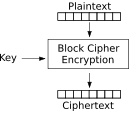
Now, if we think of all possible permutations of a set consisting of even 256 elements (input values), the number is the factorial of 256, which is very, very large:
857817775342842654119082271681232625157781520279485619
859655650377269452553147589377440291360451408450375885
342336584306157196834693696475322289288497426025679637
332563368786442675207626794560187968867971521143307702
077526646451464709187326100832876325702818980773671781
454170250523018608495319068138257481070252817559459476
987034665712738139286205234756808218860701203611083152
093501947437109101726968262861606263662435022840944191
408424615936000000000000000000000000000000000000000000
000000000000000000000
Obviously, we’d need a huge key to be able to select from all those permutations; a key with 256 bits in it will have many fewer values:
2 256 = 115792089237316195423570985008687907853269984665640564039457584007913129639936
Since modern block ciphers have block sizes in the 128-bit range, not 8 as above, you’ll see that the number of permutations for a modern-sized cipher input block will be so large that they exceed the number of atoms in the universe. Thus, a cipher defines a very small subset of all possible permutations.
28.3.2 Block Cipher vs. Stream Cipher
Block ciphers operate on a block of text at once. In order to use one, you need to figure out a padding scheme to pad out to the next block boundary. Stream ciphers operate by generating a keystream of arbitrary length which is combined with the plaintext, usually by something simple like XOR.
28.3.3 Public-Key vs. Private-Key
Up until the 1970s, the only encryption algorithms publicly known were what we now call private key algorithms, which are also known as secret key or symmetric algorithms, because the same key is used to encrypt and decrypt.
Then, at several places within the same decade, various parties stumbled on public-key cryptography, also known as asymmetric algorithms. These allow encryption to be performed with one key, and decryption to be performed with a different, but related key. In public-key cryptosystems, numerical methods are used to create a key pair; one of the keys is (perhaps confusingly) known as the private key, because you keep it private, and the other key is known as the public key. They are similar to what a chemist would call enantiomers (optical isomers), in that they are a structurally related, but not identical, pair. Others have compared them to a key and the lock which it opens.
A fairly important but subtle distinction between asymmetric algorithms and their symmetric counterparts is that it is always possible to derive a private key from a public key using numerical methods, but (barring any cryptanalytic shortcuts) a symmetric algorithm must be attacked by trying every possible key. Also, asymmetric algorithms are much, much slower than symmetric ones, so for practical key lengths, the asymmetric key algorithms tend to be weaker than symmetric ones.
There is much to be said about the mathematical structures of public-key algorithms, and entire books have been written on single public-key cryptosystems. For that reason, I’m going to punt and refer you to other books for the deep math.
28.3.4 Cryptographic Hashes
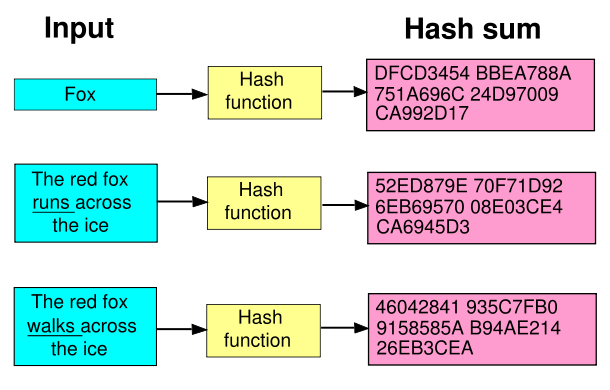
Cryptographic hashes (http://en.wikipedia.org/wiki/Cryptographic_hash_function) basically model a random function. That is, each input, or pre-image, is mapped to an output value (known as the image) of some fixed length, and there is no apparent structure to this mapping. Note that they are very unlikely to be a one-to-one function; they are usually many-to-one. When two inputs map to the same output, that is called a collision. All hashes I am aware of have a fixed size, and so many are of the Merkle-Damgård construction (http://en.wikipedia.org/wiki/Merkle-Damgard).
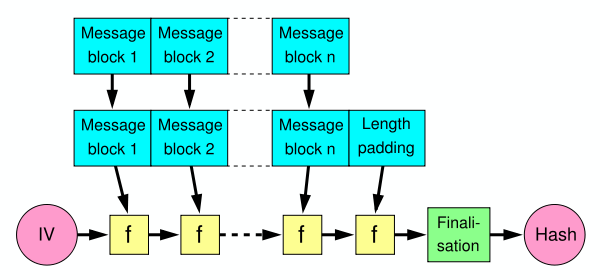
You use hashes where you want to represent a large thing with a fixed-size thing. For example a Cyclic Redundancy Check (http://en.wikipedia.org/wiki/Cyclic_redundancy_check) may suffice.
You use a cryptographic hash function when you want one of the following properties:
collision resistance You cannot find two pre-images with the same image. That is, you cannot easily find x ≠ y such that h(x) = h(y).
preimage resistance Given the image, you cannot compute the pre-image. This is sometimes called the one-way property. That is, given hash z, you cannot find x such that h(x) = z.
second preimage resistance Given a pre-image, you cannot find another pre-image with the same image. You can call this the chosen-collision attack. Stated formally, given x, you cannot find x ≠ y such that h(y) = h(x).
In practice, the first two properties are usually what you care about. At first I thought collision resistance implied second preimage resistance, but that’s not the case.
Suppose someone wanted to pick between two values, zero and one. Trying to put them through a one-way function, or hash, because the adversary can just try hashing all the possible values himself. Using a fixed, known IV doesn’t help, either, except to make most non-customized rainbow tables useless; the adversary can still hash each guess once and compare it to all the hash values. By varying the IVs, you make the adversary have to hash each unique IV with his guess, and compare against the hash values with the same IV.
28.3.5 Message Integrity Checks
When you send a message, sometimes you want to make sure that it arrived without alteration. This is called a Message Integrity Check, or MIC. Oftentimes, this is a simple cryptographic hash function (see 28.3.4↑). However, if you don’t need the security properties of cryptographic hashes - for example if you are not trying to protect against malicious tampering by an intelligent adversary, this can be wasteful. In those cases, you can use something as simple as a Cyclic Redundancy Check [K] [K] http://en.wikipedia.org/wiki/Cyclic_redundancy_check or a Universal Hash Function [L] [L] http://en.wikipedia.org/wiki/Universal_hashing.
28.3.6 Message Authentication Codes
Note that if you want to transmit or store data and are concerned about malicious adversaries, you can’t just transmit or store a message integrity check in the same way you transmitted or stored the data itself; Mallory could just substitute her own data and calculate her own message integrity check. Or, she could flip some bits in a way that she knows doesn’t alter the checksum. What you’re really looking for is some kind of keyed checksum. We call this a Message Authentication Code, or MAC. They typically use a hash algorithm as a basis, and a secret key to compute the hash. This is almost like a digital signature, but we use the same key to create and verify the message, so it’s like the symmetric counterpart to the public-key digital signature, which uses different keys at each end.
Many people have tried to construct these in the obvious ways, such as prepending a secret to the message, or appending it, or doing both, before hashing, and they’ve all been broken. What we’re left with was HMAC (see Figure 1):
HMACK = h((K⊗opad)||h(K⊗ipad)||m), where
opad = 0x5c5c5c...5c5c
ipad = 0x363636...3636
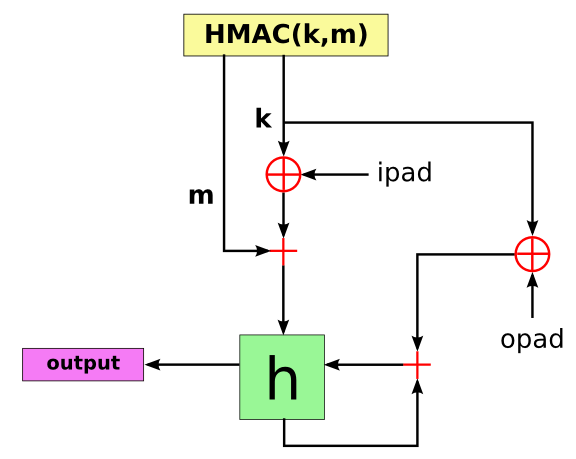
28.3.7 Digital Signatures
While some lawmakers define a digital signature to mean any electronic means of saying “okay” to a document, cryptographers always mean a public-key signing algorithm. This is a way of using the private key of a key pair to sign data such that the public key can verify the signature.
With data structures, one must decide what to sign; if there is more than one way to represent the data, which one will you choose? Generally you need some kind of canonicalization and serialization and encoding (see 28.5.5↓).
What does it mean to sign some data in an application? What does it mean to sign data going between two points in a network? Should you protect the data in the application or at a lower level (see 28.1.9↑)?
Generally, a signature or HMAC attests to the integrity of the data between the point where it is signed to where it is verified. It usually does not mean that a person sent it to you; that is a mistake humans make that leads to the sign-then-encrypt problem (see 28.5.2↓).
28.4 Cryptographic Algorithm Enhancements
These are basically slight changes to basic algorithms that are not cryptographic in themselves, but act as a defense against an analytical attack.
28.4.1 Block Cipher Modes
- Wikipedia on Block Cipher Modes of Operation (http://en.wikipedia.org/wiki/Block_cipher_modes_of_operation)
In these sections, C is the ciphertext, P is the plaintext, K is the key, and i is the index of the block you are working on; by convention, we start numbering them with 1.
Regarding the block cipher block size, if you have a n bit block size, then you can only safely encrypt 2(n)/(2) blocks with the same key (this does not apply to ECB mode of course, which is weak after one block).
This is the simplest mode; it is the mode most people think of when first doing encryption, and it is the only non-chained mode. In ECB, you simply encrypt each block of the plaintext with the key, and that forms the plaintext block. The trouble with ECB is that macroscopic patterns in the plaintext remain undisturbed in the ciphertext:

Plaintext image of Tux

ECB-encrypted image of Tux

Image of Tux encrypted in other (chained) modes
Encryption:
- Ci = EK(Pi)
Decryption:
- Pi = DK(Ci)
Output feedback mode generates a keystream O that is independent of the plaintext. It is then XORed with the plaintext. This makes a block cipher into a synchronous stream cipher, because your keystream can be truncated to the exact length of the plaintext and then XORed in.
Encryption:
- O0 = IV
- Oi = EK(Oi − 1)
- Ci = Pi⊕Oi
Decryption:
- Pi = Ci⊕Oi
In CFB, you make a block cipher into a self-synchronizing stream cipher.
Encryption:
- C0 = IV
- Ci = EK(Ci-1)⊕Pi
Decryption:
- Pi = EK(Ci − 1)⊕Ci
Encryption:
- C0 = IV
- Ci = EK(Pi⊕Ci − 1)
Decryption:
- Pi = DK(Ci)⊕Ci − 1
Encryption:
- P0⊕C0 = IV
- Ci = EK(Pi⊕Pi − 1⊕Ci − 1)
Decryption:
- Pi = DK(Ci)⊕(Pi − 1⊕Ci − 1)
CTR mode turns a block cipher into a stream cipher. This is a very fast, easy to use block cipher mode that allows you to encrypt blocks in parallel, or (equivalently) to encrypt/decrypt blocks at random offsets within the stream, which might be useful for things like encrypted storage (however, there are better modes for that, since encrypted storage has different threat models than most encryption use cases; see 28.7↓).
Encryption:
- Ci = Pi⊕EK(c + i)
- c is an arbitrary constant
Decryption
- Pi = Ci⊕DK(c + i)
In the case of c = 0, we are using the block number as a counter. It is, however, possible to chose any constant c. In some texts you will see them using a nonce concatenated with a counter, but this is equivalent to picking a non-zero c.
Provides authentication (not encryption) for a message. To perform CBC-MAC, you encrypt a message in CBC mode and take the last ciphertext block as your MAC.
- Wikipedia on CBC-MAC (http://en.wikipedia.org/wiki/CBC-MAC)
- ISO/IEC 9797-2:2002 (http://www.iso.org/iso/en/CatalogueDetailPage.CatalogueDetail?CSNUMBER=31136&ICS1=35&ICS2=40&ICS3=)
- The Security of the Cipher Block Chaining Message Authentication Code (http://www.cs.ucdavis.edu/research/tech-reports/1997/CSE-97-15.pdf)
This algorithm also uses block ciphers to create a MAC.
- Wikipedia on CMAC (http://en.wikipedia.org/wiki/CMAC)
- RFC 4493: AES-CMAC (http://tools.ietf.org/html/rfc4493)
This algorithm also uses block ciphers to create a MAC. Patent-free.
- Wikipedia on OMAC (http://en.wikipedia.org/wiki/One-key_MAC)
- OMAC Homepage (http://www.nuee.nagoya-u.ac.jp/labs/tiwata/omac/omac.html)
This algorithm takes a block cipher and produces a MAC. Patent pending.
- Wikipedia on PMAC (http://en.wikipedia.org/wiki/PMAC_(cryptography))
- PMAC Homepage (http://www.cs.ucdavis.edu/~rogaway/ocb/pmac.htm)
This is an “authenticated encryption with associated data” mode, because it provides both authentication and encryption. It combines the CTR mode encryption with CBC-MAC to accomplish these goals. The third link below is the proof of security, based on the security of the underlying block cipher. It requires two block cipher operations per block of plaintext.
- Wikipedia on CCM (http://en.wikipedia.org/wiki/CCM_mode)
- RFC 3610 on CCM with AES (http://tools.ietf.org/html/rfc3610)
- On the Security of CTR + CBC-MAC (http://csrc.nist.gov/groups/ST/toolkit/BCM/documents/proposedmodes/ccm/ccm-ad1.pdf)
- A Critique of CCM (http://csrc.nist.gov/groups/ST/toolkit/BCM/documents/comments/800-38_Series-Drafts/CCM/RW_CCM_comments.pdf)
- NIST Special Publication 800-38C (http://csrc.nist.gov/publications/nistpubs/800-38C/SP800-38C_updated-July20_2007.pdf)
This algorithm is also an authenticated encryption mode. The homepage claims is patent-free, parallelizable, and provably secure and claims it unique among its kind.
- Wikipedia on CWC (http://en.wikipedia.org/wiki/CWC_mode)
- CWC Mode Homepage (http://www.zork.org/cwc/)
- CWC: A high-performance conventional authenticated encryption mode (http://eprint.iacr.org/2003/106)
This mode uses CTR mode and the Galois method of authentication to create an authenticated encryption algorithm. It was designed as an improvement to the CWC mode. It requires one block cipher encryption and one 128-bit multiplication in the Galois field per 128-bit block of plaintext. Patent-free.
- Wikipedia on GCM (http://en.wikipedia.org/wiki/Galois/Counter_Mode)
- NIST Special Publication 800-38D (November, 2007) (http://csrc.nist.gov/publications/nistpubs/800-38D/SP-800-38D.pdf)
This mode is an authenticated encryption with associated data (AEAD) algorithm. It was designed as a replacement to CCM. It requires two passes over the data. It is public-domain, patent free.
- Wikipedia on EAX (http://en.wikipedia.org/wiki/EAX_mode)
- NIST: proposed modes of operation (http://csrc.nist.gov/CryptoToolkit/modes/proposedmodes/index.html)
- EAX: A Conventional Authenticated-Encryption Mode (http://eprint.iacr.org/2003/069)
- The EAX Mode of Operation (http://www.cs.ucdavis.edu/~rogaway/papers/eax.html)
- ANSI C12 22 site (http://www.c1222.net/)
This mode provides authenticated encryption as well. It is patented, but the patent has a special exemption for code released under the GNU General Public License.
- Wikipedia on OCB (http://en.wikipedia.org/wiki/OCB_mode)
- OCB Homepage (http://www.cs.ucdavis.edu/~rogaway/ocb/)
- OCB FAQ (http://www.cs.ucdavis.edu/~rogaway/ocb/ocb-faq.htm)
This is a mode for disk encryption.
- Wikipedia on LRW (http://en.wikipedia.org/wiki/Disk_encryption_theory#LRW)
This is a mode for disk encryption.
- Wikipedia on XEX (http://en.wikipedia.org/wiki/Disk_encryption_theory#XEX)
This is a mode for disk encryption.
- Wikipedia on CMC (http://en.wikipedia.org/wiki/Disk_encryption_theory#CMC_and_EME)
This is a mode for disk encryption.
- Wikipedia on EME (http://en.wikipedia.org/wiki/Disk_encryption_theory#CMC_and_EME)
This is a mode for disk encryption.
- Wikipedia on ESSIV (http://en.wikipedia.org/wiki/Disk_encryption_theory#ESSIV)
This is a mode for disk encryption.
- Wikipedia on XTS (http://en.wikipedia.org/wiki/Disk_encryption_theory#XTS)
28.4.2 Speed of Algorithms and the Hybrid Encryption Scheme
A hash routine with a given output size is usually much slower than an encryption routine with the same block size. However, public-key operations are almost always much more expensive (slower) than symmetric operations. Even the fast ECC encryption routines may take several hundred times (200-400x) longer than symmetric operations such as AES-256.
Therefore, a good engineer may do more symmetric operations and fewer PK operations, and some CSPRNGs such as Yarrow use block ciphers rather than hashes. In fact, every major asymmetric cryptosystem that the author is aware of uses asymmetric algorithms to either encrypt a symmetric key, or digitally sign a hash of a message, rather than operate on the message itself.
28.4.3 Hashing Stored Authentication Data
When storing authentication data such as a password or passphrase, it usually is neither desirable nor necessary to store it in the clear, because then an intruder who pilfered the list could use it to authenticate himself directly. It is better to store the result of an application of a one-way-function (OWF) on the data, which people frequently refer to as hashing. Since I lack a verb for “apply a OWF to” I will sometimes call it hashing as well. The input is called the pre-image, and the result is called the image. To authenticate the person, you apply a OWF to the input they send and compare it to the image. That way, they will find it difficult to generate the input which generates the correct output. This property is called pre-image resistance.
This also has the nice side effect of not giving the adversary in this case the ability to use that authentication string (passphrase) on other systems, which enhances the user’s privacy, which is a good example of storing only what you need. Note however that if the adversary gets control of the system, they can record all the authentication data. Thus this technique only protects the end user against loss of confidentiality, not all attacks.
Note that this does not help prevent eavesdropping attacks on network protocols; if the protocol sends the authentication string in the clear, then the adversary sees the pre-image, and can simply replay it to generate the appropriate image. If you apply the OWF on the client side prior to sending, then it is the image that authenticates a person, and he sees the image, and can merely replay it over the network. If you apply the OWF on both the client side and the server side, the adversary can still replay the network data (the results of the first OWF) and when run through the second OWF it would generate the desired value. In summary, applying a OWF to provided authentication data does not help if the adversary can see the input to the system (violating confidentiality), and replay it. Ideally you should never send reusable authentication data across the network (see 11.9↑).
28.4.4 Offline Dictionary Attacks and Iterated Hashes
If you are storing the hash of data which was supplied by a human, it may be somewhat predictable in the sense that it is chosen from the set of all possible passphrases non-uniformly. For example, people tend to pick easy-to-remember things, like dictionary words. Thus, the offline dictionary attack involves obtaining the hashes and hashing each dictionary word, and comparing them to see if any match. This is annoying because it can be done without interacting with the system, and is therefore undetectable. This also works against when someone sends hashes of authentication data sent over the network; the adversary captures them, and then attacks them offline.
One countermeasure is to iterate the hash a number of times, to make attempting possible inputs take longer. If your iterated algorithm uses only the output from the last round as the input to the next round, then by storing the iteration count as part of the hash you can increase it in the future as computers get faster, without having the original input (just hash N more times, and add N to the iteration count).
Ideal hashes are modeled as random functions; that is, they have no discernible pattern, and you can think of them as a giant lookup table, where the input is used as an index, and whose contents were randomly-generated. This means that they are not likely to be one-to-one, and so repeated hashing will cause you to enter a cycle of some kind, but this is unlikely to be a problem (consult the Handbook of Applied Cryptography, http://www.cacr.math.uwaterloo.ca/hac/, for more details). The traditional Unix crypt(3) function used the input as a key to DES, and encrypted a constant (the null vector) as its “hash”. I believe OpenBSD may do something similar for its password encryption, but using Blowfish. In either case, block ciphers are believed to be stronger than hashes, because the community has had more time to analyze them, and they are definitely faster, but it seems like the design criteria of a hash is a more natural fit for this problem.
28.4.5 Salts vs. Offline Dictionary Attacks and Rainbow Tables
Another problem is that an adversary may go through the hashing process once for a given word, and compare it to multiple hashes. A rainbow table (http://en.wikipedia.org/wiki/Rainbow_tables) is essentially a clever way to store a bunch of hashes of a certain dictionary (or character set). It still takes the same amount of time to create as a full table, but is smaller, at a small run-time expense.
To prevent these kind of attacks, we make each hash a slightly different operation, which means that each must be attacked independently. This is easily done by incorporating an individuating datum known as a salt, so named due to the analogy with adding salt to a food product when cooking it. This datum should be (relatively) unique to different entries, but it can’t remain confidential, since it must be known in order to perform the authentication function. Using a counter is easy, but if an adversary gets lists from different computers, there will be a significant overlap between the salts, so he may attack the lists in parallel. An easy way to prevent this is to simply use random data for the salt. This has a very small chance of a collision; due to the birthday paradox, if you have n2 possible salts, you will statistically have a duplicate 50% of the time after n entries. Another method is to a block cipher in CTR (“counter”) mode, which simply involves encrypting a counter. This will not repeat until the counter repeats. You should obviously use a different key on each system, or they will generate the same sequence. With different keys, the sequences should be statistically unrelated to each other.
28.4.6 Offline Dictionary Attacks with Partial Confidentiality
Even if you do all of this, an adversary may still try common choices against each hash. Since an authentication system is a deterministic system which generates a simple yes or no to a given input, there’s nothing you can do to increase the unpredictability of the input. However, if it were possible to keep a certain amount of data away from an adversary (for example, by storing it separately from the hashes, perhaps in a hardware security module), then you could use that data as the key for HMAC instead of using a hash. Since the adversary has no idea which of the n values you’ve chosen, you’ve multiplied the work factor by n.
28.4.7 Passphrase Handling
Human beings are very poor at picking high-entropy values. If you use passphrases (or worse, passwords), you need to hash them before using them as keys because otherwise you will have a very small keyspace; you’ve probably already reduced it to the printable subset of the keyspace. You should think of keys as needing to have a nearly perfect Shannon entropy (see 29.6↓), and a simple way to do that is to hash a long passphrase down to a small hash image.
But there are substantially better ways of doing this. RSA has a nice standard on how to deal with passwords in cryptographic applications:
- PKCS #5 v2.1 Password Based Cryptography Standard (ftp://ftp.rsasecurity.com/pub/pkcs/pkcs-5v2/pkcs5v2_1.pdf)
- PBKDF2 - Password-Based Key Derivation Function (http://en.wikipedia.org/wiki/PBKDF2)
- scrypt (http://www.tarsnap.com/scrypt.html)
28.4.8 Run Algorithm Inputs through OWF
If the adversary discovers that a given algorithm input can break the security of the system, you can prevent him from controlling inputs directly. If you run everything through a one-way function (OWF), the adversary cannot feed that number to the system directly; he must first invert the one-way function to figure out what to give it. So a cheap way of adding security would be to hash all inputs from untrusted sources before use, since a hash is an available one-way function.
28.5 Cryptographic Combinations
These are how the algorithms are combined. Their proper construction from algorithms, rules of thumb, pitfalls to avoid. This is where you stack the blocks together to accomplish some higher-level task. This should not be an experimental science; the rules of combination should be clear and unambiguous; it should be as simple as building a machine with Legos, or simplifying a logic expression. Unfortunately, it’s not… yet.
28.5.1 Combiners
Combine two eight bit chunks of data and have eight bits of data as output, but the combination is still in there. Pull one out and the other is what’s left. Look at how Feistel networks work, it’s a trip! Of course it’s not just XOR that can do it; XOR is just addition (without carry) modulo 2, and you could do it with any other modulus, like 28(add octets without carry) or 232. Latin squares can be used too, as can some other finite field operations (see network coding http://en.wikipedia.org/wiki/Network_coding/). They are the simplest element of an encryption scheme and may be used inside certain ciphers.
28.5.2 The Sign then Encrypt Problem
Basically, if you (Alice) sign then encrypt something to Bob, he can strip off the encryption (like an “envelope”), then re-encrypt the still-signed message to Charlie, making it look like you sent it (see http://world.std.com/~dtd/sign_encrypt/sign_encrypt7.html). Really, the problem is not a technical one, but interpretation; we assume that the entity which encrypted it to us is the same as the entity who signed it, when that is not necessarily the case.
28.5.3 Encrypt-then-MAC
- Colin Percival’s blog post on Encrypt-then-MAC (http://www.daemonology.net/blog/2009-06-24-encrypt-then-mac.html)
Using HMAC to authenticate prior to decryption also neatly avoids the PKCS#7 Padding Oracle attack (see 30.5↓).
28.5.4 Key Derivation Functions
Key derivation functions (KDFs) involve taking a single datum and deriving several independent keys from it. Typically you might use one for signing and one for encryption, or you might use them for different data streams. Many people get this wrong, since there aren’t any standards for it. They are typically very similar to computationally-strong pseudo-random number generators (CSPRNGs), in that you need both sides to generate the same values given the initial seed, and you don’t want a person who gets access to one to be able to determine anything about any other key that was derived from the same source. Simple answers involve using the datum as a key for CTR mode encryption, or using it as a MAC key on some fixed strings.
28.5.5 Serialization, Record Layers and Encoding
Whenever you protect the integrity of data (using MIC, MAC, or digital signatures), you will have data about the data, or metadata (data about the data). This extra information is distinct from the data. They are fundamentally different things, and if you want to put them together in a single stream, you’ll have to chop it up and use a record (data structure, message, etc.) with at least two fields; the data and the metadata. Since most cryptographic systems care about the integrity of the data, they also have to perform operations on records of data, instead of streams. That means that if you’re using streams of data, like a file or a TCP connection, you’ll have to implement a record layer on top of it.
And if you have a record with at least two types of data in it, and you want to put it in a stream, you’ll need to figure out how to serialize it, or decide which field goes first. When there are just two kinds of data, this is simple. However, when you’re dealing with large data structures, perhaps with data related to data related to data, this can get tricky.
For example, you may want to use an asymmetric algorithm to encrypt a symmetric key for the message, and then use that symmetric key for encrypting the message (see 28.4.2↑), and then you may want a MAC (see 28.3.6↑). Now you’ll need to start thinking about mixing different kinds of data. If you’re never going to change the data format or protocol, then you can just pick an order to serialize them in, and stick with that. However, most forward-thinking cryptographers know that they may want to change the format of the data, so you need a way to encode the data so that your software knows whether it is looking at a MAC, or a symmetric key, or so on.
A common way to mix different kinds of data is with type-length-value (see http://en.wikipedia.org/wiki/Type-length-value), and it has the nice feature that you can add optional sections later that earlier implementations may skip. Other methods include KLV, or key-length-value (http://en.wikipedia.org/wiki/KLV).
ASN.1 (http://en.wikipedia.org/wiki/ASN.1) is a common but very complex system for serializing and encoding data. It is an abstract notation, meaning that it specifies that certain objects are encoded as sequences of other kinds of objects, but it doesn’t give a way to encode these primitive objects. That is the job of the encoding rules such as BER and DER. Two of its encoding rules are TLV-based and two are not. Cryptographers tend to use DER, because it gives an unambiguous way to encode data. It is used in everything from SNMP to X.509 certificates. It has the advantage of being very compact, and the disadvantage of not being human-readable. If you wish to become versed in the arcana of ASN.1, it may help to start with this (give yourself two readings before you give up):
- A Layman’s Guide to a Subset of ASN.1, BER, and DER (http://luca.ntop.org/Teaching/Appunti/asn1.html)
XML (http://en.wikipedia.org/wiki/XML), particularly the XML Signature (http://en.wikipedia.org/wiki/XML_Signature), seems like a good contender to displace ASN.1 but it is still too complicated. Its original job was to mark up text, but it’s much easier to debug since it’s all printable, but it is by no means compact.
28.5.6 Polymorphic Data and Ambiguity
Just as an image may be represented in a bitmap, a GIF, or a JPEG, so too may data appear in many forms. It may be necessary, for example, to use printable encoding techniques a la base64 to pass in an HTTP request. Such polymorphic data schemes produce two problems; one, it is necessary to specify (and convert to) a canonical form for authentication (see 28.6.7↓) and another in that some choices of encoding may be ambiguous.
Some very fascinating work is being done on this right now in the XML Signature group (http://www.w3.org/Signature/), but canonicalization is turning out to be full of pre-authentication complexity, which provides a large anonymous attack surface (see 7.5↑).
28.6 Cryptographic Protocols
This is an evolution of the former section to cover freshness and other communication security concepts.
28.6.1 DoS and Anti-Clogging Tokens
So most of the time, one of the first things a protocol will do is a public-key cryptographic operation of some kind, which is expensive. So this opens up a DoS vector; the client connects to the server, costing little or nothing, and the server has to do a PK operation. The same is possible the other way, but it’s usually more difficult to force a client to connect to you. Regardless, the answer to this is to force the peer to have to receive and respond to a packet, which Photuris (http://en.wikipedia.org/wiki/Photuris_%28protocol%29) called an anti-clogging cookie; this requires that the first packet to the peer be unpredictable (see 29↓). A normal TCP/IP handshake may often fill this purpose since the sequence number should be unpredictable, but it is not required to be so, nor may it be relied upon to be so, and so a very cautious designer would avoid using it as such.
28.6.2 The Problem with Authenticating within an Encrypted Channel
Suppose you use Diffie-Hellman to encrypt a channel. Trillian does just this, which is fine against a passive eavesdropper but doesn’t prevent MITM (see 10.9↑) since you have no idea to whom you’re encrypting your messages. The naive countermeasure is to authenticate within the channel, but again this does not prevent a MITM; the adversary simply establishes an encrypted channel with you and the remote end, then passes your authentication messages back and forth like the messages themselves. So the authentication messages must also be tied to the parameters of the encrypted tunnel. This is isomorphic to the sign-then-encrypt problem (see 28.5.2↑).
28.6.3 How to Protect the Integrity of a Session
In his excellent book Practical Cryptography (http://www.schneier.com/book-practical.html), Bruce Schneier suggests that the sender should send a hash of everything it has sent so far with every message. With most hash constructions (i.e. Merkle-Damgård) this is easy, since you can maintain a fixed-size context, and send a finalization every message. The receiver should check the hash every time it receives a message. You do this regardless of whether or not you have negotiated a secure session already. This very simple design principle allows you to detect tampering at the earliest opportunity.
28.6.4 Freshness and Replay Attacks
Suppose you had a protocol which allowed for certain operations, like “transfer $1000 from my account to [email protected]”. If Mallory was able to record this message, she could send it a second time to perform what is called a replay attack, even if she wasn’t able to read the message. This may be just an annoyance, but imagine that the messages were actually tactical directives sent to military units; the confusion they caused would be dramatic indeed. If the messages have less context, like “yes”, or “transaction authorized”, then the potential for mischief goes up significantly. What we want to do is ensure freshness, or liveness, of the connection. All of the methods involve a nonce (short for “number used once”), and require that the recipient be able to determine if the number has been used before. All of them also detect re-ordering. Further, the nonces must be combined with the message such that the integrity of both is protected, or else the adversary could simply attach a new nonce to an old message.
The obvious method used on military directives is to include a timestamp in each one. You generally want to include a timestamp that is unambiguous, so human-readable dates generally don’t work due to leap years, daylight savings time and time zone differences; I prefer to use a normal Unix timestamp, which is measured in seconds since the epoch. [M] [M] The epoch is the beginning of Jan 1, 1970, universal coordinated time (UTC), and is the de facto standard for Unix timekeeping. This is the only method which does not require keeping state about the peer between messages, but it does require everyone to have an accurate clock. This is also the only method which can detect a delayed message, but if you care about this usually you’d solve this by putting a timestamp in the message itself, and not doing it in the protocol.
In this method, you don’t need everyone to have an accurate clock, but merely have one that never goes backwards, which is called monotonically increasing. In this case, each node has to keep the last timestamp from each peer to make sure that each new timestamp is greater to the last, and you need enough resolution to make sure that you don’t send two messages with the same stamp.
This is basically a derivative of local timestamps, but instead of using a clock you just use a counter. It seems preferable to local timestamps in every way.
Each message includes some piece of information derived from prior messages that varies unpredictably. For example, you could use the hash of all previous messages.
In this method, the peer challenges you with a nonce, and you send it back with the message. This does not require any persistent storage, but does require an interactive protocol (instead of “store and forward”), and a source of unpredictable numbers, and requires an extra half round-trip (which I call a half-trip) in the exchange. This latency may be masked sometimes by overlapping this handshake with another stage of the protocol.
28.6.5 Preventing Feedback
In order to prevent feedback from one part of the protocol to another, the input to each hash function, PRF function, KDF function and signature operation should be extended with a field that uniquely identifies that stage of the protocol.
28.6.6 Identification
For a regular client-server opening, all mutual “authentication” protocols involve at least three half-trips. A simultaneous-open between two peers can occur in two half trips (i.e., a single round trip), but these are rare.
28.6.7 Authentication
The protocol should authenticate what is meant, not what is said.
-- The Horton Principle (http://www.schneier.com/paper-ssl.html)
This quote suggests that you should authenticate plaintext, not ciphertext. In fact, if the plaintext has more than one encoding (see 28.5.5↑), you should pick one to be canonical and authenticate that. Having to convert the data to canonical form before authentication is unfortunate but one of the consequences of multiple encodings.
I once took all the mutual authentication protocols in Schneier’s Applied Cryptography and factored out the trusted third party to create simple two-party mutual authentication protocols (apparently those are so trivial he didn’t bother to mention them). It was an interesting exercise, and I noticed that all of the results had three half-trips (1.5 RTTs). Except in the case of a mutual open, it seems like this is the minimum, and probably not coincidentally is the number of half trips needed in the TCP three-way handshake. It seems pretty intuitive to me, but I haven’t seen a proof that this is indeed the minimum.
Simplest MAP: A->B Ch1, B->A R1Ch2, A->B R2.
28.6.8 Eschew Multiple Encoding Schemes Unless Necessary
Polymorphic data (data having multiple encoding schemes) is quite difficult to filter properly; this came up when people learned you could use HTML entity encoding to bypass filters for detecting “bad” things on web servers. Anything, especially middle-boxes like NIDS, have trouble when the number of encodings is too high, and inevitably the false positive goes up. This is also what Ptacek described in Insertion, Evasion, and Denial of Service: Eluding Network Intrusion Detection (http://cerberus.sourcefire.com/~jeff/papers/Ptacek_and_Newsham/idspaper.html).
28.6.9 Key Exchange and Hybrid Encryption Schemes
Typically at some point the peers will do some public key operations in a key exchange order to get some session keys. By analogy, in data formats such as OpenPGP, they use a hybrid encryption scheme which does a single PK operation to encrypt or decrypt a symmetric message key. One engineering trick is that if you use a KDF to generate two independent keys for each direction during your key exchange, you can use one for MAC and one for encryption, which means that you can do cheap symmetric MAC operations instead of digital signatures, which are expensive public-key operations.
28.7 Encrypted Storage
I think it’s a good idea, so you don’t have to worry about someone copying or tampering with your data as they sit on the storage media. If you take this step before using media, apart from the inconvenience of entering a passphrase (possibly as infrequently as once every time you reboot, which can be as little as once a year on Unix), you won’t ever have to worry about “secure deletion”, or losing physical possession of it due to any of the following reasons:
- Theft, loss, or confiscation (see http://www.schneier.com/blog/archives/2007/12/how_to_secure_y.html)
- Drive failure and disposal or returning it under warrantee
- Fire, hurricane, flood, or any other disaster
- Owner runs short on funds and wants to liquidate some assets quickly
In this case, the confidentiality guarantee is the greater of the confidentiality levels on the key and the media. A randomly-generated key is useless, and the media alone gives a confidentiality guarantee equal to that of the cipher used. Just think of the peace of mind you’ll have not having to worry about loss of physical possession of your storage devices!
If you want more information on how to actually set this up, I have given a presentation on it (http://www.subspacefield.org/security/encrypted_storage_slides.pdf).
Note that while network encryption protects the data between to positions in space, encrypted storage is protecting the data between two positions in time; in essence, you are encrypting it to your future self.
28.7.1 Key Escrow for Encrypted Storage
In corporate environments it’s often a requirement that you be able to recover the data if the employee forgets their passphrase, leaves the company, and so on. Even with individuals, the idea of losing all your data can be intimidating. The naive and error-prone way of handling this is to simply ask them to submit the passphrase to an escrow account of some kind, and make a policy against not doing so; this makes reminding them to do so sound less like being the security Nazi and more like you are protecting them. However, there is a clever method for avoiding having to do this that uses key indirection (see 28.9.7↓). In this case the data encryption key is randomly generated, and it is encrypted with the user’s passphrase. However, the tool also encrypts it with a public key for the organization and stores the result of that computation as well. An individual could use the same technique and simply store the private half of the recovery key in a secure second location, like a safety deposit box. This worries some people, but it’s definitely better than not using encryption at all.
28.7.2 Evolution of Cryptographic Storage Technologies
- Userland applications which require user to manually run them, which are tedious to use and prone to human error.
- File systems which encrypt files and directories individually and automatically, which turn out to be overly complex due to the complex filesystem APIs in most operating systems.
- Block devices which encrypt blocks of data, which allow you to put any filesystem on them.
28.7.3 Filesystem Crypto Layers
These basically encrypt the data before storing it on the disk. They are often created as layers over a regular filesystem. If layered over a network file system like NFS, you can store stuff on a remote system without having to trust the confidentiality of the remote system.
- CFS
- TCFS
One advantage of this kind of design is that you can build secure delete into the system, as in Radia Perlman’s paper File System Design with Assured Delete (http://ieeeia.org/sisw/2005/PreProceedings/09.pdf).
28.7.4 File Systems with Optional Encryption
- Microsoft’s Encrypting File System (EFS) is a bit of a black box; the only analysis I have seen of it is in a Black Hat presentation (http://www.blackhat.com/presentations/bh-europe-03/bh-europe-03-malyshev.pdf)
- ZFS will have some optional encryption
28.7.5 Block Device Crypto
Not long ago the US had a SIGINT plane which was forced down in China. They tried to destroy the data they had collected, but were unable to. If only they had used one of these free alternatives, they wouldn’t have had to worry:
- TrueCrypt (highly recommended) (http://www.truecrypt.org/)
- FreeOTFE (http://www.freeotfe.org/)
The Debian installer (and Ubuntu alternate install CD) now let you encrypt the root partition, so only /boot is left in the clear.
For more discussion, please read these articles:
- Marcus Ranum reviews TrueCrypt (http://www.ranum.com/security/computer_security/editorials/diskcrypt/index.html)
- Bruce Schneier recommends PGP Disk (http://www.schneier.com/blog/archives/2007/12/how_to_secure_y.html)
- US Government to require full disk encryption (http://www.full-disk-encryption.net/fde_govt.html)
- Wikipedia on Disk Encryption Theory (http://en.wikipedia.org/wiki/Disk_encryption_theory)
28.7.6 The Cryptographically-Strong Pseudo-random Quick Fill
Many places tell you to pre-fill the lower layer of your encrypted disk device with pseudo-random (/dev/urandom) output before mounting the upper layer, but this is VERY slow, since SHA-1 only generates 160 bits of output per iteration. It’s much faster and almost as good in this context to mount with a random key, write zeroes (/dev/zero) to the upper layer, unmount, remount with another key, then use that as your file system, because then you’re using a cipher to generate your data, and ciphers are quite fast.
28.7.7 Backups
Why don’t you just pipe your backups through something like gpg or any other encryption filter before writing them to tape? Then you could store them anywhere, even a public FTP site. You could also use the program duplicity (http://www.nongnu.org/duplicity/) for secure remote backups.
28.7.8 Threat Models Against Encrypted Storage
Remote Access While Mounted The adversary cracks the system’s security while the drive is mounted and thus available in unencrypted form.
Physical Seizure The adversary seizes or steals the system, but has to power it off to do so. This is equivalent to one-time physical access.
Physical Access While Mounted The adversary gains physical access to the computer while the encrypted storage is mounted (or shortly thereafter) and performs a cold boot attack or direct memory access to recover the encryption keys (see 1↑, 2↑).
Watermarking The adversary gets your system to store a specific chunk of plaintext on your encrypted disk, and then can prove from the encrypted image that you have that data stored.
28.8 Deniable Storage
Deniable storage is a system for hiding the fact that certain data exists. This is similar to, but different from, encrypted storage which merely makes the data unintelligible. This encompasses deniable encryption and steganographic file systems.
28.8.1 Deniable Encryption
In cryptography and steganography, deniable encryption is encryption that allows its users to convincingly deny the fact that the data is encrypted or, assuming that the data is obviously encrypted, its users can convincingly deny that they are able to decrypt it. Such convincing denials may or may not be genuine, e.g., although suspicions might exist that the data is encrypted, it may be impossible to prove it without the cooperation of the users. In any case, even if the data is encrypted then the users genuinely may not have the ability to decrypt it. Deniable encryption serves to undermine an attacker’s confidence either that data is encrypted, or that the person in possession of it can decrypt it and provide the associated plaintext.
-- Wikipedia
- Wikipedia article on Deniable Encryption (http://en.wikipedia.org/wiki/Deniable_encryption)
- Ran Canetti, Cynthia Dwork, Moni Naor, Rafail Ostrovsky - Deniable Encryption (http://eprint.iacr.org/1996/002)
28.8.2 Plausibly Deniable Storage
- TrueCrypt Plausible Deniability (http://www.truecrypt.org/docs/?s=plausible-deniability)
28.8.3 Steganographic File Systems
- Wikipedia article on Steganographic File Systems (http://en.wikipedia.org/wiki/Steganographic_file_system)
- StegFS - A Steganographic File System for Linux (http://www.mcdonald.org.uk/StegFS/)
- Wikipedia article on StegFS (http://en.wikipedia.org/wiki/StegFS)
- Rubberhose (http://en.wikipedia.org/wiki/Rubberhose_%28file_system%29)
28.8.4 Threats Models Against Deniable Storage
These are taken from Bruce Schneier’s paper titled Defeating Encrypted and Deniable File Systems: TrueCrypt v5.1a and the Case of the Tattling OS and Applications (http://www.schneier.com/paper-truecrypt-dfs.html).
One-Time Access The adversary gets a single image of the disk. This might happen if the adversary seizes or steals the computer.
Intermittent Access The adversary gets multiple snapshots of the disk at different times. This can happen if you cross a border and the border guards are adversaries who take images of the disk each time.
Regular Access The adversary gets many images of the disk taken at short intervals. This may happen if the adversary gets repeated access to the drive; for example, the secret police may break into someone’s residence and take a drive image each time.
28.9 Key Management
Three Rings for the Elven-kings under the sky,
Seven for the Dwarf-lords in their halls of stone,
Nine for Mortal Men doomed to die,
One for the Dark Lord on his dark throne
In the Land of Mordor where the Shadows lie.
One Ring to rule them all, One Ring to find them,
One Ring to bring them all and in the darkness bind them
In the Land of Mordor where the Shadows lie.
-- J.R.R. Tolkien, The Fellowship of the Ring (http://en.wikipedia.org/wiki/One_Ring)
Key management is a term that encompasses a wide variety of problems and solutions:
- Key generation
- Key distribution or exchange
- Key verification
- Key storage & protection
- Key validity checks
- Key escrow (sometimes)
- Key recovery (sometimes)
- Key destruction
For more information, see:
- Peter Gutmann’s Tutorial on Key Management (http://www.cypherpunks.to/~peter/T2_Key_Management.pdf)
- OASIS Enterprise Key Management Infrastructure (EKMI) Technical Committee (http://www.oasis-open.org/committees/tc_home.php?wg_abbrev=ekmi)
28.9.1 Key Generation
For symmetric keys, key generation usually amounts to the random generation of a fixed number of bits. You could use a password for a key, since all bitstrings are valid symmetric keys, but you want these bits to be completely unpredictable to an adversary (see 29↓). Therefore, I recommend using randomly-generated keys unless a human must enter them. For example, it may require a human to enter a key to decrypt an encrypted storage device (see 28.7↑). In that case you should use a cryptographic hash of suitable size (equal to or greater than the key size) to hash a user-supplied passphrase, and then use (as many as possible of) those bits as a key. In many cases where passphrases are used, it may be wise to use a level of key indirection (see 28.9.7↓) to allow for the passphrase to be changed without changing the underlying key.
For asymmetric keys, the process is more involved, usually involving much larger quantities of random numbers in number-theoretic algorithms.
28.9.2 Key Distribution
Once you have generated keys, you need to share them, in whole (symmetric) or part (asymmetric) with anyone you wish to communicate with. This has always been the part of cryptography which involves the most handwaving and impractical solutions.
In symmetric cryptography, you have to share the key with any intended recipients while not disclosing the key to anyone else (i.e. confidentially). Once you have done this, you will be able to communicate with them securely. Unfortunately, this suffers from a bootstrapping problem; you need a confidential channel in order to distribute the keys.
One thing you could do is send them the key and simply hope nobody eavesdrops on it. You could do this via an out-of-band communication channel such as the phone. One could also trade keys on a portable storage medium via the postal service, trusted couriers, or in person. Fortunately, portable data storage devices have such large capacity now that one need only do a physical exchange of keys once.
In theory, one could give multiple parties the same key material. Also, since more than one system has the credential, this violates the Principle of Least Privilege (34.1↓), and now one system may impersonate another, which violates the Principle of Unique Identifiers (see 34.5↓). Thus, you will usually want to share a separate key with every party with which you wish to communicate. This means that for n parties, there must be n2 keys.
Enter asymmetric cryptography. In asymmetric cryptography, you have to share the public key with your intended recipients; by design, you can share the same key with all parties. In this case, you do not need the key exchange to be confidential; your public key may be disclosed to the world; only your private key need be kept confidential. In some cases, people may post a GPG key on their web page. It is also possible to publish those keys into global key servers, which can store and retrieve keys as needed. However, these systems have a flaw; how does one know that the key one retrieved from a web page or key server is the correct key? An adversary could conduct a MITM attack (see 10.9↑) by substituting his own key for the one you intended to download. That would set up the preconditions for conducting other MITM attacks against encrypted communications later on. Note that this is a detectable attack, since it is not passive.
In this model, keys are exchanged upon the first communication, much like a duckling imprints on the first object it sees as its mother (i.e. trusted). It is hoped by the parties involved that the adversary is not conducting a MITM attack during this first communication. This model is often used with key continuity checks (see 57↓).
On-Air Keying is a method for key exchange that involves signalling the next key to use during a secure transmission. This allows for key exchange without a separate, secure key distribution channel. Needless to say, if the adversary has that signal and can find the current key, the next one can be decrypted. It also means that one must get positive verification that the other end got the transmission, lest you lose them forever.
Normally on-air keying is considered unsafe, because it uses the communication channel as a key exchange channel. However, these conditions may make it acceptable:
- Integrity protected: Double-check that other side got information properly
- Tactical information: information may be valuable for an amount of time smaller than the time it takes to guess the key
- Enemy may not be receiving the information at the key exchange time (mostly for radio nets)
- Key exchange times are laid out in advance with initial, secure key exchange time (mostly for radio nets)
- There is nothing else available
One method for doing this is to publish the key (or its fingerprint) as widely as possible. For example, you could put your GPG fingerprint in your email headers or .signature file, so that anyone can check the key they retrieved against any email they may have received from you. The theory here is that any adversary wishing to conduct a MITM attack (see 10.9↑) would have to have started such an attack before you sent the email containing the fingerprint to the recipient.
If the recipient has never received an email from you, they could in theory retrieve one from the web, under the theory that an adversary would not be conducting MITM attacks against the recipient by substituting his own fingerprints for yours while he is doing this.
28.9.3 Key Verification
This term refers to the process of ascertaining whether a given (public) key corresponds to the person we believe it to.
In this case, the cryptographic protocol caches the keys (usually public) from a remote system between uses, and informs the user if they ever change, since that is indicative of a man-in-the-middle attack (either in progress or up until now). This is usually done when using the Duckling model of key distribution (see 53↑).
Software like web browsers often come with a cache of certificates (which include public keys) from various CAs (http://en.wikipedia.org/wiki/Certificate_authority). Upon connecting to an SSL-secured web server, the web server’s certificate is sent to the browser. The CA keys bundled with the browser can then be used to check signatures on the web server’s certificate. This is just a form of key indirection (see 28.9.7↓); instead of having to securely obtain keys from all possible endpoints, you merely have to securely obtain the CA’s key which signed the keys of the endpoints.
It turns out that CAs and PKI are very complex subjects, and I cannot do them justice here.
It’s worth noting that anyone can generate a certificate; what CAs are really doing is selling the process of certification, so I’ve chosen to call them this rather than “certificate authorities”; be warned that I am in the minority.
One can compare fingerprints of keys over a different, low-bandwidth communication medium (i.e. the phone, postal mail). CAs are basically this but done through middlemen.
OOB comparison is really an example of creating two disjoint paths between two entities and making sure that they give the same results. This can occur in multiple contexts. For example, it can be used for the bootstrapping problem; how can I trust the first connection? By creating two paths I can compare the identities of the peer both places. I once used this to check the integrity of my PGP downloads by downloading it from home and from another location, and comparing the results.
Imagine that the adversary is conducting a MITM against, say, an SSH session, so instead of A<->B it is A<->O<->B. Your countermeasure as A may be to check the IP addresses of the peer at B, so that the adversary would have to spoof IPs in both directions (this is often printed automatically at login). Another technique is to check the host key fingerprint as part of your login sequence, sending the fingerprint through the tunneled connection. The adversary may modify the data at the application layer automatically, to change the fingerprint on the way through. But what if you transformed (e.g. encrypted) the fingerprint using a command-line tool, and represented it as printable characters, and printed them through the tunnel, and inverted the transformation at the local end? Then he’d have a very difficult time writing a program to detect this, especially if you kept the exact mechanism a secret. You could run the program automatically through ssh, so it isn’t stored on the remote system.
28.9.4 Key Management and Scalability
Key management is a scalability issue. In a single-person organization, you can trust yourself with all the data. As the organization grows, your risk increases proportionally, and so you want to enforce need-to-know. Then you encrypt data and only give the keys out to those who need them, and tightly control the keys.
A key server centralizes and hands out keys. A cryptologic server holds the keys and performs encryption or authentication on data provided by other systems. There are hardware security devices like this and they call them hardware security modules, or HSMs.
If N participants had to use symmetric cryptography, each person would have to have a key for talking to every other person, or O(N2) keys. Asymmetric cryptosystems let us bring this under control and have only N keys again.
28.9.5 One Key, One Purpose
Reusing keys in different algorithms may lead to weaknesses. For example, if an encryption algorithm is so weak that (e.g.) a known-plaintext attack could recover the key, then it could compromise every other security property ensured by that key.
Alternately, a person may be able to use one part of a protocol to act as an oracle to perform cryptographic operations using a key, and then use the result in another part of the algorithm. There is an attack known as the mirror attack where the server takes a challenge, encrypts it with a key, and sends the result back as a response (to prove it knows the key without actually showing it), with its own challenge. The client then creates a second connection, and sends the server’s challenge as its own challenge, and take the response and use it in the original connection. If the same key is used in both directions, you lose. Similar problems exist when the keys are strongly related (i.e. only one bit different), or other trivial modifications.
In general, if you are using the same key in two different cryptographic algorithms, that is usually a mistake. You should probably be using a KDF (see 28.5.4↑) to derive multiple keys from the datum you’re currently using directly.
Furthermore, by using different keys in different places, you limit the value of obtaining one key, so that the amount of resources required to recover it exceed its value. If this is known, then it will reduce the total number of attacks on the system and thus the amount you have to spend defending it (or analyzing the intrusions).
Finally, key should be used in as few places as possible to allow for easy revocation or rotation.
This is similar to the principle of unique identifiers (see 34.5↓).
28.9.6 Time Compartmentalization
Forward security in symmetric cipher by running keys through a OWF periodically, and destroying old value. For asymmetric, renegotiate encryption keys in a way that cannot be reconstructed later, even with the authentication keys (e.g. anonymous Diffie-Hellman session key negotiation).
28.9.7 Key Indirection
A common problem has to do with key revocation; how do we revoke a key which must be used by many people? I am told that in one part of Fort Meade, each day employees swipe their badges through a sort of vending machine which dispenses physical keys. The physical keys are used by many people, and re-keying a physical lock is hard, so this system allows them to revoke the authorization on the badge without re-keying the locks. By analogy, if the end-user enters one key which unlocks a (secret) encryption key which can decrypt the data (which could be done with a hardware security module), then we can change or revoke the first key without having to change the second. This first key is called a key-encrypting-key (KEK). It is particularly useful in storage crypto, where it may be difficult or impossible to re-encrypt all the encrypted data in a timely manner.
The same thing occurs in most public key systems because PK algorithms are so slow. Public key is too slow to perform on all but very small messages; thus, they encrypt a message key with the public-key algorithms, and then use the message key to encrypt the bulk of the data using a fast symmetric cipher. This is called a hybrid crypto system. Almost all network protocols do the same thing, only there the symmetric key is called a session key.
You can imagine attacking a KEK system like this; there are two locked doors made of different substances, arranged in parallel (see 34.8↓). Behind the first door is a key that unlocks the second. The prize is behind the second door. Obviously, you can either attack the first door or the second and get the prize. However, since PK is usually weaker than symmetric encryption, and since users generally pick poor passwords, the first door is usually easier. Also, since there will be other pairs of doors with the same lock on the first door, finding the key for the first door is more valuable than the second. However, if the first door is made of adamantine and the second door is made of wood, then you might be able to smash through all the second doors without keys, in which case you need never bother with the adamantine doors. If the doors are arranged vice-versa, you can always smash through the first door and get the key to the second.
28.9.8 Secret Sharing
Secret sharing (http://en.wikipedia.org/wiki/Secret_sharing) involves requiring a certain number of shares to be combined to reconstruct any of the information. The easiest way to do this is with one-time pads. However, if you wish to do this more than once, you usually have to have a dealer which reconstructs the secret out of the reach of any of the participants (a well-protected system, or perhaps a hardware security module).
28.9.9 Threshhold Cryptography
- Wikipedia Threshhold Cryptosystem (http://en.wikipedia.org/wiki/Threshold_cryptosystem)
- Intrusion Tolerance via Threshhold Cryptography (http://www.stanford.edu/~dabo/ITTC/)
There are, however, schemes similar to secret sharing that do not require trusted dealers; these are called threshhold cryptosystems.
28.10 Cryptographic Standards
28.10.1 RSA Security Public Key Cryptography Standards
More commonly known as PKCS, these standards are the most important to anyone implementing public key cryptographic systems.
- http://en.wikipedia.org/wiki/PKCS
- http://www.rsa.com/rsalabs/pkcs/
- PKCS #1: RSA Cryptography Standard (http://www.rsa.com/rsalabs/node.asp?id=2125)
- PKCS #3: Diffie-Hellman Key Agreement Standard (http://www.rsa.com/rsalabs/node.asp?id=2126)
- PKCS #5: Password-Based Cryptography Standard (http://www.rsa.com/rsalabs/node.asp?id=2127)
- PKCS #6: Extended-Certificate Syntax Standard (http://www.rsa.com/rsalabs/node.asp?id=2128)
- PKCS #7: Cryptographic Message Syntax Standard (http://www.rsa.com/rsalabs/node.asp?id=2129)
- PKCS #8: Private-Key Information Syntax Standard (http://www.rsa.com/rsalabs/node.asp?id=2130)
- PKCS #9: Selected Attribute Types (http://www.rsa.com/rsalabs/node.asp?id=2131)
- PKCS #10: Certification Request Syntax Standard (http://www.rsa.com/rsalabs/node.asp?id=2132)
- PKCS #11: Cryptographic Token Interface Standard (http://www.rsa.com/rsalabs/node.asp?id=2133)
- PKCS #12: Personal Information Exchange Syntax Standard (http://www.rsa.com/rsalabs/node.asp?id=2138)
- PKCS #13: Elliptic Curve Cryptography Standard (http://www.rsa.com/rsalabs/node.asp?id=2139)
- PKCS #15: Cryptographic Token Information Format Standard (http://www.rsa.com/rsalabs/node.asp?id=2141)
28.10.2 Federal Information Processing Standards
More commonly known as FIPS, these are government standards, some of which cover security-relevant material.
- Wikipedia entry on FIPS (http://en.wikipedia.org/wiki/Federal_Information_Processing_Standard)
- Wikipedia entry on FIPS-140 (http://en.wikipedia.org/wiki/FIPS_140)
- Federal Information Processing Standards Publications (http://www.itl.nist.gov/fipspubs/)
- FIPS 140-2 Security Requirements for Cryptographic Modules (http://csrc.nist.gov/publications/fips/fips140-2/fips1402.pdf)
- FIPS 180-3 Secure Hash Standard (SHA) (http://csrc.nist.gov/publications/fips/fips180-3/fips180-3_final.pdf)
- FIPS 181 Automated Password Generator (APG) (http://www.itl.nist.gov/fipspubs/fip181.htm)
- FIPS 185 Escrowed Encryption Standard (EES) (http://www.itl.nist.gov/fipspubs/fip185.htm)
- FIPS 186-2 Digital Signature Standard (DSS) (http://csrc.nist.gov/publications/fips/fips186-2/fips186-2-change1.pdf)
- FIPS 196 Entity Authentication Using Public Key Cryptography (http://csrc.nist.gov/publications/fips/fips196/fips196.pdf)
- FIPS 197 Advanced Encryption Standard (AES) (http://csrc.nist.gov/publications/fips/fips197/fips-197.pdf)
- FIPS 198-2 The Keyed-Hash Message Authentication Code (HMAC) (http://csrc.nist.gov/publications/fips/fips198-1/FIPS-198-1_final.pdf)
28.10.3 National Institute of Standards Special Publications
This includes the NIST 800 series. There are too many to list individually, so here is the link:
- NIST Special Publications (800 series) (http://csrc.nist.gov/publications/PubsSPs.html)
28.10.4 PGP and GPG
- PGP Attack FAQ (http://axion.physics.ubc.ca/pgp-attack.html)
- TODO - add relevant RFCs, etc. here
29 Randomness and Unpredictability
“The generation of random numbers is too important to be left to chance.”
-- Robert R. Coveyou of Oak Ridge National Laboratory
- http://en.wikipedia.org/wiki/Random_number_generator
- Cryptographic Random Numbers (http://www.std.com/~cme/P1363/ranno.html)
- The Efficient Generation of Cryptographic Confusion Sequences (http://www.ciphersbyritter.com/ARTS/CRNG2ART.HTM)
- RFC 4086: Randomness Recommendations for Security (http://www.ietf.org/rfc/rfc4086.txt)
- David Wagner’s Randomness for Crypto (http://www.cs.berkeley.edu/~daw/rnd/)
29.1 Types of Random Number Generators
A pseudo-random number generator (PRNG) is an algorithm that starts with a “seed” of unpredictable bits and generates a stream of bits using a deterministic algorithm. These can come in varying strengths, so those meant for use in cryptography are sometimes called cryptographically strong pseudo-random number generators (CSPRNG)
PRNGs are opposed to “true” random number generators (TRNG), which is one that creates bits via some (analog) noise source. These are sometimes called hardware random number generators (HWRNG), since they usually exist as hardware to be attached to a regular, deterministic computer system.
- Wikipedia article on PRNGs (http://en.wikipedia.org/wiki/Pseudo-random_number_generator)
- Wikipedia article on CSPRNGs (http://en.wikipedia.org/wiki/Cryptographically_secure_pseudorandom_number_generator)
- Wikipedia article on HWRNGs (http://en.wikipedia.org/wiki/Hardware_random_number_generator)
29.2 Pseudo-Random Number Generators
One day I’ll expand this section significantly to cover many pseudo-random number generator designs.
29.2.1 Yarrow
Yarrow is a pretty neat CSPRNG because it uses a block cipher to “stretch” a seed significantly. This introduces some slight predictability, but is very fast.
- Yarrow: A secure pseudorandom number generator (http://www.schneier.com/yarrow.html)
29.3 An Ideal Random Number Generator
Periodically, some event happens within an ideal random number generator (IRNG); for example, a photon is shot at a half-silvered mirror. The outcome of each event is one of a finite number of states n; in this example, it is reflected or transmitted through the mirror. The RNG represents measures the outcome, and then encodes it for use by a discrete-logic computer.
In an ideal random number generator, the outputs are independent and uniformly distributed among the states. Furthermore, it is unpredictable. Just what constitutes unpredictability? That is the subject we shall now cover.
29.4 Definitions of Unpredictability
[W]e will be able to interpret the laws of probability and quantum physics as being the statistical results of the development of completely determined values of variables which are at present hidden from us … The idea of chance … comes in at each stage in the progress of our knowledge, when we are not aware that we are on the brink of a deeper level of reality which still eludes us.
-- De Broglie (http://www.eequalsmcsquared.auckland.ac.nz/sites/emc2/tl/philosophy/dice.cfm)
Assume there is no information that is available to help anyone predict the outcome of an event prior to the event’s occurrence, and the event outcomes are independent and uniformly distributed. Then if there are n states, then anyone’s chance of guessing the outcome prior to the event is exactly (1)/(n). It obviously must not be more, but neither can it be less, because if the probability of one guess being correct were worse than that, then another must necessarily be greater. This is what I call ideally unpredictable.
In cryptography, we really only care if the adversary can predict the outcomes. If it is impossible for the adversary to improve his odds at guessing the outcome over pure chance, then the RNG is effectively unpredictable, even if it were possible for us to guess the state (perhaps by observing some physical process hidden from the adversary).
The famous physicist De Broglie suggests in the quote above that unpredictability and chance are illusions caused by our ignorance (epistemology), and not related to the nature of the universe itself (ontology). When two people can finish each other’s sentences but someone else cannot, we have proof that what is unpredictable to one person may not be unpredictable to another. Similarly, a randomly-generated number may be stored, as in the RAND corporation’s famous book “A Million Random Digits with 100,000 Normal Deviates”. The transmission of random outcomes may be delayed as in the motion picture The Sting (http://en.wikipedia.org/wiki/The_Sting), and anyone with access to the generated value may know it whereas it remains unpredictable to everyone else.
29.5 Definitions of Randomness
There are many definitions of randomness, but the only one that matters is the definition of effective unpredictability given above. Other fields of thought, such as physics or philosophy, may deal with issues such as determinism (http://en.wikipedia.org/wiki/Determinism). There are multiple kinds of determinism, such as causal determinism (an ontological argument that “what comes before causes what comes after”), and predictive determinism (the universe is causally deterministic, and furthermore we can use our knowledge about the universe and its present state to predict the future). Thus, we can have an IRNG if the universe is causally deterministic, but not if it is predictively deterministic. However, we can have effective unpredictability even if the universe is predictively deterministic.
- The Several Types of Random (http://www.ciphersbyritter.com/NEWS3/GLOSRAND.HTM)
29.6 Types of Entropy
If you’re an aspiring cryptologist, the measures of entropy are worth studying, because they are appropriate in different situations and analyses.
It’s worth noting that information theoretic calculations of entropy are based on “ensembles” (infinite numbers of streams) of infinite length, for mathematical reasons. This makes reading the works somewhat intimidating for those without adequate mathematical training, and leads to minor problems when applying them to single streams of symbols (especially those of finite length). They also require a priori knowledge about “the source” - one cannot strictly derive a model for a source based on the output (see 29.10↓).
- Entropy vs Work (http://www.cs.berkeley.edu/~daw/my-posts/entropy-measures)
29.6.1 Shannon Entropy
When most computer scientists or cryptologists talk about entropy, they normally are referring to the so-called Shannon Entropy (http://en.wikipedia.org/wiki/Information_entropy). It is useful for discussing one-time pads, secret sharing, compression, and some other aspects of computer science.
It is calculated by the following formula:
H(X) = − ⎲⎳ni = 1p(xi)lg p(xi)
Where p is the probability mass function (see http://en.wikipedia.org/wiki/Probability_mass_function) for random variable X.
More links about Shannon and Entropy:
- A Mathematical Theory of Communication by Claude E. Shannon (http://cm.bell-labs.com/cm/ms/what/shannonday/paper.html)
- The Many Faces of Entropy (http://cm.bell-labs.com/cm/ms/what/shannonday/talks/JZ.ps.gz)
- Shannon Theory and Contemporary Cryptology (http://cm.bell-labs.com/cm/ms/what/shannonday/talks/JLM.ps.gz)
29.6.2 Min-entropy
There is another type of entropy measurement called min-entropy (http://en.wikipedia.org/wiki/Min-entropy). This is useful for analyzing random number generators. This entropy measure has the following formula:
Hinf(X) = − lg maxipi
29.6.3 Rényi Entropy
Rényi entropy (http://en.wikipedia.org/wiki/R%C3%A9nyi_entropy) is yet another way to measure entropy. It has the following formula:
Hα(X) = (1)/(1 − α) lg (n⎲⎳i = 1pαi)
The Rényi entropy is a generalized form of the Shannon (α = 1) and Min-entropy (α = infinity). This measure of entropy (with α = 2) is useful when analyzing the possibility of hash collisions.
The Rényi entropy is a non-increasing function of α, so min-entropy is always the most conservative measure of entropy and usually the best to use for cryptographic evaluation.
- Luby, M., “Pseudorandomness and Cryptographic Applications”, Princeton University Press, ISBN 0691025460, 8 Jan 1996 (http://press.princeton.edu/titles/5154.html)
29.6.4 Guessing Entropy
The “guessing entropy” is the work required by an adversary who knows the distribution of your keys to guess the correct key. It is assumed that the probabilities are summed from largest (i = 0) to smallest (i = n). It is useful when figuring out the amount of work necessary when the keys are non-uniformly distributed.
HG(X) = lg ⎲⎳ii p(i)
- Christian Cachin, Entropy Measures and Unconditional Security in Cryptography, PhD thesis, ETH Zurich, May 1997 (ftp://ftp.inf.ethz.ch/pub/publications/dissertations/th12187.ps.gz)
29.7 Why Entropy and Unpredictability Are Not the Same
Sometimes people use the term entropy to mean unpredictability (information, the amount of surprise we have at seeing the symbol), and it is nice that it is quantitative, however it is not really the best term to use. There are several problems with using this term to mean unpredictability:
- The term is widely used in physics and is overloaded with a a number of associations that are rather confusing (see http://en.wikipedia.org/wiki/Entropy). There is strong debate as to whether the concepts are related in any useful way.
- Most computer scientists use the term in the same sense as Claude Shannon (http://en.wikipedia.org/wiki/Information_entropy), but there are several other measures of entropy in information theory (see 29.6↑).
- It takes precise and quantifiable terminology (that is, jargon), and uses it in a general, unquantified, imprecise way.
- See next section.
29.7.1 An Argument Against Entropy as Unpredictability
What is the information content of source generating an alternating series of two symbols?
If one uses the Shannon entropy formula, one uses a probability mass function (PMF), and the way this is tallied in many cases is to simply count the proportion of events that have a given outcome (the other entropy measurements give identical answers in this case).
Thus, if the random number generator had a binary event (n = 2), and it always came up alternating ones and zeroes (i.e. it is completely correlated), the probability mass function would still be uniform, and entropy would be maximized (H = 1).
If, on the other hand, we define a symbol to be represented by “01”, then we can do a simple change of symbols (or binning) and come up with a completely different measurement (H = 0). Thus, the measurement is not stable across a simple substitution of symbols; equating the two would imply changing symbols drastically affects the amount of information in the sequence, which goes against my intuition about the meaning of “information”.
In other words, probability mass function is generally ignorant of the adversary’s ability to predict the outcome beyond simple unigram frequencies. Even amateur cryptanalysts use bigrams (Markov models) or higher-powered predictive models to solve the cryptograms in newspapers.
Even Shannon uses the term loosely; in one study he measures the entropy of English to be about 1-2 bits per character, because humans can guess the letter 25-50% of the time. However, this is not the result of application of strict application of his formula using the PMF, but instead he is using the human as an oracle to estimate a tighter lower bound on the entropy. This suggests that the measure of entropy is not a completely objective measure, but rather depends on the ability of something to predict the next symbol. He did note that it varies with the intelligence of the person making the predictions (and, presumably, the similarity of the person to the author, in terms of writing style and knowledge of the subject).
For another example, the digits (decimal or binary) of π are easily computable in non-sequential order (see the BBP formula, http://crd.lbl.gov/~dhbailey/pi/), and thus totally predictable, but would also have maximal entropy. Indeed, mathematicians believed the digits not to have a pattern for a very long time.
29.8 Unpredictability is the Sine Qua Non of Cryptography
If you can’t pick crypto keys your adversary can’t guess, there’s little point in using cryptography.
29.9 Predictability is Provable, Unpredictability is Not
There is no such thing as a random number, only a randomly-generated number.
For an adversary who only has access to the output of the random number generator (RNG), one assumes that predictability takes the form of a pattern in the output. Any pattern at all means that it is somewhat predictable; for example, if it generates slightly more ones than zeroes, the “DC bias” is off and it is not entirely predictable. But how can we prove there are no patterns, when the number of patterns is infinite? We cannot do this through testing any finite number of patterns at a time.
This is what lawyers mean by not being able to prove a negative, but it’s easy to prove some negatives; to prove that there aren’t any pennies in my hand, you can look. It’s negations of claims of existence (it’s not the case that there exists an x such that x is a unicorn) that are hard to prove, because they are universal claims (for all things x, x is not a unicorn). It’s just as difficult to prove a simple positive universal claim, such as “bodies in motion stay in motion”, or that the normal physical laws hold the same everywhere and in all situations.
This quandary was summed up in a pithy way in a Dilbert comic (http://web.archive.org/web/20011027002011/http://dilbert.com/comics/dilbert/archive/images/dilbert2001182781025.gif).

29.10 Randomly-Generated Samples Are No Different Than Any Other Sample
A monkey hitting keys at random on a typewriter keyboard for an infinite amount of time will almost surely type the complete works of William Shakespeare.
-- Infinite Monkeys Theorem (http://en.wikipedia.org/wiki/Infinite_monkey_theorem)
Suppose the output is 01110011; is that more or less random than 00000000? Each sequence is just as likely if the source is random (1 in 256). Looking at either, can we tell whether the source is random? No, we cannot. The output alone says nothing definitive about the source. However, if we have a model of the source, and an output, we can say how likely the source would be to generate that output, but we cannot say how likely an output was to be generated by a particular model of a source, since the number of potential models is infinite.
XKCD did a funny comic about this (http://xkcd.org/221/).
29.11 Testing Samples For Predictability
So we’ve established that you can’t prove something is randomly-generated, nor can you prove that something is not randomly-generated. However, you can test to see if it is unlikely to be randomly-generated. A good suggestion to test your own random numbers is to upload them to the random number testing service (http://www.cacert.at/random/) and see how they compare to other RNGs (http://www.cacert.at/cgi-bin/rngresults).
- Randomness Tests: A Literature Survey (http://www.ciphersbyritter.com/RES/RANDTEST.HTM)
29.12 Testing Noise Sources
- Allan Variance and Deviation (http://www.ciphersbyritter.com/NEWS6/ALLANVAR.HTM)
- Experimental Characterization of Recorded Noise (http://www.ciphersbyritter.com/NOISE/NOISCHAR.HTM)
- Measuring Junction Noise (http://www.ciphersbyritter.com/RADELECT/MEASNOIS/MEASNOIS.HTM)
- Junction Noise Measurements I (http://www.ciphersbyritter.com/RADELECT/MEASNOIS/NOISMEA1.HTM)
29.13 Ways to Fail
29.13.1 Letting Humans Pick Things
Humans are awful at picking things unpredictably. If they didn’t, password guessing and dictionary attacks wouldn’t work. Here are some links on how bad people are at producing random data:
- http://scienceblogs.com/cognitivedaily/2007/02/is_17_the_most_random_number.php
- http://www.schneier.com/blog/archives/2007/04/more_random_num.html
- http://query.nytimes.com/gst/fullpage.html?res=9406E4D61F38F937A3575BC0A96E958260
29.13.2 Looking Only at 0/1 Bias
How you count the values matters. For example, if the RNG always generates one of the octets (“bytes”) 00000000 or 11111111 with equal probability, then the bit distribution is uniform, but the distribution of octets is not. A number of things may be happening here:
- The RNG is performing some event and sampling an analog result with eight (or more) bits of precision. However, the distribution is not uniform (flat), so there’s only two observed outcomes, each with 50% probability. This may happen if the analog portion has the gain set too high on the amplifier, or there is some other problem sampling the analog event.
- The RNG is performing some binary event and the outcomes are correlated, meaning that they are not independent of each other. This may happen if there is a resonance or cycle inside the analog portion, if the analog portion is picking up an external signal (i.e. a radio station), or if the outputs of the generator are being incorrectly processed (for example, they may have been transferred as text files between machines with different end-of-line conventions).
- Nothing is wrong, it is just a coincidence, and if you wait long enough, it may stop happening. Or maybe not.
29.13.3 Trying to Correct Bias or Correlation
These two things are related and I really need to research this again so I can remember all the issues.
One method is to combine (e.g., via XOR) the HWRNG with a PRNG, such as the Mersenne Twister (http://en.wikipedia.org/wiki/Mersenne_twister). This is sometimes called whitening. However, in that case, you need to keep the other source unpredictable to the adversary, or else he can cancel out the effects. I advise anyone creating a HWRNG not to do this in a way that is hidden from the end user, lest the biases be hidden from the user but not an intelligent adversary.
See also 29.15.5↓.
29.14 Sources of Unpredictability
The secret to creativity is hiding your sources.
-- Albert Einstein
So what do we do? We try to understand the source of the output. We model it, theorize about it, quantify it.
- Really Random Number Generators (http://www.ciphersbyritter.com/GLOSSARY.HTM#ReallyRandom)
- Really Random Generators (http://www.ciphersbyritter.com/REALRAND/REALRAND.HTM#RandGen)
- Essential Randomness (http://www.ciphersbyritter.com/REALRAND/REALRAND.HTM#EssenRand)
- Random Number Machines: A Literature Survey (http://www.ciphersbyritter.com/RES/RNGMACH.HTM)
- The Hardware Random Number Generator (http://www.ciphersbyritter.com/NEWS4/HARDRAND.HTM)
- The Pentium III RNG (http://www.ciphersbyritter.com/NEWS4/PENTRAND.HTM)
- Random Numbers From A Sound Card (http://www.ciphersbyritter.com/NEWS4/RANDSND.HTM)
- FM Radio Noise (http://www.ciphersbyritter.com/NEWS5/FMRNG.HTM)
29.14.1 Random Numbers From Deterministic Machine Measurements
Anyone who attempts to generate random numbers by deterministic means is, of course, living in a state of sin.
-- John von Neumann
Since hardware random number generators are expensive, most people do without them. There are a few ways of doing this, involving making measurements of internal state of the system that should be difficult or impossible for the adversary to guess. There is some controversy over the practice (hence my inclusion of the quote above), as the adversary may have some insight into some of these sources, and we don’t know how random they really are.
- Software Generation of Practically Strong Random Numbers (http://www.cs.auckland.ac.nz/~pgut001/pubs/usenix98.pdf )
Most Unix systems have something similar to /dev/random.
- Wikipedia on /dev/random (http://en.wikipedia.org/wiki//dev/random)
The Linux /dev/random driver manages an area of kernel memory known as the entropy pool. It gathers measurements of low-level system functions such as the amount of time between interrupts and other difficult-to-predict events. It mixes these measurements into the pool in a non-destructive way. It also maintains an estimate of the amount of entropy in the pool. When a program reads from /dev/random, it gets a one-way hash of part of the pool’s contents, and the estimate of the amount of entropy left is reduced by the number of bits read. If the estimated entropy in the pool does not allow for a full hash of data to be read, it blocks until it can gather more information. This is designed to be used as a true random number generator (TRNG).
The /dev/random device has a counterpart, called /dev/urandom. This device will not block; instead, if the entropy of the pool runs low, it degrades into a pseudo-random number generator.
- Wikipedia article on Linux /dev/random (http://en.wikipedia.org/wiki//dev/random#Linux)
- /dev/random (http://everything2.com/title/%252Fdev%252Frandom)
This is a provably secure PRNG currently for Linux. As part of improving the PRNG, Seth Hardy is also rewriting the PRNG framework to make it separate from the entropy harvester and to allow for it to be much more extensible and flexible.
- Source code link (http://www.aculei.net/~shardy/projects/erandom-0.1.tgz)
- frandom (http://www.billauer.co.il/frandom.html)
The FreeBSD operating system implements a 256-bit variant of the Yarrow algorithm to provide a pseudorandom stream — this replaced a previous Linux style random device. Unlike the Linux /dev/random, the FreeBSD /dev/random never blocks. It is similar to the Linux /dev/urandom, intended to serve as a cryptographically secure pseudorandom number generator rather than based on a pool of entropy (FreeBSD links urandom to random).
-- Wikipedia (http://en.wikipedia.org/wiki//dev/random#FreeBSD)
For more information on Yarrow, see 29.2.1↑. This is not a TRNG, but rather a CSPRNG.
EGD is used on systems that don’t have a convenient source of random bits. It is a user-space program that runs programs like vmstat, w, and last to gather information which may not be knowable by an adversary. It stirs the information it gathers into a pool of entropy, much like the Linux /dev/random, and allows other programs to read out of this pool. It is meant to be used with GPG, but can be used with other programs. It is written in Perl.
- EGD: The Entropy Gathering Daemon (http://egd.sourceforge.net/)
This piece of software (PRNGD) offers the same interface as EGD and is designed to be used as a randomly-generated number source for other programs, especially OpenSSL. Like EGD, it calls system programs to collect unpredictable information. Unlike EGD, it does not create a pool of random bits that can be tapped by other software. Instead, it feeds the unpredictable bits directly to OpenSSL’s PRNG which other tools can call to get randomly-generated bits. This way, the PRNGD is never drained and can never block, so it is also suitable to seed inetd-started applications. It saves its state across reboots so that it can start up fully active on reboot.
- PRNGD - Pseudo Random Number Generator Daemon (http://prngd.sourceforge.net/)
29.14.2 CCD Noise
LavaRND is a cryptographically strong random number generator. It appears to use a CCD with the gain all the way up in a darkened chamber they call the “LavaCan”. The name is a holdover from the original model which used a camera pointed at a lava lamp.
- LavaRND (http://www.lavarnd.org/what/index.html)
29.14.3 Electrical Noise
- Random Electrical Noise: A Literature Survey (http://www.ciphersbyritter.com/RES/NOISE.HTM)
- Random Noise Sources (http://www.ciphersbyritter.com/NOISE/NOISRC.HTM)
- Junction Noise Experiments (http://www.ciphersbyritter.com/NEWS3/RANDOM.HTM)
- Turbid (http://www.av8n.com/turbid/paper/turbid.htm)
29.14.4 Quantum Mechanical Random Number Generators
Perhaps the cleanest solution is to use a single quantum event to create your bits. That is what these HWRNGs do:
- Quantis (http://www.idquantique.com/products/quantis.htm)
- QRBG121 (http://qrbg.irb.hr/)
29.15 The Laws of Unpredictability
Shannon’s entropy experiments showed that the entropy of English was about one bit per letter, but it varies depending on the intelligence of the speaker. So the entropy is defined relative to a predictive model (in the person’s head). What most people call Shannon entropy is the entropy relative to a memory-less predictive model, or zero-order Markov model. Essentially this means that each symbol is treated as the outcome of an independent trial, with no context based on prior symbols. By using bigram or trigram frequencies, or word lists, one can get much better. An intelligent person is the best predictor that we have so far, but that doesn’t prove it is the best. Let me put it to you another way; unless I tell you the algorithm and key, you will probably not be able to distinguish a strongly-encrypted version of the Holy Bible from a random data stream. That is, if you don’t know the hidden pattern, it seems completely unpredictable to you, but that doesn’t mean it’s randomly-generated, nor does it mean it’s unpredictable to someone who is intelligent enough to see the pattern.
I will call the lowest limit the absolute entropy, and I will measure it in unbits, which are absolutely unpredictable bits. The absolute entropy never changes, no matter what you do to the output of your RNG; if your unpredictability source can only pick n of m states, then encrypting its output (or hashing, or any other deterministic operation) can’t increase the number of states it could be in.
Let me illustrate this point by an example. Suppose I have a very poor random number generator; it gets into one of two states upon power-up with equal probability; in one state, it always generates ones, and in the other, it always generates zeroes. Since there are two equally-probable states, then it produces one unbit. Regardless of how many bits I have it generate, they must all be either ones or zeroes. If I then encrypt or hash that data, it can still be in only one of two states, though I no longer know what states those are. Thus, it is unpredictable to someone who does not know the transformation, but it still has only one unbit. In a sense, the encryption or hashing obscures the initial state (by making it confidential with a computational level of security), but it does not increase the number of streams the random number could produce. That is because encryption and hashing are deterministic operations, and that deterministic operations cannot introduce unpredictability.
29.15.1 The First Law of Unpredictability
In a closed, deterministic system, unpredictability never increases.
Thus, my first law of unpredictability (by analogy with the second law of thermodynamics) states that in a deterministic system, unpredictability never increases. Put another way, the unpredictability of a completely deterministic system tends to decrease over time; if my pseudo-random number generator is seeded with a certain amount of unpredictability, unless it is carefully designed, it may lose unpredictability over time by mapping n states at time t to the same state at time t+1. For example, if you repeatedly hash a value, since hash functions are designed to be indistinguishable from random functions, and since random functions tend to not to be one-to-one, this system will tend degrade in unpredictability over time and eventually enter a cycle; see The Handbook of Applied Cryptography for an analysis. The analogy we may use here is that mapping n states to a smaller number in a random number generation system is a wasteful operation, analogous to friction, and should be avoided.
29.15.2 Landauer’s Principle
Any logically irreversible manipulation of information, such as the erasure of a bit or the merging of two computation paths, must be accompanied by a corresponding entropy increase in non-information bearing degrees of freedom of the information processing apparatus or its environment.
-- Landauer’s Principle (http://en.wikipedia.org/wiki/Landauer%27s_principle)
It is probably no accident that only reversible computations (http://en.wikipedia.org/wiki/Reversible_computing) maintain the unpredictability of the system, and any time we destroy unpredictability (information) by reducing the number of states of the system, we must dissipate energy (in the literal physics sense). This does imply some kind of fundamental connection between entropy and unpredictability (but see 29.7↑).
29.15.3 The Second Law of Unpredictability
Unpredictability may rise in a deterministic system, but by no more than the amount added, nor may it exceed the state capacity of the deterministic system to which it is added.
By extension, when we feed unbits into a deterministic system, we may increase the unbits of the output, but only up to the number of bits total. That is, if I have a sample which has x unbits and y bits total (where x ≤ y) then I may encrypt it using a key of k unbits, and the output may still have y bits, but the number of unbits x’ may have increased by up to k unbits (that is, x ≤ x’ ≤ x + k ≤ y). Thus, the second law of unpredictability is that an increase in the unpredictability of a deterministic system is less than or equal to the amount of unpredictability added. It is certainly possible to throw away unpredictability by mapping two input states onto a single output state, but if we choose our operations carefully, we may retain most of it.
29.15.4 Mixing Unpredictability
Common ways to mix the unpredictability of multiple inputs into a single output involve using:
- hash functions
- a combiner like XOR (or addition modulo some other convenient power of two)
- a cipher, because encryption is one-to-one (making it conserve unpredictability better than a hash), which has an avalanche effect (making it better than simple XOR)
I am contemplating doing something like this in a configurable userland daemon.
The Linux /dev/random (63↑) does an interesting thing; it mixes unpredictability by XORing into the “entropy pool” at multiple locations (called taps) whose position within the pool changes irregularly.
29.15.5 Extracting Unpredictability
It is also possible to extract the randomness from weakly-random sources. This is sometimes referred to as compression. There are a few ways to do this:
You can compress a large sample of the randomly-generated numbers using a compression algorithm. However, if you do this, make sure that your compression routine is not adding some non-random headers or “magic numbers” to the output (many compression tools do this to identify the compression scheme in use, or identify the stream as a compressed stream).
You can take a large pool of weakly-random numbers and run a hash algorithm over it; this is what most Unixes do for their /dev/random and related RNG “devices”. This works but cryptographic hashes are relatively slow in terms of CPU time for the amount of output they create.
In Von Neumann’s approach, you take two bits from the RNG at a time. If they match, no output is generated. If they are different, the first bit is used. This produces a uniform output even if the distribution of the input bits is not uniform so long as they have the same chance of being 1 and there is no correlation between them. However, those are important conditions; if there is correlation between the bits, you will magnify the correlation.
- Von Neumman Corrector (http://everything2.com/title/von+Neumann+corrector)
- RFC 4086 Section 4.2 (http://www.ietf.org/rfc/rfc4086.txt)
You can take many weakly-random bits and some strongly-random bits and produce more strongly-random bits. This is done through the use of extractors:
- Wikipedia article on extractors (http://en.wikipedia.org/wiki/Extractor)
- Wikipedia article on randomness extractors (http://en.wikipedia.org/wiki/Randomness_extractor)
- David Zuckerman’s papers on extractors (http://www.cs.utexas.edu/users/diz/pubs/#extractor)
30 Cryptanalysis
30.1 Cryptographic Attack Patterns
- Known ciphertext attacks assume only that the adversary can obtain (encrypted) ciphertext. All cryptographic systems must prevent these attacks.
- Known plaintext attacks assume that the adversary knows that the encrypted data corresponds to a known piece of plaintext. All cryptographic systems should prevent these attacks.
- Chosen plaintext attacks assume the adversary can choose plaintext; this may happen if he can manage to send data over an encrypted link, or give a statement to a diplomat who will necessarily transmit it back to his home country verbatim.
- Adaptive chosen plaintext attacks assume the adversary can choose plaintexts at will in an attempt to break the security of the system; such attacks are present in smart cards or any oracle [N] [N] In computer security circles, an oracle is an entity that can perform a computation that the adversary cannot., where the oracle will respond with the ciphertext associated with any plaintext.
30.2 A Priori Knowledge
The more you know about the plaintext, the less you have to guess. For example the entropy (29.6↑) of the data might be a clue as to the source; key material generated by computers, encrypted, hashed, and compressed data have a Shannon entropy (H) nearly equal to one, whereas spoken languages and compiled programs have different ranges.
In classic cryptanalysis, a knowledge of the language gives you symbol frequencies of various kinds, and certain patterns that may be useful for breaking classic ciphers. Alan Turing once imagined that one would be able to have a computer “make guesses” about the ciphertext and go on until it reached a contradiction, at which point it would stop and alter one of the guesses. That would be worthless for a modern cipher, but it is essentially still how people solve simple substitution cryptograms like you find in the newspaper. Where do those guesses come from? They come from a priori knowledge. The more of it you have, the better your guesses are.
A few laws may help.
Zipf’s Law (http://en.wikipedia.org/wiki/Zipf’s_law) states that many types of data studied in the physical and social sciences can be approximated with a Zipfian distribution, one of a family of related discrete power law probability distributions. For cryptanalysis in particular, it suggests that the frequency distribution of words in a language may be approximated with one of these curves.
Benford’s Law (http://en.wikipedia.org/wiki/Benfords_law) states that in a table of statistics, a given statistic has a 30% chance of starting with a 1, which is a great way to decrypt encrypted betting records made by bookies using simple substitution. It also says that you should drop off the first digit if you want to get really random data, but that will be discussed in the section on Randomness (see 29↑).
30.3 Length Extension Attacks
Many modern hash functions have a weakness against something known as the length-extension attack. For cryptographic hashes with this weakness, if you are given the hash (h(m)) and length of the message, but not the message m itself, it is possible to select another message m’ and compute h(m|m’).
This attack can be used to break many naive authentication schemes based on hashes, such as those that attempt to use h(S|m) as an unforgeable value:
- Thai Duong, Juliano Rizzo - Flickr API Signature Vulnerability (http://netifera.com/research/flickr_api_signature_forgery.pdf)
- Travis H. - Web 2.0 Cryptography (http://www.subspacefield.org/security/web_20_crypto/web_20_crypto.pdf)
These occur because Merkle-Damgård hashes typically have a “finalization” of just appending some known padding and a 64-bit length to the block before running it through the compression function.
Other schemes have been proposed, such as h(m|S) and even h(S|m|S), but those are overly malleable; one can often substitute either partner to a hash collision (see 30.4↓) with each other.
The HMAC function (see 22↑) works around these problems.
Bruce Schneier suggests always using h2(x) ≡ h(h(x)) instead of a regular hash function; it essentially says “hash it again” as part of the finalization.
30.4 Hash Collisions
As discussed in the section on cryptographic hash functions (see 28.3.4↑), one of the properties of cryptographic hash functions is collision-resistance, namely that it is difficult to find two inputs that have the same hash value. This section includes links to work that finds or applies hash collisions.
30.4.1 Misc
- HashClash (http://www.win.tue.nl/hashclash/)
30.4.2 MD5
- How to Break MD5 and Other Hashing Functions (http://www.infosec.sdu.edu.cn/uploadfile/papers/How%20to%20Break%20MD5%20and%20Other%20Hash%20Functions.pdf)
- MD5 To Be Considered Harmful Someday (http://www.doxpara.com/md5_someday.pdf)
- Chosen Prefix Collisions (http://www.win.tue.nl/hashclash/ChosenPrefixCollisions/)
- Herding hash functions and the Nostradamus attack (http://www.cs.washington.edu/homes/yoshi/papers/EC06/herding.pdf)
- Vulnerability of software integrity and code signing applications to chosen-prefix collisions for MD5 (http://www.win.tue.nl/hashclash/SoftIntCodeSign/)
- Colliding X.509 Certificates for different Identities (http://www.win.tue.nl/hashclash/TargetCollidingCertificates/)
- Predicting the winner of the 2008 US Presidential Elections using a Sony PlayStation 3 (http://www.win.tue.nl/hashclash/Nostradamus/)
- Creating a Rogue CA Certificate (http://www.win.tue.nl/hashclash/rogue-ca/)
- Colliding X.509 Certificates based on MD5-collisions (http://www.win.tue.nl/~bdeweger/CollidingCertificates/)
30.4.3 SHA-1
- SHA-1 Collision Search (http://www.iaik.tugraz.at/content/research/krypto/sha1/)
30.5 PKCS Padding Oracle Attack
- Vaudenay - Security Flaws Induced by CBC Padding Applications to SSL, IPsec, WTLS... (http://www.iacr.org/archive/eurocrypt2002/23320530/cbc02_e02d.pdf)
- Black, Urtubia - Side-Channel Attacks on Symmetric Encryption Schemes: The Case for Authenticated Encryption (http://www.cs.colorado.edu/~jrblack/papers/padding.pdf)
- V. Klima and T. Rosa - Side Channel Attacks on CBC Encrypted Messages in the PKCS#7 Format (http://eprint.iacr.org/2003/098.pdf)
- Rizzo - ekoparty 2010 slides - Padding Oracles Everywhere - The ASP.NET Vulnerability (http://netifera.com/research/poet/PaddingOraclesEverywhereEkoparty2010.pdf)
- Rizzo - WOOT 2010 (http://usenix.org/events/woot10/tech/full_papers/Rizzo.pdf)
- Rizzo - Blackhat 2010 (http://netifera.com/research/poet/PaddingOracleBHEU10.pdf)
- Slashdot - New Crypto Attack Affects Millions of ASP.NET Apps (http://it.slashdot.org/story/10/09/13/167239/New-Crypto-Attack-Affects-Millions-of-ASPNET-Apps)
- Threatpost - New Crypto Attack Affects Millions of ASP.NET Apps (http://threatpost.com/en_us/blogs/new-crypto-attack-affects-millions-aspnet-apps-091310)
The root cause of the problem, like Netifira’s earlier Flickr API Signature Forgery vulnerability (see 30.3↑), is web developers used encryption when they should have used MAC.
MAC prevents a client from forging a valid value. You can think of it like a digital signature, except that it’s much faster and the same key creates and verifies the data. Given an oracle, this vulnerability does make decrypting a token - and thus getting the plaintext - O(n), instead of O(2n) as brute force would dictate. It doesn’t require plaintext, just a ciphertext, and the attack finds the plaintext a byte at a time, from the end. Their paper doesn’t actually describe the attack (it refers to Vaudenay), but rather just describes how to test for the presence of the vulnerability.
Anyway, the oracle condition typically occurs when you hand something to the client and check it later, which is really a sign you should be using MAC (specifically HMAC). You can also use encryption if you want to hide the value, but for random nonces and session IDs, it doesn’t usually matter (doesn’t hurt, either). You’ll want to encrypt-then-MAC if you do both.
If your input is a multiple of the block length, add a full block of padding. Otherwise, add enough octets to pad to a block length. Each octet of the pad always has the number of octets of padding used. So for example, the plaintext ALWAYS ends with either 01, 02 02, 03 03 03, and so on.
Flipping bits in the previous ciphertext block flips the same bits in the next plaintext block after decryption (see http://www.subspacefield.org/security/web_20_crypto/web_20_crypto.pdf for a good picture).
Suppose your plaintext ends in 04 04 04 04. If I twiddle the last octet of the (previous block of) ciphertext, only one value will give valid padding in the plaintext (01). Now I fix the last octet to 02 (by flipping the two least significant bits), and go to work on the previous octet, trying to make the plaintext end in 02 02. As a side effect, if I know what bits I had to flip to get the valid padding values, I know that your plaintext differs from the valid padding value in exactly those bits. This discloses your plaintext to me, but as a side-effect of being able to forge ciphertexts that will be accepted as valid.
Once you learn one padding octet, you know them all (and their value).
If the padding was not 01, then there are two final octets which are valid, but if it was 01, then there is only one. For fun, try and specify the above algorithm formally, then compare to Vaudenay.
30.6 Cryptanalysis of Random Number Generators
- Wikipedia article on Random Number Generator Attacks (http://en.wikipedia.org/wiki/Random_number_generator_attack)
- Cryptanalytic Attacks on Pseudorandom Number Generators (http://www.schneier.com/paper-prngs.html)
30.6.1 Netscape SSL flaw (1995)
- Randomness and the Netscape Browser (http://www.eecs.berkeley.edu/~daw/papers/ddj-netscape.html)
30.6.2 MS CryptGenRandom (Nov 2007)
- Wikipedia article (http://en.wikipedia.org/wiki/CryptGenRandom#Hebrew_University_Cryptanalysis)
- Cryptanalysis of the Random Number Generator of the Windows Operating System (http://eprint.iacr.org/2007/419.pdf)
30.6.3 Dual_EC_DRBG (Aug 2007)
- Wikipedia article (http://en.wikipedia.org/wiki/Dual_EC_DRBG
- Cryptanalysis of the Dual Elliptic Curve Pseudorandom Generator (http://eprint.iacr.org/2006/190)
- Did NSA Put a Secret Backdoor in New Encryption Standard? (http://www.wired.com/politics/security/commentary/securitymatters/2007/11/securitymatters_1115)
- On the Possibility of a Back Door in the NIST SP800-90 Dual Ec Prng (http://rump2007.cr.yp.to/15-shumow.pdf)
30.6.4 Debian OpenSSL (May 2008)
- Debian Security Advisory DSA-1571-1 (http://lists.debian.org/debian-security-announce/2008/msg00152.html)
- HD Moore’s page on the bug (http://metasploit.com/users/hdm/tools/debian-openssl/)
30.6.5 Linux /dev/random
- Analysis of the Linux Random Number Generator (http://www.pinkas.net/PAPERS/gpr06.pdf)
30.7 Cryptanalysis of Wireless Protocols
30.7.1 Wired Equivalent Privacy
I know there are a number of papers on WEP cracking. I need to fill this section out one day.
30.7.2 Wireless Keyboards
- Researchers hack and crack Microsoft wireless keyboards (http://www.computerworld.com/s/article/9051480/Researchers_hack_and_crack_Microsoft_wireless_keyboards_)
- 27MHz Wireless Keyboard Analysis Report aka “We know what you typed last summer” (http://www.dreamlab.net/download/articles/27_Mhz_keyboard_insecurities.pdf)
31 Lateral Thinking
An optimist sees the glass as half full.
A pessimist sees the glass as half empty.
An engineer sees the glass as twice as big as it needs to be.
-- Scott Adams, creator of Dilbert comic strip
One of the signs of genius is when a person can look at a previously-intractable problem in a new and profitable way. There is a legend that an oracle prophesied that the person who could untie an especially knot (http://en.wikipedia.org/wiki/Gordian_Knot) would become king of all of Asia Minor. It is said that Alexander the Great, unable to find the ends of the rope, pulled out his sword and cut the knot, producing the required ends.
31.1 Traffic Analysis
The field of traffic analysis (http://en.wikipedia.org/wiki/Traffic_analysis) concerns itself with everything except the content of the communication. If you just take a regular human-readable protocol and encrypt it, the length of the messages could give it away (“yes” and “no” are of different length). This has been done to fingerprint encrypted web connections:
- Fingerprinting Web Sites with Traffic Analysis (http://guh.nu/projects/ta/safeweb/safeweb.html)
Here are a couple of ideas:
- Many people use tor (http://en.wikipedia.org/wiki/Tor_(anonymity_network)) for anonymity.
- Posting encrypted messages to Usenet (provides for receiver anonymity)
- Sending messages disguised as spam (see spam mimic)
- Broadcasting them on a numbers station, for recipient anonymity.
- Keeping a constant encrypted stream flowing at maximum bandwidth all the time to prevent analysis.
- Time correlation; if Alice sends a message every Sunday at 4-5pm, and Bob receives one every Sunday evening, they might just be related!
- Timing Analysis of Keystrokes and Timing Attacks on SSH (http://www.cs.berkeley.edu/~daw/papers/ssh-use01.pdf)
31.2 Side Channels
Sometimes an adversary may have a method to obtain information from your system which you did not anticipate, which allows him to infer things about the system. These are called side-channel attacks in that they differ from the expected methods of communication that an adversary would have with a system. In essence, they create an unexpected channel of communication to the adversary from your monitor, your modem, your power line, or some other component of your system.
31.2.1 Physical Information-Gathering Attacks and Defenses
- Reading RAM with Firewire (http://md.hudora.de/presentations/#firewire-pacsec, http://www.storm.net.nz/projects/16)
- Sniffing Keystrokes with Lasers/Voltmeters (http://cansecwest.com/csw09/csw09-barisani-bianco.pdf)
- Differential Power Analysis (http://en.wikipedia.org/wiki/Differential_power_analysis)
- Information Leakage from Optical Emanations (http://applied-math.org/optical_tempest.pdf)
- Optical time-domain eavesdropping risks of CRT displays via diffuse reflections (http://www.cl.cam.ac.uk/~mgk25/ieee02-optical.pdf)
- Electromagnetic Eavesdropping Risks of Flat-Panel Displays (http://www.cl.cam.ac.uk/~mgk25/pet2004-fpd.pdf)
- Protective Measures Against Compromising Electromagnetic Radiation Emitted by Video Display Terminals (http://www.phrack.org/phrack/44/P44-10)
- Soft Tempest (http://www.cl.cam.ac.uk/~mgk25/ih98-tempest.pdf)
- Van Eck style eavesdropping on CRTs (http://cryptome.org/emr.pdf, http://cryptome.org/bits.pdf)
- RS-232 remote interception (http://jya.com/rs232.pdf)
- Tempest for Eliza (http://www.erikyyy.de/tempest/)
- Real Live TEMPEST-certified Equipment (http://www.hetrasecure.com/)
- Researchers recover typed text using audio recording of keystrokes (http://www.berkeley.edu/news/media/releases/2005/09/14_key.shtml)
- Keyboard Sound Aids Password Cracking (http://it.slashdot.org/article.pl?sid=05/09/13/1644259)
- Keyboard Acoustic Emanations (http://rakesh.agrawal-family.com/papers/ssp04kba.pdf)
- Snooping on Text by Listening to the Keyboard (http://www.schneier.com/blog/archives/2005/09/snooping_on_tex.html)
- Keyboard Acoustic Emanations Revisited (http://www.cs.berkeley.edu/~zf/papers/keyboard-ccs05.pdf)
- Acoustic Cryptanalysis (http://en.wikipedia.org/wiki/Acoustic_cryptanalysis) of general computer noise (http://people.csail.mit.edu/tromer/acoustic/)
- Room audio modulated onto A/C power via incandescent lights (http://en.wikipedia.org/wiki/Microphonics)
- Acoustic analysis of dot-matrix printers: R. Briol, Emanation: How to keep your data confidential, In Symposium on Electromagnetic Security for Information Protection, SEPI’91, Rome, Italy, Nov 1991
31.2.2 Signal Injection Attacks and Defenses
This does not have to be a read-only channel; many smart card attacks are based on modifying these parameters to affect the system adversely. Glitching the power to a smart card, or putting it in the microwave...
- Tamper Resistance: A Cautionary Note (http://www.cl.cam.ac.uk/~mgk25/tamper.pdf)
- Tamper Resistance (http://en.wikipedia.org/wiki/Tamper_resistance)
- Differential Fault Analysis of Secret-Key Cryptosystems (http://www.cs.technion.ac.il/users/wwwb/cgi-bin/tr-info.cgi?1997/CS/CS0910)
- On the Importance of Checking Cryptographic Protocols for Faults (http://crypto.stanford.edu/~dabo/abstracts/faults.html)
31.2.3 System-Local Side-Channel Attacks
- Hyperthreading Considered Harmful (http://www.daemonology.net/hyperthreading-considered-harmful/)
- Percival, Cache Missing for Fun and Profit (http://www.daemonology.net/papers/htt.pdf)
- Bernstein’s 2004 Cache-Timing Attacks on AES (http://cr.yp.to/antiforgery/cachetiming-20050414.pdf)
31.2.4 Timing Side-Channels
Often can be done remotely. Timing attacks don’t necessarily have to be related to cryptography. Back in the 1970s, some hackers on the TENEX system noticed that one could tell if the system paged in something from disk by measuring the amount of time it took to access a page; by arranging a password to cross a page boundary and then calling the system command which checked the password (with a linear scan of the characters), they could tell if the password was correct up until the page boundary (http://www.securitytechnique.com/2003/11/passwords.html, http://www.st.cs.uni-sb.de/edu/secdesign/coding.pdf). In a modern context, a database lookup or cryptographic operation may be sufficiently time-consuming as to provide a “tell”, so one could determine if a given web application had performed such an operation or not; such things could tell you if a username or password (but not both) were correct, despite getting an unhelpful error message.
- TENEX Password Timing Attack Hack (see Practical Unix and Internet Security)
- Execution Path Timing Analysis (of Unix Daemons) (http://ouah.org/epta.pdf)
- CAN-2003-0190 OpenSSH timing flaw with PAM ( http://lab.mediaservice.net/advisory/2003-01-openssh.txt)
- CAN-2003-0078 OpenSSL timing vulnerabilities in CBC mode (http://www.openssl.org/news/secadv_20030219.txt)
- Side Channel Cryptanalysis of Product Ciphers (http://www.schneier.com/paper-side-channel.html)
- Recent timing attack versus AES (see AES timing attack: http://cr.yp.to/antiforgery/cachetiming-20050414.pdf, AES timing attack discussion: http://www.schneier.com/blog/archives/2005/05/aes_timing_atta_1.html, AES timing variability at a glance: http://cr.yp.to/mac/variability1.html)
- Kocher’s 1996 Timing Attacks on Implementations of Diffie-Hellman, RSA, DSS and Other Systems (http://www.cryptography.com/timingattack/paper.html)
- Felten & Schneider (2000) Timing Attacks on Web Privacy (http://www.cs.princeton.edu/sip/pub/webtiming.pdf)
- Brumley & Boneh (2003) Remote Timing Attacks are Practical (http://crypto.stanford.edu/~dabo/abstracts/ssl-timing.html)
- Chris Karlof , David Wagner , Chris Karlof , David Wagner (2003) Hidden Markov Model Cryptanalysis (http://citeseer.ist.psu.edu/696493.html)
- Bortz (2007) XSRT (Cross-Site Request Timing)
- Bortz, Boneh, Nandy (2007) Exposing Private Information by Timing Web Applications (http://crypto.stanford.edu/~abortz/papers/timingweb.pdf)
- Lawson 2009, Timing Attack in Google Keyczar Library (http://rdist.root.org/2009/05/28/timing-attack-in-google-keyczar-library/)
How do we avoid leaking information?
fixed time implementations are invulnerable to timing side channels, but very hard to do, depending on the resolution of the measurement and the control over the computing environment that the adversary has. The most important part of this is to write branch-free code (note that comparisons for equality are almost always implemented as branches).
Dan Bernstein’s AES timing attacks show that table lookups are not constant-time, and with sufficient number and accuracy of measurements and powerful statistical tools in the hands of the adversary, it would be hard to really know that one has actually performed this task sufficiently well. Therefore, here are some ideas that may or may not be good, but attempt to address this difficulty at the risk of adding complexity:
add randomly generated delays which, unfortunately, the adversary can average out over time. This increases number of samples necessary, making attack take longer.
quantize delay makes the amount of time a multiple of some value, reducing the amount of information gained with each measurement. This is the general case of “wait after computation so that everything takes the same amount of time”. This is hard since precise measurements are hard, sleeping a precise amount of time is hard, and knowing how long is the longest it could take is hard.
add unpredictable delays by adding to the delay a cryptographic function of the guess made by an adversary which must be constant over time, yet unpredictable by the adversary (for example, td = g(x, k), where perhaps g(x, k) = HMAC(x, k) ⁄ c). This is the logical improvement over a randomly-generated value, since it cannot be averaged out by repeated measurements with the same guess. If we represent the delay seen as t = tf(x) + tg(x, k) + td, then it seems clear that the adversary has two, possibly three unknowns in one linear equation. This might be soluble if the computed delay has a high enough granularity or low enough range (it is a discrete variable) that it could be separated from the other delays.
blinding involves not operating on the data, but instead a function of the data, then computing some sort of inverse on the results. Similar to unpredictable delays. Tends to be done with RSA due to the multiplicative identity; unclear if it could be done with other algorithms (possibly Diffie-Hellman).
hashing involves never operating on user data directly, but instead taking the hash of it before, say, a comparison to a known value (which is also hashed first). Similar to blinding.
It’s worth noting that many of the obvious ideas, such as adding delay, are somewhat difficult to do accurately (due to timer availability and scheduling). It also presents problems when the distribution has a long tail (for example, 1% of the time, it takes 100x longer than average); that is why I suggest quantizing the delay rather than waiting for the maximum possible time. Also many of the long output times would be in cases where the machine is in a strange state, such as overloaded by a surge of requests, or in the process of crashing, etc. It is often hard to reproduce these states in testing.
31.2.5 Other
- Constructive Use of Side Channels (http://crypto.stanford.edu/seclab/sem-09-10/becker.html)
32 Information and Intelligence
One gathers data in a process called collection, and significant data is called information (“information is a difference that makes a difference”, as the saying goes). That may further be processed or refined into stuff you can use called intelligence, or more generally product. Confusingly, intelligence has also come to mean the entire lifecycle (http://en.wikipedia.org/wiki/Intelligence(information_gathering)), from gathering to distributing the product. Sometimes intelligence is referred to as “the great game”, but this should be taken in the sense of game theory (http://en.wikipedia.org/wiki/Game_theory), and not triviality. In wartime, intelligence can equate to tens of thousands of deaths, possibly more. Spies, saboteurs, terrorists and other criminals can look forward to lifetime imprisonment or execution if caught. In the excellent book Between Silk and Cyanide (http://books.google.com/books?id=I4zP8hSxIFIC&dq=&pg=PP1&ots=Jisjo9wtgm&sig=tJlaJ77oqyz3r2Th8QNeKo0CNi0), Marks of the UK’s SOE states that during WWII the average operational lifetime of a spy in occupied Europe was approximately two weeks.
Some people see a natural synergy between computer security and warfare, or between computer security and terrorism. The general definitions of information warfare (http://en.wikipedia.org/wiki/Information_warfare) and cyberterrorism (http://en.wikipedia.org/wiki/Cyberterrorism) denote the fact that a network intrusions are almost incidental to the actual goal. However, the combination of computer security and espionage (http://en.wikipedia.org/wiki/Cyber-warfare) is a perfect fit, since one may directly attain the goal (collecting intelligence) remotely with a computer.
In the classified world, spy is a dirty word, virtually synonymous with traitor. People like James Bond, were they to exist, would be referred to as agents, whereas someone on the other side who works for you is called an asset. When something happens in secret, it is clandestine. When appears to happen for one reason (the cover) but actually happens for a secret (“covert”) reason, it is a covert operation. The apparent (“overt”) reason is referred to as the cover story, or simply the cover. Not using the proper euphemisms is considered insensitive, like referring to killing an enemy soldier as murdering or killing him rather than “neutralizing” him. [O] [O] I have often wondered why people consider “liquidation” a euphemism, as it sounds rather unpleasant to me.
32.1 Intelligence Jargon
intel is short for intelligence, obviously
opsec is operational security, a five step process described at Wikipedia (http://en.wikipedia.org/wiki/Operations_security)
infosec is information technology security (http://en.wikipedia.org/wiki/INFOSEC)
comsec is communication security, covering all non-IT forms of communication (http://en.wikipedia.org/wiki/COMSEC)
transec is transmission security, a subclass of comsec, focused on keeping transmissions from being intercepted by the adversary (http://en.wikipedia.org/wiki/TRANSEC)
linesec is line security, making sure that your communication lines go where you want and don’t cause crosstalk or become unintentional radiators
electronic warfare is use of the E/M spectrum to improve your own use of the spectrum and deny the adversary use of it (http://en.wikipedia.org/wiki/Electronic_warfare, http://en.wikipedia.org/wiki/Association_of_Old_Crows)
sigsec is signal security, a generic term that includes both communications security and electronics security
EEFI are the essential elements of friendly information; the things you don’t want to give away to the enemy
32.2 Controlling Information Flow
The only truly secure system is one that is powered off, cast in a block of concrete and sealed in a lead-lined room with armed guards - and even then I have my doubts.
-- Eugene Spafford (http://homes.cerias.purdue.edu/~spaf/quotes.html)
If we can prevent an adversary from sending any information to a system (infiltration), then it becomes clear that this is the ultimate security from active attacks. If we can prevent an adversary from getting any information out of a system (exfiltration), then it prevents all passive attacks. Combined, this amounts to Marcus Ranum’s Ultimate Firewall (see http://www.ranum.com/security/computer_security/papers/a1-firewall/), which is also sold under the more common name “scissors” (http://www.dumbentia.com/pdflib/scissors.pdf). Similarly, with communication, if you can keep the communication out of reach of the adversary (for example by using wires instead of radio, or a trustworthy courier to hand-deliver it), then they can’t do a darn thing to break the confidentiality. Once he has a copy, you have only passive information defenses such as cryptography to protect it. Note that passive defenses like cryptography cannot alert you to attempts to defeat them, so the attacks against them are also passive, and thus their failures are silent. Also, once encrypted information falls into the adversary’s hands, you cannot perform key rotations, or meaningfully revoke the key used to encrypt it, or anything along those lines.
32.3 Labeling and Regulations
In certain environments, you may find that documents, or even IP packets, are classified as “proprietary”, “confidential”, “secret”, or something like that (for an example of what those terms mean to the US government, see http://en.wikipedia.org/wiki/Classified_information_in_the_United_States). My first reaction is to wonder why people would clearly mark this data, because it makes it easy for an adversaries to identify and collect something that has obvious value. That is a drawback, but there are other, less obvious advantages that dramatically outweigh it.
The first advantage of properly labeling information is that it enables a conscientious employee to know the information shouldn’t be casually discarded, and thereby end up in the adversary’s possession. One cannot overstate the importance of this; if the adversary can get ahold of unencrypted information in the first place, you have lost your ability to protect it. Simply hoping that he won’t recognize the importance of it is a very weak defense; it’s essentially security through obscurity.
The second advantage of properly labeling information and having well-understood regulations regarding the disposal of classified information, they will not be able to ignore them under the defense that they didn’t know it was sensitive; this is an example of the principle of removing excuses (see 34.13↓). Ideally, everyone who handles the information should have as much interest in protecting it as anyone else who has an interest in it. If not, they may decide it’s too much trouble to handle properly, lose control of it, and someone else winds up paying the consequences. Training should also include examples of bad things which happened to a person because an employee failed to follow the regulations. Here you want to make an impact on the person’s conscience, because it is far better to have an employee who truly wants to protect the organization’s information (and other people) than one who merely wants to not get caught failing to protect it.
The third advantage of properly labeling information is that it deprives a malicious insider of the ability to improperly dispose of the information with the intention of giving it to the adversary, and then claiming that he didn’t know that it was sensitive. This is sometimes called the “accidentally on-purpose” threat. For this to be effective, the threat of punishment must be credible, and that means making it known that you monitor for leaks. In this case, it is desirable that at least some of your monitoring be done in such a way that the employees do not know when it is happening. The education about the regulations should include examples of punishments given to malicious insiders who deliberately failed to follow regulations; pictures of unhappy-looking traitors in stark cells, prison gear, shackles, and leg irons are usually more effective at influencing a person than repeating the number of years of the sentence. Intentionally removing the label from information without going through proper procedures is obviously a willful violation, puts the person in the “malicious insider” category automatically. I’m not sure why Daniel Ellsberg did this with the Pentagon papers, because removing the label doesn’t make it unclassified.
Finally, with properly labeled information, it makes it easy to check for accidental leaks; you merely look for the labels in any outbound data. The adversary no better at finding this data than you are, so proper labeling helps you find it at least as much as it helps him.
32.4 Knowledge is Power
Scientia potentia est.
-- Sir Francis Bacon, Meditationes Sacrae, 1597 (http://en.wikipedia.org/wiki/Scientia_potentia_est)
Understand that information is always on the side of the investigator. One of the national labs used to record every packet that came over their WAN link. It can also help in unexpected ways; for example, if someone calls you up on your VoIP phone, and you record all your VoIP calls to hard disk (only one side needs to be informed in some states), you could happen to record a threatening phone call or someone who defrauds you, and use it as evidence against them later. Note that the person storing the information and the investigator need not be on the same side; during Microsoft’s anti-trust trial, Bill Gates was impugned by emails he sent stored on his own company’s system that contradicted what his sworn testimony.
32.5 Secrecy is Power
Occultia potentia est.
There is a purported NSA employee security manual on the web [P] [P] The NSA manual may be found here: http://www.tscm.com/NSAsecmanual1.html or here: http://www.cl.cam.ac.uk/~rja14/Papers/nsaman.pdf, and if it is correct, the very first thing you learn is to remain anonymous. Why? It’s hard for an adversary to target you for anything if he doesn’t know you exist, or if what he knows about you (for example, the name and purpose of your organization) can’t be translated into something he can attack (often an address, like the geographic location of your underground command center, or the netblock for your corporate LAN).
By way of example, if you had a secret FEMA bunker (for use in a national emergency) whose location remains unknown to any adversary, you need only worry about people stumbling across it either through curiosity or accident. Thus, if the address of something you are trying to defend remains secret, then you only need to worry about casual (untargeted) attacks. You can reduce the change of accidental intrusion by placing it in a remote location and giving it defenses appropriate to discouraging the passer-by (for example, barbed wire fences). You can prevent people from becoming curious about it by giving it a mundane cover. The rumor is that the new aircraft test location now that Area 51 has closed down is located on a testing range for biological and chemical weapons, which would be a good way of discouraging curious explorers.
Does secrecy therefore imply that you are doing something you shouldn’t? That depends; are you the sort of person who plays poker with his cards face up on the table? Given the choice between asking people to keep quiet and asking them to lie, I would prefer they simply keep quiet; having to lie is an unreasonable request to demand of an ethical person, lying undermines your credibility, and the more a person lies, cheats and steals, the more inured they are to the feelings they provoke and the more likely they are to do so in the future. It is a slippery moral slope that ends in disaster. Many revolutionary organizations have self-destructed because the participants go from stealing to fund the cause to stealing and killing for personal gain.
So, here are a few questions to consider:
- Why do you keep passphrases secret?
- Why do you keep your credit card number a secret?
- Why do you seal letters in envelopes?
- Why do you wear clothes?
- What is your social security number, full name, and address?
- Why are many security cameras in “domes of wine-dark opacity” or completely hidden?
- Why are the locations of data centers, or government offices, often not published?
- Why do soldiers wear camouflage?
32.6 Never Confirm Guesses
People will make speculation about secret information, and publish them. It’s generally a policy to never confirm any of them, because the adversary reads the same papers, and probably was already aware of the speculation. Intelligence agencies may well pay people to publish incorrect speculation. Also, it’s possible the person who published the speculation is an adversary, and is attempting to bait you into a public admission!
32.7 What You Don’t Know Can Hurt You
You only get nasty surprises if you don’t expect them.
-- Thomas Ptacek
Now that we have established that secrecy is not immoral, let’s discuss practical issues. Prior to the advent of the web, there was a world-wide bulletin board system called Usenet. They had various forums, called news groups, which numbered in the tens of thousands, depending on how you counted them. Now, imagine that you posted under your real name to a support group for dealing with homosexuality, or recovering from mental illness; you had every reason to believe that (by and large) only people dealing with those issues would ever see that article for the week or so it stayed on the news server. Flash forward ten years, and now an Internet search engine like Deja News or Google Groups has indexed it by your real name, making it trivially accessible to a potential employer or anyone with a grudge against you. I avoid using personally-identifying information unless necessary, not because I’m ashamed of anything I do, but because I simply don’t know what the unintended consequences of information disclosure will be. It may be taken out of context. Once disseminated, information cannot effectively be revoked, so it’s always safer to say nothing than to say something. Thus, NSA is sometimes said to stand for “Never Say Anything”.
If your opponent knows you know, they can take action to remediate it (see 34.2↓). Conversely, if they don’t know you know, they can’t do anything about it. Therefore, silent security failures are the most dangerous kind. Therefore, secret attacks are the most dangerous. Therefore, passive attacks are worrisome. Thus do we find policies such as “need to know”, “default deny”, and so on (see 34.1↓).
32.8 How Secrecy is Lost
Here I should discuss the bit in The Wizard War (http://www.vectorsite.net/ttwiz.html) where the author describes how classified information ends up in unauthorized hands.
32.9 Costs of Disclosure
Imagine the consequences of leaking a classified document containing the name of an active spy or mole within a foreign government. Alternately, imagine the disclosure of details regarding a clandestine tunnel full of monitoring equipment under the Kremlin; it would be almost impossible to compensate for the disclosure; apart from millions of dollars in sunk costs, people probably risked their freedom and possibly lives to make it possible. And the presence of the tunnel would not have to be disclosed directly; it may merely be that intelligence gained from the tunnel intercepts is used in a careless manner, and that they search for and find the tunnel.
32.10 Dissemination
Be careful about leaks and dissemination. In the intelligence business, one does not redistribute information to a third party without explicit permission of the sender; this is called second-sourcing, is considered extremely unprofessional and downright rude. If the source would not give it to the third party, and you do, you’re basically taking a present from them and slapping them with it; it’s a betrayal of trust, it seriously damages the relationship, and you may never get anything from them again. If you were an employee of an intelligence agency and did this without orders to do so, you would likely be fired, and possibly charged with treason.
Suppose you offer information to customers. It’s virtually impossible to stop a competitor from using an account or front and acquiring your information and using it in some way you didn’t desire. The only leverage you have is being able to be able to terminate the account, which isn’t much leverage if it’s free. One possible countermeasure involves watermarking, or otherwise altering the data imperceptibly so that you can perform traitor-tracing if you get a copy of a leaked document to determine who leaked it.
32.11 Information, Misinformation, Disinformation
I don’t let things slip, Hank... I place information.
-- Dale, King of the Hill (television series)
Your adversary seeks information. Someone who gives him the wrong answers to his questions is merely spreading misinformation (http://en.wikipedia.org/wiki/Misinformation), while someone who is actively thwarting him is feeding him disinformation (http://en.wikipedia.org/wiki/Disinformation). If your adversary seeks confidential information, placing some disinformation will make them unsure of anything they get through espionage. It is said (http://en.wikipedia.org/wiki/James_Jesus_Angleton#Increasing_paranoia) that James Angleton was so shaken by the revelation that Kim Philby (a childhood friend) was a Soviet agent that he became convinced that every defector from the Soviet Union was a plant, and that it essentially prevented the CIA from making use of anything they could learn from the defectors, and made many of his subordinates wonder what they should be doing instead. It is also said (reference needed) that Einstein spent some time coming up with disinformation (equations/theory and research results) about atomic energy that were subtly designed so that they would waste many resources before they were revealed to be bogus. These were then printed in international physics journals. It is also said that the CIA spends half its budget on disinformation and deception, but if that is true, then it is only 50% likely to be true. The only thing I can say about it is that 50% seems the ideal ratio for an adversary to believe, since their gut reaction is that any yes/no question is much cheaper to “answer” just as reliably with a coin toss. However, I suspect that a deception operation is usually much cheaper than a real operation, because you don’t have to really do something, you just have to appear to do it, so the ratio should be lower. My suspicion is that the reported interest in psychic phenomena, mind control, and remote viewing are likely to be like Einstein’s equations; fruitless time sinks for foreign consumption. [Q] [Q] If you doubt this, check out The Amazing Randi’s $1M prize for anyone capable of proving a supernatural ability; he is an extremely clever fellow when it comes to uncovering deception. And as for psychic channeling, how come none of these presumably very advanced entities can provide a proof or disproof of, say, Goldbach’s Conjecture http://en.wikipedia.org/wiki/Goldbach’s_conjecture?
33 Conflict and Combat
Never interrupt your enemy when he is making a mistake.
-- Napoleon Bonaparte (1769-1821)
- FAS: Information Warfare and Information Security on the Web (http://www.fas.org/irp/wwwinfo.html)
33.1 Indicators and Warnings
Once is happenstance. Twice is coincidence. Three times is enemy action.
-- Ian L. Fleming, Goldfinger
Suppose you’re the secret service, chartered to protect a president. You could do nothing except saturate the area with snipers and hope to notice someone pulling a gun and shoot them, but that’s not likely to be a safe and effective policy. Now suppose that someone belonging to a militant anti-government organization lives in a town the president will visit, buys a hunting rifle shortly before the visit, rents a room along the parade route, and so on. These are not necessarily hard evidence that they will go through with it, but they are indicators and warnings (I&W) of foul intentions, and you’d be remiss in your duties if you didn’t investigate this a little further, and make some preparations to stop this particular event from reaching a point where you might be faced with only undesirable choices. This line of reasoning may apply just as well to network security scans or other forms of reconnaissance (see 17↑).
The same thing happens in security all the time. Our firewalls are being pounded on, and we do nothing about it.
33.2 Attacker’s Advantage in Network Warfare
But know this, that if the master of the house had known in what part of the night the thief was coming, he would have stayed awake and would not have let his house be broken into.
-- Matthew 24:43 (English Standard Version)
In network warfare, there is only one defender (organization), and potentially a billion independent attackers (for an Internet-facing system). The defender is assumed to be known (e.g. we know who owns Microsoft.com), but not the attacker. The attacker knows, or can trivially enumerate, the attack surface (see 7.5↑) on which he must make his attack. The attacker need only make one successful attack to accomplish his objective, whereas the defender successfully thwart all attacks. I call this the attacker’s advantage.
Bruce Schneier points out that cryptography is the exception to the general rule, in that adding a single bit to your key size doubles the adversary’s work factor, while only increasing your work slightly. Thus, absent any new cryptanalytic attacks or advances such as quantum computers (see http://en.wikipedia.org/wiki/Shor), the defenders may simply pick algorithms with sufficiently large key sizes that a direct attack is infeasible. However, on the Internet they may still often attack the end point directly, or use side channel attacks (31.2↑).
33.3 Defender’s Advantage in Network Warfare
Suspicion always haunts the guilty mind.
-- William Shakespeare
The defenders have an advantage in that they are not breaking the law, and can thus organize openly. To date, I am not aware of commercial corporations federating in any way to protect themselves, but it could be a very powerful strategy. For example, several organizations could agree that an attack on any of them will trigger all of them to shun that network address globally. Or, they could share information related to intrusion, perhaps my having a security monitoring company which monitors network traffic for all of them. Such an organization could become aware of new attacks very early and take measures to reduce or eliminate the vulnerability of all participants before the attack hits them individually. The defenders also have an advantage in that the attackers may organize openly and share ideas and information. This means that defenders may receive the same information at the same time (see 36.10↓). Then, we are in a race to see who can fix it or exploit it first (see 33.4↓).
More generally, if you cannot defend everywhere, all the time, you probably want to defend where and when your adversary attacks. He doesn’t want you to know, and if you want to catch him in the act, you don’t want him to know that you know. Thus, the attacker wants to keep his targets unknown, and the defender wants to keep his collection efforts unknown. This may have implications when deciding between prevention and monitoring (see 35.7↓).
33.4 OODA Loops
Sun Tzu discussed the importance of recognizing opportunities in battle and exploiting them quickly, but John Boyd performed a detailed analysis of feedback loops, breaking them down into four stages; observe, orient, decide, and act. They are called Boyd loops, or OODA loops (http://en.wikipedia.org/wiki/OODA), and the basic premise was that if you can make this cycle shorter than your opponent’s, you can react to unfolding events faster than they can, like a person balancing an upright stick on top of their finger.
At first, this may not seem to have any application to computer security. However, it has a great deal more relevance than one might think. For example, consider that you are head of computer security at an online financial institution, and your adversaries are everybody who wants to steal money from it. Now, you would be incredibly foolish to simply stick your head in the sand and hope that nobody hacks you, right? Anybody with two neurons connected together can tell that it would be a good idea to know what the adversaries are doing so that you could take countermeasures.
Also, it should be clear that you want to know as soon as possible; so, you will want abuse detection systems (see 16↑), and it would be ever better for you to monitor computer security web sites, even the gray-hat and black-hat sources, and possibly phishing and fraud-related forums primarily populated by criminals. The fact of the matter is that respectable groups like CERT often don’t tell you the information as quickly as you would like, because they don’t want it getting in the wrong hands. But you are the right hands, and you want to get it as quickly as possible, so it’s in your best interest to do so. The people who will succeed in this endeavor are the ones who are the most connected.
Finally, you want to be able to evaluate the information and react quickly to limit the exposure or damage; thus, this is related to the principle of agility (see 34.2↓). Combined, this forms your OODA loop. In an ideal world, you would be so tapped into your adversary’s thinking process, and so agile, that you could deploy a countermeasure before he was able to field the attack. You can’t do that with your eyes closed. You aren’t going to be able to do that if all you know about your adversary is that they hate freedom, or that they are evil, or similar slogans that subtly imply good people stop thinking at this point. Understanding is not the problem; understanding is the solution (see the quote in 6↑). Ideally you would like to avoid conflict, to win without fighting, but most conflicts arise because of lack of understanding or simple callousness.
33.5 Courses of Action
A standard military procedure is to develop Courses of Action (CoA) for personnel. This aids in making sure that they take appropriate action in response to stimuli.
- Course of Action Development and Analysis (http://www.globalsecurity.org/military/library/report/call/call_93-3_ch4.htm)
34 Security Principles
Obey the principles without being bound by them.
-- Bruce Lee
Now that we have an understanding of the issues “in the wild”, I can attempt to extract from them some common lessons, and reformulate them as general principles which may help you build more secure systems.
- OWASP Application Security Principles (http://www.owasp.org/index.php/Category:Principle)
- Saltzer & Schroeder’s The Protection of Information in Computer Systems (http://web.mit.edu/Saltzer/www/publications/protection/, http://www.ece.rutgers.edu/~parashar/Classes/03-04/ece572/papers/protection.pdf) Section 1A3
34.1 The Principle of Least Privilege
One basic and obvious tenet is to give every part of the system just enough privileges to get its job done, but no more. It takes a number of forms:
least privilege is where you authorize a program or system to do only what it needs to do to accomplish its objectives (http://en.wikipedia.org/wiki/Principle_of_least_privilege)
need-to-know (NTK) is the personnel security principle to protect confidentiality where you only tell people what they need to know to get their job done
default deny is the access-control principle which states “anything which is not explicitly allowed is denied”
anomaly detection is when you alert whenever something is out of the ordinary (see 16.2↑)
artificial ignorance is when you remove things you know to be alright from your log files and only look at what doesn’t match (see 15.2↑)
The best illustration of this principle that I have found is in Marcus Ranum’s The Six Dumbest Ideas in Computer Security (http://www.ranum.com/security/computer_security/editorials/dumb/). It’s also quite amusing, so you should read it now. He says calls the opposite of this principle “enumerating badness”, because you have to pay someone to sit around and guess or research what bad guys are doing, and you thus always caught flat-footed by a new kind of bad thing. This was described as a bad idea in computer security as early as 1965, by E. Glaser. Saltzer & Schroeder call this principle “fail-safe defaults” or “least privilege”.
However, there are many problems with implementing such a design. First, many systems allow only a certain granularity of privileges. For example, most OSes give each user a privilege set, and any program run as that user inherits that privilege set. To get finer-grained permissions, you usually need a change to the OS, such as MAC (see 12.3↑). This requires a much deeper level of knowledge than you would need otherwise. Similarly, most firewalls block on individual ports; blocking on the kind of traffic depends on deeper understanding of the network data (the buzzwords for this change, but may include “layer 7 firewalling” and “deep packet inspection”). But even that may not be enough; some operations within the protocol may be safe, and others not; for example, you may wish to allow someone to read a file with FTP, but not to write. With an undocumented protocol like Microsoft’s SMB/CIFS, you generally must block it entirely because it’s a black box and therefore you can’t know that it is safe. With programs, you must currently grant privileges to the entire program at once, or not at all; if one part of the code can do it, so can another. This means that to remain secure, the program must often be split into multiple pieces (this is the strategy used by the secure mailer Postfix, and it has worked rather well).
Nobody has yet done any work on automatically determining the privileges software needs automatically, because it’s a code coverage (for application security) and generalization problem. For example, the code read “/tmp/aaa”, and “/tmp/aab”; I can create rules which allow this, but it won’t be able to read “/tmp/aac”. But how far do I generalize? Does it need to be able to read “/tmp/bar”?
34.2 The Principle of Agility
The best system is to use a simple, well understood algorithm which relies on the security of a key rather than the algorithm itself. This means if anybody steals a key, you could just roll another and they have to start all over.
-- Andrew Carol
My friend does penetration testing, and tells me that having zero-day exploits (or any exploit with no vendor patch) does him no good because if he reports the customer as being vulnerable, the customer can’t do anything about it. Technically, they could, but they’d probably need to switch technologies, like operating systems. Unfortunately, most are too wed to the relevant technologies to be able to do that.
Also, recently some companies have tried to make media only playable on certain devices, and they call this Digital Rights Management (DRM). This usually involves having a secret embedded in the device. Of course consumers wanted to be able to play media they purchased with whatever player they wanted, which is totally reasonable, and so a war ensued. In the first few iterations of this, people extracted the secrets from players and then were able to play the media on whatever they wanted, and the media companies were unable to respond because all the players had secrets in them which could not be changed.
In both of these cases, the subjects were unable to deal with a piece of information because they were not agile; they could not react to the new information.
To be agile, you want to avoid lock-in to a vulnerable technology. It can happen when a component you depend on has a design vulnerability, or the implementation of that component has a vulnerability but you depend on implementation-specific additions. It seems the key here is to write portable code that adheres to open, well-defined standards, so that you can switch implementations any time you wish. It also militates against “package deals”, or “bundles”, where you can’t change one component without changing the entire bundle.
Of course, greedy vendors hate this, because having low switching costs means they can’t charge you nearly as much. That may well be the drive behind the Unix workstation fragmentation and Microsoft’s “embrace, extend and extinguish” principle (http://en.wikipedia.org/wiki/Embrace,_extend_and_extinguish). But by being able to switch to a competing product any time you want, you are financially secure. It’s not the smart customer that made them self an enemy; it’s the fact that the vendor’s interest diverged from that of the customer, and so it made the customer their enemy. When companies stop trying to take advantage of their customers by locking them in, and just focus on giving the customer the best value for their money, they will no longer see their customers, smart or otherwise, as enemies.
Similarly, it would be nice to identify assumptions about the security environment that may be subject to change, and pick a solution that is not require this assumption to be true to give the desired result. Put another way, one should prefer flexible solutions over brittle ones. In practice, security systems that were properly designed but failed in practice often depend on an assumption that was erroneously believed to be true, or was true initially but ceased to be true over time. So using flexible solutions is also a way to stay agile.
In the ancient board game the Japanese call Go (http://en.wikipedia.org/wiki/Go_(board_game)), there is a strategic concept called aji, which literally means “taste”, but is best translated as “latent potential”. [R] [R] For more Go terms, see the Wikipedia entry: http://en.wikipedia.org/wiki/Go_terms One can imagine it being similar to an army you hold in reserve in the rear which may be quickly deployed at any location along the front line. Because it stays back there, the adversary cannot easily commit all his troops to a certain part of the front line without you then being able to deploy yours to a weak point along the front line. Similar concepts can exist within security systems; you may not be able to audit all events within the system, but you may choose to audit a set which you believe to be relevant. If you learn information that causes you to change that set, perhaps because of information gathered by forensic examinations of adversary actions, it would be desirable to be agile enough to change it with minimal effort.
By way of example, consider if you had standardized on a Windows 1.0 multimedia program. How would you run it? You laugh, but I’ve seen companies with obsolete systems who continue to pay exorbitant costs because the cost of switching to (rewriting for) another system is too prohibitive. As long as the costs increase gradually, there is never sufficient immediate cause to invest in the fix that would provide best long-term gains. Database vendors have long known the vendor lock-in principle, and if you think it’s unimportant, look at IBM, or Oracle (who, as of this writing, recently acquired Sun Microsystems).
34.3 The Principle of Minimal Assumptions
Perfection is reached, not when there is no longer anything to add, but when there is no longer anything to take away.
-- Antoine de Saint-Exupery
Roughly speaking, the stronger the defense is, the less assumptions are necessary for it to be effective. It would be nice to minimize the secrecy requirements to keep the defense effective. In cryptography, we want to have the system remain secure when only the key is unknown; this is Kerckhoff’s Second Principle (http://en.wikipedia.org/wiki/Kerckhoffs’_principle), described in la cryptographie militaire (http://petitcolas.net/fabien/kerckhoffs/), and it’s valuable because confidentiality is difficult to maintain, or assure, and loss of it is often undetectable, and if someone did compromise the design of the system, it would be difficult or impossible to change. One can also design a system starting with the assumption that the system is known to the adversary, and when stated that way it is known as Shannon’s maxim, but was also discussed in Saltzer and Schroeder as the principle of open design. In actuality, the real thrust behind Kerckhoff’s Principle is that of agility (see 34.2↑); the users can react to disclosure merely by changing keys, and don’t have to redesign the system. Of course if your keys are buried in offline devices and you can’t securely update the keys, then you’re still pretty hosed. Security or strength built on openness are more durable, because there is no secret which may be lost which may compromise that strength.
Put another way, security which depends on too many things is built on a shaky foundation, because your adversary may target the weakest of those things. Another formulation of this could be called the principle of small numbers, which states that no sufficiently large thing is uniformly good. It basically states that it is difficult to ensure consistency across large numbers of people or other complex systems, and that when the security relies on all of them, then it is best to minimize the number of them involved. My friends who are penetration testers tell me that the larger the organization, the easier it is to find a single weak link in the perimeter. This ties into the principle of uniform fronts (see 34.8↓).
There is a significant analogy in cryptographic and mathematical proofs; that the more (and stronger) assumptions on which a proof rests, the less important/valuable the result (note that a stronger assumption is one less likely to be true). It is actually very, very common to base proofs on unproven postulates; a common one is that P is not equal to NP. It is often valuable to revisit those parts of the system and see if we can reduce the strength of those assumptions. It is also valuable to ask if we can design a system which is no worse than the current system, but which performs better under additional conditions; one can say that such a system weakly dominates (http://en.wikipedia.org/wiki/Strategic_dominance) the current system.
34.4 The Principle of Fail-Secure Design
It is sometimes suggested that mechanisms that reliably record that a compromise of information has occurred can be used in place of more elaborate mechanisms that completely prevent loss. For example, if a tactical plan is known to have been compromised, it may be possible to construct a different one, rendering the compromised version worthless. An unbreakable padlock on a flimsy file cabinet is an example of such a mechanism. Although the information stored inside may be easy to obtain, the cabinet will inevitably be damaged in the process and the next legitimate user will detect the loss. For another example, many computer systems record the date and time of the most recent use of each file. If this record is tamper-proof and reported to the owner, it may help discover unauthorized use. In computer systems, this approach is used rarely, since it is difficult to guarantee discovery once security is broken. Physical damage usually is not involved, and logical damage (and internally stored records of tampering) can be undone by a clever attacker.
-- Saltzer & Schroeder
If you system can, fail secure; if you can’t, fail obviously.
In A First Tour Like No Other (https://www.cia.gov/library/center-for-the-study-of-intelligence/kent-csi/docs/v41i5a01p.htm), CIA agent William J. Daugherty recounts what happened when the US Embassy was overrun in Iran. They were under orders not to retain more classified documents than could be destroyed in 30 minutes, which was the rating against forced entry of the vault. However, the document shredder/incinerator was a finicky beast, and shut down within a few minutes, and many documents were disclosed [S] [S] The documents seem rather uninteresting to me, but can be found in the series of books called Documents From the US Espionage Den: http://www.thememoryhole.com/espionage_den/index.htm.
Thus, the general design principle is that a system should fail in such a way that the desired security properties remain intact. For example, if one wants to preserve confidentiality, one should keep the data encrypted whenever practical. That way, if the system fails in foreseeable ways (power loss, theft, etc.) minimal amounts of plaintext are disclosed. This is also a wise thing to do given that emergency procedures hardly ever work as designed. In a crisis, there is confusion, and people act unpredictably (or may be dead). Thus, if one can do a little more work in non-crisis situations to reduce the amount of work required in crisis situations, as you can with encrypted storage (see 28.7↑), that is often an excellent trade-off.
The converse of this principle is that when it can’t give security, it fails in a glaringly obvious way. Most programmers work on their code until it works, and then stop. Often people assume that if they don’t see an indication of failure, then it must be safe. You should at least give obvious warnings when something is unsecure (repeated warnings are annoying, which is why most browsers allow you to accept a certificate which cannot be guaranteed to be safe for one reason or another; see 34.14↓).
More generally, if we cannot guarantee fail-secure, we should strive to have a “tamper evident” design; if it fails, the failure is recorded in some way (see 16↑).
34.5 The Principle of Unique Identifiers
Suppose you are setting up a Unix system, and you set up the root account, and you give out the password to six people. One day you find out that root logged in and ran something which compromised security. You can’t figure out which user did it unless you have some auxiliary information; if they logged in over the network, you can check the logs and see if you can identify who was logged in there at the time, but you may find the same problem there, or that the account credentials were stolen. If they logged in on the console, you can check badge records for the facility and see who was in the area at the time. But ultimately, your ability to know what you want to know depends on factors outside of your control, which is always a bad state of affairs.
Similarly, if you have shared accounts on a web server, if someone starts mirroring your server (or otherwise causing mischief), you don’t know who is doing it, or if someone shared (or failed to protect) their account information. Thus, shared accounts are always bad for audit and accountability. You really want each unique identifier (email address, username, etc.) to map to one subject (although it’s okay for a single subject to have multiple identifiers).
With cryptography, it gets even more interesting. Suppose you have a network with a shared key, like WEP. Now, everyone who is a member of that network is essentially equal, in the sense that any of them may impersonate the others. If Alice and Bob and Mallory are on the network, Alice can’t know she’s talking to Bob without additional information, because Mallory has the same privileges that Bob does (she could spoof Bob’s IP and MAC address, for example). This is the technique used by airpwn (http://sourceforge.net/projects/airpwn), which is capable of doing some amusing things with unencrypted web traffic (http://www.evilscheme.org/defcon/).
Thus, the set of all subjects (active parties which wish to do things with or to our system) who may obtain a specific identity should be as small as possible; ideally, such sets will always be singletons (http://en.wikipedia.org/wiki/Singleton_); that is, only one subject will be able to obtain the identity (see 11.1↑).
34.6 The Principles of Simplicity
Everything should be as simple as it can be, but no simpler.
-- Albert Einstein
If one looks around at other engineering disciplines, none has the complexity of computer science. If you told a mechanical engineer that you wanted to have a reliable, safe car with a billion moving parts, he’d think that you were nuts, and yet our CPUs alone have that many transistors. In particular, the brake column on a car is made of a single, solid piece of metal. Thus, for reliability you want as simple a system as possible.
I have heard that in the US embassy in Moscow, they have a conference room made of plexiglass called “the bubble” inside one of the rooms, and they have their most sensitive discussions there. People who make a living sweeping for bugs, despite all the fancy gadgets, acknowledge that the physical search is the foundation of their craft. If you think about this, it makes perfect sense; it is trivially to visually identify any listening devices placed within such a room. Nobody who goes in there can leave anything without it being easily detected. So they can inspect it constantly, and trivially, without any fancy procedures. Thus, you want a system whose security is as easy to verify as possible.
There was a television show about the NSA recently, and one of the employees was discussing a possible use of virtual machines to enforce multi-level security. He said they were trying to come up with a way to make sure that any communication between systems only happened in very carefully-controlled ways. He said, “we have a saying; the more complex the problem we have, the simpler a solution we need.” If you think of the US government as the largest corporation on Earth, then you understand that in order to keep it secure, you need security mechanisms that can be understood by the average eighteen-year-old. If you have a security device that’s complicated to understand, it won’t be used properly or consistently. Thus, you want security mechanisms that are as easy to understand and operate as possible.
The earliest description of this principle I have found in this application is Saltzer & Schroeder, where they call it “economy of mechanism”.
34.7 The Principle of Defense in Depth
In the middle ages, a castle might have a large set of walls around it, and then a central keep inside the outer walls; the adversaries needed to breach the outer wall, then the walls of the central keep. Thus, different parts of a security system may be arranged in series, meaning that you have to defeat all of them to defeat the system; this is called defense in depth (http://en.wikipedia.org/wiki/Defence_in_depth). If the security of a given resource R is protected by two security systems A and B arranged in series, then an adversary must defeat A and B in order to defeat the system; thus R = AxB. If we’d like to analyze how often this combination of systems fail due to random chance, we simply multiply the probabilities.
However, against an intelligent adversary, we’d like to ensure that a given type of attack does not bypass both systems, which we do by making them structurally different. For example, you may use a normal key to pass through an outer layer of access control, and then use a biometric of some kind to pass through an inner layer of access control; this prevents someone who can pick locks from being able to pass through both using the same skill. A similar principle is used by those who employ both humans and dogs in combination as guards; the senses of dogs neatly complement those of humans, so the combination will likely be better than either humans or dogs alone.
You might consider defense-in-depth (a/k/a “layered defense”) of the security-critical systems; if one were able to, say, bypass Kerberos security, one might not want the Kerberos server to depend upon the security of Kerberos, because that’s a little like begging the question (assuming something is true and using that assumption to prove that it is true). So perhaps only allow people to SSH into the Kerberos server from one host, and then protect that host with Kerberos. So now, the adversary must compromise the Kerberos-protected host, then compromise the Kerberos server over SSH.
34.8 The Principle of Uniform Fronts
A risk accepted by one is shared by all.
-- USAF IA slogan
Alternately, a castle may have two gates which grant access to the inside of a restricted area, then you have two access control devices arranged in parallel. In this case, either gate is a single point of failure for the protected area; the adversary need only defeat one to defeat either, thus R = A + B. If we’d like to know the rate of failure due to random chance, we simply add the rates of failure for each system together.
An intelligent adversary will analyze each security system and pick the one with which they will have the most success. You’d like to make sure that no particular system in this combination is weaker to them than any other, so the easiest way to do this is to make them homogeneous. I call this the principle of uniform fronts.
If you think this is all too simple, ask yourself what principles are being followed with the DNS root name servers. The DNS root name servers are heterogeneous, and all exposed to the public. Are they violating good design principles by applying heterogeneity in parallel?
If you think about it (or even if you don’t), the DNS root name servers aren’t defeated by a DoS attack unless the whole system becomes unavailable; in this respect we see that they are actually in a series arrangement, and that they are applying defense-in-depth. They are not worried about confidentiality, because they are providing information to the public. Instead, they want availability, and the system as a whole is still available as long as a sufficient number of the root servers are functioning properly. So again it is important to have in mind what our security goals are, as they affect our analysis and our definitions.
This is a slight tightening of “the principle of complete mediation” proposed by Saltzer and Schroeder, who suggest that all accesses be mediated, and that any remembered access decision must be updated systematically if a change in authority (authorization) occurs.
34.9 The Principle of Split Control
One of the principles of creating highly reliable systems is that you shouldn’t allow for a single point of failure (SPOF) in your design. For example, if a disk drive fails, you want enough redundancy (from, e.g. RAID) that the system continues functioning properly. When you’re developing code, you generally copy the code to a second location periodically (such as a version-control repository like subversion) so that you don’t accidentally lose some of it. I believe that this general pattern can be usefully applied to some security systems as well in a way that I call split control. Saltzer and Schroeder called it separation of privilege though according to the folks over at CERIAS (http://www.cerias.purdue.edu/weblogs/pmeunier/infosec-education/post-139/confusion-of-separation-of-privilege-and-least-privilege/), people tend to confuse it with least privilege (see 34.1↑), so I try to avoid that term.
One of my friends performs security audits and he had a customer who had a data center with a red button near the exit which was the emergency cut-off switch for the power. One of the people leaving the data center thought it was to open the door and pressed it, causing untold losses to their customers. Back in the days of mainframes, a programmer’s toddler daughter named Molly hit the big red switch (BRS) on an IBM 4341 mainframe twice in one day, so they created plexiglass covers for the switch, which is called a “molly guard” to this day. An investment of a few dollars may save many thousands. So by requiring two changes to implement one change, you reduce the chance of it happening accidentally.
You are probably also familiar with this principle when you’ve had to wait on a checker to call another person with a special key to authorize a transaction, usually removing an item from your purchase. The idea there is that a checker cannot void off items and pocket the cash without getting the attention of the second person. Similarly, you may have seen movies of missile silos where two keys must be turned simultaneously to launch a missile. Banks often require a manager to authorize transactions over a certain amount. So by requiring two people to implement one change, you reduce the chance of it happening fraudulently.
If you had no packet filters or firewalls, than any program which anybody started which listened on a socket would become immediately vulnerable to anyone on the Internet. And when you first installed a computer on your network, it would be similarly vulnerable until you had installed all your patches, turned off services, and otherwise hardened it. So by applying defense in depth (see 34.7↑), you decrease the chance that someone may get unintended access to a network service.
When authenticating to an online system, they sometimes require more than one way of verifying the identity of a person (called two-factor authentication). If identifying yourself to the system involves something you have and something you know, then the adversary must get both in order to authenticate himself as you. Thus, by splitting the identity information into two pieces, you reduce the chance of the adversary getting both pieces.
The cryptographic technique called secret sharing (see 28.9.8↑) involves splitting a secret into multiple pieces and storing them in different places, perhaps controlled by different people. When encrypting financial data for storage, institutions are encouraged to store the encryption keys separately from the information itself (even if the keys themselves are encrypted with a master key), so that loss of one will not compromise the other. So by splitting the secret information into multiple pieces, the chances of an adversary getting the protected information are reduced.
The obvious drawback that any controlled change requires manipulating things in two places, and so it increases the amount of effort required to make the change. Since this is integral to the way it protects the system against accidents, this is unavoidable. As a result, you usually wouldn’t want to use this principle on things you will have to change often.
34.10 The Principle of Minimal Changes
So suppose you decide to give a DNS slave a new IP address temporarily. You also have to change your DNS master server’s config file to allow the new IP address to request zone transfers. Now suppose you change the IP address back on the slave, but forget to change the name server configuration file. You’ve now got a hole in your security; if another system gets that IP address, it will be able to do zone transfers.
This is a relatively minor example where your security information has to be updated separately from what you intend to be changing. Also it’s an example where the access control is in each individual application, which is a bad design, as you can’t easily audit your access control policies without examining every possible application.
This principle may appear superficially to conflict with the principle of split control (see 34.9↑), but there is an important but subtle difference. In split control, both places have to be changed to allow the adversary to compromise security. In these examples, only one of the change points needs to allow the adversary access. Thus, there is a similar distinction between split control and minimal change points as between defense in depth and the principle of uniform fronts (see 34.8↑); when the systems are arranged in series, you want split control, and when the systems are arranged in parallel you want minimal change points.
This is essentially the DRY principle:
- Wikipedia on Don’t Repeat Yourself (http://en.wikipedia.org/wiki/Don%27t_repeat_yourself)
34.11 The Principle of Centralized Management
When you only have to administer one system, you may think that keeping up with it in the available amount of time is easy. However, as you start to manage more and more systems, you will have proportionally less time to spend on understanding and controlling any given system’s state. To maintain the same level of security, you need tools that allow you to understand it faster and control it with less effort. Thus, you will probably want to centralize management of the systems in some way.
One of the challenges you face in system administration is making sure people don’t accidentally change the state of things. For example, you may have a publicly-writable directory available via NFS where developers can install libraries and other important data, but sooner or later someone will delete something that another person needs. One strategy is to make the NFS-exported directory world-readable, and only allow writes to the filesystem from a single machine, possibly via a different path name. That way, the chances of someone accidentally deleting it are slim, and if it is deleted, you will more easily be able to determine who did so (and thus, why).
There are a number of systems for centralizing control of user accounts, such as NIS and LDAP. Systems like Kerberos do this and also allow you to perform centralized key management for network traffic.
34.12 The Principle of Least Surprise
The principle of least surprise states that the system should do what you intended it to do. If you were to turn off “file sharing”, you wouldn’t expect it to also turn off your firewall; that would be an unpleasant surprise. An implication of this is that the system should have a degree of transparency to the end-user, such that they can verify that the effect of their actions is what they intended. A certain software vendor in Redmond keeps adding complexity to their operating system, despite no customer demand for it, with the sole intention of using this occult knowledge to drive their competitors out of business. As a side effect of this, there are many nooks and crannies in which spyware can hide, and many ways a user can unknowingly reduce their security. Also, it means that developers must continue to buy libraries and development tools from that vendor to make the complexity manageable. However, at least one of their employees has a clue; in Kim Kameron’s Laws of Identity (http://www.identityblog.com/?p=354), he suggests that we “thingify” digital identities, and make them “things” on the desktop that the user can add and delete, select and share. That’s an excellent idea; the user should be able to see at a glance what she is doing with her identity. I say that we should go further and make all security-relevant information easily visible and intelligible to the end-user. That vendor recently acquired “sysinternals” (http://technet.microsoft.com/en-us/sysinternals/default.aspx), a company which was able to develop better tools for understanding their operating system than they were able to develop themselves. One tool in particular, called autoruns (http://technet.microsoft.com/en-us/sysinternals/bb963902.aspx), is able to find all the programs which are automatically run when you start the system. If I recall correctly, there’s more than ten ways in which a program can set itself to be run automatically at start-up, and if you’ve ever wondered why it takes so long for your system to boot, it’s because you have at least a dozen programs starting automatically that don’t need to. As a general rule, when your system is so complex you need specialized tools to understand it, that’s a sign that you’ve screwed up, and you need to go back and refactor your system to make it simpler.
34.13 The Principle of Removing Excuses
If you wanted to run a secure facility, you’d want to put restrooms and perhaps a conference room up in the front, before the security checkpoint. If you didn’t do this, then there may come a time where the security guard must either tell a person they can’t use the restroom, or allow someone to violate the desired physical security properties. It’s a good idea to anticipate any needs like this and allow for them in the design of the system, and therefore avoid any conflict between the desire to be secure and the desire to be a likeable and decent person. By putting the restrooms up front, you’ve also eliminated a possible excuse for someone who was found in the secure area without the proper credentials that they were merely lost and looking for the restroom. Proper application of this technique has two advantages; it prevents violation of the security properties whether the person is an adversary who seeks a cover, or not.
Similarly, if you are concerned that someone may do something heinous and then deny responsibility, you’d like to take away that excuse. For example, if you use an access card or other device to protect something very sensitive, then an employee may use it but claim that it was stolen, and it would be difficult to prove otherwise. You’d want to have a camera on the location or use biometrics to verify his identity to remove his ability to use this excuse.
34.14 The Principle of Usability
It is essential that the human interface be designed for ease of use, so that users routinely and automatically apply the protection mechanisms correctly. Also, to the extent that the user’s mental image of his protection goals matches the mechanisms he must use, mistakes will be minimized. If he must translate his image of his protection needs into a radically different specification language, he will make errors.
-- Saltzer & Schroeder
If the system involves human beings at all, whether as direct users, administrators, implementors, and so on, one should involve a model of a person into the design. That is, if it relies on a human being to use it, is it usable? There is a field of human-computer interaction called security usability which deals with this very issue (see 25↑). Also, will the humans who have control over it be tempted to bypass it? It is important to consider the procedural and administrative controls over this part of the process. Saltzer & Schroeder called it the principle of psychological acceptability.
34.15 The Principle of Retaining Control
The government can have my crypto key when it pries it from my cold, dead neurons.
-- John Perry Barlow, ca. 1991
This principle states that any decisions affecting the security of the system should remain in your hands. For example, if your home has no locks on the door, and you buy a lot of expensive electronic equipment from a store, and that store decides to publish customer purchasing history and home address, then you’ve lost your physical security. If you rely on another entity to protect your security, but you have no ability to make sure they do so, you’ve lost control (see 27.1↑). As a refinement, let me discuss the hierarchy of assurance by which one may retain control of the security of a system:
- Absolutely impossible - compromise of the system requires breaking laws of physics or mathematics that are currently considered impossible to break, even in theory. Examples of this level of security include information-theoretic security in cryptographic systems, and trying to hack into a computer on a deep-space probe travelling away from you at nearly the speed of light.
- Technically infeasible - compromise of the system is possible in theory but requires resources which are considered well outside the realm of feasibility. Examples of this level of security include computational security in cryptographic systems, and conquering all of Asia with ground forces in a land war.
- Practically unbreakable - compromise of the system is possible but the chances of it are remote. Examples include infiltrating and destroying NORAD headquarters in Cheyenne mountain, launching a direct attack against OpenSSH, and penetrating a very secure network.
- Punitively secure - compromise of the system is possible, but you could detect the person responsible and punish them, either militarily, physically or legally. Examples include any system which uses law to enforce it, such as Digital Rights Management (DRM). Classified information has this kind of protection, as does anything involving international law. This system costs money to investigate and punish offenders, so unless the punishment is sufficiently harsh to deter the crime (“punish one, teach a thousand”), it may not be cost-effective. Also, it may be that the person in question was just careless with their computer, and the real offender remains untraceable. Most bank robbers use stolen cars for a reason, you know.
- Speculatively secure - compromise of the system is possible, but you don’t think anyone would want to break it and you rely on the good will of people to protect it. Examples include anything which relies on security through obscurity (see 35.4↓).
Now, a few points about retaining control. Basically, anything which occurs independently of you is outside your control. Offline abuses (i.e. passive attacks) are undetectable, and thus you cannot react to them, which violates the principle of agility (see 34.2↑). Thus, the principle of retaining control implies that you should prefer systems which minimize passive attacks.
Also, this principle also implies that since users have varying security needs (since what they are protecting varies in value to them), then users should not be “stuck” with a “one size fits all” security mechanism; instead, they should choose vendors who allow them to retain control over the decisions of mechanisms (see 34.17↓).
34.16 The Principle of Personality
I’m finding it difficult to establish a good name for this principle, but it ties together a lot of observations about how bad things occur in clusters, and about how the past can sometimes be used predict the future.
- People who commit criminal acts tend to have criminal records. This is why companies perform background checks on employees before hiring them.
- People with poor secure programming skills, or companies with poor security awareness, tend to create software with more vulnerabilities than those with a more security-conscious attitude. For example, compare the security history of a randomly-selected program against one written by Dan Bernstein, Wietse Venema, or the OpenBSD project.
- Software that has had a poor security history tends to have more vulnerabilities discovered over time. I tend to search the National Vulnerability Database (http://nvd.nist.gov/) before I expose any piece of software to potentially hostile input. If a vulnerability was found every week for the last month, chances are that there are many more that lay dormant.
That is, to a certain extent, you can have some insight into future behavior based on the past. This is certainly not a hard and fast rule, and potentially unfair, but it is an easy one that gives pretty good results.
34.17 The Principle of Least Common Mechanism
Minimize the amount of mechanism common to more than one user and depended on by all users. Every shared mechanism (especially one involving shared variables) represents a potential information path between users and must be designed with great care to be sure it does not unintentionally compromise security. Further, any mechanism serving all users must be certified to the satisfaction of every user, a job presumably harder than satisfying only one or a few users. For example, given the choice of implementing a new function as a supervisor procedure shared by all users or as a library procedure that can be handled as though it were the user’s own, choose the latter course. Then, if one or a few users are not satisfied with the level of certification of the function, they can provide a substitute or not use it at all. Either way, they can avoid being harmed by a mistake in it.
-- Saltzer & Schroeder, The Protection of Information in Computer Systems, http://web.mit.edu/Saltzer/www/publications/protection/
That pretty much says it clearly. The first point has to do with covert channels, and the second has to do with allowing the users to retain control.
34.18 The Principle of Practice
Any part of the security design which is not exercised on a regular basis is not actually part of the security system.
If you’ve ever been in an emergency situation, you’ll know that things don’t work the way you expect; the batteries in the flashlight haven’t been changed, the door sticks and won’t open, the script which is supposed to work has succumbed to bit rot, security alerts don’t go out, and so on. This is why people hold fire drills.
So, for any technical security feature, it must be exercised periodically, and ideally in conditions as similar to those as the situation you’re trying to test as possible. This is most important in abuse detection, response, and alerting (see 16↑, 17↑, 17.1↑). It is also relevant in access control; generally, consider any code path which isn’t taken often, and make sure it gets tested - that it gets taken, and functions properly. This exercise plan should be considered part of the security design.
For any security feature involving people, they should be forced to do perform the required tasks periodically. In some cases, you don’t tell them when, but you probably do want to tell them that it’s a drill when it happens. You should make their compensation dependent on proper execution of their emergency duties, but always apply common sense.
34.19 Work Factor Calculation
Compare the cost of circumventing the mechanism with the resources of a potential attacker. The cost of circumventing, commonly known as the "work factor," in some cases can be easily calculated. For example, the number of experiments needed to try all possible four letter alphabetic passwords is 264 = 456 976. If the potential attacker must enter each experimental password at a terminal, one might consider a four-letter password to be adequate. On the other hand, if the attacker could use a large computer capable of trying a million passwords per second, as might be the case where industrial espionage or military security is being considered, a four-letter password would be a minor barrier for a potential intruder. The trouble with the work factor principle is that many computer protection mechanisms are not susceptible to direct work factor calculation, since defeating them by systematic attack may be logically impossible. Defeat can be accomplished only by indirect strategies, such as waiting for an accidental hardware failure or searching for an error in implementation. Reliable estimates of the length of such a wait or search are very difficult to make.
-- Saltzer & Schroeder
34.20 Availability Principles
Obviously, you want to minimize complexity, which is good for security generally, because as humans our brains are very limited in their ability to do combinatorial testing. This could be minimizing the number of moving parts, minimizing the amount of software, minimizing the amount of activity on it. Secondly, you want to minimize changes to that system. Basically, try to separate the things that require changes to other systems. Unfortunately, this means you can’t patch the system very frequently, which may leave it vulnerable. When you do change, you want to test the change on another system, and then do it to the live system. Virtual machines are very handy for this. This can be summarized as “test twice, change once”.
35 Common Arguments
I’m starting to summarize common arguments here so that we can just agree, or agree to disagree, and get on with more interesting discussion.
35.1 Disclosure: Full, Partial, or None?
This is such a common debate, and it has been going on since at least the 1850s. The goal here is not to take a position, but to summarize the arguments thus far so that we can avoid fruitless rehashing of old positions.
- Full Disclosure Debate Bibliography, by date (http://www.wildernesscoast.org/bib/disclosure-by-date.html)
- Schneier: Full Disclosure and the Window of Exposure (http://www.schneier.com/crypto-gram-0009.html#1)
- Schneier: Full Disclosure (http://www.schneier.com/crypto-gram-0111.html#1)
- Schneier: Publicizing Vulnerabilities (http://www.schneier.com/crypto-gram-0002.html#PublicizingVulnerabilities)
- Parkinson’s Law of Triviality (http://en.wikipedia.org/wiki/Parkinson%27s_Law_of_Triviality)
35.1.1 Terminology
full when you find a vulnerability, talk openly about it, even publish exploits (http://en.wikipedia.org/wiki/Full_disclosure)
limited when you find a vulnerability, talk only about the vulnerability and attempt to help people protect themselves, but try to avoid giving out details that would help people exploit it (http://en.wikipedia.org/wiki/Full_disclosure#Various_interpretations)
none never talk about vulnerabilities; discussing them helps the adversaries
security through obscurity hoping that nobody knows about, finds out about, or discusses vulnerabilities (see 35.4↓)
time-bounded contact the vendor, give them a finite amount of time to fix it (my term)
time-unbounded contact the vendor, give them as long as they need to fix it (my term)
responsible can mean a variety of things, meaning “limited” for some, and “time-bounded” for others (http://en.wikipedia.org/wiki/Responsible_disclosure). Controversial because it suggests that other methods are irresponsible.
coordinated vulnerability disclosure full disclosure after attacks start, no disclosure prior to attacks (http://blogs.technet.com/b/ecostrat/). Seems likely to shift the debate towards what is being exploited.
35.1.2 Disclosure Policies
These are simply formal descriptions of what people think are good ideas when considering disclosure.
- RFPolicy (http://en.wikipedia.org/wiki/RFPolicy)
35.1.3 Arguments For Disclosure
A commercial, and in some respects a social doubt has been started within the last year or two, whether or not it is right to discuss so openly the security or insecurity of locks. Many well-meaning persons suppose that the discussion respecting the means for baffling the supposed safety of locks offers a premium for dishonesty, by showing others how to be dishonest. This is a fallacy. Rogues are very keen in their profession, and know already much more than we can teach them respecting their several kinds of roguery.
Rogues knew a good deal about lock-picking long before locksmiths discussed it among themselves, as they have lately done. If a lock, let it have been made in whatever country, or by whatever maker, is not so inviolable as it has hitherto been deemed to be, surely it is to the interest of honest persons to know this fact, because the dishonest are tolerably certain to apply the knowledge practically; and the spread of the knowledge is necessary to give fair play to those who might suffer by ignorance.
It cannot be too earnestly urged that an acquaintance with real facts will, in the end, be better for all parties. Some time ago, when the reading public was alarmed at being told how London milk is adulterated, timid persons deprecated the exposure, on the plea that it would give instructions in the art of adulterating milk; a vain fear, milkmen knew all about it before, whether they practiced it or not; and the exposure only taught purchasers the necessity of a little scrutiny and caution, leaving them to obey this necessity or not, as they pleased.
-- Locks and Safes: The Construction of Locks (1853), http://www.crypto.com/hobbs.html
- http://www.schneier.com/essay-012.html
- On Responsible Disclosure: Stripping the Veil From Corporate Censorship (http://blogs.securiteam.com/index.php/archives/133)
- A Model for When Disclosure Helps Security: What is Different About Computer and Network Security? (http://papers.ssrn.com/sol3/papers.cfm?abstract_id=531782)
If this lock is of any value, it should be known; if it has weak points, let them be pointed out, and they may admit of a remedy; for we ought not to be led to believe a lock is safe which is not so.
-- A treatise on fire and thief-proof depositories, and locks and keys, George Price
- If nobody ever disclosed, vendors would never put in the effort to make secure software. Look at the state of security before the Morris worm, or perhaps before about 1997, when stack overflows and the dot-com boom converged. Like physical exercise, it may hurt in the short term, but in the long term it helps.
- It keeps life interesting. Without (discussion of) vulnerabilities, there would be nothing to study in security; there would be no industry, no science, no magazines or blogs.
- It keeps us in business.
- If it exists, then it’s possible someone else already knows about it, or will find it. Whether it has been publicly-discussed or not is irrelevant. Attacks are meant to be stealthy, so whether it has been detected in the wild or not is irrelevant. If it’s possible, it is an unnecessary risk.
- The number of implementation errors in a finite-sized program is finite, so every one we fix will reduce the amount left.
- If we don’t know about threats, we can’t devise protection schemes and countermeasures.
- If we don’t know about threats, we can’t devise a way to detect it.
- I’d rather everyone know than just a select few, with vested interests one way or another; putting everyone on the same footing is more civic-minded.
- Without disclosure, there would be no financial reason for them to put any effort into security, and much reason against it. Officers of publicly-traded companies in the US must act to maximize profit, or else they can be held personally liable, so if you want secure software, you must make it in their (vendors and officers) financial best interest to write secure software.
- Without perfect information, the market is inherently inefficient.
- If we don’t know about threats, we can’t avoid the vulnerable software.
- If we don’t know about threats, we can’t do a proper risk assessment. Having an inaccurate view of risks can only hurt us, our customers, and shareholders.
- I’d rather know it’s not secure than mistakenly think it is (similar to risk assessment argument).
- In other industries, companies are liable if they put out a defective product. A car company can’t simply stick an EULA on your car and say whatever happens is not their fault.
35.1.4 Arguments Against Disclosure
It is extremely important that the information contained in this book be faithfully guarded so as not to fall into the hands of undesirables.
We also suggest after you become proficient in the art of manipulation to destroy this book completely, so as to protect yourself and our craft.
-- From Clyde Lentz and Bill Kenton, The Art of Manipulation, (privately published in 1953), http://www.crypto.com/hobbs.html
- Matt Mecham: Why Full Disclosure is Bad (http://ips2.blogs.com/matts_blog/2004/09/why_full_disclo.html)
- While we both know our product was defective, thanks to you everyone knows about it and so we have to fix it.
- You didn’t give us time to fix it in our normal release cycle, so now we have to ship something fast and can’t test it properly.
- I didn’t write this code and would rather not have had to cancel my plans for the weekend so that I can figure it out. I’m salaried, so I don’t get paid overtime, so there’s no upside to this for me.
- I can’t stop programmers from writing vulnerable code, but I end up having to fix it.
- I didn’t make the decision to use this library/code/program, but I’m stuck with the vulnerabilities in it.
- Writing secure software is (impractical, hard, expensive). If you make vendors do it, you’d (pay more, have less software).
- Resources spent defending are not spent on more constructive pursuits.
- We now have to patch our systems but I wanted to sleep tonight. I’m salaried and don’t get paid overtime.
- The vendor has no solution.
- The vendor’s solution can’t be tested thoroughly and may cause our operations to grind to a halt.
- I didn’t choose these systems, but I have to maintain them and keep them as secure as I can.
- I would prefer that nobody know these things. Since that’s impossible, I want to squash discussion of them. Discussion of these things puts everyone at risk.
35.2 Absolute vs. Effective Security
In theory there is no difference between theory and practice. In practice there is.
-- Yogi Berra (or Jan L. A. van de Snepscheut) [T] [T] For some humor on theory versus practice, see: http://www.kettering.edu/~jhuggins/humor/theory.html
In the design of cryptosystems, we must design something now for use in the future. We have only the published facts of the past to stand against all the secret research of the past and future for as long as a cipher is used. It is therefore necessary to speculate on future capabilities. It is not acceptable to wait for a published attack before a weakness is considered in cipher design. It is instead necessary to try to perceive weaknesses which have not yet contributed to full attacks, and close them off.
-- Terry Ritter
When discussing security, I find two, usually exclusive schools of thought:
theorists or absolute security types, believe that we should secure the systems by proving their correctness, and reviewing their design goals and such, and that anything else is doomed to failure, or a waste of time, or a never-ending arms race. They believe that we should only run that which we know to be safe, and nothing else. They are at home with the “default deny” policy (see 34.1↑). They prefer to focus on what is possible, not what is probable. When you say “adversary” they think NSA or KGB (or both). They defend this line of reasoning by pointing out that if you prepare for the most skilled adversaries, the less skilled are doubly thwarted. They worry about worst-case scenarios. This school is popular among academicians, intelligence agents, cryptographers, and people suffering from paranoid delusions (there is significant overlap between these groups). They sometimes earn nicknames like “Dr. No”, or “the security Nazi”, because their favorite answer for everything is “no”. They believe that which is not proven (or tested) may not be assumed to be true. They prefer open-source software. Often they are very intelligent or knowledgeable about security, and rarely have an incident, because they’re very careful. They are prone to false positives, because they want to err on the side of safety.
pragmatists or effective security adherents, believe that the theorists will never run anything but toy programs, and that we should identify the major threats or threat agents and deal with them. This school endorses the misuse-detection technologies like signature-based NIDS and anti-virus. When you say adversary, they think of a sixteen-year-old script kiddie. They worry about only the most likely scenarios. They defend this line of reasoning by pointing out that the NSA and KGB have no (additional) reason to spy on them, and that they couldn’t stop them anyway, so there’s no point in worrying about it. They believe that which hasn’t been broken in practice may be assumed to be secure. They are comfortable with commercial software. They are often successful with people and in business, because they’re concerned with helping other people do what they want to do.
The problem that theorists should understand is that there may not be a perfectly secure solution. It’s almost impossible to defend a web site against abuse or DoS, for example, especially when the adversary may have thousands of zombie computers at his disposal. The only way to not be vulnerable to DoS would be to not have a site on the Internet. The only way to be sure you never receive unwanted email would be to never receive any email at all. If you cut off all external communication, then you’d have an extremely secure but completely useless system.
And provably secure systems aren’t perfect either; most mathematical proofs start with assumptions, and then how do you prove the proof is correct? Tomorrow may bring a threat you couldn’t have predicted, and which wasn’t a design goal or security property for the system. So, now that we’ve established that there’s no way to know for sure whether there’s a perfect solution or not, it’s out of the black-and-white realm and into gray scale. Don’t worry; if you could predict everything in advance, and thus there was no risk, you’d be astoundingly bored. To eliminate risk entirely, you’d have to start out knowing everything, so that you never received a surprise, and thus you could never learn anything, which would make awfully boring, wouldn’t it?
Finally, security may simply not be the most important factor; you may care more about security than anyone else. If you’re in business, you’re there to provide for other people, whether they be your boss or customers. If you have to decide between using an AJAX-based but possibly unsecure web site, and not using javascript but having some users experience delays of ten seconds or longer, your users and boss may prefer the latter. After all, if you care more about security than anything else, why turn the computers on at all?
The pragmatists often don’t understand that what is merely possible today may become ubiquitous tomorrow. Perhaps it just isn’t being exploited today because nobody is aware of it. Maybe it’s being exploited but nobody knows it. And maybe people don’t have the expertise, but all it takes is an expert to use information technology to encapsulate some of their expertise in a program that anyone can run, or to write a simple “how-to”, and this can happen overnight, without warning. A bit of study of the history of computer security will show that this happens all the time. What’s worse is that it could have already happened, and you don’t know it. They should read about the principle of retaining control (see 34.15↑).
If you only plan on defending against today’s common attacks, you will always be fighting the last war, instead of the current one. Every new trend and attack will catch you unaware, merely because it’s new. Sometimes an ounce of prevention is worth a pound of remediation. Plus, you will usually not be able to get good statistics on intrusions, because many go undetected, and most go unreported.
35.3 Quantification and Metrics vs. Intuition
Everything that can be counted doesn’t necessarily count; everything that counts can’t necessarily be counted.
-- Albert Einstein
There’s no sense in being precise when you don’t even know what you’re talking about.
-- John von Neumann
Probability is difficult to apply to security. Sometimes people misuse the notion of probability, by asking things like, “what is the probability of that this system has been compromised?”. This is a nonsense question; it is either true or not. Probability refers to a group of similar events. The correct question would be “knowing nothing else, what is the probability that any given system on the Internet has been compromised?”. The implicit assumption here is that these systems are similar enough that this question is meaningful. Often having knowledge about the systems helps; for example, we may ask what the probability that a given object in the sky will appear again will be, and the answer depends heavily on whether that object is a celestial object, a migratory bird, or a baseball. Collecting statistics on all objects in the sky as a group wouldn’t be nearly as useful as classifying them correctly.
But what is the chance that someone is covertly monitoring your traffic? The very nature of the event is that it is supposed to remain secret. How can you get good metrics on something like that? You can’t quantify most of the risks you face, and you probably can’t even measure the some that matter (especially passive attacks), and in many cases quantification is slower and costs more than prevention. On the other hand, intuition is highly vulnerable to sampling bias and various cognitive biases; for example I think about security vulnerabilities and intrusions a lot, so I probably think they are more common than they really are.
There is a fundamental problem with quantification; we don’t know about the intrusions we don’t know about (see 18.1↑), so we always will err on the side of underestimating the risks. On the other hand, as security experts, we are likely to presume a higher level of “interesting” attacks than there actually are, because that’s what we think about all day. That all having been said, if you can get good metrics, then by all means use them; otherwise you are likely to be operating on prejudice. After you do that, put some energy into understanding their limitations, which usually means a thorough understanding of how they are collected and counted.
- Security Metrics Mailing List (http://www.securitymetrics.org/)
35.4 Security Through Obscurity
Note to amateur cryptographers: simple analysis is a good thing, if it doesn’t weaken the cipher … It’s better to be able to prove that an attack won’t work than to have to guess that it won’t because it’s too much work.
-- Colin Plumb
Most arguments involving security through obscurity seems to center around different definitions of what the term means. I believe the meaning intended by most security experts is that the information necessary for the security of the system does not have its confidentiality protected other than by being obscure (that is, not impossible to find, but merely difficult, perhaps because few people know it). What this means is that anyone with the interest will probably be able to figure it out if they get lucky. It could be that someone posts the previously-obscure design to the Internet, or it is published in a trade journal, that it’s similar enough to another related system that the adversary figures it out, or that they merely experiment with the system until they figure it out, etc. This does not refer to systems whose strength is protected with some sort of technical measure, such as a cryptographic key, port knock sequence (http://en.wikipedia.org/wiki/Port_knocking), or passphrase (see the discussion of Kerckhoff’s Principle in 34.3↑). Nor does it refer to the key or passphrase itself, which is protected from disclosure as part of the design. It does refer to a system whose security depends on adversaries being unlucky or unmotivated.
- Wikipedia on STO (http://en.wikipedia.org/wiki/Security_through_obscurity)
35.5 Security of Open Source vs. Closed Source
In God we trust; from all others, we need source code.
Open source means defenders and users (who may be customers) can all look for vulnerabilities in the software. Open-source is to closed-source what transparent boxes are to black boxes. Closed source implicitly means that you must trust the vendor that it is secure, but since you can’t hold them liable if it isn’t, so this is what I call “faith-based security”. Only in open-source does an end-user have the ability, if only theoretical, to make an informed decision on the quality of the product before deciding to let his security depend on it. Of course, adversaries may also look at the source, and have more incentive to do so, but properly designed and implemented code does not have exploitable bugs (see 24.1↑). Cryptographers have long advocated Kerckhoff’s (second) principle, which is to not rely on the secrecy of the design for the security of the system (see 34.3↑).
Given the choice between a system I can inspect to be secure, or one I can’t tell, I’ll usually choose the one I can inspect, even if I don’t personally inspect it, because of the psychological impact; the vendor knows he can’t hide any flaws, and so he generally won’t make it open-source unless he’s pretty confident he won’t be embarrassed. I feel that withholding source code may be slightly effective in practice, like all security through obscurity (see 35.4↑), but that it’s not as reliable a strategy as looking for and fixing all the problems. Given the choice between an open and closed format, the open format or open-source provides you more security. It’s like having a guarantee if the author gets hit by a bus, or stops making the product, or decides you’re locked in and jacks up rates (see 34.2↑).
The other side says that adversaries may have more motivation to look for vulnerabilities than a typical end-user. This means the faster bugs are found, the fewer will remain, so highly-inspected code matures more quickly. Code that isn’t inspected much may have dormant bugs which lurk for a long time before being publicized, or they may never become publicly known, but this does not change the fact that they were vulnerable the whole time. Nevertheless, vendors of security software seem to be pretty keen to vulnerabilities, and so their products are usually solid. It’s the vendors who do not know anything about security, or who designed and coded their systems before they learned about security, that are suspect. And most of the time, the kinds of vulnerabilities that worry security agencies and privacy advocates (namely back doors and trojans) don’t appear in commercial software. The other side also says that if you use commercial software, often the vulnerabilities are found internally, and corrected quietly without public disclosure.
Ross Anderson has a paper on this topic (http://www.cl.cam.ac.uk/~rja14/Papers/toulouse.pdf), and he concludes open-source and closed-source have the same security assurance. I haven’t read the paper yet but I figured I’d include it here for balance. In an interesting quantification, the US Department of Homeland Security (DHS) has commissioned coverity to perform a study which found that both open-source software and commercial software have about 1 security bug for every 1000 lines of code (http://scan.coverity.com/).
35.6 Insider Threat vs. Outsider Threat
Essentially, perimeter defenses protect against most adversaries, whereas distributed defenses on each host protect against all adversaries (that is, remote systems; local users are the domain of OS security). The idea of pointing outward versus pointing inward is a well-known one in alarm systems. Your typical door and window sensors are perimeter defenses, and the typical motion detector or pressure mat an internal defense. As with alarm systems, the internally-focused defenses are prone to triggering on authorized activity, whereas the perimeter defenses are less so.
A hardware security module (HSM) basically makes everyone but the vendor an outsider; insurance companies love this because they defend against insider threats as well as outsiders. Financial institutions and the military also focus on insiders, primarily because if they can protect against insiders they can also usually protect against outsiders. However, such environments are no fun to work in. Everyone trusts themselves implicitly, and so when employees are told to implement defenses against themselves, not only does it send the message that management doesn’t trust them, they usually do so with little enthusiasm.
Dave G. of Matasano has published an interesting piece on the insider threat (http://www.matasano.com/log/984/the-insidious-insider-threat/). So does Richard Bejtlich (http://taosecurity.blogspot.com/2009/05/insider-threat-myth-documentation.html).
35.6.1 In Favor of Perimeter Defenses
Most organizations consider the unauthenticated and unauthorized people on the Internet to be the largest threat (see the definition of anonymous attack surface in 7.5↑). Despite hype to the contrary, I believe this is correct. Most people are trustworthy for the sorts of things we trust them for, and if they weren’t, society would probably collapse. The difference is that on the Internet, the pool of potential adversaries is much larger, and while a person can only hold one job, they can easily hack into many different organizations. The veterans (and critics) of Usenet and IRC are well aware of this, where the unbalanced tend to be most vocal and most annoying. Some of them seem to have no goal other than to irritate others.
In the real world, people learn to avoid these sorts, and employers choose not to hire them, but on the Internet, it’s a bit more difficult to filter out the chaff, so to speak. Also, if we detect a misbehaving insider, we can usually identify and therefore punish them; by contrast, it is difficult to take a simple IP address and end up with a successful lawsuit or criminal case, particularly if the IP is in another country. Furthermore, most people feel some loyalty towards their employer, and it is easier for an outsider to avoid humanizing the people who work there.
35.6.2 What Perimeter?
The perimeter is not here nor there, but it is inside you, and among you.
An interesting point is that when a user on a client machine inside our network accesses a malicious web page, or loads a malicious file, and the system gets compromised, and now that internal node becomes an attacker.
Another important issue to consider is series versus parallel defenses (see 34.8↑). Suppose the gateway, firewall, and VPN endpoint for your organization’s main office uses the pf firewall (IMHO, the best open-source firewall out there). Now, suppose a remote office wants to connect in from Linux, so they use iptables. Now, should there be an exploitable weakness in iptables, then they might be able to penetrate the remote office, making them inside the perimeter. Courtesy of the VPN tunnel, they are now inside the perimeter of the main office as well, and your perimeter security is worthless. Given the trend towards a more complex and convoluted perimeter, I think this suggests moving away from perimeter defenses and towards distributed defenses; we can start by creating concentric perimeters, or firewalls between internal networks, and move towards (the ideal but probably unreachable goal of) a packet filter on every machine, implementing least privilege on every system.
Specifically, the notion of a security perimeter is challenged by the following developments in our computing environments:
- Client-side attacks by malicious servers
- Data-driven attacks by malicious files or web pages
- Running untrustworthy code
- Tunnelling protocols (Skype)
- Web services all offered over port 80
- Encryption (SSL, IPsec)
- Wireless networks
- Mobile computing (i.e. your laptop got infected at home, and you brought it into work)
- VPNs
35.6.3 Performance Issues
I am beginning to think that perimeter defenses are insufficient. As we become more networked, we will have more borders with more systems. End-to-end protocol encryption and VPNs prevent any sort of application-layer data inspection by NIDS devices located at choke points and gateways. High-speed networks, particularly fiber to the desktop, challenge our ability to centralize, inspect, and filter traffic, and requires expensive, high-performance equipment. Encryption (SSL) and firewall-penetrating technologies like skype create tunnels (some may say covert channels) through the firewall. Put simply, the perimeter is everywhere, and the forward-looking should consider how to distribute our security over our assets. For example, everything that is done by a NIDS can be done on the endpoint, and it doesn’t suffer from many of the typical problems that a separate device does (including evasion techniques and interpretation ambiguities). Also, this means each internal node pays for its own security; if I am downloading 1Gbps, I am also inspecting it, whereas an idle system isn’t spending any cycles inspecting traffic. With the proper design, no packets get lost, dropped, or ignored, nor is it necessary to limit bandwidth because of limited inspection capacity at the perimeter. And we can use commodity hardware (the hardware we already have) to do the work.
35.7 Prevention vs. Detection
See also 5.2↑.
35.7.1 Prevention over Detection
An ounce of prevention is worth a pound of cure.
-- Henry de Braxton
Those who emphasize monitoring and intrusion detection make the point that no matter how much effort you put into prevention, some (fraction of the) attacks will succeed, and so you should put some effort into detection. I agree with the premise. I would go farther with the argument, and say that no matter how much you put into detection, some successful intrusion will go undetected, especially if the detection system involves human judgment (see the motion picture Andromeda Strain as a good example). So let me use a very contrived numerical example to show that putting resources into detection may not always improve your security. Consider two cases:
- I prevent 99% of the intrusions, and detect 0% of the remainder. For every 100 attempts, one is successful and it always remains undetected.
- I prevent 50% of the intrusions, and detect 50% of the remainder. For every 100 attempts, 50 are successful and 25 remain undetected.
In this case, had you chosen the allocation which favors prevention, you do no incident response and you got 25 times fewer undetected intrusions, even though you did no detection. This is an application of the base-rate fallacy (see 4.1.2↑). So it’s not clear what is the right mix.
I would say that the relative value of monitoring depends in part on how effective your prevention mechanisms are. If you are not in the business of providing network services then you should spend almost all of your resources on prevention, and a very little on monitoring (but make sure you monitor those systems very closely). On the other hand, if there are a number of services with bad security histories that you are not able to turn off for business reasons, or you run an intelligence agency, then perhaps the allocation should be reversed. I find this position to be undesirable, though, because if you only detect intrusions, you’re going to spend a lot of resources cleaning up after them, and second-guessing yourself about what they may have done. On the other hand, preventative systems like a packet filter require almost no resources to maintain (in reality you have to adjust them from time to time, but the resources necessary are small by comparison).
Additionally, in operating system security, all bets are off once the adversary gets full privileges. At that point, any local logs and tools are suspect. I believe there are often machines which can be similarly critical to network security, such as authentication servers and file servers, but they are less clearly so. My contention is that you should do your best to keep the adversary out, as once they’re in you’re on even terms and thus have lost the most important advantage you have - namely, having more privilege than they.
35.7.2 Detection over Prevention
The more of these are true in your particular situation, the more you’ll want to emphasize detection over prevention.
- Prevention is hard, expensive, or impossible
- Detection is easy
- Cleanup is relatively easy (i.e. reimage the system)
- Losses are minimal or limited (i.e. you have no interesting assets or secrets to protect)
35.7.3 Impact on Intelligence Collection
If you are a typical business, you probably want to prevent attacks and intrusions, because you aren’t interested in the motivations of your adversaries, or if you were, you wouldn’t have time to do forensics and analyze their intentions, so you’ll almost always want to block first and ask questions later. But if you were an intelligence agency with lots of resources and were very interested in adversary intentions, you might allow an attack against a non-critical system to occur just to analyze their collection goals and intentions. For example, if India were to allow an intrusion to happen, and learned that the adversary was after force deployments in the disputed region of Kashmir, they could reasonably conclude that Pakistan might have some sort of intention to move into the region, and thus could ready themselves for a rapid response. It is not likely to be important who the actual intruder was, if the information they are after is only useful to one entity. In this case, knowing the adversary’s intentions could be much more valuable than the information the intruder would obtain.
35.8 Audit vs. Monitoring
If you have leverage, even after a security breach takes place, you could substitute audit for monitoring. Banks, the IRS, and other financial institutions may decide to do audits rather than monitoring, because auditing samples takes much less effort than continual monitoring. For example, the IRS requires forms for cash transactions over a few thousand dollars, which is one reason why you can’t pay cash for a new car. Even if you monitor everything, you probably don’t have the human resources to review it all, so you necessarily decide what samples to check. If your adversary knows what rules you use to sample, he will probably try to not be in your sample, so you should probably do a little random sampling too, looking for people trying to fly under the RADAR.
It also works with physical security; if I know that I can see whatever went on in a facility at any later time, I may only do spot-checks.
If you do want a human to monitor or audit something, it’s a good idea to make sure they know what to look for. I recall a story by a security guru who once saw a terminal with a US Marine guarding it. He wondered if the Marine knew what to look for. However, I think the Marine was there to prevent physical tampering with the computer and not tasked with understanding what the person was doing when typing. In any case, if you’re paying someone to monitor something, it would help if they knew what they’re looking for.
35.9 Early vs. Late Adopters
It seems that different cryptographers have different risk thermostats, especially when it comes to how early to adopt. For example, suppose a new cipher XYZ comes out to replace cipher ABC. The best attacks against it are much less successful than the best attacks against the old cipher. However, there is a discrepancy here; the old cipher has probably had much more study. The early adopters are essentially hopeful that the new cipher will prove to be stronger, often due to a larger key size, due to the fact that it is designed against the known attacks, or simply due to the fact that it’s less well-studied, though the latter is a form of security through obscurity (see 35.4↑). The late adopters let other people take the risk that the new cipher will be discovered to be weak, knowing that it is much less likely to have a new, devastating attack discovered against it such as the one discovered against Shamir’s knapsack algorithm demonstrated at CRYPTO ’83 (http://www.ics.uci.edu/~mingl/knapsack.html). No one will argue that the uncertainty is often greater in the new cipher than the old, especially when they are structurally different.
35.10 Sending HTML Email
I’m sorry, you sent me a web page instead of an email. I don’t use a browser to read email. Please re-submit.
The people who don’t understand security (see 23↑) see no problem with sending HTML email. “Get in the right century”, they say. The people who understand security hate it, but they also tend to appreciate aesthetics less. Certainly it causes a problem with phishing (see 22.2↑).
36 Editorials, Predictions, Polemics, and Personal Opinions
This is basically where I put all the stuff that’s not quite as objective as everything else.
36.1 So You Think You’re Old School?
Computer crime has become the “glamor crime” of the 1970s - and experts agree most facilities are unprepared to stop it. Reviewing more than 100 major cases, John M. Carroll concludes that known computer crime is only the tip of the iceberg. And he adds, “There is no computer system in existence that has not been penetrated.”
-- book flap for Computer Security, John M. Carroll, 1977
36.2 Security is for Polymaths
When hackers are hacking, they don’t mess around with the superficial world of Metaverses and avatars. They descend below this surface layer and into the netherworld of code and tangled nam-shubs that support it, where everything that you see in the Metaverse, no matter how lifelike and beautiful and three-dimensional, reduces to a simple text file: a series of letters on an electronic page. It is a throwback to the days when people programmed computers through primitive teletypes and IBM punch cards.
-- Neal Stephenson, Snow Crash
A human being should be able to change a diaper, plan an invasion, butcher a hog, conn a ship, design a building, write a sonnet, balance accounts, build a wall, set a bone, comfort the dying, take orders, give orders, cooperate, act alone, solve equations, analyze a new problem, pitch manure, program a computer, cook a tasty meal, fight efficiently, die gallantly. Specialization is for insects.
-- Robert A. Heinlein
The best fighter is not a Boxer, Karate or Judo man. The best fighter is someone who can adapt on any style. He kicks too good for a Boxer, throws too good for a Karate man, and punches too good for a Judo man.
-- Bruce Lee (http://en.wikiquote.org/wiki/Bruce_Lee)
- Wikipedia article on polymaths (http://en.wikipedia.org/wiki/Polymath)
If you’ve read up until here, you will likely notice the breadth of topics covered, and it’s far from comprehensive. This started as a paper, but wound up a book; if you include all the papers and pages it references, it would probably end up being a library. Almost every technology has a security component to it, and so if you are to be a master of security you must master all of the fields in which you practice. To be able to write shellcode, you need to know assembly language, even machine language, which is extremely rare knowledge, even among professional programmers. To master cryptology, you will have to understand discrete mathematics. To find bugs, you will need to be an extremely careful programmer. To reverse engineer, you will have to understand compilers. To be able to grok an application, you need to be able to look through the GUI that most people recognize and imagine the code behind it, like the characters in The Matrix. A true hacker realizes that the GUI is a side-effect of the code, and not vice-versa, and that therefore, a GUI can deceive. Thus, it is an excellent place for people who like to learn and truly understand.
Just as water seeks its own level, system crackers (that is, “black hats”) often seek the easiest way to compromise a system, organization, network, etc. To specialize in one subfield of security is akin to being able to just build moats, walls, arrow slits, or murder-holes. To focus on one area of security to the exclusion of others is akin to building a tall fencepost, rather than a wall.
36.3 A Proposed Perimeter Defense
I believe the following design would be a useful design for perimeter defenses for most organizations and individuals.
First, there would be an outer layer of reactive prevention that performs detection of abuse (16↑) with a very liberal definition of “abuse” (anything that could be abuse is considered one), and then marks the source tainted (17.2.2↑). Second, there is an inner layer of prevention and detection that acts as a fail-safe mechanism; if the outer preventative defense should fail for some reason (hardware, software, configuration) then incoming connections will be stopped (prevented) by the inner layer and the detection system will alert us (see 17.1↑) that something is very wrong.
This way, the outer layer may taint the source if it looks slightly hostile. We only get notified if the outer layer failed in some unexpected way; we do not have to worry about the outer layer blocking or detecting adversaries. In other words, it doesn’t require having a human monitor traffic blocked by the outer layer, and therefore the outer layer does not have to put any effort into validating that it is a valid attack.
The idea of a dual layer of firewalling is already becoming popular with financial institutions and military networks, but really derives itself from the lessons learned trying to guarantee high availability and specifically the goal of eliminating single points of failure. However, if the outer layer were not reactive, then we would effectively be discarding any useful intelligence that is gained by detecting probes (that is, a failed connection/query/probe/attack is still valuable in determining intent). With a reactive firewall as the outer layer, when an adversary probes our defenses looking for holes or weak spots, we take appropriate action, usually shunning that network address, and this makes enumeration a much more difficult process. With a little imagination, we can construct more deceptive defensive measures, like returning random responses, or redirection to a honey-net (which is essentially just a consistent set of bogus responses, plus monitoring). Since enumeration is strictly an information-gathering activity, the obvious countermeasure is deception. The range of deceptive responses runs from none (that is, complete silence, or lack of information) through random responses (misinformation) to consistent, strategic deception (disinformation). Stronger responses are out of proportion to the provocation (network scans are legal in most countries), and often illegal in any circumstances.
36.4 Linear Order Please!
I personally think that directives should be processed in the order they are listed in cases like Apache’s config file, and that would eliminate a need for the order directive at all. Certainly there is room for confusion if it is not near the allow and deny directives that it so explicitly controls, and I suspect it might be easy to pay attention to the first order directive in a stanza, and not a second one which appeared later in the stanza. Already we have an ordering issue, that either defaults to “earlier takes precedence” vs. “later takes precedence”. Let’s not make interpreting the rule sets more complex than that.
36.5 Computers are Transcending our Limitations
A human being should be able to change a diaper, plan an invasion, butcher a hog, conn a ship, design a building, write a sonnet, balance accounts, build a wall, set a bone, comfort the dying, take orders, give orders, cooperate, act alone, solve equations, analyze a new problem, pitch manure, program a computer, cook a tasty meal, fight efficiently, die gallantly. Specialization is for insects.
-- Robert Heinlein
The future masters of technology will have to be lighthearted and intelligent. The machine quickly masters the grim and the dumb.
-- Marshall McLuhan
At one time, a single person could know all of the code in the Unix kernel. Now, operating systems may have several million lines of code. At one time, a human could perform encryption; now it is too time-consuming to do anything of significance. At one time, people memorized IP addresses, but with IPv6, they will be too long to remember, or even type comfortably. At one time, a password could be something simple. Now, you need a passphrase. Soon, anything that a human can imagine and remember is going to be too predictable; it will be possible to simply enumerate most, if not all, of the possibilities. Our symmetric ciphers have 256-bit keys, which would require (on average) a 256-character English passphrase to be hashed to give enough unpredictability to max out the input space. Our hashes are so long that it takes at least 40 hex digits to represent the smallest one considered secure, and we’re already using 512-bit hashes which will take 128 hex digits. And some algorithms like RSA use keys which are 8192 bits long, which would take 2048 hex digits to represent.
My point in all this is that if a human can reliably do it, remember it, generate it, enter it without a mistake, or tell it to someone else, it is probably not secure. Furthermore, though no single thing is incomprehensible, the whole system is probably already too complex for one person to understand it all. This doesn’t mean that we don’t control them, or that we will inevitably lose control, any more than a manager who cannot lift heavy objects will be replaced by a worker who can. It simply means that you need to stop thinking of people as being participants in the system, and think more of the participant as a computer and a human being forming a symbiotic relationship, each complementing the other. Stop practicing arithmetic and start studying mathematics. If a computer can do it, it’s not an effective use of your time, and it’s probably boring. Furthermore, you need to stop thinking of typing security data to a computer, since it will be too long.
36.6 Password Length Limits Considered Harmful
Your password must be seven characters in length, include an prime number greater than three of the following character classes; digits, uppercase letters, lowercase letters, white space, and unprintable characters. It must not begin with a digit, end with a letter, have an even number of letters, have a prime number of digits greater than the sum of the number of white space and unprintable characters, or have a non-decreasing number of elements from the classes mentioned before, were they to be listed in reverse alphabetical order.
Look, if you hash your darn passphrases, I can pick a normal English sentence which will have plenty of unpredictability (one unbit per letter), and you can stop complaining that it’s too long because hashes can be stored in fixed-size fields, and if the password database is stolen it won’t compromise my passphrase.
36.7 Everything Will Be Encrypted Soon
When cryptography is outlawed, bayl bhgynjf jvyy unir cevinpl.
-- Anonymous, courtesy of Cryptography Quotes (http://www.amk.ca/quotations/cryptography/)
Accidents happen, and data is leaked. You’re going to want that to be encrypted. Already this is required in many places, but I predict that encryption will be ubiquitous very soon. Right now most storage devices are unencrypted; that will be a thing of the past. Data will be encrypted on the disk, and the documents or emails themselves may be encrypted, with the applications merely requesting keys temporarily. Even bus lines will be encrypted, if the Trusted Computing folks have their way; this may worry reverse-engineers, but it also means that you have less to worry about some compromising emanations. I suspect even data in memory will be encrypted soon. Plaintext will be the exception, not the norm. I suggest you learn to be your own key master.
36.8 How Universal Digital Signing Will Affect Things
Everything will be digitally signed, but what do those signatures mean? I propose that we think of objects as having lifetimes, and that they are born unsigned, and get signed with one of several kinds of signatures
provenance signatures mean that the signator is the author
transmission signatures mean that the signature assures us that the object hasn’t been manipulated by later-acting forces
certification signatures bind a key to some other kind of identity (for example, a company name, domain name, email address, legal name)
Each signature is made at a certain time. Provenance signatures would tend to not include other signatures, whereas transmission signatures would tend to include other signatures. Note that a signature can only include another one if it is made after the first one.
36.9 Error Propagation Characteristics Usually Don’t Matter
Discussion of block cipher modes often includes an analysis of error propagation properties. Who cares? On the Internet and most modern networks, error detection and correction is done at another layer, even if it’s a very weak 16-bit checksum. If you care about your data, you should do a real integrity check, and not rely on half-baked measures like trying to decrypt something and hoping that a corrupted ciphertext will not decrypt to a valid plaintext.
Usually, it’s safer for computers to discard corrupted messages than to try to guess about what they’re supposed to say. Only if the cost of transmissions is so high that you would rather deal with partial plaintext than retransmit do you want to process incomplete messages. In that case you’d probably want some forward-error correction (http://en.wikipedia.org/wiki/Forward_error_correction), so that you’d have some redundancy and be able to correct errors.
I recommend you think of integrity protection, error correction, and encryption as completely separate operations, and don’t mix them all together in your head. If you can’t identify these three things as having different goals, you shouldn’t be designing cryptographic systems. However, I won’t leave you hanging in suspense.
integrity protection involves detecting any corruption, however minor, by an intelligent adversary
error correction attempts to correct any changes caused by a noisy channel, and is almost the opposite of integrity protection
encryption attempts to keep your adversary from understanding the meaning of what he intercepts
36.10 Keep it Legal, Stupid
In the days when Sussman was a novice, Minsky once came to him as he sat hacking at the PDP-6.
“What are you doing?” asked Minsky.
“I am training a randomly wired neural net to play Tic-tac-toe," Sussman replied.
“Why is the net wired randomly?", asked Minsky.
“I do not want it to have any preconceptions of how to play," Sussman said.
Minsky then shut his eyes.
“Why do you close your eyes?" Sussman asked his teacher.
“So that the room will be empty."
At that moment, Sussman was enlightened.
-- AI koan in The Jargon File (http://www.catb.org/~esr/jargon/html/index.html)
I have held what many would consider to be respectable jobs doing computer security in the defense, financial, and information technology industries, yet attended DEF CON (http://www.defcon.org/) frequently, and still read 2600 (http://www.2600.com/), and I don’t find it anything to be ashamed of. I have been reading about computer security since Out of the Inner Circle (http://en.wikipedia.org/wiki/Out_of_the_Inner_Circle) was published in 1985 (by Microsoft Press, if you can believe that), I know people who were convicted of felonies and banned from using the Internet, and yet I’ve never broken a computer crime law, nor have I ever victimized anyone. Technology and information, like skill with martial arts, or duct tape (http://theory.lcs.mit.edu/~rivest/ducttape.txt), is a tool that can be used for good or evil.
Fortunately I’m in a position that I can reasonably and ethically justify seeking and having this information, but I fear that cynical fear-mongers, the ignorant and easily-scared fools which follow them, and the minions of greed are already attempting to quash open discussion of security topics. The list of examples is growing long, but includes the MPAA’s suppression of DeCSS (http://en.wikipedia.org/wiki/DeCSS), the DMCA (http://en.wikipedia.org/wiki/DMCA), the AACS key controversy (http://en.wikipedia.org/wiki/AACS_encryption_key_controversy), and so on. In some cases it’s illegal to put a URL to certain information on your web site, even though you have no control the information at the other end of the URL. It is only a short step away to making it illegal to discuss these things outside of certain tightly-regulated areas, and countries with a history as police states seem to be fond of this kind of this speech suppression.
It’s a sign of insecurity, and by that I mean psychologically and not in the technical sense. The irony is that further suppression will only make it more difficult to secure the systems, which will make the adversary even more threatening, and thus justify more draconian laws, and take away more freedoms, earn the enmity of more people, and we end up with a very polarized situation that should be familiar to most people. Not trusting your fellow human beings, and seeking to coerce them is a very contagious attitude, and it will not make you more secure in the long run. Tyrants live with a sword of Damocles (http://en.wikipedia.org/wiki/Damocles) hanging over their head. Where will this madness end? I think the combination of the DMCA and Trusted Computing may end up something like the movie Brazil (http://en.wikipedia.org/wiki/Brazil_(film)), where the government strictly regulates air conditioning repairmen, all of whom are incompetent, and unlicensed HVAC workers who simply want to fix the things are labeled and treated as terrorists.
How do you think we learn what the threats are that we need to defend against? How do we learn any lessons from past failures if we can’t openly discuss them? How do you think anyone gains the information, education, and skill to get their first job defending against crime in the first place? How can we test our systems to see if they are vulnerable to something if we can’t get a copy of it?
The problem is not information; information is the solution. That’s why I’m publishing this paper. If we know that the systems are not secure, we can possibly fix them. If they can’t be made secure, we can stay educated about those risks to manage them properly. Democracy can’t function if the people voting aren’t allowed to have make informed choices. Capitalism can’t function efficiently unless the parties involved have full information about their purchasing decision. Information is on the side of the people making decisions; when you vote to withhold information, you are depriving people of the ability to make informed decisions, which is a way to take power away from them. It actually behooves the defenders to know exactly what the adversaries are doing; it allows us to get inside their OODA loop (see 33.4↑).
Note that I’m not saying anything about punishing or not punishing pickpockets and leg-breakers, but when it’s merely a matter of discussing something without directly victimizing anyone, I think you should appeal to their conscience and not to a judge. On the other hand, if you’re thinking about publishing detailed plans that could be used to victimize someone, just stop and think about how bad you’ll feel if it really is used to victimize someone. You don’t want that on your conscience. What exactly constitutes “detailed plans” isn’t so much the question as how you would feel about it.
36.11 Should My Employees Attend “Hacker” Conferences?
Well first off you should know that these are not criminal events. Penetration testing is a legitimate career, and the talks are typically given by people who do that for a living. Generally speaking, there are not many crimes being committed there; intelligent criminals are too paranoid of being busted, and so tend to remain quiet. Unintelligent criminals don’t attend conferences. Law enforcement is usually fully aware of the conferences, is often present, and would never allow chaos to reign. They have the power to shut them down at a moment’s notice, or arrest people on the spot. There is some allure there of being able to discuss normally-forbidden topics, but that’s about it. This allure often brings the media as well. There’s plenty of openness about it.
So if you care about securing your systems, the answer is yes. What, exactly, are you afraid of?
The people who attend these events fully expect the defenders to be there. They have a vested interest in keeping apprised of their adversaries. I have made a point of using the term “adversary” instead of “enemy”, because that’s the way you should think about them. If you have no presence there, it makes your organization look ignorant, and if you do have people there, it makes you look savvy. Many of them have no intention of stealing from anyone, and one day aspire (perhaps secretly) to work at savvy companies. The rest are typically no more malicious than your typical “merry prankster”. If there are no people there to provide positive role-models, no “upgrade path” for them, they may become frustrated. It’s no coincidence that a lot of the adversaries on the Internet seem to be coming from Eastern European countries, and seem to have a lot of time on their hands.
36.12 I’m a Young Hacker, Should I Sell Out and Do Security for a Corporation?
I recall hearing someone say, “if you’re twenty and you work for a corporation, you’re a loser, but if you’re thirty and you don’t work for a corporation, you’re a loser”. I’m not sure I’d put it quite like that, but let me spell out some common concerns and trade offs for you.
Firstly, if it’s what you love, then you’re going to want to spend time on it. Who would want to spend eight hours a day doing telemarketing if they could spend it doing something they loved? And if you don’t like what you’re doing for a living, you’re not going to be good at it, and so you will find yourself saying “would you like fries with that?” far more than anyone should have to. Secondly, a person who wants to get good at something and can do it at work and home will be much better at it than someone who does it only at home. I recall hearing of someone working for an Allied spy agency who had to get fake documents made to move around in Europe during WWII; his forger was a document examiner prior to the war, and his documents were superb, absolutely flawless. In most contexts, professionals usually beat amateurs.
Sometimes the person is paranoid that one day he’ll pull off the ultimate heist and he’s concerned that the prosecution would be able to prove he knew something about security. In most cases, all it would take to establish that you knew something about security would be for some casual acquaintance to say that you were really good with computers. It would be difficult to make the case that you actually knew nothing about computers when there’d be so much circumstantial evidence supporting it; you’d have to show it was misleading, and would likely involve a lot of lying. But really, if there’s evidence against you, pretending to not understand computers is unlikely to help. But what you need to do most is stop worrying. In theory, the ultimate heist wouldn’t have a suspect. It wouldn’t have evidence.
Furthermore, most hacker fantasies about ultimate heists avoid thinking about victims. A good ultimate heist fantasy has some evil, faceless organization as the enemy who has the valuable object. It’s important to the fantasy that you not be stealing a Rembrandt from a feeble but kind senior citizen who has had it in his family for three generations, or a valuable heirloom from a person’s deceased parent, because humanizing the victim allows you to actually feel about it.
Generally, if a person did something like that, it’s either for the money, or for the challenge of it. In 1978, a computer programmer named Stanley Rifkin who worked for Security Pacific Bank (http://en.wikipedia.org/wiki/Security_Pacific_Bank) managed to transfer $10,200,000 out of the bank and use it to buy Russian diamonds. In the version of the story I heard, he contacted a close friend and told him about the crime, but the friend turned him in. [U] [U] That’s not the version described here, though: http://www.bookrags.com/biography/stanley-mark-rifkin-wcs/
The crux of the story was that he had apparently done it more for bragging rights than for the money, and by not knowing why he was doing it, he managed to get himself caught. It’s typical for system crackers to get convicted by their own statements (“loose lips sink ships”, as the wartime OPSEC poster says). So either you are contemplating the ultimate heist for the challenge and bragging rights, in which case you should pick something legal, or you’re doing it for the filthy lucre. And if you’re doing the ultimate heist for the money, then what exactly is your objection to getting a job doing security in the first place?
Trust me, you’re better off staying legit, and if you plan on staying legit, then you should get a job and some respect. Not just any job, but one for a company that appreciates your talents. If you can’t find one, you may have to start it yourself, but there are many security companies out there these days. Computer security is a pretty high-demand talent.
36.13 Anonymity is not a Crime
It’s people like that who give anonymity a bad name.
Almost every criminal wants to remain anonymous, but so should non-criminals. Would you publish the name of your eight-year-old daughter, which school she attends, when it gets out, and what her favorite candy is? I could put my full name, social security number, home phone number and address on my emails and web pages, but the world is full of spammers, stalkers, scammers and sick people who really don’t need to have it. Simson Garfinkel tells me he gets death threats for writing books on computer security not unlike this one. Many of the people who write about a certain Internet worm are having their web sites DoSed in retaliation (http://www.networkworld.com/news/2007/102407-storm-worm-security.html). I know that ultimately they will see judgment, but I’d still rather not be one of their victims. I understand your connotation of anonymity with criminality, but I don’t think it applies in all cases. Nevertheless, the Supreme Court has ruled numerous times that anonymous speech is constitutionally protected, and for security reasons I give out personally-identifying information on a need-to-know basis (see 34.1↑, 32.5↑ and 32.7↑). If you have a lawful need for it, you’ll be able to get it.
36.13.1 Example: Sears Makes Customer Purchase Information Available Online, Provides Spyware to Customers
Why should you care? Well, in a recent case, it turns out that Sears made its customer purchase information available to anyone online who can obtain your name and address (http://www.managemyhome.com/). Aside from the simple invasion of privacy, in one blog’s comments (http://reddit.com/goto?rss=true&id=t3_64jye), a poster claiming to be a professional burglar states that he finds it rather handy as a way of finding homes with all the latest appliances (and gives name and address information for a person who has such).
This is a well-known example of the fact that you can’t trust other parties to protect your security (see 27.1↑). What can you do about it? Well, one person mentioned that you can pay cash, or simply not shop at Sears. This is an example of controlling information flow (see 32.2↑); if you never give out your home address, nobody can disseminate it. However, if you give it out to even one party, such as Sears, or your credit card company, then they can disseminate it to third parties (see 32.10↑) and such dissemination is done “offline” relative to you, in that you can’t approve or disapprove. You could potentially rely on legal remedies to punish someone who got caught violating an agreement, but most of the time you wouldn’t know about it, and most of the remainder you wouldn’t be able to quantify damages.
36.14 Monitoring Your Employees
Of all the possible defenses, the cheapest and most effective is to be loved. The best way to be loved is to vanquish your own fear of trusting people.
The most effective monitoring involves only hiring people you trust, and who you feel are willing to understand and internalize company policies. Usually, the feeling that your employees might be doing something nefarious online says more about the work environment and the manager than the employee. The manager is insecure because he does not know how his employees spend their time, and he feels that there is a certain amount of hostility between management and employee, and he probably feels like he doesn’t pay them enough to make them want to work there. He feels that the employees, left to themselves, would rob the company, and that he must keep them in fear to keep them in line. This is a self-fulfilling attitude; if you treat them that way, you will find your fears justified. Do managers keep track of what their subordinates spend their time on, and do they get it done, and do they spend enough time them to make sure they aren’t goofing off? Is the environment one where peer pressure would prevent someone from goofing off extensively? Apart from your fears, have there been no incidents where online activity has hurt the company in any significant way? Then do some spot checks, maybe review the web proxy logs occasionally, and otherwise spend your energy on more important things, like making money. Why create a problem where there isn’t one?
36.15 Trust People in Spite of Counterexamples
If, while building a house, a carpenter strikes a nail and it proves faulty by bending, does the carpenter lose faith in all nails and stop building his house?
-- The Kung Fu Book of Wisdom
Throughout most of this book, I’m sure I’ve given the impression that I don’t trust anyone. Were you to try to not trust anyone, you would never be able to do anything; it’s as futile as trying to completely eliminate risk. There are significant but non-obvious advantages to trust. Humanity as a whole, corporations, and individuals have a limited amount of resources available to them. Lack of trust is like friction, or antagonistic tension in a muscle; it forces us to spend resources protecting ourselves from others, instead of what we’d really like to be doing. Thus, the logical strategy is to strive to be trustworthy, and to promote and otherwise help those that demonstrate themselves to be so. To the extent that an organization is composed of trustworthy people who look out for each other, the people within it may expend their full resources on the tasks at hand. In short, the benefits of trust vastly outweighs the risks.
36.16 Do What I Mean vs. Do What I Say
One Sabbath he was going through the grainfields, and as they made their way, his disciples began to pluck heads of grain. And the Pharisees were saying to him, “Look, why are they doing what is not lawful on the Sabbath?” And he said to them, “Have you never read what David did, when he was in need and was hungry, he and those who were with him: how he entered the house of God, in the time of Abiathar the high priest, and ate the bread of the Presence, which it is not lawful for any but the priests to eat, and also gave it to those who were with him?” And he said to them, “The Sabbath was made for man, not man for the Sabbath.”
-- Mark 2:23-27
Most of the security people I know are people who try to understand the reasoning behind things, and spend most of their time trying to figure out how doing what a programmer said (in the form of software) differs from doing what the programmer meant for it it do. Thus, I believe that it is natural for them to assume that everyone thinks the same way. A recent conversation I overheard illustrates the opposite viewpoint.
The conversation occurred between two US military personnel, who shall go nameless. One of them was explaining that he had called the troops under him together for a readiness inspection; apparently in this drill, they were to pretend that they were preparing to go into the field and rapidly put together all of their gear and present it for inspection. He explained that one of the people under him shaved his head, and that during this inspection he had failed to include his comb and shampoo, and that he (the speaker) had punished him for this. The other speaker asked the obvious question as to why he would punish a person for failing to bring something he obviously didn’t need, and the speaker stated that, “it’s a test to see if you can follow simple instructions, and he did not”.
There may be good reasons why the “do what I say, not what I mean” attitude prevails; it may be that the officers don’t give the enlisted people enough information to understand the meaning, or they may not be mature or intelligent enough, or it may be that the officers don’t trust the people under them enough to give them any “wiggle room”. However, I think the reason is simpler; the speaker simply wanted people below him to obey him. My view is that if you teach people that trying to understand and optimize is a punishable offense, you will end up with people who will never try to understand or improve anything, and the entirety of the organization will suffer.
From my experience, the US military and government is dominated by these kinds of thinkers. I have been told that not all militaries are like this; in particular, the Israeli Defense Forces are said to teach their recruits to try to understand and observe the spirit of their instructions, where they differ from the letter, and they seem to be able to improve upon any military hardware that the US sells them, perhaps for just that reason.
36.17 You Are Part of the Problem if You…
If you’re not part of the solution, you’re part of the precipitate.
-- Henry J. Tillman (http://www.quotationspage.com/quote/1141.html)
You are part of the problem if you:
- Use a mail client that can’t read cryptographically signed email (look Out for a common one) because this prevents people from doing sensible things like using S/MIME to securely sign their emails. This goes double if you receive email for a company.
- Don’t sign emails. This encourages phishing; it would be easy to link into the chrome to show if a message from, say, E-Bay is legit or not. If you don’t sign your emails, people do not expect signatures, and so they fall for phishing. This can be done with S/MIME or Domain Keys, which is probably best if you want all emails signed.
- Let your system stay hacked. This allows system crackers to send SPAM and host malware on your system, so that other people get affected. Clean up your act and get unhacked. Saying “it doesn’t hurt me so I don’t care” is not a valid response here. You are part of the problem.
- Make software that isn’t secure. Doing things like allowing executables in too many places makes it difficult to give security advice. Security should be a simple ritual, but if you’ve ever seen a highly-infected Windows machine you’ll know that’s not true.
- Don’t have a webmaster or postmaster email address. You are required to have a postmaster address.
- Send executables to friends. Don’t inure them to the danger of running programs.
Many of these have to do with network effects (http://en.wikipedia.org/wiki/Network_externality)
36.18 What Do I Do to Not Get Hacked?
36.18.1 For Computer Users Running Microsoft Windows
Everyone who uses a Microsoft Windows computer should probably read this. It is quite thoughtful, although I’m not sure it is described at a basic enough level for everyone.
- Terry Ritter’s Basic PC Security (http://www.ciphersbyritter.com/COMPSEC/BASPCSEC.HTM)
36.18.2 For System Administrators and Advanced Users
Before you start running software, look it up in the National Vulnerability Database (http://nvd.nist.gov/). Look up a few competing solutions. Filter out any which don’t have all the features you need. Pick the one with the lowest rate of vulnerability discovery. If it has none, it is either written by a security guru, or it simply hasn’t had enough attention yet. You can tell how popular they are by searching for them on Google and seeing how many hits there are. You might also look at CVE (http://cve.mitre.org/).
37 Resources
I make no attempt to be fair or comprehensive here; these reflect my personal biases as to what I think is interesting, useful, comprehensive, or simply the first that come to mind. If you want a comprehensive list, you can just search the web and read every link or book you find; it should only take a century or two.
37.1 My Other Stuff
37.2 Publications
Here’s an outstanding list of important publications:
- Wikipedia’s List of Important Publications in Networks and Security (http://en.wikipedia.org/wiki/List_of_important_publications_in_networks_and_security)
37.3 Conferences
Even if you can’t go, you can learn a lot by searching the web for proceedings from these conferences. You should try to go though, they’re fun. Seriously, the first security conference I went to, I was so intellectually stimulated, I was buzzing the whole time.
- DEF CON (http://www.defcon.org/) is best when you want to get the low-down on how to defeat security systems. You can view some of them on Google video or youtube. In my opinion, the best presentation I’ve ever seen is “No-tech Hacking” by Johnny Long (http://video.google.com/videoplay?docid=-2160824376898701015), and the wonderful part of it is that even someone who knows nothing about computer security can enjoy it.
- USENIX Symposium on Security (http://www.usenix.org/events/bytopic/security.html) is best when you want to know about cutting-edge computer security defense research. All their proceedings are free online, so definitely check those out.
- USENIX Symposium on Hot Topics in Security (http://www.usenix.org/events/bytopic/hotsec.html) is a forum for lively discussion of aggressively innovative and potentially disruptive ideas in all aspects of systems security.
- USENIX Workshop on Offensive Technologies (http://www.usenix.org/events/bytopic/woot.html) aims to bring together researchers and practitioners in system security to present research advancing the understanding of attacks on operating systems, networks, and applications.
- Black Hat (http://www.blackhat.com/) which is the commercial version of DEF CON, which makes it more appealing to employers.
37.4 Books
When I get a little money, I buy books. And if there is any left over, I buy food.
-- Deciderius Erasmus
I cannot live without books.
-- Thomas Jefferson
Books are fairly common, and have a lot of useful information, but can’t be shared, are hard to grep, can’t easily be referred to, and take up space. If you’re a younger reader, they’re like PDFs, but printed onto flattened pieces of dead trees. Nevertheless, I find them indispensable.
- Free Computer Security Books (http://freecomputerbooks.com/compscspecialSecurityBooks.html)
37.4.1 Publishers
You can’t judge a book by it’s cover, but you can often get a good approximation from its publisher.
SAMS and QUE waste of money/space/trees/time
O’Reilly my favorite for in-depth coverage of practical stuff
Addison-Wesley and Prentice-Hall Technical Reference good for theory or technical material
Springer-Verlag the prestige publisher among academics
No Starch Press a recent entrant which is now publishing some excellent security titles
37.4.2 Titles
I should probably start a webpage on this, since I have so many (http://www.subspacefield.org/~travis/recommended_books.jpg).

One day I’ll link to places to buy these, but until then I will assume you know how to locate and purchase books.
- Practical Unix and Internet Security - the de facto standard for defensive operations
- Silence on the Wire - the most novel book on security, covering information disclosure and network forensics (http://lcamtuf.coredump.cx/silence.shtml)
- Hacking Exposed - the de facto standard for penetration testing
- Practical Cryptography - this should be your first book on cryptography
- Applied Cryptography - the de facto standard on cryptology; the section on protocols and block cipher modes are outstanding
- Handbook of Applied Cryptography - arguably more useful than AC, and available free online (http://www.cacr.math.uwaterloo.ca/hac/)
37.5 Periodicals
Oddly, the only one I read regularly is 2600 (http://www.2600.com/), though Hackin9 (http://hakin9.org/) shows some promise.
37.6 Blogs
These are often where experts read of stuff first.
- Uninformed Journal (http://www.uninformed.org/) has got a lot of stuff about reverse engineering
- Matasano Chargen (http://www.matasano.com/log/) is a good all-around technical blog on security
- Schneier on Security (http://www.schneier.com/blog/) is about the intersection of technology and security, especially “Homeland Security”
- Matt Blaze’s Exhausive Search (http://www.crypto.com/blog/)
- My security blog list (http://www.subspacefield.org/security/security_feeds.opml) in OPML format suitable for import into akregator
37.7 Mailing Lists
Do not meddle in the affairs of wizards, for they are subtle and quick to anger.
-- J. R. R. Tolkien
This is where experts discuss and develop things. Lurk, but if I were you I wouldn’t speak unless you’re spoken to.
- BUGTRAQ (http://www.securityfocus.com/archive/1/description)
- Full-Disclosure (https://lists.grok.org.uk/mailman/listinfo/full-disclosure)
- dailydave (http://lists.immunitysec.com/mailman/listinfo/dailydave)
- [email protected]
- [email protected]
- cypherpunks (does this list still exist?)
- coderpunks (ditto)
I’ve created a few mailing lists for special topics:
Random Number Generation http://lists.bitrot.info/mailman/listinfo/rng
One Time Pads http://lists.bitrot.info/mailman/listinfo/otp
37.8 Computer Security Movies
I thought about creating a list, but Google already had several answers:
- http://netforbeginners.about.com/od/hacking101/a/hackermovies.htm
- http://www.betaversion.net/movies.html
- http://techspotting.org/top-geek-films-hacking-movies/
- http://www.linuxhaxor.net/?p=432
- http://www.shoutmeloud.com/top-10-hollywood-movies-on-hacking.html
- http://en.wikipedia.org/wiki/List_of_films_about_computers
And, if you figure out the right search term, you can find some more technical videos.
38 Unsorted
Here is where I keep all my links that I haven’t figured out how to organize yet. I thought they might be useful for further reading.
- Chaffing & Winnowing (http://en.wikipedia.org/wiki/Chaffing_and_winnowing)
- Information Leakage (http://en.wikipedia.org/wiki/Information_leakage)
- Traffic Analysis (http://en.wikipedia.org/wiki/Traffic_analysis)
- Communication Security (http://en.wikipedia.org/wiki/Communications_security)
- SIGINT (http://en.wikipedia.org/wiki/SIGINT)
- Intelligence Collection Management (http://en.wikipedia.org/wiki/Intelligence_collection_management)
- Intelligence Cycle Management (http://en.wikipedia.org/wiki/Intelligence_cycle_management)
- ACOUSTINT - Acoustic Intelligence (http://en.wikipedia.org/wiki/ACOUSTINT)
- Hidden Markov Model (http://en.wikipedia.org/wiki/Hidden_Markov_model)
- Military Cryptanalytics (http://en.wikipedia.org/wiki/Military_Cryptanalytics)
- Zendian Problem (http://en.wikipedia.org/wiki/Zendian_Problem)
- Social Network Analysis (http://en.wikipedia.org/wiki/Social_network#Social_network_analysis)
- Social Network Analysis Software (http://en.wikipedia.org/wiki/Social_network_analysis_software)
- OPSEC - Operations Security (http://en.wikipedia.org/wiki/Operations_security)
- TRANSEC - Transmission Security (http://en.wikipedia.org/wiki/TRANSEC)
- Electronic Counter-measures (http://en.wikipedia.org/wiki/Electronic_counter-countermeasures)
- Electronic Warfare (http://en.wikipedia.org/wiki/Electronic_warfare)
- Cyber Operations (http://en.wikipedia.org/wiki/Cyber_Operations)
- Cyber Electronic Warfare (http://en.wikipedia.org/wiki/Cyber_electronic_warfare)
- Electronic Warfare Support Measures (http://en.wikipedia.org/wiki/Electronic_warfare_support_measures)
- Tarpit (http://en.wikipedia.org/wiki/Tarpit_(networking))
- Anti-spam Techniques (http://en.wikipedia.org/wiki/Anti-spam_techniques_(e-mail))
- Perfect Forward Secrecy (http://en.wikipedia.org/wiki/Perfect_forward_secrecy)
- Forward Anonymity (http://en.wikipedia.org/wiki/Forward_anonymity)
- Malleability (http://en.wikipedia.org/wiki/Malleability_(cryptography))
- Deniable Authentication (http://en.wikipedia.org/wiki/Deniable_authentication)
- Prisoner’s Dillema (http://en.wikipedia.org/wiki/Prisoner%27s_dilemma)
- Superrational (http://en.wikipedia.org/wiki/Superrational)
- Nash Equilibrium (http://en.wikipedia.org/wiki/Nash_equilibrium)
- Perfect Rationality (http://en.wikipedia.org/wiki/Perfect_rationality)
- Dominant Strategy (http://en.wikipedia.org/wiki/Dominant_strategy)
- Transient-Key Cryptography (http://en.wikipedia.org/wiki/Transient-key_cryptography)
- Trusted Timestamping (http://en.wikipedia.org/wiki/Trusted_timestamping)
- Location Privacy
- anomos (http://anomos.info/)
39 Credits
I often quote myself. It adds spice to my conversation.
-- George Bernard Shaw
I would like to single out the following people for making a large number of contributions and comments:
- Jens Kubieziel
- Philipp Guehring
- Terry Ritter, who has a really neat cryptography website (http://www.ciphersbyritter.com)
Additionally, I would like to thank the following people for reviewing pre-publication versions of this paper:
- Marcus Ranum
- H D Moore
- Doug Bagley
I have tried to properly attribute every source and quote that I could. Where an indented quote at the beginning of a section has no author specified, I am that author.